Connect Your Project Management Tools
Sync requirements and defects from Jira, GitHub, or GitLab for end-to-end traceability. Or use TestKase's built-in modules — no external tool needed.
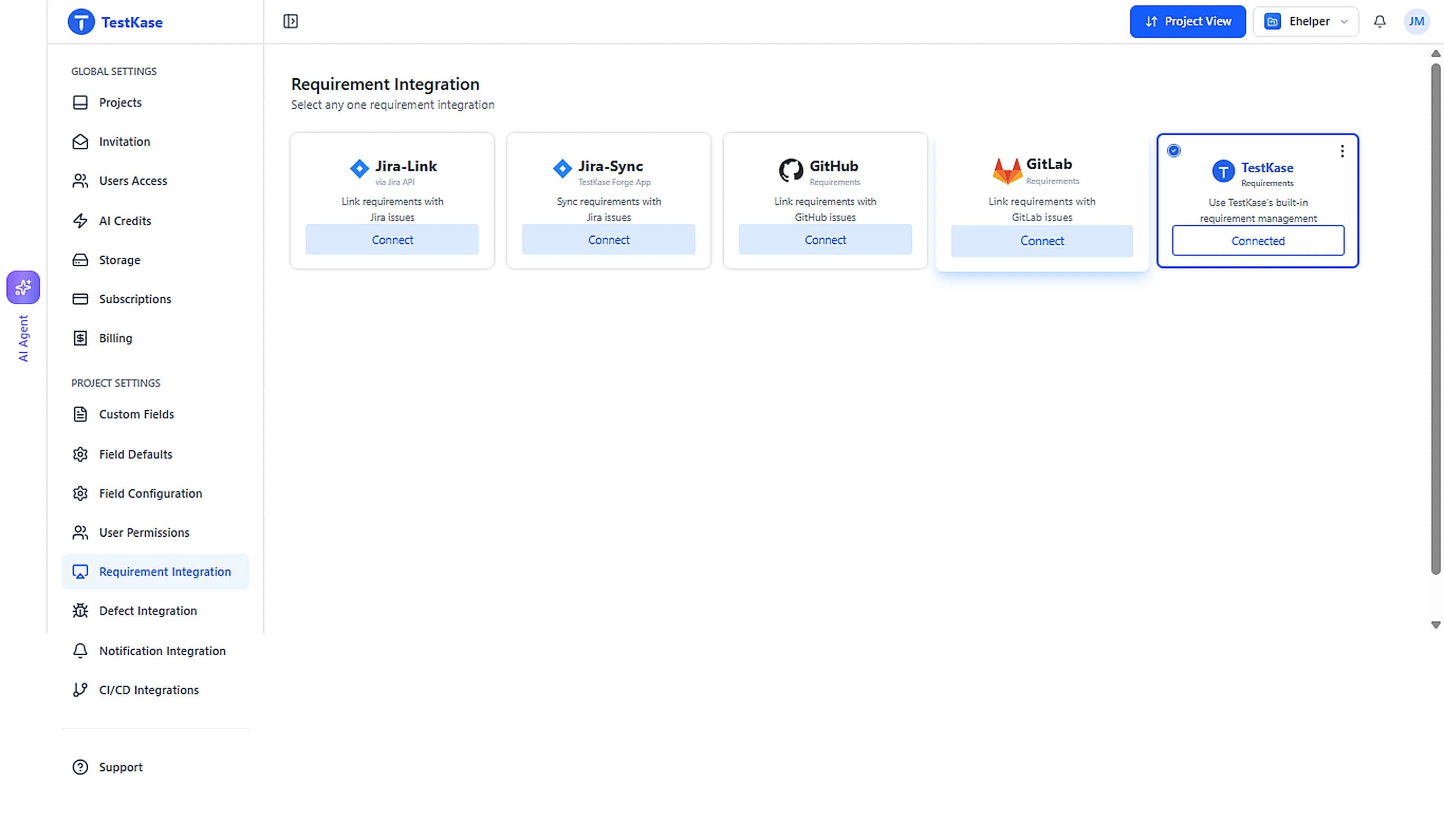
Choose What Works For Your Team
Use external tools you already love, or stay entirely within TestKase. Mix and match across projects.
Jira Link
Connect via Jira API to link requirements and defects with Jira issues. Ideal for teams that want quick, API-based traceability.
Learn moreJira Sync
Use the TestKase Forge app for Jira to get deep, two-way sync between Jira issues and TestKase requirements and defects.
Learn more
GitHub
Map GitHub issues to requirements and defects. Perfect for dev-first teams working entirely within the GitHub ecosystem.
Learn more
GitLab
Link GitLab issues as requirements and defects. Great for teams using GitLab for planning, code, and CI/CD in one platform.
Learn more
TestKase Built-in
Built-in requirement and defect management — lightweight, free, and ideal for small teams or new projects. No external tool needed.
Learn moreHow It Works
From connection to full traceability in four simple steps.
Connect Your Tool
Link your Jira or GitHub account from Project Settings. Or simply enable the built-in Requirements module — zero configuration.
Import Requirements
Pull in stories, epics, or issues as requirements. They auto-sync so your test coverage always reflects the latest scope.
Link Test Cases
Map test cases to requirements for full traceability. See coverage gaps at a glance and ensure nothing ships untested.
Track Defects
Log defects during execution. They link back to the failing test case and requirement — giving you a complete audit trail.
Jira Integration
Two ways to connect — choose what fits your workflow best.
Jira Link — via Jira API
Quick API-based setup. Link requirements to Jira stories, epics, and bugs with minimal configuration.
Jira Sync — TestKase Forge App
Install the free TestKase Forge app in Jira for deep two-way sync, native UI experience, and full custom field support.
GitHub Integration
Built for dev-first teams. Map GitHub issues to test cases and track quality alongside code — all without leaving your workflow.
- Import GitHub issues as requirements
- Map issues directly to test cases
- Perfect for teams already in the GitHub ecosystem
GitLab Integration
For teams that use GitLab for everything — planning, code, and CI/CD. Link GitLab issues as requirements and track quality in one place.
- Import GitLab issues as requirements
- Link issues directly to test cases for traceability
- Works with GitLab.com and self-managed instances

Requirements & Defects
No External Tool? No Problem.
TestKase includes a complete, free requirement and defect management system. Ideal for small teams, new projects, or anyone who prefers an all-in-one solution.
- Create and organize requirements with folders and priorities
- Link requirements directly to test cases for full traceability
- Log defects with severity levels (Critical, High, Medium, Low)
- Defect status workflow — Open, In Progress, Fixed, Closed
- Defects auto-link to test cases and requirements
- Zero configuration — works out of the box
Built for Complete Traceability
End-to-End Traceability
Every test case links to a requirement and every defect links to a test. See the full chain from requirement to resolution.
Two-Way Sync
Changes in Jira or GitHub automatically reflect in TestKase. Status updates flow back so both tools stay in sync.
Inline Defect Logging
Found a bug during execution? Log it right there — it auto-links to the test case, requirement, and execution run.
Coverage Reports
Instant visibility into which requirements are covered, partially tested, or completely untested. Audit-ready at all times.
Start Testing for Free
Sign up instantly and begin using TestKase with all core features, completely free for up to 3 users.