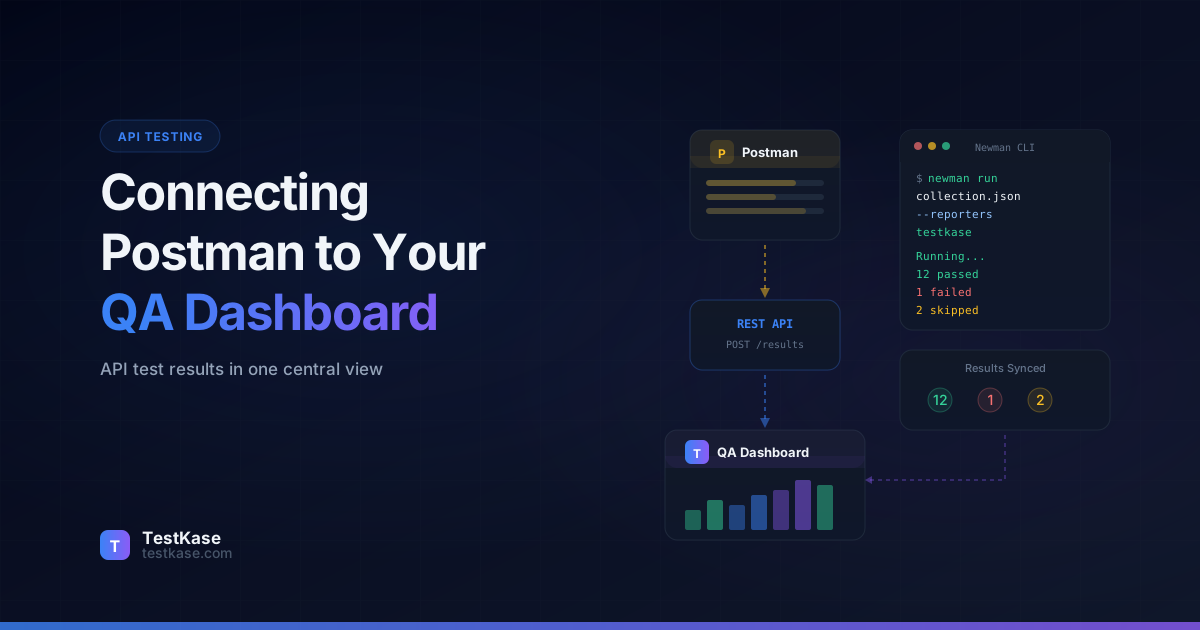
Connecting Postman API Tests to Your QA Dashboard

Connecting Postman API Tests to Your QA Dashboard
Your team uses Postman for API testing — 200 requests organized across 15 collections, covering user authentication, payment processing, inventory management, and third-party integrations. Every developer runs collections locally during development. Every QA engineer runs them before sign-off. Your CI pipeline runs them nightly via Newman.
But here's the question nobody can answer quickly: across all those runs, which API endpoints have consistent test coverage, and which ones were last tested three months ago by someone who's since left the team?
Postman is an excellent tool for building and running API tests. It is not a test management platform. It doesn't track which API tests map to which requirements, doesn't maintain execution history across team members in a structured way, and doesn't produce the kind of cross-functional reports that combine API test results with UI test results and manual test results into a single quality picture.
The solution is piping Postman results — specifically Newman results from CI — into your QA dashboard. This gives you centralized reporting, historical tracking, and traceability between API tests and the features they verify.
API testing is growing fast
Postman's 2025 State of the API report found that 73% of development teams now include API testing in their CI/CD pipelines. But only 28% integrate those results with their broader test management workflow. That's a lot of quality data going to waste — and a significant visibility gap for teams that need to answer "are we ready to ship?" across all testing layers.
Why Centralized API Test Reporting Matters
Before we get into the technical setup, let's understand why dispersed test results are a problem worth solving.
The visibility gap. When API test results live only in Newman's CLI output or CI pipeline logs, they're invisible to product managers, QA leads, and engineering managers. These stakeholders need to know whether the payment API is stable, whether the authentication endpoints are regression-free, and whether the third-party integration tests are passing — without learning how to read Newman output or navigate CI artifacts.
The correlation problem. A UI test fails because a button doesn't work. Is it a frontend bug or an API bug? If your API test results and UI test results live in separate systems, answering this question requires manual cross-referencing. When both flow into the same dashboard, you can immediately see that the API endpoint behind the button is also failing, pointing to a backend root cause.
The trend problem. Newman runs produce point-in-time results. Without historical tracking, you can't see that the /api/payments/process endpoint has been getting 50ms slower each week for the past three months, or that the /api/users/search endpoint has failed intermittently in 4 of the last 20 runs. Trends require persistent storage and visualization — exactly what a test management platform provides.
The coverage problem. Your OpenAPI specification defines 150 endpoints. How many have automated test coverage? Without mapping Postman tests to a test management system, the answer requires a manual audit. With mapping, it's a dashboard query.
According to SmartBear's 2025 State of Quality Report, teams that centralize test results across all layers (unit, API, UI, manual) resolve defects 40% faster than teams with siloed reporting. The unified view enables faster root cause analysis and better release decisions.
Postman Collections and Newman: A Quick Primer
If you're already using Postman and Newman, skip ahead. For everyone else, here's the relationship between the two.
Postman is the GUI application where you build API requests, write test scripts, and organize them into collections. A collection is essentially a test suite — a group of related API requests with pre-request scripts, test assertions, and variables.
Newman is Postman's command-line runner. It takes a Postman collection export (JSON file) and runs it in any environment — your terminal, a CI server, a Docker container. Newman is what makes Postman collections runnable in automated pipelines.
# Export your collection from Postman, then run with Newman
newman run my-collection.json \
  --environment staging.json \
  --reporters cli,json \
  --reporter-json-export results.json
Newman supports multiple reporters, including CLI (terminal output), JSON, JUnit, and HTML. For test management integration, you'll either use a custom Newman reporter or post-process the JSON output.
Structuring Collections for Test Management Integration
Before connecting Newman to your dashboard, organize your Postman collections for traceability. The structure you choose now determines how cleanly results map to your test management tool.
Collection-per-domain pattern:
collections/
├── auth/
│   ├── auth-collection.json         # Login, signup, password reset, SSO
│   └── auth-environment.json
├── payments/
│   ├── payments-collection.json     # Charges, refunds, subscriptions
│   └── payments-environment.json
├── users/
│   ├── users-collection.json        # CRUD, search, permissions
│   └── users-environment.json
├── integrations/
│   ├── jira-collection.json         # Jira webhook, sync
│   ├── slack-collection.json        # Slack notifications
│   └── integrations-environment.json
└── shared/
    ├── staging.json                  # Shared staging environment
    └── production.json               # Shared production environment
Each collection maps to a folder in your test management tool. Each request maps to a test case group. Each assertion maps to an individual test case result.
Naming convention for traceability:
// In your Postman test scripts, prefix with test case IDs
pm.test("[TC-4001] POST /users returns 201 for valid input", function() {
  pm.response.to.have.status(201);
});

pm.test("[TC-4002] POST /users returns user ID in response", function() {
  const body = pm.response.json();
  pm.expect(body.id).to.be.a('string');
  pm.expect(body.id).to.have.length.above(0);
});

pm.test("[TC-4003] POST /users response time under 500ms", function() {
  pm.expect(pm.response.responseTime).to.be.below(500);
});
This [TC-XXXX] convention is what your reporter or post-processor uses to map results back to your test management system. Without it, results are just free-floating pass/fail counts with no traceability.
Running Postman Tests in CI/CD
Before connecting to your QA dashboard, make sure your Postman tests run reliably in CI. Here's a GitHub Actions setup:
name: API Tests
on:
  push:
    branches: [main, develop]
  schedule:
    - cron: '0 6 * * *'  # Daily at 6 AM UTC

jobs:
  api-tests:
    runs-on: ubuntu-latest
    steps:
      - uses: actions/checkout@v4

      - name: Install Newman
        run: npm install -g newman newman-reporter-htmlextra

      - name: Run API tests - Auth collection
        run: |
          newman run collections/auth.json \
            --environment environments/${{ github.ref_name == 'main' && 'production' || 'staging' }}.json \
            --reporters cli,json \
            --reporter-json-export results/auth-results.json

      - name: Run API tests - Payments collection
        run: |
          newman run collections/payments.json \
            --environment environments/${{ github.ref_name == 'main' && 'production' || 'staging' }}.json \
            --reporters cli,json \
            --reporter-json-export results/payments-results.json

      - name: Upload results to test management
        if: always()
        run: node scripts/upload-newman-results.js
        env:
          TESTKASE_API_KEY: ${{ secrets.TESTKASE_API_KEY }}
          TESTKASE_PROJECT_ID: ${{ vars.TESTKASE_PROJECT_ID }}

      - name: Upload result artifacts
        if: always()
        uses: actions/upload-artifact@v4
        with:
          name: api-test-results
          path: results/
Key considerations:
- Run collections separately rather than in one massive Newman command. This gives you granular reporting and allows parallel execution.
- Use environment files to switch between staging and production configurations. Never hardcode URLs or credentials.
- Use
if: always()on the upload step so results are reported even when tests fail — especially when tests fail. - Store results as artifacts so you have a fallback if the upload step fails.
Parallel Collection Execution
For large test suites with 10+ collections, run them in parallel to cut execution time:
jobs:
  api-tests:
    runs-on: ubuntu-latest
    strategy:
      matrix:
        collection:
          - auth
          - payments
          - users
          - inventory
          - integrations
          - notifications
      fail-fast: false  # Run all collections even if one fails
    steps:
      - uses: actions/checkout@v4
      - name: Install Newman
        run: npm install -g newman
      - name: Run ${{ matrix.collection }} tests
        run: |
          newman run collections/${{ matrix.collection }}.json \
            --environment environments/staging.json \
            --reporters cli,json \
            --reporter-json-export results/${{ matrix.collection }}-results.json
      - name: Upload results
        if: always()
        uses: actions/upload-artifact@v4
        with:
          name: results-${{ matrix.collection }}
          path: results/

  upload-to-dashboard:
    needs: api-tests
    if: always()
    runs-on: ubuntu-latest
    steps:
      - uses: actions/checkout@v4
      - name: Download all results
        uses: actions/download-artifact@v4
        with:
          path: results/
          pattern: results-*
          merge-multiple: true
      - name: Upload to test management
        run: node scripts/upload-newman-results.js
        env:
          TESTKASE_API_KEY: ${{ secrets.TESTKASE_API_KEY }}
          TESTKASE_PROJECT_ID: ${{ vars.TESTKASE_PROJECT_ID }}
This runs six collections simultaneously, reducing a 30-minute sequential pipeline to roughly 8 minutes. The fail-fast: false setting ensures all collections run even if one fails — you want complete results, not partial.
Building a Custom Newman Reporter
Newman's reporter architecture lets you create custom reporters that process results as they happen. Here's a reporter that sends results to a test management API:
// reporters/newman-testkase-reporter.js
const https = require('https');
const path = require('path');

function TestKaseReporter(emitter, reporterOptions) {
  const apiUrl = reporterOptions.apiUrl ||
    process.env.TESTKASE_API_URL ||
    'https://api.testkase.com';
  const apiKey = reporterOptions.apiKey ||
    process.env.TESTKASE_API_KEY;
  const projectId = reporterOptions.projectId ||
    process.env.TESTKASE_PROJECT_ID;
  const cycleId = reporterOptions.cycleId ||
    process.env.TESTKASE_CYCLE_ID ||
    `newman-${Date.now()}`;

  const results = [];
  let collectionName = '';

  emitter.on('start', (err, summary) => {
    collectionName = summary.collection.name;
    console.log(
      `[TestKase] Starting collection: ${collectionName}`
    );
  });

  emitter.on('assertion', (err, assertion) => {
    const request = assertion.item;
    const testName = assertion.assertion;
    const requestName = request.name;

    // Extract test case ID from request name or test name
    // Convention: "[TC-4001] Create User" or test named
    // "[TC-4001] Status code is 200"
    const idMatch = (requestName + ' ' + testName)
      .match(/\[TC-(\d+)\]/);

    results.push({
      testCaseId: idMatch ? `TC-${idMatch[1]}` : null,
      requestName: requestName,
      testName: testName,
      status: err ? 'failed' : 'passed',
      errorMessage: err ? err.message : null,
      responseTime: assertion.item?.response?.responseTime,
      statusCode: assertion.item?.response?.code,
    });
  });

  emitter.on('done', async (err, summary) => {
    const mapped = results.filter(r => r.testCaseId);
    const unmapped = results.filter(r => !r.testCaseId);

    console.log(
      `[TestKase] Collection complete: ` +
      `${mapped.length} mapped, ` +
      `${unmapped.length} unmapped assertions`
    );

    if (unmapped.length > 0) {
      console.warn(
        `[TestKase] ${unmapped.length} assertions lack ` +
        `[TC-XXXX] IDs and won't be tracked. ` +
        `Consider adding IDs for full traceability.`
      );
      // Log unmapped assertions for easy identification
      unmapped.forEach(u => {
        console.warn(
          `  - ${u.requestName}: ${u.testName}`
        );
      });
    }

    if (mapped.length === 0) {
      console.warn(
        '[TestKase] No mapped results to upload'
      );
      return;
    }

    const payload = {
      testCycleId: cycleId,
      source: 'newman',
      collection: collectionName,
      timestamp: new Date().toISOString(),
      summary: {
        total: summary.run.stats.assertions.total,
        passed: summary.run.stats.assertions.total -
          summary.run.stats.assertions.failed,
        failed: summary.run.stats.assertions.failed,
        averageResponseTime:
          summary.run.timings.responseAverage,
      },
      results: mapped.map(r => ({
        testCaseId: r.testCaseId,
        status: r.status,
        errorMessage: r.errorMessage,
        metadata: {
          requestName: r.requestName,
          responseTime: r.responseTime,
          statusCode: r.statusCode,
        },
      })),
    };

    try {
      const response = await fetch(
        `${apiUrl}/api/v1/projects/${projectId}/results`,
        {
          method: 'POST',
          headers: {
            'Content-Type': 'application/json',
            'Authorization': `Bearer ${apiKey}`,
          },
          body: JSON.stringify(payload),
        }
      );

      if (!response.ok) {
        throw new Error(
          `API returned ${response.status}`
        );
      }

      console.log(
        `[TestKase] Uploaded ${mapped.length} results ` +
        `to cycle ${cycleId}`
      );
    } catch (uploadErr) {
      console.error(
        '[TestKase] Upload failed:',
        uploadErr.message
      );
    }
  });
}

module.exports = TestKaseReporter;
Register the reporter when running Newman:
newman run collection.json \
  --reporters cli,./reporters/newman-testkase-reporter.js \
  --reporter-testkase-api-url https://api.testkase.com \
  --reporter-testkase-api-key $TESTKASE_API_KEY \
  --reporter-testkase-project-id proj_abc123
Post-Processing Newman JSON Output
If you prefer not to build a custom reporter, you can process Newman's JSON output after the run. This approach decouples test execution from result reporting.
// scripts/upload-newman-results.ts
import fs from 'fs';
import path from 'path';

interface NewmanResult {
  collection: { info: { name: string } };
  run: {
    executions: Array<{
      item: { name: string };
      assertions: Array<{
        assertion: string;
        error?: { message: string };
      }>;
      response: {
        code: number;
        responseTime: number;
      };
    }>;
    stats: {
      assertions: { total: number; failed: number };
    };
    timings: { responseAverage: number };
  };
}

interface MappedResult {
  testCaseId: string;
  status: 'passed' | 'failed';
  errorMessage: string | null;
  metadata: {
    collection: string;
    request: string;
    assertion: string;
    responseTime: number;
    statusCode: number;
  };
}

async function uploadResults() {
  const resultsDir = path.join(process.cwd(), 'results');
  const files = fs.readdirSync(resultsDir)
    .filter(f => f.endsWith('.json'));

  console.log(`Found ${files.length} result files`);

  const allResults: MappedResult[] = [];
  const unmappedCount: Record<string, number> = {};

  for (const file of files) {
    const raw = fs.readFileSync(
      path.join(resultsDir, file), 'utf-8'
    );
    const data: NewmanResult = JSON.parse(raw);
    const collectionName = data.collection.info.name;
    let fileUnmapped = 0;

    for (const execution of data.run.executions) {
      for (const assertion of execution.assertions) {
        const combined =
          `${execution.item.name} ${assertion.assertion}`;
        const idMatch = combined.match(/\[TC-(\d+)\]/);

        if (idMatch) {
          allResults.push({
            testCaseId: `TC-${idMatch[1]}`,
            status: assertion.error ? 'failed' : 'passed',
            errorMessage: assertion.error?.message || null,
            metadata: {
              collection: collectionName,
              request: execution.item.name,
              assertion: assertion.assertion,
              responseTime: execution.response.responseTime,
              statusCode: execution.response.code,
            },
          });
        } else {
          fileUnmapped++;
        }
      }
    }

    if (fileUnmapped > 0) {
      unmappedCount[collectionName] = fileUnmapped;
    }

    console.log(
      `${collectionName}: ` +
      `${data.run.stats.assertions.total} assertions, ` +
      `${fileUnmapped} unmapped`
    );
  }

  // Report unmapped assertions
  if (Object.keys(unmappedCount).length > 0) {
    console.warn('\nUnmapped assertions by collection:');
    for (const [name, count] of Object.entries(unmappedCount)) {
      console.warn(`  ${name}: ${count} assertions`);
    }
  }

  if (allResults.length === 0) {
    console.log('No mapped results found');
    return;
  }

  const response = await fetch(
    `${process.env.TESTKASE_API_URL}/api/v1/projects/` +
    `${process.env.TESTKASE_PROJECT_ID}/results`,
    {
      method: 'POST',
      headers: {
        'Content-Type': 'application/json',
        'Authorization':
          `Bearer ${process.env.TESTKASE_API_KEY}`,
      },
      body: JSON.stringify({
        testCycleId: `newman-${Date.now()}`,
        source: 'newman',
        results: allResults,
      }),
    }
  );

  if (!response.ok) {
    console.error(
      `Upload failed: ${response.status} ` +
      `${await response.text()}`
    );
    process.exit(1);
  }

  console.log(
    `Uploaded ${allResults.length} results successfully`
  );
}

uploadResults();
Custom reporter vs post-processing
Use a custom reporter when you want real-time feedback during the run — useful for long-running collections with 100+ requests. Use post-processing when you want simplicity and decoupled concerns — the test runs independently, and a separate step handles reporting. For most CI/CD setups, post-processing is easier to debug when things go wrong.
Mapping Collections to Test Suites
The mapping between Postman's organizational structure and your test management tool requires thought. Here's how the concepts align:
The assertion-level question. A single Postman request can have multiple test assertions:
// In Postman's test script for "Create User" request
pm.test("[TC-4001] Status code is 201", function() {
  pm.response.to.have.status(201);
});

pm.test("[TC-4002] Response has user ID", function() {
  const body = pm.response.json();
  pm.expect(body.id).to.be.a('string');
});

pm.test("[TC-4003] Response time under 500ms", function() {
  pm.expect(pm.response.responseTime).to.be.below(500);
});
Each assertion maps to a separate test case in your management tool. This gives you granular tracking — you can see that the "Create User" endpoint returns the right status code but is too slow, without conflating the two concerns.
Writing Effective Postman Test Assertions for Traceability
The quality of your assertions determines the quality of your dashboard data. Here's a progression from basic to comprehensive:
// Level 1: Basic status code check
pm.test("[TC-5001] GET /products returns 200", function() {
  pm.response.to.have.status(200);
});

// Level 2: Response structure validation
pm.test("[TC-5002] GET /products returns array with items", function() {
  const body = pm.response.json();
  pm.expect(body.data).to.be.an('array');
  pm.expect(body.data.length).to.be.above(0);
});

// Level 3: Business logic validation
pm.test("[TC-5003] GET /products respects pagination limit", function() {
  const body = pm.response.json();
  const requestedLimit = parseInt(pm.request.url.query.get('limit'));
  pm.expect(body.data.length).to.be.at.most(requestedLimit);
  pm.expect(body.pagination.totalPages).to.be.a('number');
});

// Level 4: Cross-request consistency
pm.test("[TC-5004] Created product appears in product list", function() {
  const createdId = pm.collectionVariables.get('lastCreatedProductId');
  const body = pm.response.json();
  const found = body.data.find(p => p.id === createdId);
  pm.expect(found).to.not.be.undefined;
  pm.expect(found.name).to.equal(
    pm.collectionVariables.get('lastCreatedProductName')
  );
});

// Level 5: Performance budget enforcement
pm.test("[TC-5005] GET /products responds within SLA", function() {
  // P50 should be under 200ms, P95 under 500ms
  pm.expect(pm.response.responseTime).to.be.below(500);
  if (pm.response.responseTime > 200) {
    console.warn(
      `Response time ${pm.response.responseTime}ms ` +
      `exceeds P50 target of 200ms`
    );
  }
});
The deeper your assertions, the more meaningful your dashboard data becomes. Level 1 assertions tell you "the API is up." Level 5 assertions tell you "the API meets its SLA and business logic is correct."
Environment-Specific Reporting
API tests often run against multiple environments — staging, QA, production. Your reporting should distinguish between them.
# Staging run
newman run collection.json \
  --environment staging.json \
  --reporter-testkase-cycle-id "staging-$(date +%Y%m%d)"

# Production smoke test
newman run collection.json \
  --environment production.json \
  --iteration-data smoke-test-data.json \
  --reporter-testkase-cycle-id "prod-smoke-$(date +%Y%m%d)"
In your test management tool, use separate test cycles for each environment. This prevents staging failures from polluting production quality metrics and lets you compare API behavior across environments.
Environment Comparison Dashboard
When results from multiple environments flow into your dashboard, you can build powerful comparison views:
| Endpoint | Staging | Production | Delta | |----------|---------|------------|-------| | POST /users | 201ms | 185ms | -8.7% | | GET /products | 342ms | 289ms | -15.5% | | POST /payments | 890ms | 1,240ms | +39.3% | | GET /dashboard | 1,100ms | 2,340ms | +112.7% |
This comparison immediately reveals that the payment and dashboard endpoints are significantly slower in production than staging — likely due to data volume differences. Without cross-environment reporting, this insight requires manual investigation.
Monitoring vs Testing: Know the Difference
Postman offers monitoring — scheduled collection runs that check API health over time. This is different from testing in CI/CD, and the distinction matters for reporting.
API monitoring answers: "Is the API healthy right now?" It runs on a schedule (every 5 minutes, hourly) and checks availability, response times, and basic assertions. Monitoring results are high-volume and transient — you don't need every 5-minute ping in your test management tool.
API testing answers: "Does the API meet its requirements?" It runs during development and before releases, with detailed assertions about response bodies, edge cases, and business logic. These results belong in your test management tool.
The rule: Report CI/CD test results to your QA dashboard. Don't report monitoring pings. If monitoring detects a failure, create a Jira ticket or alert — not a test management entry.
Here's a decision matrix for where different types of API checks should report:
| Check Type | Frequency | Report To | Example | |-----------|-----------|-----------|---------| | CI/CD test suite | On push/merge | Test management dashboard | Full collection run with assertions | | Nightly regression | Daily | Test management dashboard | Complete regression across all endpoints | | Production smoke test | On deploy | Test management + Slack alert | 10-15 critical endpoint checks | | Uptime monitoring | Every 5 min | Observability tool (Datadog) | Basic health check pings | | Performance monitoring | Every 15 min | Observability tool (Grafana) | Response time tracking | | Contract test | On API spec change | Test management dashboard | Schema validation against OpenAPI spec |
Don't flood your dashboard
If you pipe monitoring results into your test management tool, you'll generate thousands of entries per day. Your dashboard becomes noise. Keep monitoring in Postman's monitoring dashboard or your observability tool (Datadog, Grafana). Send only intentional test runs to your QA dashboard.
Dashboard Visualization
Once Newman results flow into your test management tool, you can build dashboard views that answer real questions:
API health overview. Pass/fail rates across all API collections — at a glance, are APIs stable? Break this down by collection (auth: 98% pass, payments: 95% pass, integrations: 87% pass) to identify problem areas.
Response time trends. Track p50 and p95 response times over weeks. Spot performance regressions before users notice. A gradual increase from 200ms to 400ms over four weeks is invisible in individual runs but obvious in trend charts.
Environment comparison. Side-by-side view of the same tests running in staging vs production. Identify environment-specific issues. If staging shows 100% pass rate but production shows 95%, the 5% delta is likely caused by data scale, configuration differences, or infrastructure variations.
Coverage gaps. Which API endpoints have test coverage and which don't? Cross-reference your OpenAPI spec with mapped test cases. A typical API with 150 endpoints might have 80% coverage on CRUD operations but only 30% on error handling and edge cases.
Release readiness. Combine API test results with UI test results and manual test results. Answer "are we ready to ship?" with data from all three testing layers. A release readiness view might look like:
Release v2.4.0 Readiness
├── API Tests:    247/252 passed (98.0%)  ✅
├── UI Tests:     189/195 passed (96.9%)  ✅
├── Manual Tests:  45/48  passed (93.8%)  ⚠️
│   └── 3 blocked: waiting for staging fix
├── Performance:  All SLAs met             ✅
└── Overall:      Ready with known issues
Flaky test tracking. Identify API tests that intermittently fail. Track flakiness rate per assertion over time. A test that fails 5% of the time is either genuinely catching a race condition or needs to be fixed — the dashboard helps you distinguish.
Common Mistakes
Testing only the happy path. Most Postman collections test that endpoints return 200 for valid input. Fewer test what happens with invalid input, missing auth tokens, malformed payloads, or rate limiting. Your test management tool will show great pass rates — but the coverage is shallow.
A well-rounded API test suite should include:
// Happy path (most teams stop here)
pm.test("[TC-6001] Valid request returns 200", function() {
  pm.response.to.have.status(200);
});

// Input validation (many teams skip this)
pm.test("[TC-6002] Missing required field returns 400", function() {
  pm.response.to.have.status(400);
  pm.expect(pm.response.json().error).to.include('name is required');
});

// Authentication (often undertested)
pm.test("[TC-6003] Expired token returns 401", function() {
  pm.response.to.have.status(401);
});

// Authorization (frequently forgotten)
pm.test("[TC-6004] Regular user cannot access admin endpoint", function() {
  pm.response.to.have.status(403);
});

// Edge cases (rarely covered)
pm.test("[TC-6005] Request with 10MB payload returns 413", function() {
  pm.response.to.have.status(413);
});

// Rate limiting (almost never tested)
pm.test("[TC-6006] Rate-limited request returns 429 with retry-after", function() {
  pm.response.to.have.status(429);
  pm.response.to.have.header('Retry-After');
});
Not versioning collections. Postman collections should live in version control alongside your code, not just in the Postman cloud. Export collections to JSON and commit them. This ensures CI runs the same tests that developers review in PRs.
# Add to your development workflow
postman-to-git:
  # 1. Export collection from Postman (or use Postman API)
  # 2. Format JSON for readable diffs
  npx prettier --write collections/*.json
  # 3. Commit with the feature branch
  git add collections/
  git commit -m "Update payments collection for v2.4 API changes"
Ignoring response time assertions. Functional correctness is necessary but not sufficient. An API that returns the right data in 8 seconds is broken for real users. Add performance assertions (pm.expect(pm.response.responseTime).to.be.below(500)) and track them in your dashboard.
Using the same test data for every run. Hardcoded test data leads to flaky tests — especially for create/update/delete operations. Use dynamic data generation or external data files, and clean up test data after runs.
// Dynamic test data generation in pre-request script
const uniqueId = pm.variables.replaceIn('{{$randomUUID}}');
const timestamp = Date.now();

pm.collectionVariables.set('testUserEmail',
  `test-${timestamp}@example.com`
);
pm.collectionVariables.set('testUserName',
  `Test User ${uniqueId.substring(0, 8)}`
);
Skipping cleanup requests. If your collection creates test users, orders, or other data, include cleanup requests at the end. Leftover test data accumulates and causes cascading failures in subsequent runs.
Not handling test dependencies. Postman collections run sequentially by default, meaning later requests can depend on earlier ones (e.g., creating a user, then using that user's ID for subsequent requests). When one request fails, all dependent requests also fail, creating misleading dashboards. Use folder-level pre-request scripts to validate preconditions and skip dependent tests gracefully.
How TestKase Centralizes API Test Results
TestKase brings Newman results into the same dashboard as your Cypress, Playwright, and manual test results. API test outcomes appear alongside UI test results, giving your team a single view of quality across every testing layer.
The API accepts results from any Newman reporter — use the official TestKase reporter or build your own using the REST API. Results are mapped to test cases, tracked across test cycles, and visualized in dashboards that show pass rates, response time trends, and coverage gaps.
Combined with TestKase's Jira integration, a failed API assertion can surface as a Jira bug with the response body, status code, and expected-vs-actual comparison — all without leaving the QA dashboard.
Centralize your API test results with TestKaseConclusion
Postman and Newman are powerful tools for API testing, but their value multiplies when results flow into a test management platform. The path from Newman to your QA dashboard is straightforward: either build a custom Newman reporter that sends results during the run, or post-process the JSON output in a separate CI step. Map assertions to test case IDs using a [TC-XXXX] convention in test names, separate monitoring from testing to avoid dashboard noise, and track response times alongside functional results.
The investment pays off immediately. Teams with centralized API test reporting resolve API-related defects 40% faster, catch performance regressions weeks earlier, and make release decisions with complete data instead of partial visibility.
Your API test suite already validates critical business logic every day. Connecting it to your QA dashboard makes that validation visible, traceable, and actionable for everyone — not just the engineers who know how to read Newman output.
Stay up to date with TestKase
Get the latest articles on test management, QA best practices, and product updates delivered to your inbox.
SubscribeShare this article
Related Articles
Test Case Management Without Jira: Standalone Tools That Work
Need test case management without Jira? Learn why standalone tools outperform Jira-dependent add-ons and how to choose the right one for your team.
Read more →Why Most Test Management Tools Are Overpriced and Outdated in 2026
Legacy test management tools charge $30-50/user/month for decade-old UIs with no AI. Learn why QA teams are switching to modern, affordable alternatives like TestKase — starting free.
Read more →TestKase GitHub Chrome Extension: Complete Setup & Feature Guide
Install the TestKase Chrome Extension to manage test cases, test cycles, and test execution for GitHub issues — directly from a browser side panel.
Read more →