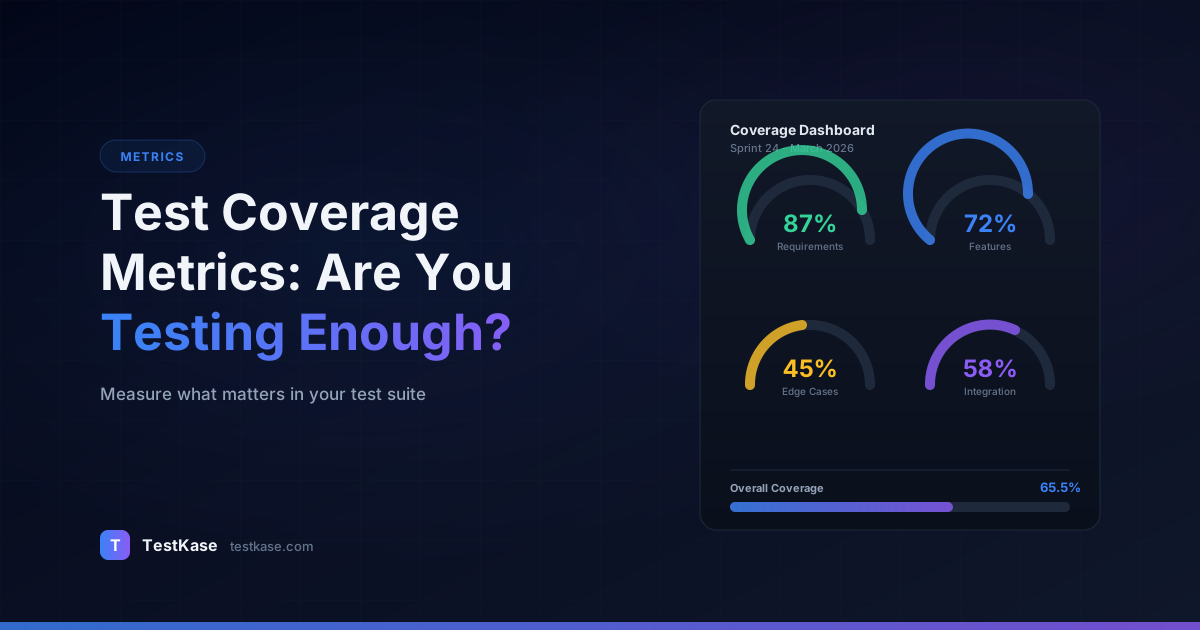
Test Coverage Metrics: Are You Testing Enough?

Test Coverage Metrics: Are You Testing Enough?
You report 85% code coverage to your engineering lead and get a nod of approval. Two weeks later, a critical bug ships to production — a payment calculation that silently rounds down fractional cents on high-volume transactions. The bug existed in a function that was technically "covered" by your tests. The tests executed the function, but they never asserted on the rounding behavior. Your coverage number was green. Your quality was not.
This is the coverage paradox: high coverage numbers feel reassuring, but they measure execution, not verification. A line of code is "covered" if a test runs through it — regardless of whether the test checks anything meaningful about that line's behavior. Coverage metrics are essential tools for QA teams, but only when you understand what they actually measure, what they miss, and how to interpret them without falling into common traps.
The Types of Coverage That Matter
Coverage isn't a single metric — it's a family of metrics, each measuring a different dimension of testing completeness. Understanding the differences is critical because optimizing for the wrong type of coverage can give you confidence you haven't earned.
Coverage is a lagging indicator
Coverage metrics tell you where tests have been, not where bugs are hiding. Research from Microsoft's empirical studies found that code coverage correlates with defect detection only up to about 70-80% — beyond that, the correlation weakens significantly. Additional coverage points become increasingly expensive to achieve and decreasingly valuable in terms of bugs found.
Code Coverage (Line and Statement)
The most commonly reported metric. Line coverage measures the percentage of source code lines executed during testing. If your application has 10,000 lines and your tests execute 8,000 of them, you have 80% line coverage.
Statement coverage is similar but counts individual statements rather than lines — a subtle difference when multiple statements appear on a single line.
Here's a concrete example of how line coverage can be misleading:
function calculateDiscount(order) {
  let discount = 0;                          // Line 1: covered
  if (order.total > 100) {                   // Line 2: covered
    discount = order.total * 0.1;            // Line 3: covered
  }                                          // Line 4: covered
  if (order.isPremium) {                     // Line 5: covered
    discount += 15;                          // Line 6: covered
  }                                          // Line 7: covered
  return order.total - discount;             // Line 8: covered
}

// Test: calculateDiscount({ total: 150, isPremium: true })
// Result: 100% line coverage
// But... what about order.total = 50 (no discount path)?
// What about order.total = 100 (boundary - is it > or >=)?
// What about negative totals? Null order? Missing isPremium field?
The test achieves 100% line coverage by hitting every line once. But it only tests one of many possible paths and never checks boundary conditions. Line coverage says "you've been here." It doesn't say "you've verified this works correctly."
Branch Coverage
More revealing than line coverage. Branch coverage measures whether every decision point (if/else, switch cases, ternary operators) has been tested in both directions. You can have 100% line coverage and 50% branch coverage if your tests only exercise the "true" branch of every conditional.
Consider a function that applies a discount if the user is a premium member. Line coverage might show the function is covered if your test calls it with a premium user. But branch coverage would flag that you never tested the non-premium path — the path where the discount should not be applied.
// Same function, branch coverage analysis:
function calculateDiscount(order) {
  let discount = 0;
  if (order.total > 100) {        // Branch: true ✅ | false ❌
    discount = order.total * 0.1;
  }
  if (order.isPremium) {           // Branch: true ✅ | false ❌
    discount += 15;
  }
  return order.total - discount;
}

// Test 1: { total: 150, isPremium: true }
// Branch coverage: 50% (only "true" branches tested)

// Adding Test 2: { total: 50, isPremium: false }
// Branch coverage: 100% (both branches of both conditions tested)
Branch coverage is particularly important for conditional logic that controls money calculations, access control, and data routing — the places where an untested branch can cause the most damage.
Condition Coverage
A step beyond branch coverage. Condition coverage measures whether every individual Boolean sub-expression has been evaluated to both true and false. This matters for compound conditions:
if (user.isAdmin || (user.role === 'manager' && user.department === 'finance')) {
  // grant access
}
Branch coverage requires only two tests — one where the condition is true, one where it's false. Condition coverage requires testing each sub-expression (user.isAdmin, user.role === 'manager', user.department === 'finance') in both states. This is more thorough and catches bugs in complex conditional logic.
Requirements Coverage
This is the QA-centric metric that code coverage ignores entirely. Requirements coverage measures the percentage of business requirements that have at least one associated test case. If your product has 200 requirements and 170 of them are linked to test cases, your requirements coverage is 85%.
Requirements coverage answers a fundamentally different question than code coverage. Code coverage asks "which lines of code have been exercised?" Requirements coverage asks "which business requirements have been verified?"
The gap between these two metrics reveals critical blind spots. A common scenario:
Code coverage: 82% ← "We're well-tested!"
Requirements coverage: 61% ← "39% of requirements have zero tests!"

How? The 82% code coverage comes from thorough testing of a subset
of features. The remaining features — implemented in code that
contributes to the "uncovered" 18% — have no test cases at all.
Specifically:
  - Payment processing: 95% code coverage, 100% requirements coverage
  - User management: 90% code coverage, 90% requirements coverage
  - Reporting module: 30% code coverage, 20% requirements coverage
  - Notification system: 15% code coverage, 10% requirements coverage

The global 82% code coverage masks the fact that reporting and
notifications are barely tested.
Risk Coverage
The most strategic metric, and the hardest to compute. Risk coverage measures testing completeness weighted by business risk. A feature used by 90% of your users and generating 60% of your revenue should have deeper coverage than an admin utility used once a month.
Risk coverage requires you to classify features or requirements by risk level — typically a combination of business impact, usage frequency, and historical defect rate — and then measure coverage within each risk tier.
Here's a practical risk scoring model:
Risk Score = Business Impact (1-5) x Usage Frequency (1-5) x Defect History (1-5)

Feature: Payment processing
  Business Impact: 5 (directly generates revenue)
  Usage Frequency: 5 (every transaction)
  Defect History: 3 (occasional rounding issues)
  Risk Score: 75 → CRITICAL

Feature: Admin user audit log
  Business Impact: 2 (compliance, not revenue)
  Usage Frequency: 1 (checked monthly)
  Defect History: 1 (never had a bug)
  Risk Score: 2 → LOW

Coverage targets:
  CRITICAL (score 50+):  95% requirements coverage, 85% branch coverage
  HIGH (score 25-49):    80% requirements coverage, 70% branch coverage
  MEDIUM (score 10-24):  60% requirements coverage
  LOW (score 1-9):       40% requirements coverage
Measuring Coverage: Tools and Techniques
Code Coverage Tools
Most programming languages have mature coverage tools built into their ecosystems:
# JavaScript/TypeScript (Istanbul/nyc)
npx jest --coverage
# Generates HTML report in coverage/lcov-report/index.html

# Java (JaCoCo)
mvn test jacoco:report
# Generates report in target/site/jacoco/index.html

# Python (coverage.py)
coverage run -m pytest
coverage html
# Generates report in htmlcov/index.html

# Go (built-in)
go test -coverprofile=coverage.out ./...
go tool cover -html=coverage.out
# Opens interactive coverage report in browser

# .NET (dotCover or Coverlet)
dotnet test --collect:"XPlat Code Coverage"
# Generates Cobertura XML report
Integrate code coverage into your CI pipeline so every pull request displays its coverage impact. This makes coverage a visible, ongoing metric rather than something you check quarterly.
A practical CI integration with GitHub Actions:
# .github/workflows/test.yml
- name: Run tests with coverage
  run: npx jest --coverage --coverageReporters=text --coverageReporters=lcov

- name: Check coverage thresholds
  run: |
    npx jest --coverage --coverageThreshold='{
      "global": {
        "branches": 60,
        "functions": 70,
        "lines": 75,
        "statements": 75
      },
      "src/payments/**": {
        "branches": 85,
        "functions": 90,
        "lines": 90,
        "statements": 90
      }
    }'
This configuration sets different thresholds for different parts of the codebase — higher for critical payment code, lower for the global average.
Requirements Coverage Tracking
Requirements coverage requires a test management tool that supports requirement-to-test-case linking. You define your requirements (or import them from Jira, Azure DevOps, or your requirements tool), link test cases to them, and the tool calculates coverage automatically.
This is where many teams fall short — they measure code coverage religiously but never track whether their tests actually map to business requirements. A test suite with 90% code coverage and 60% requirements coverage is testing a lot of code but missing 40% of what the business asked for.
Risk Coverage Assessment
Risk coverage is typically a manual or semi-automated process. Start by classifying your features into risk tiers:
- Critical (Tier 1): Revenue-generating workflows, security-sensitive features, regulatory requirements
- High (Tier 2): Core user-facing features, integrations with external systems
- Medium (Tier 3): Secondary features, internal tools, reporting
- Low (Tier 4): Cosmetic elements, rarely used utilities, administrative functions
Then measure coverage within each tier. Your target should be highest for Tier 1 and can taper for lower tiers.
Set tiered targets
Rather than a single coverage target like "80%," set tiered targets: 95% requirements coverage for Tier 1 features, 80% for Tier 2, 60% for Tier 3, and 40% for Tier 4. This focuses testing effort where it creates the most value and gives teams realistic goals that account for diminishing returns.
What "Good" Coverage Looks Like
The question every QA team asks: what coverage percentage should we target?
The honest answer is that it depends — but here are pragmatic benchmarks based on industry data and practical experience:
Code coverage: 70-85% is the sweet spot for most applications. Below 70%, you likely have significant untested logic. Above 85%, you're spending increasing effort for decreasing marginal value. The exceptions are safety-critical systems (medical devices, aviation) where 95%+ may be required by regulation, and prototypes or MVPs where 50-60% might be acceptable.
Branch coverage: 60-75% is realistic for most teams. Branch coverage numbers are always lower than line coverage because it's harder to exercise every decision path. Focus on achieving high branch coverage in your most complex and critical modules.
Requirements coverage: 90%+ for critical features, 70%+ overall. If more than 30% of your business requirements lack test coverage, you have a significant quality risk. This metric should be tracked at the feature or module level, not just as a global percentage.
The Diminishing Returns Curve
Moving from 0% to 50% coverage is cheap and high-impact — you're catching obvious gaps. Moving from 50% to 80% is moderately expensive and moderately impactful. Moving from 80% to 95% is expensive and low-impact — you're writing tests for error handlers, edge-case code paths, and trivially simple getters. Moving from 95% to 100% is extremely expensive and often counterproductive — you're writing tests that are harder to maintain than the code they test.
Here's what the diminishing returns look like with real numbers:
Coverage Level | Effort (hours) | Cumulative Bugs Found | Marginal Bugs per Hour
━━━━━━━━━━━━━━━━━━━━━━━━━━━━━━━━━━━━━━━━━━━━━━━━━━━━━━━━━━━━━━━━━━━━━━━━━━
0% → 50%       | 40 hours       | 45 bugs               | 1.13 bugs/hour
50% → 70%      | 30 hours       | 62 bugs (+17)         | 0.57 bugs/hour
70% → 80%      | 25 hours       | 71 bugs (+9)          | 0.36 bugs/hour
80% → 90%      | 35 hours       | 76 bugs (+5)          | 0.14 bugs/hour
90% → 95%      | 40 hours       | 78 bugs (+2)          | 0.05 bugs/hour
95% → 100%     | 60 hours       | 79 bugs (+1)          | 0.02 bugs/hour
The first 50% of coverage finds over half the bugs. The last 5% of coverage finds almost none. Know where you are on this curve and make conscious decisions about where to invest.
Coverage vs. Quality: The Distinction That Matters
High coverage does not equal high quality. This is the most important thing to internalize about coverage metrics.
Consider two test suites, both achieving 80% line coverage on the same codebase:
- Suite A has 500 tests with thoughtful assertions that verify return values, state changes, error messages, and boundary behaviors.
- Suite B has 200 tests that call functions and check only that they don't throw exceptions.
Both report 80% coverage. Suite A will catch ten times more bugs. The coverage metric can't tell the difference.
This is why coverage should be one input among many in your quality assessment — not the only one. Complement coverage metrics with:
- Defect escape rate: How many bugs reach production? A declining escape rate suggests your testing is effective.
- Test case effectiveness: What percentage of your test cases have ever found a bug? Tests that never fail might not be testing anything meaningful.
- Mutation testing: Tools like Stryker (JavaScript) or PIT (Java) introduce deliberate bugs into your code and check whether your tests catch them. This measures assertion quality, not just execution coverage.
Mutation Testing: The Coverage Quality Multiplier
Mutation testing deserves special attention because it directly addresses the coverage paradox. Here's how it works:
// Original code
function isEligibleForDiscount(user) {
  return user.age >= 65 || user.memberYears > 5;
}

// Mutation 1: Change >= to >
function isEligibleForDiscount(user) {
  return user.age > 65 || user.memberYears > 5;  // Mutant
}

// Mutation 2: Change || to &&
function isEligibleForDiscount(user) {
  return user.age >= 65 && user.memberYears > 5;  // Mutant
}

// Mutation 3: Change > to >=
function isEligibleForDiscount(user) {
  return user.age >= 65 || user.memberYears >= 5;  // Mutant
}
If your tests catch Mutation 1 (they have a test for age=65), the mutant is "killed." If they miss Mutation 3 (no test for memberYears=5), the mutant "survives" — revealing a gap in your assertions.
Running Stryker on a JavaScript project:
npx stryker run

# Output:
# Mutation score: 72%
# Mutants killed: 144 / 200
# Survived mutants: 56 (these are your assertion gaps)
#
# Survived mutants in src/payments/discount.js:
#   Line 12: Changed >= to > (boundary condition not tested)
#   Line 15: Removed condition (dead code or missing assertion)
#   Line 23: Changed return value (return not asserted)
A team with 85% code coverage and 72% mutation score knows that 28% of their covered code isn't actually being verified. That's actionable — they can target those specific surviving mutants with better assertions.
Building a Coverage Dashboard
A coverage dashboard should tell your team — and your stakeholders — three things at a glance: where coverage is strong, where gaps exist, and how coverage is trending over time.
Essential dashboard elements:
- Overall code coverage percentage with trend line (last 6 sprints)
- Requirements coverage by module or feature area
- Coverage heatmap showing which modules are well-tested and which aren't
- New code coverage — are recently added features being tested?
- Coverage delta per pull request — is coverage going up or down with each change?
Building a Practical Coverage Report
Here's an example of a comprehensive coverage report structure that goes beyond the single-number summary:
Weekly Coverage Report — Sprint 14
━━━━━━━━━━━━━━━━━━━━━━━━━━━━━━━━━

OVERALL METRICS
  Code coverage (line):        78.3% (+1.2% from last sprint)
  Code coverage (branch):      64.7% (+0.8%)
  Requirements coverage:       72.0% (+3.0%)
  Mutation score:              69.4% (+2.1%)

MODULE BREAKDOWN (sorted by risk tier)
  Tier 1 (Critical):
    Payment processing:        91.2% line | 87% branch | 95% requirements ✅
    Authentication:            88.5% line | 82% branch | 100% requirements ✅
    Order management:          84.3% line | 71% branch | 88% requirements ⚠️

  Tier 2 (High):
    User management:           79.1% line | 65% branch | 80% requirements ✅
    Product catalog:           76.8% line | 62% branch | 75% requirements ✅
    Notification service:      52.3% line | 41% branch | 45% requirements ❌

  Tier 3 (Medium):
    Reporting:                 61.4% line | 48% branch | 55% requirements ⚠️
    Admin tools:               44.2% line | 33% branch | 40% requirements ✅

NEW CODE THIS SPRINT
  src/payments/refund.js:      92% line | 85% branch ✅
  src/users/bulk-import.js:    78% line | 60% branch ⚠️
  src/notifications/sms.js:    23% line | 15% branch ❌ ← Action needed

ACTION ITEMS
  1. Notification service coverage is critically low for a Tier 2 module
     → Add 15-20 test cases targeting SMS and email workflows
  2. New bulk-import code needs branch coverage improvement
     → Add tests for error paths and edge cases
  3. New SMS notification code has almost no tests
     → Block next deployment until coverage reaches 60%
Don't game the metric
When coverage becomes a KPI or gate, teams are tempted to game it — writing assertion-free tests that execute code without verifying behavior, or excluding hard-to-test modules from the coverage calculation. This destroys the metric's usefulness. Treat coverage as a diagnostic tool, not a performance target. Use it to find gaps, not to hit numbers.
Coverage-Driven Testing Strategy
Instead of treating coverage as a passive metric you check after writing tests, use it proactively to guide test creation:
Step 1: Identify Gaps
Run coverage analysis and sort uncovered code by risk tier. Focus on Tier 1 and Tier 2 modules with below-target coverage.
Step 2: Analyze What's Missing
For each gap, determine what kind of testing is missing:
- No tests at all → Write new test cases
- Tests exist but don't assert → Add meaningful assertions (mutation testing helps here)
- Happy paths covered, error paths missing → Add negative test cases
- Code is untestable → Refactor for testability (extract functions, inject dependencies)
Step 3: Prioritize by Impact
Not all coverage gaps are equal. A 10% gap in your payment module is more dangerous than a 30% gap in your admin settings page. Use the risk scoring model to prioritize which gaps to address first.
Step 4: Set Sprint Goals
Instead of "increase overall coverage by 2%," set specific goals:
Sprint 15 Coverage Goals:
  - Increase notification service branch coverage from 41% to 60%
  - Add mutation testing to payment module CI pipeline
  - Link remaining 15 unlinked requirements in order management to test cases
  - Achieve 80% line coverage on new bulk-import feature
Specific goals are actionable. Global percentages are not.
Common Mistakes with Coverage Metrics
Treating coverage as a quality guarantee. 80% coverage means 20% of your code is untested. It also means the 80% that's covered may have shallow, ineffective tests. Coverage is necessary but not sufficient for quality.
Obsessing over a single number. Global coverage percentages hide module-level disparities. Your overall coverage might be 78%, but your payment module might be at 40% while your static content pages are at 99%. The global number hides the risk.
Ignoring requirements coverage entirely. Many teams track only code coverage and never ask "which business requirements don't have tests?" This is a critical blind spot. You can have excellent code coverage and still miss entire features that the business expected to be tested.
Setting inflexible targets. Mandating "every project must achieve 80% coverage" ignores context. A greenfield API service might reasonably target 90%. A legacy monolith with 15 years of tech debt might celebrate reaching 50%. Targets should be contextual and progressive.
Measuring coverage without acting on it. The worst thing you can do is measure coverage, see gaps, and do nothing. Coverage data is only valuable if it informs testing decisions — which areas need more tests, which tests need better assertions, which modules need refactoring to become testable.
Counting only automated test coverage. Many teams only measure coverage from automated tests. But manual test cases also provide coverage — just not measured by code instrumentation tools. Track requirements coverage from both automated and manual test cases for a complete picture.
Excluding difficult-to-test code. Some teams exclude UI code, generated code, or third-party integrations from coverage calculations. While some exclusions are reasonable (generated code, configuration files), excluding large chunks of your codebase inflates the coverage number and hides real risk. Be explicit about what's excluded and why.
Advanced Coverage Techniques
Coverage-Based Test Prioritization
When you can't run your entire test suite (time constraints, flaky tests, resource limits), use coverage data to prioritize which tests to run:
Priority 1: Tests covering Tier 1 (critical) features
Priority 2: Tests covering recently changed code
Priority 3: Tests covering historically buggy modules
Priority 4: Tests covering Tier 2 features
Priority 5: Everything else
This ensures that even a partial test run covers the highest-risk areas first.
Incremental Coverage Tracking
Instead of only tracking absolute coverage, track coverage on new and changed code:
Overall project coverage: 78% (stable)
Coverage on code changed this sprint: 62% (concerning!)
Coverage on new code this sprint: 45% (unacceptable for Tier 1)
High overall coverage with low new-code coverage means your coverage is actually declining — you're adding untested code while your existing tested code keeps the global number propped up. This trend leads to gradual quality erosion.
Coverage Regression Detection
Add a CI check that fails if a pull request reduces coverage in critical modules:
// jest.config.js
module.exports = {
  coverageThreshold: {
    'src/payments/**': {
      branches: 80,
      functions: 85,
      lines: 85,
    },
    'src/auth/**': {
      branches: 75,
      functions: 80,
      lines: 80,
    }
  }
};
This prevents the common pattern where coverage slowly erodes as developers add code without tests, one pull request at a time.
How TestKase Helps You Track Coverage
TestKase provides requirements-level coverage tracking out of the box. Link your test cases to requirements, and TestKase automatically calculates coverage by module, feature, and priority tier. The dashboard shows you exactly which requirements are fully tested, partially tested, or completely uncovered — with drill-down into the specific test cases providing coverage.
When you run test cycles, TestKase updates coverage metrics in real time. You can see how coverage evolves across sprints and identify areas where coverage is declining — often a signal that new features are being added without corresponding test cases.
The platform's risk-based coverage view lets you assign risk tiers to features and requirements, then visualize coverage within each tier. This makes it immediately clear whether your critical features have the deep coverage they need or whether you're over-testing low-risk areas while under-testing high-risk ones.
For teams that also track code coverage through CI tools, TestKase's API allows you to pull code coverage data alongside requirements coverage, giving you a unified view of both dimensions in a single dashboard. This combined view — code coverage from your CI pipeline plus requirements coverage from TestKase — provides the complete coverage picture that no single tool delivers alone.
Start Free with TestKase →Conclusion
Coverage metrics are powerful diagnostic tools — but only when you understand what they measure and what they miss. Track multiple coverage types: code coverage for execution breadth, branch coverage for logic completeness, requirements coverage for business alignment, and risk coverage for strategic focus. Set tiered targets that reflect business risk rather than chasing a single global number. And always remember that coverage measures where your tests have been, not whether they found anything meaningful when they got there.
The right question isn't "is our coverage high enough?" It's "are we testing the things that matter, and are our tests good enough to catch the bugs that would hurt?"
Combine coverage metrics with mutation testing for assertion quality, defect escape rate for real-world effectiveness, and risk-weighted analysis for strategic focus. That combination — not any single number — tells you whether you're testing enough.
Try TestKase Free →Stay up to date with TestKase
Get the latest articles on test management, QA best practices, and product updates delivered to your inbox.
SubscribeShare this article
Related Articles
Why Single-Page Accessibility Scans Miss Real Bugs (and What Multi-Page Audits Catch)
Single-URL accessibility scanners miss six entire categories of WCAG violations. Here's what falls through the gap, and how flow-aware audits catch the issues your users actually hit.
Read more →We Gave Our Test Management Tool an AI Brain. Here's What Happened.
How we built an AI agent that manages test cases, cycles, and reports through conversation — and what we learned about what works and what doesn't.
Read more →Test Case Examples: 30+ Real-World Examples for Web & API Testing
Browse 30+ real-world test case examples for login, registration, search, checkout, API, and form validation. Copy-ready format with steps and expected results.
Read more →