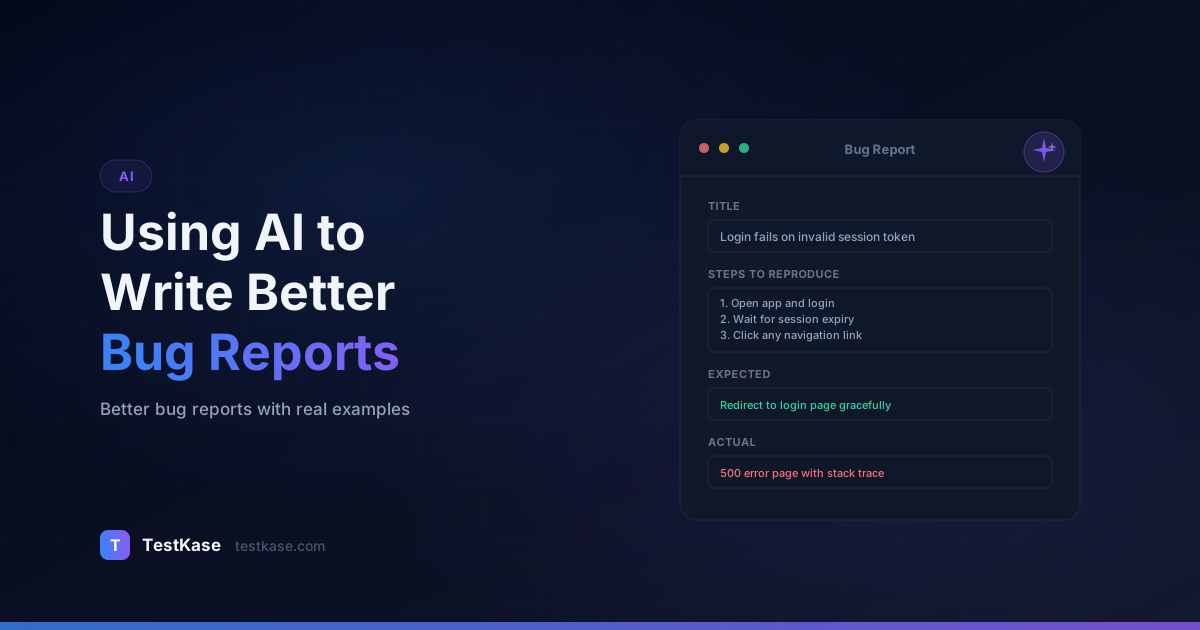
Using AI to Write Better Bug Reports (With Examples)

Using AI to Write Better Bug Reports (With Examples)
A developer opens a bug report that reads: "Login doesn't work." No steps to reproduce. No expected vs. actual behavior. No environment details. They sigh, tag the reporter, and wait two days for clarification. Sound familiar?
Poor bug reports are one of the most expensive inefficiencies in software development. According to research from Cambridge University, developers spend an estimated 50% of their debugging time simply trying to understand and reproduce reported issues. That translates to roughly $312 billion in global annual cost attributed to software bugs — and a significant portion of that waste comes from vague, incomplete, or misleading defect reports.
The irony is that most testers know what a good bug report looks like. The problem is execution under pressure. When you're deep in an exploratory testing session and you've found three bugs in ten minutes, the temptation to fire off a quick note and move on is overwhelming. AI can bridge that gap — turning rough observations into structured, developer-ready reports in seconds.
What Makes a Bug Report Actually Useful?
Before we talk about AI, you need a clear picture of what developers need from a bug report. A well-structured defect report contains six essential elements that reduce ambiguity and speed up resolution.
The cost of bad bug reports
IBM's Systems Sciences Institute found that a bug caught in production costs 6x more to fix than one caught during implementation. A clear bug report that accelerates the fix from days to hours can save thousands of dollars per defect.
Title — A concise summary that tells the developer what broke and where. "Login button returns 500 error when email contains a plus sign" beats "Login broken" every time.
Environment — Browser, OS, device, API version, user role, feature flags. Missing environment info is the #1 reason bugs get bounced back to QA.
Steps to reproduce — Numbered, sequential actions that lead to the defect. Every step should be specific enough that someone unfamiliar with the feature can follow them.
Expected result — What should happen according to the requirements or common sense.
Actual result — What actually happened, including error messages, status codes, and visual evidence.
Severity and priority — A classification that helps the team triage effectively.
When any of these elements are missing, the feedback loop between QA and development stretches from minutes to days.
The Hidden Cost of Incomplete Reports
The true cost of a bad bug report goes beyond the obvious time waste. Here is a breakdown of how a single vague report cascades:
- Developer reads the report (2 minutes). Realizes critical information is missing.
- Developer comments asking for clarification (3 minutes). Writes a question, tags the tester, context-switches back to their current task.
- Tester sees the comment (delay: 2-8 hours). They were in a different testing session. Now they need to remember the context of the original bug.
- Tester tries to reproduce and gather details (15 minutes). They may not remember the exact conditions.
- Tester responds with updated information (5 minutes). Adds environment, steps, and screenshots.
- Developer context-switches back to the bug (10 minutes). Reads the new information, starts debugging.
Total elapsed time: 4-12 hours for a defect that could have been addressed in 30 minutes with a complete initial report. Multiply this by 10-20 bugs per sprint, and you lose 1-2 full developer days to report clarification every sprint cycle.
Research from the University of Zurich found that bug reports with complete reproduction steps were resolved 2.4x faster than those without. Reports with attached screenshots were resolved 1.6x faster. These are not marginal gains — they represent fundamental improvements in team velocity.
How AI Transforms Bug Report Quality
AI doesn't replace your judgment as a tester — it augments your ability to communicate what you found. Here are the specific ways AI improves bug reports.
Structuring Raw Observations
You paste in a rough note like "clicking save on the profile page with a long bio causes a spinner that never stops," and AI restructures it into a properly formatted report with clear sections, numbered steps, and explicit expected/actual behavior.
Here is a real example of this transformation:
Raw input: "mobile app crashes when I rotate screen during checkout with Apple Pay selected"
AI-structured output:
Title: Application crash on screen rotation during checkout with Apple Pay payment method selected
Steps to reproduce:
- Open the mobile app on an iOS device (tested on iPhone 15, iOS 17.2)
- Add any item to the cart
- Navigate to Checkout
- Select "Apple Pay" as the payment method
- Before completing payment, rotate the device from portrait to landscape orientation
Expected result: The checkout screen adjusts to landscape layout while maintaining the selected payment method and cart contents.
Actual result: Application crashes with no error dialog. The app restarts to the home screen. Cart contents are preserved but the user must restart the checkout flow.
Severity: High — Blocks checkout completion for users who rotate their device during payment.
Enriching Detail
AI prompts you for missing information. Did you capture the network response? What browser were you using? Was the user account a free-tier or premium user? Good AI tools don't just format — they identify gaps.
A practical workflow: after AI generates the initial report, it appends a "Missing Information Checklist" at the bottom:
- [ ] Network response captured? (HAR file or status code)
- [ ] Console errors noted?
- [ ] User account type? (free / premium / enterprise)
- [ ] Feature flags active?
- [ ] Reproducible on other browsers/devices?
This checklist nudges the tester to fill gaps before submitting, catching omissions that would otherwise trigger developer follow-up questions.
Standardizing Language
When your team has 8 testers, you get 8 different writing styles. AI normalizes tone, terminology, and structure so every report reads consistently. Developers stop wasting time parsing different formats.
Consider these three descriptions of the same bug by different testers:
- Tester A: "The button doesn't do anything when you click it"
- Tester B: "Submit CTA unresponsive on user interaction"
- Tester C: "Clicking 'Submit Order' — no response, no network call in DevTools"
AI normalizes all three into a consistent format: "Submit Order button does not trigger expected action on click. No network request is initiated. No UI feedback (loading state, error message) is displayed."
Suggesting Severity Classification
Based on the description, AI can recommend severity levels using your team's criteria. A report about data loss gets flagged as critical; a UI alignment issue gets tagged as low. You review and adjust, but the starting point is solid.
Identifying Duplicate and Related Bugs
When you describe a bug to an AI tool that has access to your existing bug database, it can suggest potential duplicates before you file a new report. "This sounds similar to BUG-2341 (filed 3 weeks ago, status: In Progress). Consider adding your reproduction details as a comment on that existing report."
This prevents the same bug from being filed 4 times by different testers, each with slightly different descriptions — a common problem in larger QA teams.
Before-and-After Examples
Nothing illustrates AI's impact better than side-by-side comparisons. Here are three real-world scenarios.
Example 2: UI Rendering Issue
Raw tester note: "The dashboard chart looks wrong on mobile."
AI-enhanced report:
Title: Dashboard revenue chart overlaps navigation bar on viewports below 768px
Steps to reproduce:
- Log in as an admin user on the staging environment
- Navigate to Dashboard > Analytics
- Resize browser window to 375px width (or use iPhone 14 in DevTools)
- Scroll down to the "Monthly Revenue" chart
Expected result: Chart resizes responsively and remains within its container, with no overlap on the fixed bottom navigation bar.
Actual result: Chart SVG element maintains its desktop width (1024px), overflows its container, and overlaps the bottom navigation by approximately 120px. Touch targets on the nav bar become inaccessible.
Severity: Medium — Affects all mobile users viewing analytics.
Example 3: Data Integrity Bug
Raw tester note: "Exporting users gives wrong numbers."
AI-enhanced report:
Title: CSV user export reports 3,247 total users but admin dashboard shows 3,891 — 644 user discrepancy
Steps to reproduce:
- Navigate to Admin > Users
- Note the total user count displayed (3,891)
- Click "Export to CSV" with no filters applied
- Open the exported file and count rows (3,247 data rows + 1 header)
Expected result: Exported CSV row count matches the dashboard total user count.
Actual result: CSV contains 644 fewer records than the dashboard indicates. Preliminary analysis suggests soft-deleted users are excluded from the export but included in the dashboard count.
Severity: High — Affects compliance reporting and audit accuracy.
Example 4: API Error with Race Condition
Raw tester note: "Sometimes when two people edit the same document at once, one person's changes disappear."
AI-enhanced report:
Title: Concurrent document edits cause silent data loss — last save overwrites without conflict detection
Steps to reproduce:
- Open document ID #4521 in Browser A as User A
- Open the same document in Browser B as User B
- In Browser A, edit the title field to "Updated by User A"
- In Browser B (without refreshing), edit the description field to "Updated by User B"
- Save in Browser A
- Save in Browser B within 5 seconds
Expected result: Either a conflict warning appears, or both changes merge successfully. No data should be lost silently.
Actual result: User B's save succeeds with HTTP 200. User A's title change is overwritten with the original value. No conflict warning is shown to either user. The audit log shows only User B's save event.
Severity: Critical — Silent data loss in a collaborative editing feature. Users have no indication that their work was lost.
Additional context: This appears to be a missing optimistic locking implementation. The PUT request does not include a version number or ETag header, so the server has no way to detect concurrent modifications.
This example shows AI adding technical context that helps developers immediately identify the root cause — saving potentially hours of debugging time.
Prompt Templates You Can Use Today
You don't need a specialized tool to start using AI for bug reports. Here are prompt templates that work with any general-purpose AI assistant.
Copy-paste prompt template
"I found a bug while testing. Here are my rough notes: [paste notes]. Please structure this into a formal bug report with: Title, Environment, Preconditions, Steps to Reproduce (numbered), Expected Result, Actual Result, Severity (Critical/High/Medium/Low), and Suggested Tags. Ask me for any missing information before finalizing."
Prompt for Severity Classification
"Based on the following bug description, classify the severity using these definitions: Critical = system down or data loss, High = major feature broken with no workaround, Medium = feature broken but workaround exists, Low = cosmetic or minor inconvenience. Bug description: [paste description]. Explain your reasoning."
Prompt for Reproduction Steps
"I'm going to describe a bug I found informally. Please convert my description into precise, numbered reproduction steps that a developer unfamiliar with this feature could follow. Include any setup or preconditions needed. Here's what happened: [paste description]."
Prompt for Suggesting Related Test Cases
"Given this bug report: [paste report], suggest 3-5 related test cases I should run to check for similar issues in adjacent functionality. Format each as a brief test case title with one line describing what to verify."
Prompt for Root Cause Hypothesis
A less common but highly valuable use of AI — generating hypotheses about the root cause to include in the bug report. This helps developers start debugging faster:
"Based on the following bug report, suggest 2-3 likely root causes with reasoning. Consider common patterns like race conditions, caching issues, input validation gaps, and state management bugs. Bug report: [paste report]."
Example output for the cart special character bug:
- Input encoding issue. The product name contains an apostrophe which is not being URL-encoded or escaped before being sent in the POST request body. The API receives malformed JSON and returns 422.
- SQL injection protection triggering. The apostrophe in "O'Brien's" may be triggering an overly aggressive input sanitization rule that rejects the entire request rather than escaping the character.
- Client-side validation mismatch. The frontend validation allows special characters but the API schema validation does not. The 422 response suggests the server is rejecting the request body structure.
Including root cause hypotheses in the bug report doesn't just help the developer — it also helps the QA lead identify patterns across bugs, like a systemic input encoding issue affecting multiple features.
Adding Screenshots and Evidence with AI Assistance
Screenshots alone aren't always helpful — a screenshot of a broken page without annotations is just a picture. AI tools can help you annotate, describe, and contextualize visual evidence.
Annotation prompts: Some AI tools can analyze screenshots and identify UI elements that appear broken, misaligned, or inconsistent. You upload the image, and the AI highlights the defect area and generates a written description.
Network evidence: When you paste in a HAR file snippet or network response, AI can extract the relevant request/response pair, identify the error status code, and summarize what went wrong at the API level.
Log parsing: Paste a chunk of console output and ask AI to identify the specific error, its probable cause, and whether it's a frontend or backend issue. This saves developers from scanning through hundreds of lines of log output.
Making Evidence Actionable
Raw evidence without interpretation requires the developer to do analysis work. AI can bridge the gap:
Instead of: Attaching a 500-line console log dump.
AI-enhanced approach: "I pasted the console output into AI and it identified the key error: TypeError: Cannot read properties of undefined (reading 'map') at ProductList.tsx:47. This occurs when the API returns an empty response body instead of an empty array. The error is client-side but triggered by an unexpected API response format."
Instead of: Attaching a full HAR file.
AI-enhanced approach: "The relevant API call is POST /api/v1/cart/items which returned 422 Unprocessable Entity with body {"error": "Invalid product name", "field": "name", "constraint": "ascii_only"}. The request payload contained the product name 'O'Brien's Widget' — the apostrophe character appears to violate an ASCII-only constraint."
This level of evidence parsing transforms a bug report from "here's everything I captured, good luck" into "here's exactly what went wrong and where."
Severity Classification with AI
One of the most subjective parts of bug reporting is severity assignment. Two testers might classify the same bug differently — one calls it "High" because the feature is broken, another calls it "Medium" because a workaround exists.
AI brings consistency by applying your team's severity definitions systematically. You define the criteria once, and AI applies them to every report.
AI can also detect when a tester might be under- or over-classifying severity. If someone reports a data loss issue as "Medium," the AI flags the discrepancy and suggests re-evaluation.
Building a Severity Calibration Prompt
For teams that want consistent AI severity classification across all reports, create a calibration prompt that includes your team's full severity matrix with examples:
Our severity definitions:

CRITICAL: Production is down, data is lost or corrupted, security is breached,
or revenue-generating functionality is completely blocked. No workaround exists.
Examples: double-charging customers, authentication bypass, database corruption.

HIGH: A major feature is broken with no reasonable workaround. Affects a large
percentage of users. Examples: file upload completely broken, search returns no
results, password reset email never sends.

MEDIUM: A feature is impaired but a workaround exists, OR the issue affects only
a subset of users. Examples: date format wrong for EU users (workaround: manual
input), export generates CSV with wrong encoding (workaround: re-encode file).

LOW: Cosmetic issue, minor UX inconvenience, or documentation error. No impact
on functionality. Examples: misaligned button, typo in error message, tooltip
showing wrong keyboard shortcut.

Given this bug description, classify the severity and explain your reasoning:
[paste bug description]
When every tester on your team uses this same calibration prompt, severity assignments become significantly more consistent — reducing triage debates by an estimated 40-60%.
Integrating AI Bug Reports into Your Workflow
The biggest gains come not from using AI once per bug report, but from embedding AI assistance into your daily testing workflow.
Workflow 1: During Exploratory Testing
- Keep an AI chat window open alongside your testing session
- As you find each bug, paste your raw notes immediately — don't polish them
- AI generates the structured report in seconds
- Review the report, add any missing business context, and submit
This workflow keeps you in the testing mindset (finding bugs) rather than shifting to the documentation mindset (writing reports). Testers who adopt this approach report finding 20-30% more bugs per session because they spend less time writing and more time exploring.
Workflow 2: Batch Processing After Sessions
- During testing, jot quick notes in a running document (1-2 lines per bug)
- After the session, paste all notes into AI with the prompt: "Structure each of these into separate bug reports following this template: [template]"
- AI generates all reports at once
- Review and submit each one
This approach works well for testers who prefer uninterrupted testing sessions. The trade-off is that you may forget details between finding the bug and generating the report.
Workflow 3: AI-Assisted Triage Meetings
During bug triage meetings, paste contested bugs into AI for an independent severity assessment. When two team members disagree on severity, AI provides a neutral third opinion based on your team's defined criteria. This doesn't replace human judgment but defuses subjective debates with a consistent reference point.
Common Mistakes When Using AI for Bug Reports
Even with AI assistance, certain pitfalls can undermine report quality.
Blindly accepting AI output without verification. AI might generate plausible-sounding reproduction steps that don't actually reproduce the bug. Always walk through the steps yourself before submitting.
Over-relying on AI for severity classification. AI doesn't understand your business context. A cosmetic bug on the pricing page might be high-priority because it affects conversion rates — something AI won't infer unless told.
Skipping the "why it matters" context. AI structures the report, but you need to add the business impact. "This affects 12% of checkout transactions" is context that only a human tester familiar with the product can provide.
Using AI as a crutch instead of building skills. If you never learn to write clear bug reports yourself, you lose the ability to evaluate whether AI output is actually good. Use AI to accelerate, not to replace foundational skills.
Not customizing prompts for your team's conventions. Generic AI output might not match your team's template, terminology, or Jira field mapping. Invest 30 minutes creating custom prompts that align with your workflow.
Forgetting to verify technical details. AI may generate specific-sounding technical claims ("the API returns a 422 status code") based on the pattern of your description, not on what actually happened. If you didn't capture the status code, don't let AI invent one. Mark uncertain details with "[needs verification]" before submitting.
Not feeding back quality signals. If AI-generated reports consistently miss certain fields or misclassify severity for your domain, update your prompt templates. Prompt engineering is iterative — your first template won't be your best.
Measuring the Impact of AI-Assisted Bug Reporting
To justify continued investment in AI-assisted bug reporting, track these metrics before and after adoption:
| Metric | How to Measure | Typical Improvement | |--------|---------------|-------------------| | Report writing time | Time from bug discovery to report submission | 40-60% reduction | | Clarification requests | Comments from developers asking for more info | 50-70% reduction | | Mean time to fix | Time from report submission to fix verified | 25-35% reduction | | Report completeness score | % of required fields filled on first submission | 85% to 97% | | Severity accuracy | % of reports where initial severity matches final triage | 60% to 82% | | Duplicate report rate | % of reports that are duplicates of existing bugs | 15-25% reduction |
The most impactful metric is clarification requests — every avoided clarification saves both the tester and developer a context switch, which research consistently shows costs 15-25 minutes of productive time each.
How TestKase Helps You Write Better Bug Reports
TestKase integrates AI directly into the defect reporting workflow, so you don't need to context-switch to a separate tool. When you log a bug in TestKase, the AI assistant automatically structures your input, flags missing fields, and suggests severity based on your team's configured criteria.
The platform links bug reports directly to the test cases that revealed them, giving developers full traceability — they can see exactly which test case failed, what the expected behavior was, and how the bug was discovered. This context eliminates the back-and-forth that slows down resolution.
TestKase also standardizes reports across your entire QA team. Whether your most senior tester or a new hire files the bug, the AI ensures every report meets the same quality bar.
See How TestKase AI Improves Bug ReportingConclusion
Better bug reports lead to faster fixes, fewer reopen cycles, and less frustration on both sides of the QA-developer handoff. AI doesn't replace the tester's judgment — it ensures that judgment gets communicated clearly and completely every time.
Start by adopting one prompt template from this article for your next testing session. Track how it affects your bug resolution time over two weeks. The difference will speak for itself.
The goal isn't perfect bug reports. The goal is bug reports that are good enough for a developer to start working on the fix within five minutes of reading them. AI gets you there consistently.
Stay up to date with TestKase
Get the latest articles on test management, QA best practices, and product updates delivered to your inbox.
SubscribeShare this article
Related Articles
Critical, Serious, Moderate, Minor: How to Triage Accessibility Issues by Severity
A practical triage policy template — SLAs per severity, ownership across design / engineering / content / QA, and how to share findings cross-team without forwarding PDFs.
Read more →Why Single-Page Accessibility Scans Miss Real Bugs (and What Multi-Page Audits Catch)
Single-URL accessibility scanners miss six entire categories of WCAG violations. Here's what falls through the gap, and how flow-aware audits catch the issues your users actually hit.
Read more →Accessibility Testing in CI/CD: Catching WCAG Issues Before They Ship
Three integration patterns, GitHub Actions / GitLab / CircleCI templates, and a 3-quarter rollout playbook to take an engineering team from zero accessibility in CI to block-on-fail.
Read more →