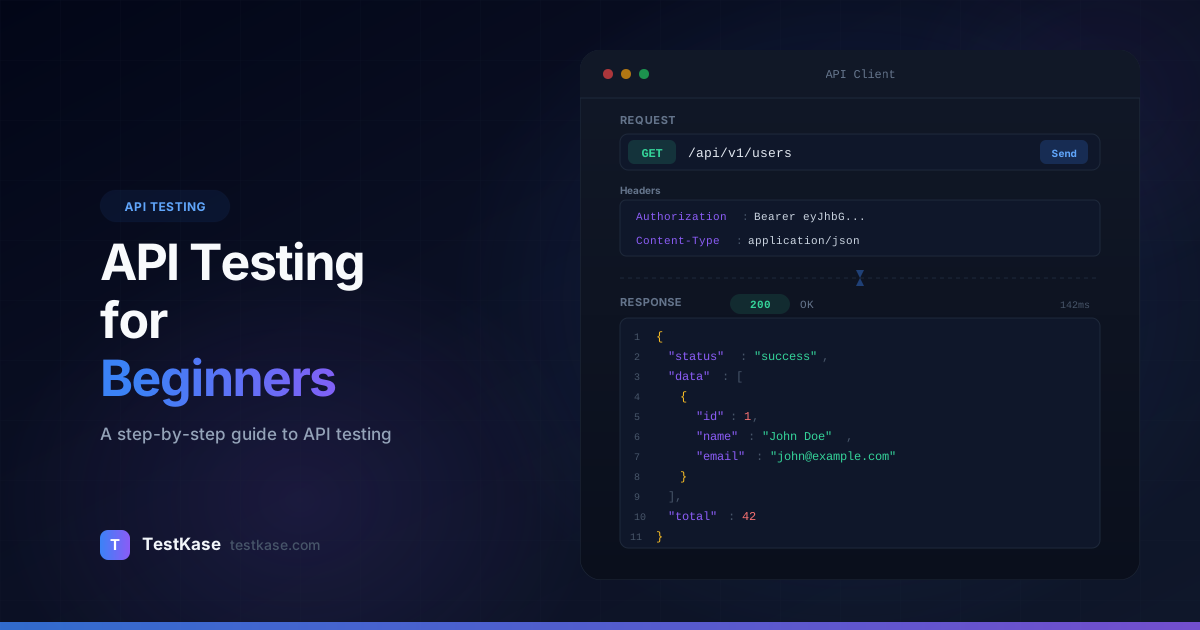
API Testing for Beginners: A Step-by-Step Guide

API Testing for Beginners: A Step-by-Step Guide
You're a QA engineer who's tested plenty of web applications — clicking buttons, filling forms, verifying UI behavior. Then your team ships a new microservice with no frontend. Just an API. Your lead says, "Can you test this?" and hands you a Swagger page with 40 endpoints.
Where do you even start?
API testing feels intimidating if you've only done UI testing. There's no interface to interact with. No buttons to click. Just URLs, JSON payloads, and HTTP status codes. But here's the thing — API testing is actually simpler than UI testing in many ways. There's no browser rendering to deal with, no flaky selectors, no waiting for animations. You send a request, you get a response, you verify the response is correct.
Over 83% of web traffic is now API-driven, according to Akamai's State of the Internet report. The features your users interact with on the frontend are powered by APIs on the backend. If the API is broken, the application is broken — regardless of how polished the UI looks.
This guide walks you through API testing from absolute zero. By the end, you'll understand how APIs work, what to test, and how to write your first test.
What Are APIs and Why Do They Need Testing?
An API — Application Programming Interface — is a contract between two pieces of software. One system sends a request, the other sends a response. The API defines the rules: what requests are valid, what data to send, and what to expect back.
When you log into a web application, the frontend sends an API request like this:
POST /api/auth/login
Content-Type: application/json

{
  "email": "alice@example.com",
  "password": "SecurePass123"
}
The server processes the request and sends back a response:
HTTP/1.1 200 OK
Content-Type: application/json

{
  "token": "eyJhbGciOiJIUzI1NiIs...",
  "user": {
    "id": 42,
    "name": "Alice",
    "role": "admin"
  }
}
That's an API call. The frontend reads the response and shows you the dashboard. But what if the API returns the wrong role? What if it accepts an empty password? What if it sends a 500 error instead of a meaningful error message? Those are the bugs API testing catches.
Why test the API directly?
UI tests verify the full stack but are slow, flaky, and expensive to maintain. API tests are 10-50x faster to execute, more reliable, and test the business logic directly. A comprehensive API test suite can cover in 30 seconds what takes a UI test suite 30 minutes.
REST APIs: The Most Common Type
Most web APIs follow the REST (Representational State Transfer) architectural style. REST APIs use standard HTTP methods and return data — usually in JSON format. You'll also encounter GraphQL APIs and SOAP APIs, but REST dominates modern web development.
Here's what makes an API "RESTful":
- Stateless: Each request contains all the information the server needs. The server doesn't remember previous requests.
- Resource-based: URLs represent resources (nouns, not verbs).
/api/users/42is the user with ID 42. - Standard methods: HTTP methods (GET, POST, PUT, DELETE) define the action on the resource.
- Uniform interface: Consistent URL patterns and response formats across all endpoints.
Understanding these principles helps you predict how an API should behave — which makes it easier to spot when something is wrong.
GraphQL APIs: The Alternative
While REST uses separate endpoints for each resource, GraphQL uses a single endpoint where the client specifies exactly what data it needs. Instead of GET /api/users/42 followed by GET /api/users/42/orders, a GraphQL query can fetch both in one request:
query {
  user(id: 42) {
    name
    email
    orders {
      id
      total
      status
    }
  }
}
GraphQL testing requires different techniques — you test queries, mutations, and subscriptions rather than individual REST endpoints. But the fundamentals (sending requests, verifying responses) are the same.
HTTP Methods and Status Codes
Understanding HTTP is the foundation of API testing. Here are the methods you'll use daily:
HTTP Methods
A common testing mistake is confusing PUT and PATCH. PUT replaces the entire resource — if you PUT a user object without the email field, the server may delete the existing email. PATCH updates only the specified fields — sending {"name": "Alice Updated"} changes the name but leaves everything else unchanged. Test both to verify correct behavior.
Status Codes You Need to Know
Status codes tell you the result of your request. They're grouped by category:
2xx — Success:
200 OK— Request succeeded, response contains data201 Created— New resource was created (typical response to POST)204 No Content— Request succeeded but there's no data to return (typical for DELETE)
3xx — Redirection:
301 Moved Permanently— The resource has been permanently moved to a new URL304 Not Modified— The resource hasn't changed since the last request (caching)
4xx — Client Error (your request was wrong):
400 Bad Request— The request body is malformed or missing required fields401 Unauthorized— You're not authenticated (no token or invalid token)403 Forbidden— You're authenticated but don't have permission404 Not Found— The resource doesn't exist405 Method Not Allowed— The HTTP method isn't supported for this endpoint409 Conflict— The request conflicts with existing data (e.g., duplicate email)422 Unprocessable Entity— The request format is valid but the data fails validation429 Too Many Requests— You've hit the rate limit
5xx — Server Error (something went wrong on the server):
500 Internal Server Error— Unhandled exception on the server502 Bad Gateway— The server got an invalid response from an upstream service503 Service Unavailable— The server is down or overloaded
When you're API testing, the status code is your first assertion. If you POST a new user and get a 500 instead of 201, something is broken — you don't even need to check the response body.
Anatomy of a Request and Response
Every API interaction has two parts: the request you send and the response you receive.
Request Components
POST /api/orders HTTP/1.1          ← Method + endpoint
Host: api.example.com              ← Server address
Content-Type: application/json     ← Format of request body
Authorization: Bearer eyJhbG...    ← Authentication token
X-Request-ID: abc-123              ← Custom header for tracing

{                                  ← Request body (JSON)
  "product_id": 101,
  "quantity": 2,
  "shipping_address": {
    "street": "123 Main St",
    "city": "Portland",
    "state": "OR",
    "zip": "97201"
  }
}
Response Components
HTTP/1.1 201 Created               ← Status code
Content-Type: application/json     ← Format of response body
Location: /api/orders/789          ← URL of created resource
X-RateLimit-Remaining: 98          ← How many requests you have left

{                                  ← Response body (JSON)
  "id": 789,
  "status": "pending",
  "total": 59.98,
  "created_at": "2026-01-16T14:30:00Z"
}
As a tester, you verify that every component of the response is correct: status code, headers, body structure, field values, and data types.
Query Parameters and Path Parameters
API endpoints accept parameters in two ways:
Path parameters are part of the URL itself:
GET /api/users/42           ← 42 is a path parameter (user ID)
GET /api/orders/789/items   ← 789 is a path parameter (order ID)
Query parameters are appended after a ?:
GET /api/users?role=admin&status=active      ← filter by role and status
GET /api/products?page=2&limit=20&sort=price ← pagination and sorting
Test both types: What happens with invalid path parameters (/api/users/abc instead of /api/users/42)? What about unexpected query parameters (/api/users?foo=bar)? What about missing required query parameters?
API Testing Tools
You don't need a complex setup to start API testing. Here are the tools you'll encounter:
Postman
The most popular GUI tool for API testing. You build requests visually — select the method, enter the URL, add headers and body, hit Send. Postman shows you the response in a readable format. It's excellent for manual exploration and learning.
Postman also supports:
- Collections — Groups of related requests you can organize and share
- Environments — Variable sets for different servers (dev, staging, production)
- Tests — JavaScript assertions that run after each request
- Pre-request scripts — JavaScript that runs before each request (useful for generating tokens)
- Runner — Execute an entire collection sequentially with different data sets
A Postman test script looks like this:
// Runs after the request completes
pm.test("Status code is 201", function () {
    pm.response.to.have.status(201);
});

pm.test("Response has user ID", function () {
    var jsonData = pm.response.json();
    pm.expect(jsonData.id).to.be.a('number');
    pm.expect(jsonData.id).to.be.above(0);
});

pm.test("Response time is under 500ms", function () {
    pm.expect(pm.response.responseTime).to.be.below(500);
});
curl
A command-line tool that comes pre-installed on most systems. Less visual than Postman but faster for quick checks:
# GET request
curl -X GET https://api.example.com/users/42 \
  -H "Authorization: Bearer your-token-here"

# POST request with JSON body
curl -X POST https://api.example.com/users \
  -H "Content-Type: application/json" \
  -H "Authorization: Bearer your-token-here" \
  -d '{"name": "Alice", "email": "alice@example.com"}'

# Verbose output to see headers and timing
curl -v -X GET https://api.example.com/users/42

# Save response to a file
curl -o response.json https://api.example.com/users

# Show only the HTTP status code
curl -s -o /dev/null -w "%{http_code}" https://api.example.com/health
REST Assured (Java)
For automated API testing in Java projects. It reads like English:
given()
    .header("Authorization", "Bearer " + token)
    .contentType(ContentType.JSON)
    .body(newUser)
.when()
    .post("/api/users")
.then()
    .statusCode(201)
    .body("name", equalTo("Alice"))
    .body("email", equalTo("alice@example.com"));
Playwright for API Testing
Playwright isn't just for UI testing — it has excellent built-in API testing support:
import { test, expect } from '@playwright/test';

test('create a new user via API', async ({ request }) => {
  const response = await request.post('/api/users', {
    data: {
      name: 'Alice',
      email: 'alice@example.com',
      password: 'SecurePass123'
    }
  });

  expect(response.status()).toBe(201);

  const body = await response.json();
  expect(body.id).toBeDefined();
  expect(body.name).toBe('Alice');
  expect(body.email).toBe('alice@example.com');
  expect(body).not.toHaveProperty('password');
});
Supertest (Node.js)
For testing Express.js and other Node.js API servers:
const request = require('supertest');
const app = require('../app');

describe('POST /api/users', () => {
  it('creates a new user with valid data', async () => {
    const response = await request(app)
      .post('/api/users')
      .send({
        name: 'Alice',
        email: `alice-${Date.now()}@example.com`,
        password: 'SecurePass123'
      })
      .expect(201);

    expect(response.body.id).toBeDefined();
    expect(response.body.name).toBe('Alice');
    expect(response.body).not.toHaveProperty('password');
  });

  it('rejects missing required fields', async () => {
    const response = await request(app)
      .post('/api/users')
      .send({ name: 'Alice' })
      .expect(400);

    expect(response.body.errors).toBeDefined();
  });
});
Other Tools
- Insomnia — A Postman alternative with a cleaner interface
- HTTPie — A user-friendly curl alternative
- Pytest + Requests — API testing for Python applications
- Bruno — An open-source, Git-friendly API client gaining popularity
Start with Postman, graduate to code
If you're new to API testing, start with Postman. Its visual interface makes it easy to understand requests and responses. Once you're comfortable, move to a code-based tool like REST Assured, Playwright, or Supertest for automated tests that run in CI/CD.
Writing Your First API Test
Let's walk through testing a user registration endpoint step by step.
Step 1: Understand the Endpoint
Read the API documentation (Swagger/OpenAPI spec, README, or wiki). For our example:
- Endpoint:
POST /api/users - Required fields:
name(string),email(string),password(string, min 8 chars) - Success response:
201 Createdwith user object - Error responses:
400for missing fields,409for duplicate email,422for validation failures
Step 2: Test the Happy Path
Send a valid request and verify everything works:
curl -X POST https://api.example.com/api/users \
  -H "Content-Type: application/json" \
  -d '{
    "name": "Bob Smith",
    "email": "bob@example.com",
    "password": "SecurePass123"
  }'
Assertions:
- Status code is
201 - Response body contains
id(number, greater than 0) - Response body contains
nameequal to "Bob Smith" - Response body contains
emailequal to "bob@example.com" - Response body does NOT contain
password(passwords should never be returned) - Response body contains
created_atwith a valid timestamp
Step 3: Test Validation Errors
Send requests with invalid data and verify the API rejects them properly:
# Missing required field
curl -X POST https://api.example.com/api/users \
  -H "Content-Type: application/json" \
  -d '{"name": "Bob", "email": "bob@example.com"}'
# Expected: 400 with error message about missing password

# Invalid email format
curl -X POST https://api.example.com/api/users \
  -H "Content-Type: application/json" \
  -d '{"name": "Bob", "email": "not-an-email", "password": "SecurePass123"}'
# Expected: 422 with error message about invalid email

# Password too short
curl -X POST https://api.example.com/api/users \
  -H "Content-Type: application/json" \
  -d '{"name": "Bob", "email": "bob@example.com", "password": "short"}'
# Expected: 422 with error message about password length
Step 4: Test Edge Cases
# Duplicate email
# (Send the same valid request twice)
# Expected: 409 Conflict on the second request

# Empty request body
curl -X POST https://api.example.com/api/users \
  -H "Content-Type: application/json" \
  -d '{}'
# Expected: 400

# SQL injection attempt in name field
curl -X POST https://api.example.com/api/users \
  -H "Content-Type: application/json" \
  -d '{"name": "Robert; DROP TABLE users;--", "email": "bob@example.com", "password": "SecurePass123"}'
# Expected: 201 (API should accept it as a string, not execute it)

# Very long input values
curl -X POST https://api.example.com/api/users \
  -H "Content-Type: application/json" \
  -d '{"name": "A very long name that exceeds the typical field length limit and contains exactly two hundred and fifty six characters of text which should test the maximum input boundary of the name field validation logic", "email": "bob@example.com", "password": "SecurePass123"}'
# Expected: 422 if there's a length limit, 201 if it's accepted

# Special characters and unicode
curl -X POST https://api.example.com/api/users \
  -H "Content-Type: application/json" \
  -d '{"name": "María García-López", "email": "maria@example.com", "password": "SecurePass123"}'
# Expected: 201 (names with accents and hyphens should be accepted)
Step 5: Test Boundary Values
Boundary value analysis is especially effective for API testing. For each field with constraints, test at the boundaries:
Password (min 8 characters):
  - 7 characters: "Abc1234"       → Expected: 422 (too short)
  - 8 characters: "Abc12345"      → Expected: 201 (minimum valid)
  - 9 characters: "Abc123456"     → Expected: 201 (valid)
  - 0 characters: ""              → Expected: 400 (empty)
  - 128 characters: (long string) → Expected: 201 or 422 (test max limit)
Building a Comprehensive Test Matrix
For any endpoint, you need tests across multiple dimensions. Here's a framework for organizing your test cases:
Endpoint: POST /api/users

Positive tests:
  ✅ Create user with all required fields
  ✅ Create user with optional fields included
  ✅ Create user with minimum valid field lengths
  ✅ Create user with maximum valid field lengths
  ✅ Create user with special characters in name
  ✅ Create user with international characters (unicode)

Validation tests:
  ❌ Missing name field → 400
  ❌ Missing email field → 400
  ❌ Missing password field → 400
  ❌ Invalid email format → 422
  ❌ Password below minimum length → 422
  ❌ Empty request body → 400
  ❌ Malformed JSON → 400
  ❌ Wrong Content-Type header → 415

Business logic tests:
  ❌ Duplicate email → 409
  ❌ Null values for required fields → 400
  ❌ Extra unknown fields in body → 201 (ignored) or 400 (strict)

Security tests:
  ❌ SQL injection in text fields → 201 (stored safely)
  ❌ XSS payload in text fields → 201 (stored safely, escaped on output)
  ❌ Extremely large payload (1MB+) → 413 (payload too large)

Authentication tests (if endpoint requires auth):
  ❌ No auth header → 401
  ❌ Invalid token → 401
  ❌ Expired token → 401
  ❌ Insufficient permissions → 403
Common API Test Assertions
Beyond status codes, here's what to verify in API responses:
Response structure: Does the JSON have the expected fields? Are nested objects structured correctly?
Data types: Is id a number, not a string? Is created_at a valid ISO 8601 timestamp? Is active a boolean, not the string "true"?
Data accuracy: Does total equal price * quantity? Does full_name equal first_name + " " + last_name?
Response headers: Is Content-Type set to application/json? Are CORS headers present? Are security headers (X-Content-Type-Options, X-Frame-Options) set?
Performance: Does the response come back within your SLA — say, 200ms for simple reads, 500ms for complex operations?
Pagination: For list endpoints, does pagination work correctly? Does page=2&limit=10 return the right records? What happens on the last page? What about page=0 or page=-1?
Authentication Testing
Most APIs require authentication. Common patterns:
API Key: A static key sent in a header or query parameter. Test with: valid key, invalid key, expired key, missing key.
Bearer Token (JWT): A token obtained from a login endpoint, sent in the Authorization header. Test with: valid token, expired token, malformed token, token for a different user, missing token.
OAuth 2.0: A multi-step flow involving authorization codes and access tokens. Test each step independently.
# Test with no authentication
curl -X GET https://api.example.com/api/users/42
# Expected: 401 Unauthorized

# Test with invalid token
curl -X GET https://api.example.com/api/users/42 \
  -H "Authorization: Bearer invalid-token-here"
# Expected: 401 Unauthorized

# Test with expired token
curl -X GET https://api.example.com/api/users/42 \
  -H "Authorization: Bearer eyJhbGciOiJIUzI1NiIsInR5cCI6IkpXVCJ9.eyJleHAiOjE2MDAwMDAwMDB9.expired"
# Expected: 401 Unauthorized with "token expired" message

# Test authorization (valid token, wrong permissions)
curl -X DELETE https://api.example.com/api/users/42 \
  -H "Authorization: Bearer regular-user-token"
# Expected: 403 Forbidden (only admins can delete users)
IDOR Testing (Insecure Direct Object Reference)
One of the most common API security vulnerabilities. Can User A access User B's data by changing the ID in the URL?
# Alice (user 42) tries to view Bob's profile (user 43)
curl -X GET https://api.example.com/api/users/43 \
  -H "Authorization: Bearer alice-token"
# Expected: 403 Forbidden (unless the app allows viewing other profiles)

# Alice tries to update Bob's profile
curl -X PATCH https://api.example.com/api/users/43 \
  -H "Authorization: Bearer alice-token" \
  -H "Content-Type: application/json" \
  -d '{"name": "Hacked"}'
# Expected: 403 Forbidden
Authentication testing often reveals critical security bugs — endpoints that forget to check tokens, or admin-only endpoints that accept regular user tokens. OWASP consistently ranks broken access control as the #1 web application security risk, and API testing is the most effective way to verify it.
Chaining Requests
Real-world API testing involves multiple requests that depend on each other. For example, testing an e-commerce flow:
- POST /api/auth/login — Get an authentication token
- POST /api/cart/items — Add an item to the cart (using the token)
- GET /api/cart — Verify the cart contents
- POST /api/orders — Place the order
- GET /api/orders/ — Verify the order was created correctly
Each request uses data from the previous response — the token from step 1, the cart ID from step 2, the order ID from step 4. In Postman, you use environment variables to chain these. In code, you store return values in variables.
// Chained API test (using a testing framework)
const loginResponse = await api.post('/auth/login', {
  email: 'alice@example.com',
  password: 'SecurePass123'
});
const token = loginResponse.data.token;

const cartResponse = await api.post('/cart/items',
  { product_id: 101, quantity: 2 },
  { headers: { Authorization: `Bearer ${token}` } }
);
expect(cartResponse.status).toBe(201);

const orderResponse = await api.post('/orders',
  { cart_id: cartResponse.data.cart_id },
  { headers: { Authorization: `Bearer ${token}` } }
);
expect(orderResponse.status).toBe(201);
expect(orderResponse.data.total).toBe(59.98);
Data Cleanup After Tests
A problem beginners overlook: test data persists. If your test creates a user with bob@example.com, the next test run fails because the email already exists. Solutions:
// Option 1: Unique data per run
const email = `test-user-${Date.now()}@example.com`;

// Option 2: Cleanup after test
afterEach(async () => {
  if (createdUserId) {
    await api.delete(`/api/users/${createdUserId}`, {
      headers: { Authorization: `Bearer ${adminToken}` }
    });
  }
});

// Option 3: Use a test database that resets between runs
// (Configure in your CI/CD pipeline)
Option 1 (unique data) is the most practical for most teams. It avoids order-dependent tests and works even when cleanup endpoints don't exist.
API Test Automation Best Practices
As you move from manual API exploration to automated test suites, follow these practices:
Organize Tests by Endpoint and Scenario
tests/
  api/
    auth/
      login.test.js       # POST /api/auth/login
      register.test.js    # POST /api/auth/register
      refresh.test.js     # POST /api/auth/refresh
    users/
      create.test.js      # POST /api/users
      get.test.js         # GET /api/users/:id
      update.test.js      # PATCH /api/users/:id
      delete.test.js      # DELETE /api/users/:id
      list.test.js        # GET /api/users
    orders/
      create.test.js
      get.test.js
      cancel.test.js
Use Environment Variables for Configuration
// config.js
module.exports = {
  baseURL: process.env.API_BASE_URL || 'http://localhost:3000',
  adminEmail: process.env.ADMIN_EMAIL || 'admin@test.com',
  adminPassword: process.env.ADMIN_PASSWORD || 'TestAdmin123'
};
Create Reusable Helper Functions
// helpers/auth.js
async function getAuthToken(email, password) {
  const response = await api.post('/auth/login', { email, password });
  return response.data.token;
}

async function getAdminToken() {
  return getAuthToken(config.adminEmail, config.adminPassword);
}

// helpers/users.js
async function createTestUser(overrides = {}) {
  const userData = {
    name: `Test User ${Date.now()}`,
    email: `test-${Date.now()}@example.com`,
    password: 'SecurePass123',
    ...overrides
  };

  const token = await getAdminToken();
  const response = await api.post('/api/users', userData, {
    headers: { Authorization: `Bearer ${token}` }
  });

  return response.data;
}
Understanding API Documentation
Before you can test an API, you need to understand it. The most common documentation formats:
OpenAPI / Swagger
The industry standard. An OpenAPI spec defines every endpoint, its parameters, request body schema, and response schemas. Swagger UI renders this spec into an interactive page where you can try requests directly.
Key things to look for in Swagger docs:
- Required vs. optional parameters — marked in the schema
- Data type constraints — string lengths, number ranges, enum values
- Example values — often embedded in the schema
- Response schemas — the expected shape of successful and error responses
Testing Against the Spec
Use the API spec as your test oracle. If the spec says the name field is required and the API accepts a request without it, that's a bug — either in the API or in the spec. Both need to be reported.
Tools like Schemathesis and Dredd can automatically generate test cases from OpenAPI specs, testing every endpoint with valid and invalid data derived from the schema constraints.
Common Mistakes
Only testing the happy path. The happy path is one test case. The error paths, boundary conditions, and security scenarios are dozens more — and that's where the bugs hide.
Ignoring response body structure. Checking only the status code and skipping body validation misses bugs like returning null fields, extra sensitive data (password hashes, internal IDs), or incorrect data types.
Hardcoding test data. Using fixed IDs, emails, and values makes tests fragile. Generate unique data for each test run. Use timestamps in email addresses — test-1705412345@example.com — to avoid conflicts.
Not testing error responses. When an API returns a 400 or 422, the error message matters. "Something went wrong" is not helpful. "The 'email' field must be a valid email address" is. Verify that error messages are specific, accurate, and don't leak internal details.
Skipping performance checks. An API that returns correct data in 12 seconds is still broken. Add response time assertions to your tests, even if they're generous — expect(responseTime).toBeLessThan(2000) catches catastrophic slowdowns.
Testing in isolation only. Individual endpoint tests are necessary but not sufficient. Real users interact with APIs in sequences — create account, log in, update profile, place order. Test these workflows end-to-end to catch integration issues between endpoints.
Ignoring rate limiting. If the API has rate limits, test them. Send requests above the limit and verify you get 429 Too Many Requests with appropriate Retry-After headers. Untested rate limiting often has off-by-one errors or doesn't reset properly.
How TestKase Supports API Testing
TestKase helps you organize and track your API test cases alongside your UI and integration tests. You can structure test cases by endpoint, tag them by HTTP method or feature area, and track which endpoints have coverage and which don't.
When you're building out API test coverage for a new service, TestKase's AI-powered test generation can analyze your API documentation and suggest test cases for each endpoint — including the negative scenarios and edge cases that beginners often miss. That gives you a comprehensive test plan in minutes instead of hours.
For example, provide TestKase with an endpoint description like "POST /api/users — creates a user with name, email, and password (min 8 chars)" and the AI generates test cases for happy path creation, missing field validation, duplicate email handling, password length boundaries, special characters, and authentication requirements. You review and customize the generated cases, then execute them in structured test cycles.
As your API test suite grows, TestKase's test run tracking shows you pass/fail trends over time, helping you spot endpoints that are consistently fragile and need attention. The coverage dashboard highlights which endpoints have comprehensive test cases and which need additional coverage — ensuring no endpoint goes untested.
Organize your API tests in TestKaseConclusion
API testing is a skill that every QA engineer needs. The good news is that it's more approachable than it looks — the fundamentals are HTTP methods, status codes, request/response verification, and systematic thinking about what could go wrong.
Start with Postman and a single endpoint. Test the happy path, then the error cases, then the edge cases. Build up to authentication testing and request chaining. Before long, you'll find that API tests give you faster feedback and better coverage than UI tests for most backend functionality.
The API is the backbone of modern applications. Testing it directly is the fastest way to know whether your software actually works.
Stay up to date with TestKase
Get the latest articles on test management, QA best practices, and product updates delivered to your inbox.
SubscribeShare this article
Related Articles
Critical, Serious, Moderate, Minor: How to Triage Accessibility Issues by Severity
A practical triage policy template — SLAs per severity, ownership across design / engineering / content / QA, and how to share findings cross-team without forwarding PDFs.
Read more →Why Single-Page Accessibility Scans Miss Real Bugs (and What Multi-Page Audits Catch)
Single-URL accessibility scanners miss six entire categories of WCAG violations. Here's what falls through the gap, and how flow-aware audits catch the issues your users actually hit.
Read more →Accessibility Testing in CI/CD: Catching WCAG Issues Before They Ship
Three integration patterns, GitHub Actions / GitLab / CircleCI templates, and a 3-quarter rollout playbook to take an engineering team from zero accessibility in CI to block-on-fail.
Read more →