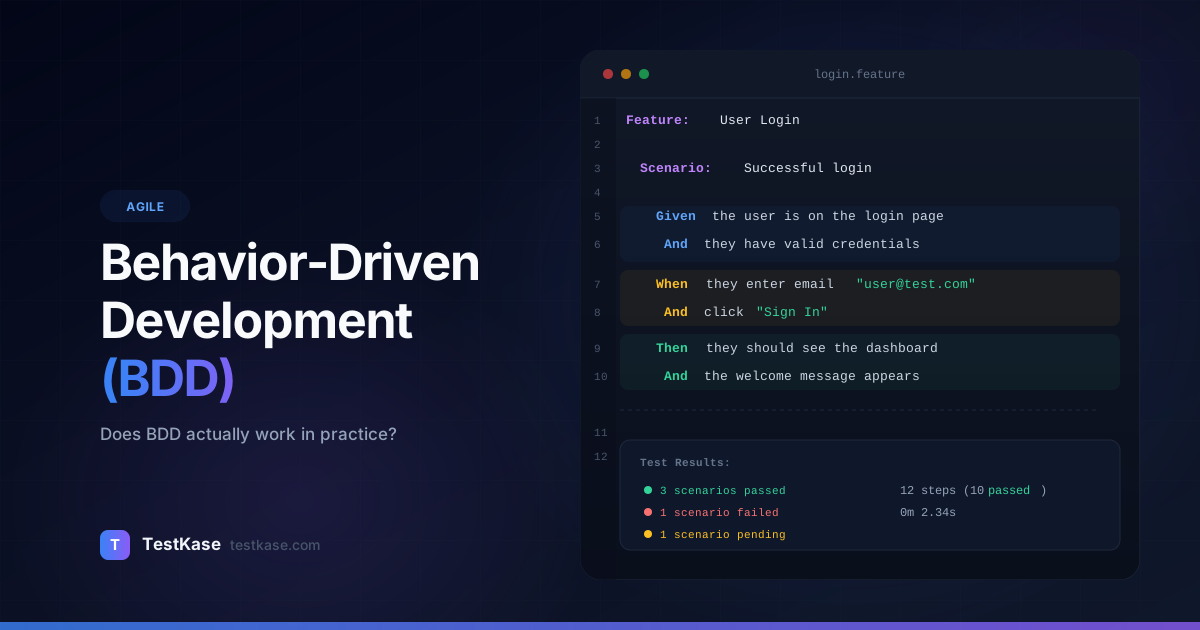
Behavior-Driven Development (BDD): Does It Actually Work?

Behavior-Driven Development (BDD): Does It Actually Work?
Your team adopted BDD six months ago. You've got hundreds of Gherkin scenarios. Cucumber runs in CI. The test suite takes 45 minutes. And yet — the same miscommunication bugs keep showing up. Product owners never read the feature files. Developers write the scenarios after the code, not before. The step definitions are a tangled mess of shared state and fragile selectors.
You're not alone. A Stack Overflow survey found that 62% of teams that adopt BDD abandon or significantly scale it back within two years. Not because BDD is fundamentally flawed — but because most teams adopt the tooling without adopting the practice.
BDD done right is a powerful collaboration technique that aligns developers, testers, and product owners around concrete examples. BDD done wrong is an expensive abstraction layer over your test automation that slows everyone down.
This guide gives you an honest look at both sides — and helps you figure out which version your team is building.
What BDD Actually Is (Hint: It's Not Just Gherkin)
The biggest misconception about BDD is that it's a testing technique. It's not. BDD is a collaboration practice that uses concrete examples to build shared understanding of what software should do.
Dan North, who coined the term in 2003, described BDD as a way to bridge the gap between business stakeholders and technical teams. The key insight: instead of arguing about abstract requirements, teams discuss specific examples of behavior.
BDD's real purpose
BDD is about having the right conversations at the right time. The Gherkin syntax and automation tooling are optional outputs of those conversations — not the starting point. If your team writes Gherkin but never has the conversations, you're doing "Gherkin-Driven Testing," not BDD.
The Three Amigos meeting — where a developer, tester, and product owner discuss a feature using concrete examples before development begins — is the heart of BDD. Everything else is scaffolding.
When the Three Amigos sit down and ask "Can you give me an example of how this should work?", three things happen:
- Ambiguities surface early. "What happens if the user has two addresses?" gets asked before anyone writes code.
- Edge cases emerge naturally. "What if the coupon is expired?" comes up in conversation, not in a bug report.
- Everyone shares the same mental model. The developer, tester, and product owner leave the meeting with the same understanding of "done."
BDD vs. TDD vs. ATDD: Clearing the Confusion
These three acronyms are often used interchangeably, but they operate at different levels:
TDD (Test-Driven Development): A developer practice. Write a failing unit test, write the minimum code to make it pass, refactor. The cycle is Red → Green → Refactor. TDD operates at the code level — tests are written in the programming language and verify implementation details.
BDD (Behavior-Driven Development): A collaboration practice. The entire team discusses examples of behavior in business language before development starts. Those examples may or may not become automated tests. BDD operates at the behavior level — scenarios describe what the system does, not how it does it.
ATDD (Acceptance Test-Driven Development): A middle ground. The team writes acceptance tests before development, but the tests are more formal than BDD conversations and less implementation-focused than TDD. ATDD is often considered a subset of BDD.
In practice, the most effective teams use all three: BDD to align the team on behavior, TDD to drive clean implementation, and the resulting BDD scenarios as acceptance tests that verify the feature works as discussed.
The Given/When/Then Syntax
BDD examples are typically written in Gherkin — a structured, plain-language format:
Feature: User login

  Scenario: Successful login with valid credentials
    Given a registered user with email "alice@example.com" and password "SecurePass123"
    When the user submits the login form with email "alice@example.com" and password "SecurePass123"
    Then the user should be redirected to the dashboard
    And the welcome message should display "Hello, Alice"

  Scenario: Login with incorrect password
    Given a registered user with email "alice@example.com" and password "SecurePass123"
    When the user submits the login form with email "alice@example.com" and password "WrongPassword"
    Then an error message should display "Invalid email or password"
    And the user should remain on the login page

  Scenario: Login with unregistered email
    When the user submits the login form with email "unknown@example.com" and password "AnyPassword"
    Then an error message should display "Invalid email or password"
    And the user should remain on the login page
Each line maps to a step definition — a code function that executes the described action:
// Step definitions (Cucumber.js)
const { Given, When, Then } = require('@cucumber/cucumber');

Given('a registered user with email {string} and password {string}', async function(email, password) {
  await createTestUser({ email, password });
});

When('the user submits the login form with email {string} and password {string}', async function(email, password) {
  await loginPage.fillEmail(email);
  await loginPage.fillPassword(password);
  await loginPage.clickSubmit();
});

Then('the user should be redirected to the dashboard', async function() {
  await expect(page).toHaveURL('/dashboard');
});

Then('the welcome message should display {string}', async function(expectedMessage) {
  const message = await dashboardPage.getWelcomeMessage();
  expect(message).toBe(expectedMessage);
});
The syntax is intentionally readable by non-technical stakeholders. That's the theory, at least.
Background and Hooks for Shared Setup
When multiple scenarios share the same preconditions, use the Background keyword to avoid repetition:
Feature: Shopping cart management

  Background:
    Given a logged-in customer
    And the product catalog contains:
      | SKU      | Name           | Price  |
      | SHOE-001 | Running Shoes  | $89.99 |
      | SHOE-002 | Hiking Boots   | $129.99|
      | SOCK-001 | Wool Socks     | $12.99 |

  Scenario: Add a single item to cart
    When the customer adds "Running Shoes" to the cart
    Then the cart should contain 1 item
    And the cart total should be "$89.99"

  Scenario: Add multiple items to cart
    When the customer adds "Running Shoes" to the cart
    And the customer adds "Wool Socks" to the cart
    Then the cart should contain 2 items
    And the cart total should be "$102.98"

  Scenario: Remove item from cart
    Given the customer has "Hiking Boots" in the cart
    When the customer removes "Hiking Boots" from the cart
    Then the cart should be empty
The Background runs before every scenario in the feature, keeping each scenario focused on its unique behavior.
BDD Tools: Cucumber, SpecFlow, and Alternatives
Several frameworks support BDD-style testing:
The tool matters less than the process. Teams succeed with plain-text scenarios in a wiki just as often as teams using full Cucumber automation — sometimes more, because the wiki approach keeps the focus on collaboration rather than tooling.
Choosing the Right Tool for Your Team
If your team is new to BDD, start without a tool. Use a shared document or whiteboard to write Given/When/Then scenarios during Three Amigos meetings. Run this way for 2-3 sprints. If the conversations deliver value — surfacing misunderstandings, catching edge cases — then consider adding automation.
When you do add automation, choose the tool that fits your existing stack:
- Already using Playwright or Cypress? Look at playwright-bdd or cypress-cucumber-preprocessor.
- Java/Spring backend? Cucumber-JVM integrates naturally.
- Python team? pytest-bdd adds BDD with minimal overhead if you already use pytest.
- API-heavy testing? Karate lets you write BDD scenarios for APIs without Java step definitions.
Avoid choosing a BDD tool that requires your team to learn a new programming language. The overhead of learning Cucumber-JVM when your team writes Python is rarely justified.
When BDD Works Well
BDD delivers the most value in specific contexts. Here's where it shines:
Complex Business Logic
When the business rules are intricate — insurance claim processing, financial calculations, multi-step workflows — BDD scenarios become living documentation that everyone can reference. A product owner can read a Gherkin file about premium calculation and verify it matches their understanding.
Consider this insurance example:
Feature: Auto insurance premium calculation

  Scenario: Young driver with clean record
    Given a driver aged 22 with 0 at-fault accidents
    And the vehicle is a 2024 sedan valued at $25,000
    When the premium is calculated
    Then the annual premium should be between $1,800 and $2,200

  Scenario: Experienced driver with at-fault accident
    Given a driver aged 45 with 1 at-fault accident in the last 3 years
    And the vehicle is a 2024 sedan valued at $25,000
    When the premium is calculated
    Then the annual premium should include a 25% surcharge

  Scenario: Multi-car discount
    Given a driver with 2 vehicles on the same policy
    When the premium is calculated
    Then a 10% multi-car discount should be applied to the second vehicle
A business analyst can read these scenarios and immediately verify whether the rules are correct. If they're not, the conversation happens before a line of code is written — not after a customer receives the wrong premium.
Cross-Functional Teams That Actually Collaborate
BDD works when the Three Amigos meetings happen consistently and all three roles participate genuinely. If your product owner reviews scenarios and says "That's not right — if the order total is over $100, shipping should be free," you're getting value. If no one outside engineering reads the feature files, you're not.
Stable Domains with Clear Rules
BDD excels in domains where rules are well-defined and relatively stable. E-commerce checkout rules, user permission models, billing calculations — these change infrequently enough that maintaining Gherkin scenarios is worth the investment.
Teams Struggling with Requirements Clarity
If your team frequently discovers mid-sprint that developers and product owners had different understandings of a feature, BDD's example-driven conversations can fix that. The scenarios become a contract that both sides agree to before coding starts.
When BDD Becomes Overhead
BDD is not universally beneficial. Here's when it costs more than it's worth:
Rapidly Changing UI
If your frontend changes every sprint — layouts shift, flows get redesigned, copy gets updated — Gherkin scenarios for UI behavior become a maintenance nightmare. You'll spend more time updating scenarios than writing new ones.
Small Teams Where Everyone Already Communicates
A three-person team sitting next to each other doesn't need formalized example-driven conversations. They're already having them. Adding Gherkin on top of natural communication is ceremony without value.
When Only Engineers Read the Scenarios
If product owners and business analysts never look at your feature files, you've built an abstraction layer on top of your test automation for no audience. At that point, regular test code is simpler and more maintainable.
Microservices with Simple CRUD Operations
A service that does basic create-read-update-delete on a resource doesn't need BDD scenarios. Standard API tests are faster to write and easier to maintain.
Prototyping and Exploration Phase
When you're building an MVP or exploring a new product area, requirements change daily. Writing formal BDD scenarios for features that might not exist next week is wasted effort. Wait until the domain stabilizes before investing in BDD.
The litmus test
Ask yourself: "Has a non-engineer read a feature file in the last month and provided feedback?" If the answer is no, BDD is functioning as a testing framework with extra syntax — not a collaboration practice. Consider whether the overhead is justified.
Running a Three Amigos Meeting
The Three Amigos meeting is where BDD's value is created. Here's how to run one effectively:
Before the Meeting
- Select 2-3 user stories from the upcoming sprint backlog
- Ensure the product owner has written acceptance criteria (even rough ones)
- Allow 30-45 minutes for the meeting
- Invite one developer, one tester, and the product owner (the "Three Amigos")
During the Meeting
Step 1: Product owner describes the feature. Keep it brief — 2-3 minutes. "Users should be able to reset their password via email."
Step 2: Tester asks clarifying questions. This is where the magic happens. "What if the user's email is no longer valid? What if they request two resets within 5 minutes? Does the link expire? How long?"
Step 3: Developer raises technical concerns. "If we rate-limit reset requests, what's the limit? Per user or per IP? Do we need to invalidate the old link when a new one is requested?"
Step 4: Write examples together. The group writes Given/When/Then scenarios on a whiteboard or shared doc. These don't need to be perfect Gherkin — they need to capture the agreed behavior.
Example 1: User requests password reset
  Given a user with email alice@example.com
  When they request a password reset
  Then they should receive a reset email within 2 minutes
  And the reset link should expire after 24 hours

Example 2: User requests reset twice
  Given a user who already requested a reset 3 minutes ago
  When they request another reset
  Then the old link should be invalidated
  And a new reset email should be sent

Example 3: Rate limiting
  Given a user who has requested 5 resets in the last hour
  When they request another reset
  Then the request should be denied
  And a "try again later" message should be shown
Step 5: Review and agree. Read the examples back. Does everyone agree this is the expected behavior? Are there missing scenarios?
After the Meeting
- The tester formats the examples into clean Gherkin (if the team uses Gherkin automation)
- The developer uses the examples as implementation guidance
- The tester writes test cases that verify each example
- During the sprint, all three amigos have a shared reference for "done"
Writing Good BDD Scenarios
The quality of your scenarios determines whether BDD helps or hurts. Here are principles for writing scenarios that deliver value:
Focus on Behavior, Not Implementation
# Bad — tied to UI implementation
Scenario: User clicks the blue "Submit" button in the top-right corner
  Given the user is on the registration page
  When the user clicks the button with id "btn-submit"
  Then the modal with class "success-modal" should appear

# Good — describes behavior
Scenario: Successful user registration
  Given a new user with valid information
  When the user completes the registration form
  Then the user should see a registration confirmation
  And a welcome email should be sent to the user
Use Declarative, Not Imperative Steps
# Bad — imperative (too many low-level steps)
Scenario: Place an order
  Given the user navigates to "https://shop.example.com"
  And the user clicks on "Electronics"
  And the user clicks on "Headphones"
  And the user clicks "Add to Cart"
  And the user clicks the cart icon
  And the user clicks "Checkout"
  And the user enters "123 Main St" in the address field
  And the user selects "Credit Card"
  And the user enters "4242424242424242"
  And the user clicks "Place Order"

# Good — declarative (business-level steps)
Scenario: Place an order with credit card
  Given a customer with items in their cart
  And a valid shipping address
  When the customer completes checkout with a credit card
  Then the order should be confirmed
  And the customer should receive an order confirmation email
One Scenario, One Behavior
Each scenario should test exactly one behavior or business rule. If your scenario has 15 "And" steps, it's doing too much.
Use Scenario Outlines for Data Variations
Scenario Outline: Password validation rules
  When a user sets their password to "<password>"
  Then the validation result should be "<result>"

  Examples:
    | password        | result                              |
    | abc             | Too short — minimum 8 characters    |
    | abcdefgh        | Missing uppercase letter            |
    | ABCDefgh        | Missing number                      |
    | ABCDefg1        | Valid                                |
    | ABCDefg1!       | Valid                                |
Write From the User's Perspective
Scenarios should use the language of the domain, not the language of the code. "When the user adds a product to their cart" — not "When a POST request is made to /api/cart/items."
Avoid Testing Internal State
# Bad — tests internal state
Scenario: User registration
  When a user registers with email "alice@example.com"
  Then the users table should have a new row
  And the email_verified column should be false

# Good — tests observable behavior
Scenario: User registration
  When a user registers with email "alice@example.com"
  Then the user should see a "verify your email" message
  And a verification email should be sent to "alice@example.com"
BDD Anti-Patterns to Avoid
Testing through BDD when unit tests would suffice. Not every test needs to be a BDD scenario. Use BDD for acceptance-level behavior that stakeholders care about. Use unit tests for implementation details. A scenario for "password hash uses bcrypt with cost factor 12" is a misuse of BDD.
Writing scenarios after development. If developers write code first and then translate their implementation into Gherkin, you've lost BDD's primary benefit — the upfront conversation that prevents misunderstandings. Scenarios written retroactively are just test documentation with extra syntax.
Too many scenarios per feature. A feature with 200 scenarios is unmaintainable. Focus on the 10-20 scenarios that capture the key behaviors and business rules. Cover the rest with lower-level tests.
Shared mutable state between scenarios. Each scenario should be independent. If scenario B depends on data created by scenario A, you've built a fragile, order-dependent test suite that will break unpredictably.
Over-engineering step definitions. Step definitions should be thin wrappers that delegate to page objects or API clients. When step definitions contain complex logic, business rules, or direct database queries, they become the hardest code in your project to maintain.
Scenario dependency chains. "Given the user from scenario 3" creates an invisible dependency. Each scenario should set up its own preconditions completely. This makes scenarios independently executable and parallelizable.
Using BDD for non-functional requirements. "Given a system under 1000 concurrent users, when a page is requested, then it should load in under 2 seconds" looks like Gherkin but is better tested with dedicated performance tools like k6 or Gatling.
Step Definition Architecture
How you organize step definitions determines whether your BDD suite scales or collapses. Here's an architecture that works for suites of 100+ scenarios:
steps/
  given/
    users.steps.ts      — "Given a logged-in user", "Given an admin user"
    products.steps.ts   — "Given a product catalog with..."
    orders.steps.ts     — "Given an order in pending status"
  when/
    authentication.steps.ts  — "When the user logs in", "When the user resets password"
    shopping.steps.ts        — "When the user adds to cart", "When the user checks out"
  then/
    assertions.steps.ts      — "Then the user should see", "Then an error message..."
    email.steps.ts           — "Then an email should be sent"
support/
  pages/
    loginPage.ts
    dashboardPage.ts
    cartPage.ts
  api/
    userApi.ts
    orderApi.ts
  world.ts               — Shared context for each scenario
Key principles:
- Step definitions are thin. They extract parameters from Gherkin and delegate to page objects or API clients.
- Page objects contain UI interaction logic. Step definitions call
loginPage.login(email, password), notpage.fill('#email', email). - API clients handle data setup.
Givensteps that create test data call API clients, not direct database queries. - The World object provides shared context. Cucumber's World pattern gives each scenario its own isolated context for sharing data between steps.
Keeping Scenarios Maintainable
Scenario maintenance is the number one reason teams abandon BDD. Here's how to keep it manageable:
- Review scenarios quarterly. Delete scenarios for features that no longer exist or have changed significantly.
- Limit scenario count. Set a target — say, no more than 500 automated BDD scenarios total. Beyond that, use lower-level tests.
- Tag and organize. Use tags like
@smoke,@payments,@sprint-42to run subsets rather than the full suite. - Keep step definitions DRY. Reuse steps across scenarios. If you have 5 different "Given a logged-in user" steps, consolidate them.
- Monitor execution time. BDD suites that take over 30 minutes lose their feedback value. Parallelize or prune.
- Track scenario churn. If the same scenario gets rewritten 3 times in 3 sprints, it's either testing the wrong thing or the feature is too unstable for BDD.
Common Mistakes
Confusing BDD with test automation. BDD is a development methodology. If you strip away the collaboration aspect and just use Gherkin as a test scripting language, you'll get the cost without the benefit.
Not involving product owners. If the only people writing and reading scenarios are engineers, you're maintaining an elaborate test framework that nobody outside your team values.
Starting with automation. Teams that jump straight to Cucumber without first practicing the Three Amigos conversations almost always struggle. Start with informal example-driven conversations. Add tooling later.
Using BDD for everything. Not every test belongs in a BDD framework. API contract tests, performance tests, and infrastructure tests are better served by purpose-built tools.
Treating Gherkin as a programming language. When scenarios start including loops, conditionals, and complex data structures, you've gone too far. Gherkin should read like a business document, not a test script.
How TestKase Complements BDD Workflows
Whether your team goes all-in on BDD or uses a lighter approach, TestKase gives you a home for the test cases and scenarios that drive your quality process.
You can organize BDD scenarios alongside traditional test cases, tracking which behaviors are covered by automated Gherkin scenarios and which are verified through manual testing or exploratory sessions. TestKase's AI-powered test generation can even help you draft initial scenarios from user stories — giving your Three Amigos meeting a starting point rather than a blank page.
For teams that use BDD selectively — automating key workflows with Cucumber while managing broader test coverage in TestKase — the platform bridges the gap between your BDD suite and your full testing picture. Link your Gherkin feature files to Jira stories through TestKase, and you get end-to-end traceability from requirement to scenario to execution result.
Manage your test scenarios in TestKaseConclusion
BDD works — when it's practiced as a collaboration technique rather than a testing framework. The teams that get value from BDD are the ones where developers, testers, and product owners regularly discuss concrete examples before code is written, and where the resulting scenarios are maintained as living documentation.
If your team is considering BDD, start with the conversations. Run Three Amigos meetings for two sprints using nothing but a whiteboard. If those conversations surface misunderstandings and prevent bugs, then consider adding Gherkin and automation tooling. If not, the tooling won't save you.
The question isn't whether BDD works. It's whether your team is ready to do the collaboration work that makes it work.
Stay up to date with TestKase
Get the latest articles on test management, QA best practices, and product updates delivered to your inbox.
SubscribeShare this article
Related Articles
Why Single-Page Accessibility Scans Miss Real Bugs (and What Multi-Page Audits Catch)
Single-URL accessibility scanners miss six entire categories of WCAG violations. Here's what falls through the gap, and how flow-aware audits catch the issues your users actually hit.
Read more →Accessibility Testing in CI/CD: Catching WCAG Issues Before They Ship
Three integration patterns, GitHub Actions / GitLab / CircleCI templates, and a 3-quarter rollout playbook to take an engineering team from zero accessibility in CI to block-on-fail.
Read more →Auditing Pages Behind a Login: A Practical Guide to Authenticated Accessibility Scanning
Most accessibility scanners stop at your login page. Here's how to audit the 70% of your app that lives behind authentication — cookie, login form, and header methods compared.
Read more →