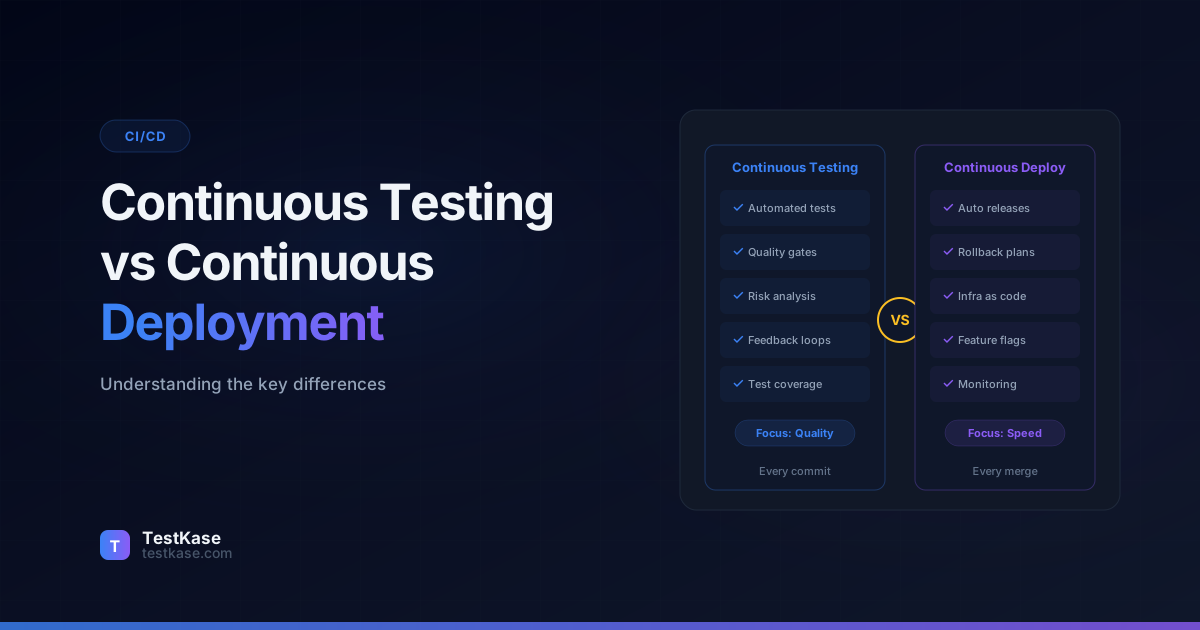
Continuous Testing vs Continuous Deployment: What's the Difference?

Continuous Testing vs Continuous Deployment: What's the Difference?
You just merged a feature branch, and within minutes the code is live in production. No manual approval, no scheduled release window, no QA bottleneck. Sounds like a dream — until a regression slips through and your checkout flow breaks for 12,000 users during peak traffic.
That scenario plays out more often than you'd think. A 2025 survey by the DevOps Research and Assessment (DORA) group found that 23% of teams practicing continuous deployment experienced at least one critical production incident caused by insufficient test coverage in their pipeline. The speed was there. The safety net wasn't.
Here's the root of the confusion: many engineering leaders treat continuous testing and continuous deployment as the same initiative. They're not. One is a mindset about when and how you validate quality. The other is a practice for shipping code automatically. You need both — but conflating them leads to fast pipelines that break things, or thorough testing that never actually reaches users.
This post breaks down what each concept really means, how they complement each other, and — most importantly — how to implement them together so your team ships fast without shipping broken.
Defining Continuous Testing
Continuous testing is the practice of executing automated tests at every stage of your software delivery pipeline — not just before deployment, but from the moment a developer commits code all the way through production monitoring. It's a quality mindset, not a single tool or step.
Key stat
According to Capgemini's World Quality Report, organizations that implement continuous testing reduce their defect escape rate by 40-60% compared to teams that only test at the end of the development cycle.
Traditional testing follows a sequential model: developers write code, hand it off to QA, QA runs tests, bugs get filed, developers fix them. Continuous testing eliminates that handoff. Tests run automatically, in parallel with development, at multiple checkpoints.
The critical distinction is scope. Continuous testing doesn't just mean "we run unit tests on every commit." It means you have the right type of test running at the right stage — unit tests during development, integration tests during build, API contract tests during staging, smoke tests post-deployment, and synthetic monitors in production. Each layer catches a different class of defect.
Think of continuous testing as a series of quality gates. Code doesn't move from one environment to the next unless it passes the relevant checks. This is what separates "we have CI" from "we have continuous testing."
The Maturity Model for Continuous Testing
Not every team implements continuous testing at the same level. Understanding where you are helps plan where to go:
Level 1 — Reactive testing: Tests run manually before releases. QA is a phase, not a practice. Defects are found late, fixes are expensive.
Level 2 — Automated unit testing: Unit tests run on every commit via CI. Build failures are caught quickly, but integration issues slip through to later stages.
Level 3 — Multi-stage automation: Unit, integration, and E2E tests run at appropriate pipeline stages. Quality gates block promotion between environments. Most regressions are caught before staging.
Level 4 — Full continuous testing: Every stage has appropriate automated checks. Production monitoring closes the feedback loop. Test results inform deployment decisions automatically. Defect escape rates are consistently low.
Most teams are at Level 2 or 3. Reaching Level 4 requires investment in test infrastructure, monitoring, and cultural shifts — but the payoff in deployment confidence and incident reduction is substantial.
Defining Continuous Deployment
Continuous deployment is the practice of automatically releasing every code change that passes your automated pipeline directly to production — without human intervention. Every successful build, every green test suite, every passed quality gate results in a production release.
This is distinct from continuous delivery, which prepares code to be deployable but still requires a manual approval step before production. Continuous deployment removes that manual gate entirely.
The prerequisite is obvious: your automated pipeline must be trustworthy enough that you're comfortable letting code reach users without a human reviewing it. That's a high bar — and it's exactly why continuous testing matters so much in this context.
Companies like Netflix, Amazon, and Etsy deploy hundreds or even thousands of times per day using continuous deployment. Amazon reportedly deploys to production every 11.7 seconds on average. That cadence is only possible because their testing infrastructure catches problems before they reach users.
Continuous Delivery vs Continuous Deployment
The difference is one button — but the cultural and technical implications are significant:
Continuous delivery is the prerequisite for continuous deployment. If you can't reliably deliver code on demand, you're not ready to deploy every change automatically. Many teams operate successfully with continuous delivery for years and never move to full continuous deployment — and that's a valid choice.
How Continuous Testing and Continuous Deployment Work Together
These two practices form a feedback loop. Continuous deployment provides the mechanism for getting code to production quickly. Continuous testing provides the confidence that the code is safe to deploy.
Without continuous testing, continuous deployment is reckless — you're shipping untested or under-tested code at high velocity. Without continuous deployment, continuous testing still adds value (you catch bugs earlier), but you don't fully capitalize on the speed gains because code sits waiting for manual release approval.
Here's how they interact at each pipeline stage:
The key insight: continuous deployment defines the speed of your pipeline, but continuous testing defines its safety. You can tune either independently, but they deliver the most value when tightly integrated.
The Feedback Loop in Action
Here's how a well-implemented pipeline handles a typical code change:
- Developer pushes code — CI triggers automatically.
- Unit tests run (2 minutes) — All pass. Static analysis finds zero critical issues.
- Integration tests run (8 minutes) — Contract tests verify API compatibility. All pass.
- Deploy to staging (3 minutes) — Automated E2E tests verify critical user flows. Performance tests confirm p95 < 500ms.
- Security scan (5 minutes) — No new vulnerabilities found.
- Canary deployment (10 minutes) — Code deploys to 5% of production traffic. Error rates match baseline.
- Full rollout (5 minutes) — Traffic shifts to 100% new version. Monitoring confirms normal behavior.
- Post-deployment smoke (2 minutes) — Critical flows verified in production.
Total time from push to production: approximately 35 minutes, with zero human intervention. If any step fails, the pipeline stops and the developer is notified with specific failure details.
Implementing Continuous Testing: Test Types at Each Stage
Getting continuous testing right means selecting the appropriate test types for each stage of your pipeline. Running the wrong tests at the wrong time wastes resources — or worse, gives you false confidence.
Stage 1: Pre-Commit and Commit
Before code even enters the pipeline, developers should have access to fast feedback loops. Pre-commit hooks can run linters and formatters. On commit, your CI system should execute:
- Unit tests — isolated tests for individual functions and methods. These should run in under 2 minutes.
- Static analysis — tools like SonarQube or ESLint that catch code smells, type errors, and security vulnerabilities without executing code.
- Code coverage checks — ensuring new code meets your team's coverage threshold (typically 70-80%).
Keep commit-stage tests under 5 minutes
If your commit-stage tests take longer than 5 minutes, developers will stop waiting for results and move on to their next task. By the time a failure is flagged, they've lost context. Fast feedback is non-negotiable at this stage.
Stage 2: Build and Integration
Once individual units are verified, test how they interact:
- Integration tests — verify that modules, services, or microservices communicate correctly. Test database queries against a real (or containerized) database, not mocks.
- Contract tests — if you have microservices, use Pact or similar tools to verify API contracts between consumers and providers.
- Dependency vulnerability scans — automatically flag known vulnerabilities in third-party packages.
Stage 3: Staging and Pre-Production
This is where you simulate real-world conditions:
- End-to-end tests — full user workflows exercised through the UI or API. Keep these focused on critical paths — login, checkout, data export — not every edge case.
- Performance tests — load testing with tools like k6 or Gatling to verify response times under expected traffic.
- Security tests — OWASP ZAP or Burp Suite scans against your staging environment.
- Accessibility tests — automated checks for WCAG compliance.
Stage 4: Production
Testing doesn't stop at deployment:
- Smoke tests — a small suite that runs immediately after deployment to confirm core functionality is working.
- Synthetic monitoring — scheduled tests that simulate user journeys every few minutes and alert on failures.
- Real-user monitoring (RUM) — track actual user interactions for errors, latency spikes, and unexpected behavior.
- Error rate monitoring — compare error rates before and after deployment. Any significant increase triggers investigation or automatic rollback.
Mapping Tests to Defect Types
Each test type catches specific defect categories. Understanding this mapping helps you identify coverage gaps:
- Unit tests catch: Logic errors, calculation bugs, null reference issues, boundary condition failures
- Integration tests catch: Database query errors, API miscommunication, serialization mismatches, authentication failures
- Contract tests catch: API schema changes, field type mismatches, missing required fields
- E2E tests catch: Workflow breaks, UI rendering errors, cross-module interaction failures
- Performance tests catch: Slow queries, memory leaks, connection pool exhaustion, N+1 query issues
- Security tests catch: Injection vulnerabilities, authentication bypasses, authorization errors, dependency CVEs
If you're seeing a specific type of defect escaping to production, check whether you have adequate test coverage for that defect category at the appropriate pipeline stage.
Quality Gates: The Glue Between Testing and Deployment
Quality gates are the decision points in your pipeline where test results determine whether code advances to the next stage. Without them, continuous testing produces data that nobody acts on.
An effective quality gate has three properties:
- Automated enforcement — the pipeline stops automatically if criteria aren't met. No "override" button that everyone clicks.
- Clear criteria — specific, measurable thresholds. "All critical-severity tests pass" is clear. "Code quality is acceptable" is not.
- Fast feedback — when a gate blocks code, the developer should know why within minutes, not hours.
Here's an example quality gate configuration:
- Commit gate: 100% unit test pass rate, zero critical static analysis findings, code coverage >= 75%.
- Build gate: all integration tests pass, no high-severity dependency vulnerabilities.
- Staging gate: all E2E critical path tests pass, P95 response time under 500ms, zero OWASP critical findings.
- Production gate: smoke tests pass within 3 minutes of deployment, error rate doesn't exceed baseline by more than 0.5%.
If any gate fails, the pipeline halts. In a continuous deployment model, a failed production gate triggers an automatic rollback.
Implementing Quality Gates in Practice
Quality gates are only as strong as the team's commitment to honoring them. Here are practical tips:
- Start strict, relax carefully: Begin with conservative thresholds. It's easier to loosen a gate that's too strict than to tighten one that's become a rubber stamp.
- No override buttons: If your CI tool offers a manual override, disable it. Every override erodes trust in the pipeline.
- Track gate block rates: If a gate blocks more than 10% of deployments, investigate whether the criteria are too strict or the code quality needs improvement. Both are useful signals.
- Alert on gate failures: Gate failures should notify the developer who triggered the pipeline immediately — via Slack, email, or dashboard notification. Delayed notification defeats the purpose of fast feedback.
Feature Flags and Canary Releases: Deploying Safely
Even with thorough continuous testing, some defects only surface under real production conditions — specific data patterns, traffic volumes, or user behaviors that staging can't fully replicate. Feature flags and canary releases add another safety layer.
Feature flags let you deploy code to production with new functionality disabled by default. You can then enable features for a subset of users — your internal team, beta users, or a percentage of traffic — and monitor metrics before rolling out to everyone. If something goes wrong, you flip the flag off without redeploying.
Canary releases take a similar approach at the infrastructure level. Instead of deploying to all production servers at once, you deploy to a small subset (the "canary") and compare its error rates, latency, and resource usage against the remaining servers. If the canary performs well, you gradually expand. If metrics degrade, you pull back automatically.
Combine feature flags with monitoring
The real power of feature flags comes when you pair them with automated monitoring. Set up alerts that automatically disable a flag if error rates spike above a threshold. This creates a self-healing deployment pipeline — problems get caught and rolled back without human intervention, even at 2 AM.
Both techniques complement continuous testing by reducing the blast radius of any defect that slips through your pipeline. They turn production into an additional testing environment — carefully, with safeguards in place.
Feature Flag Best Practices
Feature flags are powerful but can become a maintenance burden. Follow these practices:
- Clean up flags after rollout: Once a feature is fully rolled out, remove the flag from the code. Stale flags accumulate as technical debt and make code harder to reason about.
- Track flag inventory: Maintain a list of active flags with their purpose, owner, and expected removal date. Review monthly.
- Use flag categories: Distinguish between release flags (temporary, removed after rollout), experiment flags (A/B tests, removed after analysis), and ops flags (permanent kill switches for degraded mode). Each type has different lifecycle expectations.
- Test both states: Your test suite should cover behavior with the flag on AND off. A flag that hasn't been tested in both states provides a false sense of safety.
Building a Continuous Testing Culture
Technology alone doesn't create continuous testing. Culture determines whether testing practices stick or erode over time. Here are the cultural shifts that matter:
Quality is everyone's responsibility. In a continuous testing model, developers write unit tests, infrastructure engineers maintain test environments, and QA engineers design test strategies. Nobody "throws code over the wall" to someone else for validation.
Test failures are not noise. Every pipeline failure should be investigated promptly. If the team develops a habit of re-running failed builds ("it's probably flaky"), trust in the pipeline erodes and real failures get missed.
Monitoring is testing. Production monitoring is the final test layer. Teams that treat monitoring as an operational concern separate from testing miss the continuous feedback loop that makes continuous deployment safe.
Speed and quality are allies, not enemies. The false dichotomy between "ship fast" and "ship reliably" dissolves when your testing pipeline is fast enough to catch problems without slowing releases.
Common Mistakes When Implementing Continuous Testing and Deployment
Treating CI as continuous testing. Running unit tests on every commit is continuous integration, not continuous testing. If you're not testing at staging, pre-production, and post-deployment stages, you have gaps that will eventually let defects through.
Skipping quality gates for speed. Teams under deadline pressure often add manual override capabilities to their quality gates. Once overrides exist, they become the norm. Within months, your "automated" pipeline is just a suggestion.
Not investing in test maintenance. Flaky tests — tests that pass and fail intermittently without code changes — erode trust in your pipeline. When 5% of test runs fail randomly, teams start ignoring failures. Dedicate time every sprint to fixing or removing flaky tests.
Testing everything in end-to-end tests. E2E tests are slow and brittle. Use them for critical paths only. Push as much validation as possible to unit and integration tests, which are faster and more reliable. The testing pyramid exists for a reason.
Deploying without monitoring. Continuous deployment without production monitoring is driving blindfolded. If you can't detect a problem in production within minutes, you shouldn't be deploying automatically.
Not having a rollback strategy. Before implementing continuous deployment, ensure you can roll back a bad deployment within minutes — ideally automatically. Blue-green deployments and canary releases provide this capability. Without rollback, every production issue becomes a fire drill.
Underinvesting in test environments. If your staging environment doesn't mirror production, your staging tests provide false confidence. Invest in staging environments that match production in architecture, data shape (anonymized), and scale. The cost of a good staging environment is far less than the cost of production incidents.
Measuring Success
How do you know if your continuous testing and deployment practices are working? Track these metrics:
- Deployment frequency: How often you deploy to production. Higher frequency indicates trust in the pipeline.
- Lead time for changes: Time from code commit to production deployment. Shorter lead times mean faster delivery.
- Change failure rate: Percentage of deployments that cause incidents. Lower rates indicate effective testing.
- Mean time to recovery (MTTR): How quickly you recover from production incidents. Shorter MTTR indicates good monitoring and rollback capabilities.
- Defect escape rate: Percentage of defects that reach production versus those caught in the pipeline. Lower rates indicate comprehensive testing.
These are the four DORA metrics plus defect escape rate — together they provide a complete picture of your delivery and quality performance.
How TestKase Supports Continuous Testing Workflows
Building a continuous testing practice means more than just running automated scripts — you need visibility into what's been tested, what passed, what failed, and what's missing. That's where test management becomes essential.
TestKase integrates with your CI/CD pipeline to provide a unified view of test execution across every stage. When your automated tests run during a build or deployment, results flow into TestKase automatically, giving your team a single dashboard for tracking quality across all environments.
With TestKase's AI-powered test case generation, you can quickly identify coverage gaps — areas of your application that don't have corresponding test cases — and generate new tests to fill them. This is particularly valuable in a continuous deployment environment where every uncovered code path is a potential production incident.
TestKase also supports test cycle management that maps directly to releases. You can create test cycles tied to specific builds, assign test cases across team members, and track execution in real time. Combined with Jira integration, failed tests automatically create linked issues so nothing falls through the cracks.
For teams tracking quality metrics, TestKase's reporting dashboards show test pass rates, defect trends, and coverage gaps across releases — providing the data needed to measure and improve your continuous testing practice over time.
See how TestKase fits your CI/CD pipelineConclusion
Continuous testing and continuous deployment serve different purposes but are most powerful together. Continuous testing provides the safety net — automated validation at every pipeline stage. Continuous deployment provides the velocity — automatic releases without manual gates.
To implement both effectively, match your test types to your pipeline stages, enforce quality gates with clear criteria, and use feature flags and canary releases to limit blast radius. Invest in monitoring so you catch what tests miss.
The goal isn't just to deploy fast. It's to deploy fast with confidence. When your testing pipeline is as robust as your deployment pipeline, you get both speed and quality — and your team stops choosing between them. Start by mapping your current pipeline stages, identifying where testing gaps exist, and filling them one layer at a time. The journey to full continuous testing and deployment is incremental, but every step delivers measurable value.
Stay up to date with TestKase
Get the latest articles on test management, QA best practices, and product updates delivered to your inbox.
SubscribeShare this article
Related Articles
Why Single-Page Accessibility Scans Miss Real Bugs (and What Multi-Page Audits Catch)
Single-URL accessibility scanners miss six entire categories of WCAG violations. Here's what falls through the gap, and how flow-aware audits catch the issues your users actually hit.
Read more →Accessibility Testing in CI/CD: Catching WCAG Issues Before They Ship
Three integration patterns, GitHub Actions / GitLab / CircleCI templates, and a 3-quarter rollout playbook to take an engineering team from zero accessibility in CI to block-on-fail.
Read more →How to Run Load Tests in Your CI/CD Pipeline with k6
Step-by-step guide to running k6 load tests in CI/CD pipelines. Covers scripting, thresholds, GitHub Actions setup, result analysis, and scaling strategies.
Read more →