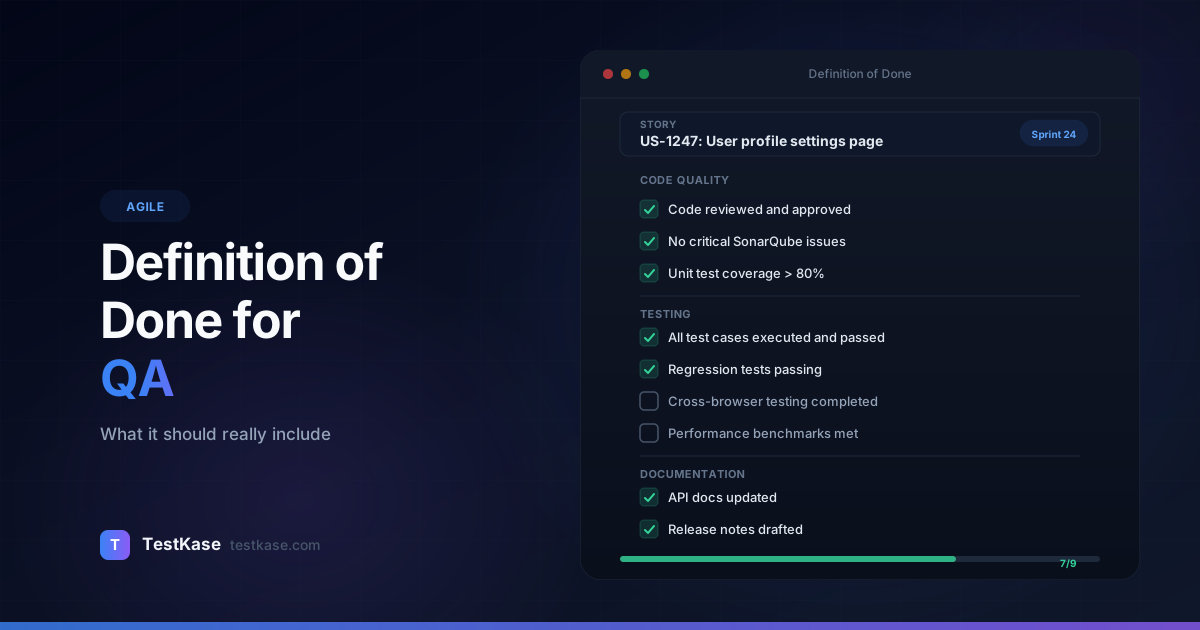
Definition of Done for QA: What It Should Really Include

Definition of Done for QA: What It Should Really Include
"Is this story done?" In most teams, that question triggers a negotiation. The developer says yes — the code is merged and the unit tests pass. The product owner says yes — they saw a quick demo. The QA engineer says no — they haven't tested it yet. And the scrum master marks it complete because the sprint ends tomorrow.
This scenario plays out thousands of times a day across agile teams worldwide. The result: "done" stories that aren't actually done. They ship with untested edge cases, missing documentation, and zero automation coverage. Then they come back as production bugs, hotfixes, and emergency releases.
A clear Definition of Done fixes this. When everyone agrees — before the sprint starts — on what "done" means, you stop having the argument. The criteria are explicit. A story either meets them or it doesn't.
The cost of vague 'done'
The Consortium for IT Software Quality estimates that poor software quality cost U.S. organizations $2.41 trillion in 2022. A significant portion of that traces back to incomplete work that was marked as "done" — code shipped without adequate testing, documentation, or review.
Yet most Definitions of Done barely mention QA. They say "code reviewed" and "unit tests passing" — developer activities — while testing, documentation, and quality validation get treated as afterthoughts. Here's what your DoD should actually include.
What Definition of Done Means for QA
The Definition of Done (DoD) is a shared checklist that defines when a piece of work is complete. It's not a wish list. It's a contract between the team and stakeholders that says: "When we mark something as done, you can trust that all of these things are true."
For QA, the DoD is critical because it determines whether testing is a mandatory part of completion or an optional step that gets skipped when time runs short.
A strong DoD answers these questions from a QA perspective:
- Has the feature been functionally tested against its acceptance criteria?
- Have edge cases and error scenarios been verified?
- Is there adequate automated test coverage?
- Have regression tests been run on affected areas?
- Are test results documented and traceable?
If your current DoD doesn't address these questions, your team is shipping work with undefined quality levels.
The Difference Between DoD and Acceptance Criteria
Teams often confuse the Definition of Done with acceptance criteria, but they serve different purposes. Acceptance criteria are story-specific — they describe what a particular feature must do. "When a user enters an invalid email, the form should display an error message within 1 second" is an acceptance criterion for a specific login story.
The Definition of Done, by contrast, is universal. It applies to every story, regardless of its content. "All acceptance criteria verified through testing" is a DoD item — it doesn't tell you what to test, only that testing must happen before anything is marked complete.
Think of it this way: acceptance criteria define the what, and the DoD defines the how well. A story can meet all its acceptance criteria but still violate the DoD if, say, the tests weren't documented or the regression suite wasn't run.
Teams that blur this distinction end up with acceptance criteria that try to include process items ("code reviewed," "tests automated") and a DoD that tries to include functional requirements. Keep them separate, and both become more useful.
Essential QA Items for Your Definition of Done
Here's a comprehensive DoD from a QA perspective. Not every item applies to every team — but each one deserves discussion:
Functional Testing Complete
Every acceptance criterion has been verified through testing. Not just the happy path — the error paths, boundary conditions, and alternate flows too.
This means:
- Test cases exist for all acceptance criteria
- Test cases have been executed and passed
- Any failing tests have been investigated and resolved
- Exploratory testing has been performed on the feature area
In practice, "functional testing complete" should also mean that the tester has gone beyond the written acceptance criteria to explore adjacent behavior. If a story changes how users update their profile, the tester should also verify that the profile displays correctly in other areas of the application — the header avatar, the settings page, any notification emails that include the user's name.
This is where exploratory testing earns its keep. A checklist of acceptance criteria catches the things you expected. Exploratory testing catches the things you didn't.
No Open P1 or P2 Bugs
The story should have zero critical or high-severity bugs open against it. Medium and low-severity bugs can be backlogged if the product owner agrees — but critical issues block completion.
Here's a severity rubric that removes ambiguity from bug triage:
- P1 (Critical): Feature is non-functional or causes data loss. Example: clicking "Place Order" silently fails and the user's payment is charged without creating an order.
- P2 (High): Major functionality is broken but a workaround exists. Example: the search function doesn't return results on Safari, but works on Chrome and Firefox.
- P3 (Medium): Minor functional issue that doesn't block core workflows. Example: the date picker defaults to the wrong time zone for users in Asia.
- P4 (Low): Cosmetic issue or minor inconvenience. Example: a button label reads "Sumbit" instead of "Submit."
When the DoD says "no open P1 or P2 bugs," the team needs a shared understanding of what P1 and P2 mean. Document your severity definitions and reference them in the DoD.
Automated Tests Written or Updated
New functionality needs automated coverage. Existing automation that's been broken by the change needs to be fixed. Skipping automation creates debt that compounds sprint over sprint.
A common objection is "we don't have time to automate within the sprint." This is almost always a planning problem, not a time problem. If your sprint plan doesn't allocate time for automation, automation won't happen. Budget it explicitly — most teams find that allocating 15-20% of QA capacity to automation within each sprint prevents the backlog from growing unmanageably.
For teams just starting with automation, the DoD might say "happy path automated for critical user flows" rather than "full automation coverage." You can tighten the criteria as the team's automation maturity grows.
Code Reviewed
At least one other developer has reviewed the code. For QA, this matters because code review often catches issues that would otherwise become test-phase bugs — null handling, error messages, logging gaps.
QA engineers can add value here too. While you may not review the implementation details, reviewing the test code — unit tests written by developers — can reveal gaps. If a developer wrote unit tests for the happy path but not for error handling, that's a sign you'll find bugs during functional testing.
Some teams include "QA review of unit test coverage" as a DoD item. The QA engineer doesn't write the unit tests but verifies that the scenarios they plan to test at the functional level are also covered at the unit level.
Documentation Updated
If the feature changes user-facing behavior, documentation should be updated. This includes:
- User-facing help docs or release notes
- API documentation (if endpoints changed)
- Internal runbooks or troubleshooting guides
- Test case documentation in your test management tool
Documentation debt is just as real as technical debt, but it's harder to detect. A feature that works perfectly but has incorrect documentation will generate support tickets, user confusion, and internal frustration. Making documentation a DoD item prevents this accumulation.
For API changes specifically, consider adding "OpenAPI spec updated and validated" to your DoD. Tools like Swagger or Redocly can auto-validate that your API spec matches your actual endpoints, making this a low-effort, high-value check.
Environment-Specific Verification
The feature has been tested in an environment that mirrors production. Testing only on a local machine with mocked services doesn't count. If your staging environment differs from production, those differences should be documented and risk-assessed.
This is particularly important for:
- Infrastructure-dependent features — anything involving caching, load balancers, CDNs, or message queues
- Third-party integrations — payment gateways, email services, and external APIs behave differently in sandbox vs. production modes
- Data volume sensitivity — features that work with 100 records may break with 100,000
A practical approach is to maintain an "environment parity checklist" that documents known differences between staging and production. When a story touches an area affected by an environment difference, the team can make an informed decision about risk.
Cross-Browser/Cross-Device Verification (When Applicable)
For frontend changes, testing on a single browser isn't sufficient. Your DoD should specify the minimum browser and device coverage — for example, "tested on Chrome, Firefox, and Safari on desktop; Chrome and Safari on mobile."
Define your browser matrix based on your actual user data. If 90% of your users are on Chrome, Chrome is mandatory. If 3% are on Internet Explorer — and this is decreasing — you might exclude it and document the decision. A data-driven browser matrix is defensible; "we test on everything" is expensive and usually unnecessary.
Consider tiering your browser testing:
- Tier 1 (every story): Chrome latest, Safari latest, Mobile Chrome
- Tier 2 (every release): Firefox, Edge, Mobile Safari
- Tier 3 (quarterly): Older browser versions, accessibility-focused browsers
Accessibility Checked
This one is often missing from DoDs entirely. At minimum, new UI features should pass basic accessibility checks — keyboard navigation, screen reader compatibility, color contrast ratios. The legal and ethical case for accessibility is strong, and catching issues before release is far cheaper than retrofitting.
A practical starting point for your DoD:
- All interactive elements are keyboard-accessible (Tab, Enter, Escape)
- All images have alt text
- Color contrast meets WCAG 2.1 AA standards (4.5:1 for normal text, 3:1 for large text)
- Form fields have associated labels
- The page is navigable with a screen reader without errors
Tools like axe-core can be integrated into your CI pipeline to automate many of these checks. Adding "axe-core scan passes with zero critical violations" to your DoD is a low-friction way to prevent accessibility regressions.
Security Review (For Applicable Changes)
Any story that touches authentication, authorization, data handling, or API endpoints should include a basic security review. This doesn't mean a full penetration test for every story — it means verifying that:
- Input validation is in place (no SQL injection, XSS, or command injection vectors)
- Authentication checks are enforced on new endpoints
- Sensitive data is not logged or exposed in error messages
- CORS policies are correctly configured for new API routes
For teams in regulated industries (fintech, healthcare, government), security review may be mandatory for every story regardless of scope. In that case, a lightweight security checklist in the DoD ensures nothing slips through.
DoD at Different Levels
Your team needs a Definition of Done at multiple levels, because "done" means something different for a story, a sprint, and a release.
Story-Level DoD
This is the checklist applied to each individual user story before it moves to "done":
- Acceptance criteria verified through testing
- No P1/P2 bugs open
- Unit tests written and passing
- Automated E2E test for happy path (if applicable)
- Code reviewed and merged
- Test results recorded
- Documentation updated (if user-facing behavior changed)
Sprint-Level DoD
Applied at the end of each sprint before the team considers the sprint complete:
- All "done" stories meet the story-level DoD
- Full regression suite passing
- No release-blocking bugs across any stories
- Sprint test summary documented
- Test automation suite updated and stable
- Technical debt items addressed (if committed to)
- Known issues documented with severity and workaround status
Release-Level DoD
Applied before a release goes to production:
- All sprint-level DoD criteria met
- Performance testing completed within SLA thresholds
- Security scan completed with no critical vulnerabilities
- Cross-browser/device testing matrix completed
- Release notes prepared
- Rollback plan documented and tested
- Smoke test suite ready for post-deployment verification
- Data migration verified (if applicable)
- Monitoring and alerting configured for new features
Start simple, evolve gradually
If your team currently has no DoD or a minimal one, don't introduce a 25-item checklist overnight. Start with 5-7 items that address your biggest quality gaps. Add new items only after the team consistently meets the existing criteria. A DoD that the team ignores is worse than no DoD at all.
Implementing Your DoD: A Step-by-Step Approach
Getting a DoD adopted isn't just about writing it down — it's about embedding it into your team's workflow so deeply that checking the DoD becomes as natural as writing a commit message.
Step 1: Audit Your Current State
Before proposing a new DoD, understand where you are. For the next two sprints, track what happens when stories are marked "done":
- How many stories had all test cases executed before moving to "done"?
- How many had open P1 or P2 bugs?
- How many had updated documentation?
- How many had automation coverage?
This data gives you a baseline and identifies your biggest gaps. If 80% of stories move to "done" without automation coverage, that's your first DoD item to add.
Step 2: Propose at a Retrospective
The retrospective is the right ceremony for introducing or modifying the DoD. Present your audit data — "in the last two sprints, 6 out of 14 'done' stories had open P2 bugs" — and propose 3-5 DoD items that address the gaps.
Let the team discuss, modify, and agree. A DoD imposed from above gets ignored. A DoD the team creates together gets followed.
Step 3: Make It Visible
Put the DoD somewhere the team sees it daily:
- A checklist template on every story card (Jira, Azure DevOps, Linear)
- A printed poster near the team's physical or virtual board
- A pinned message in your team's Slack or Teams channel
Out of sight is out of mind. The DoD should be impossible to forget.
Step 4: Track Compliance
After each sprint, measure DoD compliance: what percentage of "done" stories actually met every DoD criterion? This metric is eye-opening. Most teams discover their actual compliance rate is 50-70% when they start measuring — far lower than they assumed.
Track compliance over time. The trend matters more than any individual sprint's number. A team that goes from 55% to 85% compliance over four sprints is improving rapidly, even if 85% isn't perfect.
Step 5: Iterate
Every quarter, revisit the DoD:
- Are all items still relevant?
- Are there recurring quality issues that a new DoD item would prevent?
- Is the team meeting all criteria consistently? If so, it might be time to raise the bar.
How to Evolve Your Definition of Done
Your DoD isn't static. It should grow as your team matures — but only at a pace the team can sustain.
Signals That Your DoD Is Too Weak
- Production bugs are frequently traced to missing test coverage
- Stories marked "done" get reopened in the next sprint
- Customers report issues that should have been caught in testing
- The team argues about whether something is "done enough"
- Sprint demos reveal features that don't work as expected
Signals That Your DoD Is Too Strict
- Stories rarely meet the DoD, so the team routinely ignores it
- Sprint velocity drops significantly after introducing new criteria
- Criteria exist that add time but don't catch bugs (ceremony without value)
- The team feels demoralized by an unreachable standard
- Stories linger in "in testing" status for days because the DoD has too many gates
The Evolution Path
Most teams follow a maturity curve:
Level 1 — Basic: Code compiles, unit tests pass, code reviewed. (Where most teams start.)
Level 2 — Tested: Functional testing complete, no critical bugs, test cases documented. (QA is a formal gate.)
Level 3 — Automated: Automated test coverage for new features, regression suite passing, CI/CD green. (Automation is mandatory.)
Level 4 — Quality-Engineered: Performance tested, security scanned, accessibility verified, documentation updated, monitoring configured. (Quality is comprehensive.)
Don't jump from Level 1 to Level 4. Each level takes 2-4 sprints to internalize before adding more criteria.
Here's a concrete timeline for a team starting at Level 1:
- Sprints 1-3: Add "functional testing complete for all acceptance criteria" and "no P1/P2 bugs open." These are the highest-impact additions.
- Sprints 4-6: Add "test results documented in test management tool" and "regression suite run on affected areas." This introduces traceability.
- Sprints 7-9: Add "happy path automation for new features" and "CI pipeline green." This mandates automation.
- Sprints 10-12: Add "accessibility check passed" and "documentation updated." This rounds out quality comprehensively.
By sprint 12, the team has a Level 4 DoD — but they built it gradually, with each addition becoming habit before the next one arrived.
Enforcing DoD Without Being the Bottleneck
This is the tension every QA engineer feels: "If I enforce the DoD strictly, I'm the person who prevents stories from being marked done. If I don't enforce it, what's the point?"
Strategies That Work
Make it the team's DoD, not QA's DoD. The Definition of Done should be owned by the entire team, agreed upon in a sprint retrospective, and posted visibly. When you flag that a story doesn't meet the DoD, you're not being difficult — you're holding the team to its own standard.
Automate the checks you can. If "regression suite passing" is a DoD item, wire it into your CI pipeline. The build fails if tests fail. No human needs to be the enforcer — the system does it.
# Example: GitHub Actions CI check for DoD automation
name: DoD Quality Gate
on: [pull_request]
jobs:
  quality-gate:
    runs-on: ubuntu-latest
    steps:
      - uses: actions/checkout@v4
      - name: Run unit tests
        run: npm test -- --coverage --coverageThreshold='{"global":{"branches":80}}'
      - name: Run regression suite
        run: npx playwright test --project=regression
      - name: Accessibility scan
        run: npx axe-core-cli --exit
      - name: Lint and type check
        run: npm run lint && npm run typecheck
When DoD items are enforced by CI, the conversation shifts from "QA won't let us mark this done" to "the pipeline is failing." Nobody argues with a red build.
Use a DoD checklist in your workflow tool. Add DoD items as a checklist on every story card. Before moving a story to "done," the assignee checks each box. This makes compliance visible without requiring QA to police it.
In Jira, you can create a checklist template that auto-populates on every new story:
DoD Checklist:
[ ] Acceptance criteria verified through testing
[ ] No P1/P2 bugs open
[ ] Unit tests written and passing (>80% coverage for new code)
[ ] Happy path E2E test automated
[ ] Code reviewed and approved
[ ] Test results recorded in TestKase
[ ] Documentation updated (if applicable)
Flag risks early, not late. If you can see on day 3 that a story won't meet the DoD by sprint end — because test environments aren't ready or acceptance criteria are unclear — raise it then. Don't wait until the last day to say "this isn't done."
The pressure to bend the DoD
Sprint demos and release deadlines create pressure to mark stories as "done" even when they don't meet the DoD. Resist this. Every time you bend the DoD, you establish a precedent that the criteria are negotiable. Track DoD compliance as a team metric — it's eye-opening to see how often the team actually meets its own standard.
Real-World DoD Examples
Here are DoD items from teams that have refined their criteria over time:
E-commerce team (12-person squad):
- All acceptance criteria have passing test cases
- Automated smoke test for the affected checkout flow
- No P1/P2 bugs; P3 bugs documented and product-owner approved for backlog
- Performance impact assessed (page load time delta < 200ms)
- Tested on Chrome, Safari, and mobile Chrome
Fintech team (8-person squad):
- Functional tests pass for all acceptance criteria
- Security review completed for any endpoint changes
- Audit logging verified for all state-changing operations
- Automated regression suite green
- Compliance documentation updated (SOC 2 controls)
SaaS platform team (6-person squad):
- Manual test pass on staging environment
- Unit test coverage > 80% for new code
- API contract tests updated
- Feature flag configured for gradual rollout
- Monitoring dashboard updated with new metrics
Healthcare startup (5-person squad):
- All acceptance criteria verified with documented test cases
- HIPAA-relevant data handling reviewed by security lead
- No P1/P2/P3 bugs open (stricter threshold due to regulatory risk)
- Integration tests pass for any workflow involving patient data
- PHI fields verified as encrypted at rest and in transit
Common Mistakes
Making the DoD too aspirational. A DoD that includes "100% code coverage" or "zero bugs of any severity" sounds great but is unachievable. Teams will ignore an unrealistic DoD rather than meeting it. Set thresholds that are ambitious but reachable — "80% unit test coverage for new code" is better than "100% coverage."
Not writing it down. A DoD that lives in people's heads isn't a DoD — it's a set of assumptions. Write it on a wiki page, print it out, put it on the wall. Make it impossible to forget.
Applying one DoD to everything. A one-line config change and a major database migration shouldn't have the same DoD. Consider having a "lightweight DoD" for low-risk changes and a "full DoD" for significant features. Some teams use a risk-based approach:
- Low-risk changes (copy updates, config changes): Code reviewed, unit tests passing, quick smoke test
- Medium-risk changes (new UI features, API changes): Full functional testing, automation for happy path, regression on affected area
- High-risk changes (data migrations, auth changes, payment flows): Full DoD plus security review, performance testing, and cross-browser verification
Never updating it. If your DoD hasn't changed in a year, it's either perfect (unlikely) or stale. Review it every quarter. Remove items that don't add value. Add items that address recurring quality gaps.
Treating it as QA's responsibility alone. The DoD is a team commitment. If developers aren't writing unit tests and the DoD says they should, that's a team problem — not a QA problem. The entire team owns the DoD, and the entire team is accountable for meeting it.
Not measuring compliance. A DoD without tracking is aspirational. Measure how many stories actually meet every criterion. Share the numbers at retrospectives. Without data, the DoD becomes invisible.
How TestKase Helps Enforce Your Definition of Done
TestKase makes your Definition of Done visible and measurable. For every story or feature, you can see exactly which test cases exist, which have been executed, and which passed or failed — giving you a real-time view of DoD compliance.
When a story's test cases all pass and no blocking bugs remain open, the data speaks for itself. There's no argument about whether testing is "done enough" — the evidence is in the test run results. TestKase's reporting makes it easy to show DoD compliance in sprint reviews and to track compliance trends over time.
For teams evolving their DoD, TestKase's AI-powered test generation helps you quickly build test coverage for acceptance criteria — reducing the time barrier that often prevents teams from adding "test cases written" to their DoD in the first place.
With TestKase's Jira integration, your DoD criteria become traceable end-to-end: from the user story in Jira to the test cases in TestKase to the execution results that prove compliance. Stakeholders can verify DoD adherence without asking a single question — the data is right there in the linked test runs.
Make your Definition of Done measurableConclusion
Your Definition of Done is only as valuable as your commitment to it. A strong DoD that includes QA criteria — functional testing, automated coverage, no critical bugs, documentation — prevents the slow erosion of quality that happens when "done" means "mostly done."
Start by auditing your current DoD. Does it mention testing? Automation? Bug severity thresholds? If not, bring a proposal to your next retrospective. Five well-chosen DoD items will do more for your team's quality than fifty aspirational ones.
The teams that ship reliable software aren't the ones with the most talent. They're the ones that agreed on what "done" means — and held themselves to it.
Stay up to date with TestKase
Get the latest articles on test management, QA best practices, and product updates delivered to your inbox.
SubscribeShare this article
Related Articles
Critical, Serious, Moderate, Minor: How to Triage Accessibility Issues by Severity
A practical triage policy template — SLAs per severity, ownership across design / engineering / content / QA, and how to share findings cross-team without forwarding PDFs.
Read more →Why Single-Page Accessibility Scans Miss Real Bugs (and What Multi-Page Audits Catch)
Single-URL accessibility scanners miss six entire categories of WCAG violations. Here's what falls through the gap, and how flow-aware audits catch the issues your users actually hit.
Read more →Accessibility Testing in CI/CD: Catching WCAG Issues Before They Ship
Three integration patterns, GitHub Actions / GitLab / CircleCI templates, and a 3-quarter rollout playbook to take an engineering team from zero accessibility in CI to block-on-fail.
Read more →