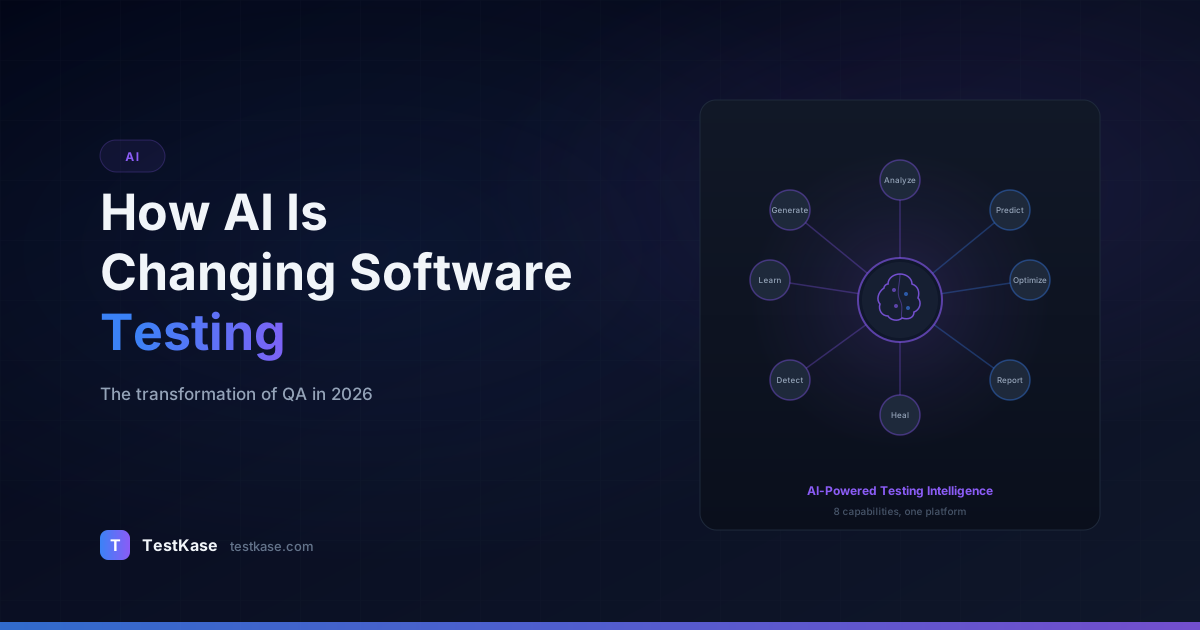
How AI Is Changing Software Testing in 2026

How AI Is Changing Software Testing in 2026
A QA engineer at a mid-sized fintech company used to spend the first two hours of every Monday triaging the weekend's automated test results — 47 failures, most of them false positives from flaky UI selectors. Now, an AI system pre-classifies those failures, auto-identifies the 4 genuine regressions, groups the flaky tests by root cause, and presents a prioritized list before the engineer finishes their coffee. What took two hours now takes fifteen minutes.
That's not a hypothetical. That's the state of AI in software testing right now — not a distant promise, but a set of practical capabilities that are reshaping how QA teams operate. AI isn't replacing testers. It's eliminating the tedious, repetitive parts of their work so they can focus on the judgment-intensive tasks that humans still do better than machines — exploratory testing, risk assessment, and understanding how real users interact with software.
But the AI-in-testing landscape is also noisy. Vendors oversell, demos cherry-pick, and it's hard to separate what's genuinely useful from what's marketing vapor. Here's an honest look at where AI is delivering real value in testing, where it falls short, and what's coming next.
The Scale of AI Adoption in QA
Before diving into specific applications, it helps to understand the landscape. According to the 2025 World Quality Report, 61% of organizations now use some form of AI or machine learning in their testing processes — up from 38% in 2023. But "use" ranges from sophisticated ML-driven test selection pipelines to teams that paste requirements into ChatGPT and call it AI testing.
The adoption curve looks roughly like this:
- Early adopters (2020-2022): Large enterprises with dedicated ML teams building custom models for test optimization. Google, Microsoft, Facebook — companies with enough test data to train reliable models.
- Early majority (2023-2024): Commercial AI testing tools matured. Testim, Mabl, Applitools, and others made AI-powered features accessible without ML expertise. Mid-size teams started adopting.
- Mainstream adoption (2025-2026): AI features are now table stakes for test management and automation platforms. Teams expect AI-assisted test generation, intelligent failure analysis, and predictive capabilities as standard features, not premium add-ons.
The shift in 2026 is that AI is no longer something you evaluate separately — it's embedded in the tools you're already using. The question isn't "should we adopt AI for testing?" but "are we using the AI capabilities in our existing tools effectively?"
AI Applications That Are Working Right Now
Test Case Generation
The most mature AI application in testing. You provide a requirement, user story, or feature description — and the AI generates structured test cases with steps, expected results, and priority classifications. Large language models excel at this because they've been trained on millions of software requirements and can identify patterns: if there's a login feature, the AI knows to generate tests for valid credentials, invalid credentials, locked accounts, password reset flows, and session timeout behaviors.
Measurable impact
Teams using AI-assisted test case generation report 40-60% reduction in test authoring time. A 2025 study by the World Quality Report found that organizations using AI for test generation achieved 23% higher requirements coverage compared to those relying solely on manual test creation.
The key word is assisted. AI generates a strong first draft, but experienced testers still need to review, refine, and add domain-specific scenarios that the AI misses. The best workflow is AI-generate, human-review, then commit to the test suite.
Here's what AI-generated test cases typically look like in practice. Given the user story "As a user, I want to reset my password so that I can regain access to my account," an AI tool might generate:
- Happy path: Request reset with valid email, receive email within 60 seconds, click link, enter new password meeting complexity requirements, confirm login with new password.
- Negative cases: Request reset with unregistered email (should show generic message, not reveal whether email exists), click expired reset link (24+ hours old), enter mismatched password confirmation, try to reuse the same reset link twice.
- Edge cases: Request multiple resets rapidly (rate limiting), reset password while logged in on another device (session invalidation), use special characters in new password, reset while account is locked.
A human tester reviewing this output might add: "What happens if the user's email provider has aggressive spam filtering and the reset email never arrives? Is there an alternative verification flow?" That's the kind of domain-aware thinking AI misses — but the AI just saved the tester 30 minutes of writing the first 15 test cases.
Test Maintenance and Self-Healing
UI test automation has a maintenance problem — when the UI changes, selectors break, and someone has to update dozens of tests. AI-powered self-healing test tools detect when a selector fails, analyze the current DOM to find the most likely matching element, and update the selector automatically. Tools like Testim, Mabl, and Healenium use this approach.
Self-healing works through a multi-attribute matching strategy. Instead of relying on a single selector like #submit-btn, the tool creates a fingerprint of the element using multiple attributes: its text content, position relative to other elements, CSS classes, ARIA labels, and visual appearance. When the primary selector fails, the tool searches the DOM for the element that best matches the stored fingerprint.
// Traditional brittle selector
await page.click('#checkout-submit-btn');
// If the ID changes to 'place-order-btn', the test breaks

// Self-healing approach (conceptual)
// The tool stores multiple attributes:
// {
//   id: 'checkout-submit-btn',
//   text: 'Place Order',
//   type: 'button',
//   class: 'btn-primary',
//   ariaLabel: 'Submit checkout',
//   relativePosition: 'below .order-summary',
//   visualHash: 'a1b2c3...'
// }
// When the ID changes, the tool matches on remaining attributes
Self-healing reduces test maintenance effort by 30-50% for UI-heavy test suites. It doesn't eliminate maintenance entirely — structural UI changes still require human intervention — but it handles the routine breakages that consume disproportionate time. One enterprise team reported that self-healing reduced their weekly test maintenance from 12 hours to 4 hours, freeing their automation engineers to write new tests instead of fixing old ones.
Test Prioritization and Selection
When you have 5,000 test cases and a 2-hour testing window, which tests do you run? AI can analyze code change diffs, historical failure data, and dependency graphs to recommend the optimal subset. This is essentially a prediction problem: given this set of code changes, which tests are most likely to fail?
Google's internal test selection system uses machine learning to reduce test suite execution by 95% while catching 99.5% of regressions. You don't need Google-scale infrastructure to benefit — several commercial and open-source tools offer change-based test prioritization that works with standard CI pipelines.
The typical ML model for test selection uses these features:
- Code change proximity: Which files were changed and which tests exercise those files (via code coverage data).
- Historical failure correlation: Tests that have failed recently on similar changes.
- Test age and volatility: Newer tests and tests with higher failure rates get priority.
- Risk weighting: Tests covering critical business paths (payments, authentication) get boosted.
- Time since last execution: Tests that haven't run in a while get selected more often to avoid blind spots.
Tools like Launchable, Buildkite Test Analytics, and Codecov's test selection use these signals to rank tests. The practical benefit is dramatic: a team running 3,000 tests in 90 minutes can often get 95%+ regression detection by running just 300 tests in 9 minutes. That transforms CI from a bottleneck to a non-event.
Defect Prediction
AI models trained on your codebase's history can predict which modules or files are most likely to contain undiscovered defects. The inputs are code complexity metrics, change frequency, developer experience with the module, code review coverage, and historical defect density. The output is a risk score per module.
This doesn't find bugs directly — it tells you where to focus your testing effort. If the model predicts that the billing module has a 73% likelihood of containing a latent defect, you allocate more exploratory testing time there rather than spreading effort evenly across all modules.
Research from Microsoft's empirical software engineering group found that defect prediction models can identify 70-80% of defective files by examining only 20% of the codebase. That's a massive efficiency gain for testing allocation. The practical workflow looks like this:
- After each sprint, run the defect prediction model against the updated codebase.
- Generate a ranked list of modules by predicted defect risk.
- Allocate exploratory testing time proportionally — high-risk modules get deeper investigation.
- After each release, feed actual defect data back into the model to improve accuracy.
Over 3-4 release cycles, the model learns your codebase's specific patterns and becomes increasingly accurate. Teams that use this approach consistently report finding critical bugs earlier — often during focused exploration of "high risk" modules that standard test suites would cover only superficially.
Visual Testing and UI Comparison
AI-powered visual testing tools capture screenshots of your application and compare them against baseline images, using computer vision to detect meaningful visual differences while ignoring acceptable variations (anti-aliasing differences, sub-pixel rendering). Tools like Applitools, Percy, and Chromatic use AI to distinguish between intentional design changes and visual regressions.
This approach catches bugs that functional tests miss entirely — overlapping text, broken layouts, missing icons, incorrect colors. A functional test might confirm that the checkout button exists and is clickable, but only a visual test catches that it's now hidden behind a misaligned div.
The AI component is crucial here because pixel-perfect comparison produces too many false positives. A naive pixel diff flags every rendering difference, including harmless anti-aliasing variations between browsers and OS versions. AI visual testing tools use trained models to understand what constitutes a "meaningful" visual change — a shifted button is meaningful; a 1-pixel difference in font rendering is not. Applitools reports that their AI reduces false positives in visual testing by over 99% compared to pixel-diff approaches.
Log Analysis and Failure Classification
A newer but rapidly maturing application. AI models analyze test failure logs, stack traces, and error messages to automatically classify failures into categories: genuine regression, environment issue, flaky test, known bug, or data dependency problem.
For teams with large automated suites — 1,000+ tests running nightly — this is transformative. Instead of a QA engineer manually reading through 50 failure logs each morning, the AI categorizes them:
- 32 failures: flaky tests (same root cause — timing issue in service startup)
- 11 failures: environment issue (staging database was unavailable 2:15-2:47 AM)
- 4 failures: genuine regressions (linked to yesterday's commit abc123)
- 3 failures: known bug #4521 (already in backlog)
That triage, which would take an experienced engineer 60-90 minutes, happens in seconds. The engineer goes straight to investigating the 4 genuine regressions.
Real-World Examples Beyond the Hype
It's easy to list capabilities in the abstract. Here's what AI in testing looks like in practice:
A healthcare SaaS company with 12,000 test cases used AI-powered test prioritization to reduce their nightly regression suite from 8 hours to 45 minutes. They caught 98.7% of regressions with the reduced suite — and the 1.3% they missed were all low-severity cosmetic issues. Their release cadence went from monthly to weekly. The key to their success was six months of historical test data that trained the selection model — without that data, the model's accuracy was only 85%.
An e-commerce platform deployed AI visual testing across 47 pages in 6 viewport sizes. In the first month, it caught 23 visual regressions that their functional test suite missed — including a checkout page layout break on tablet devices that had been live for three weeks without anyone noticing. The visual testing investment paid for itself by preventing an estimated $180,000 in lost checkout conversions over the following quarter.
A banking application team used AI defect prediction to focus their security testing. The model identified the transaction reconciliation module as the highest-risk area. A targeted security review found two vulnerabilities in that module — one rated critical — that the team's standard test suite hadn't covered. Without the AI-guided focus, those vulnerabilities might have remained undiscovered until the next annual penetration test.
A logistics company with 3,200 Selenium tests running across 8 browsers implemented self-healing test automation. Before self-healing, their automation team spent 15-20 hours per week fixing broken selectors after UI updates. After implementation, that dropped to 3-5 hours per week. Over a year, that freed approximately 700 engineering hours — equivalent to hiring a half-time automation engineer.
These aren't moonshot examples. They're mid-sized teams using commercially available tools with real constraints on budget and timeline.
Limitations and Risks You Should Know About
AI Doesn't Understand Your Business
LLMs are pattern matchers trained on general-purpose data. They know what a "login flow" looks like generically, but they don't know that your application has a special SSO integration with a healthcare identity provider that requires a 3-step consent flow. Domain-specific testing logic still requires human expertise.
This gap is most visible in regulated industries. An AI might generate perfectly reasonable test cases for a funds transfer feature — but miss the compliance requirement that transfers above $10,000 must trigger a Currency Transaction Report, or that international transfers to certain jurisdictions require OFAC screening. These domain rules aren't in the AI's training data, and missing them in testing can have legal consequences.
Hallucination in Test Generation
AI-generated test cases sometimes include steps that reference features your application doesn't have, expected results that contradict your actual behavior, or preconditions that are impossible in your system. Every AI-generated test needs human review. Shipping unreviewed AI tests into your suite introduces noise and false confidence.
A concrete example: an AI tool asked to generate tests for a "user profile" feature might include "Verify that the user can upload a profile video" — even if your application only supports image uploads. Or it might generate "Verify two-factor authentication setup" when your application doesn't offer 2FA yet. These hallucinated tests waste execution time and, worse, can create the impression that features are being tested when they don't exist.
Training Data Bias
AI models are only as good as their training data. If your historical defect data is skewed — because certain modules were tested more thoroughly than others — the defect prediction model will inherit that bias. It might predict low risk for a module that simply hasn't been tested enough to find bugs yet.
This creates a dangerous feedback loop: under-tested modules generate few defects, the model predicts them as low risk, they receive even less testing, and actual defects go undetected. Breaking this cycle requires periodically allocating testing effort independently of model predictions — essentially stress-testing your blind spots.
The automation bias trap
When an AI system consistently produces good results, teams develop automation bias — a tendency to trust the system's output without scrutiny. This is dangerous in testing because the consequences of a missed defect (production bug, data loss, security breach) far outweigh the time saved by skipping review. Always maintain human oversight, especially for AI-generated tests covering security, financial, or safety-critical functionality.
Infrastructure and Cost
AI testing tools require infrastructure — compute for model inference, storage for baselines and training data, and integration with your CI/CD pipeline. For small teams, the overhead of setting up and maintaining AI tooling can exceed the time savings, especially if the team has fewer than 500 test cases. AI tools become cost-effective at scale; evaluate whether your scale justifies the investment.
Cost-wise, AI testing tools fall into three categories:
- Embedded AI: Features built into your existing test management or automation platform (TestKase, Qase). No additional cost beyond your platform subscription.
- Specialized AI tools: Standalone tools like Applitools ($100-200/user/month for visual AI) or Launchable (usage-based pricing for test selection). Justified when you have a specific, measurable problem.
- Custom models: Building your own ML models for defect prediction or test prioritization. Requires data science expertise and 3-6 months of historical data. Only cost-effective for large engineering organizations.
Data Privacy and Security Concerns
When AI tools process your test cases, requirements, and code, that data passes through external systems — often cloud-based LLMs. For teams working on sensitive applications (healthcare, financial, government), this raises legitimate concerns:
- Are your requirements and test cases used to train the AI model?
- Is your code data stored, and for how long?
- Does the AI tool comply with your organization's data residency requirements?
Before adopting any AI testing tool, review its data handling policy. Reputable tools provide clear documentation on data usage, retention, and model training. Some offer on-premise deployment for organizations with strict data sovereignty requirements.
Human + AI: The Collaboration Model
The most effective QA teams in 2026 aren't choosing between human testers and AI — they're building workflows that leverage both.
AI handles: test case generation drafts, test maintenance, failure classification, regression test selection, visual comparison, and execution scheduling.
Humans handle: test review and refinement, exploratory testing, usability evaluation, risk assessment, test strategy, edge case identification from domain expertise, and stakeholder communication.
The metaphor isn't "AI replaces testers" — it's "AI handles the 60% of testing work that's repetitive and pattern-based, freeing testers to spend 100% of their time on the 40% that requires judgment." That's not a reduction in headcount; it's a multiplication of capability.
A practical example of this collaboration: a QA team receives a new feature requirement for a subscription billing system. The workflow looks like this:
- AI generates 25 test cases covering standard billing scenarios, subscription upgrades/downgrades, payment failures, and proration calculations.
- Human tester reviews the generated tests and adds 8 domain-specific cases the AI missed: partial refund for mid-cycle cancellation in a specific jurisdiction, tax calculation for B2B vs. B2C customers, and handling of a payment processor's specific webhook format.
- AI identifies 3 generated tests that are duplicates of existing tests in the suite and removes them.
- Human tester does exploratory testing around edge cases — what happens when a customer upgrades during a free trial? When a payment retries on a card that was valid but is now expired?
- AI analyzes the test results and classifies 2 failures as known issues and 1 as a genuine regression, saving 45 minutes of triage.
Neither the AI nor the human could do all of this alone. Together, they produce better coverage in less time.
Start with one AI use case
Don't try to adopt every AI testing capability at once. Pick the one area where your team spends the most time on repetitive work — test case writing, failure triage, or regression selection — and pilot an AI tool there. Measure the time savings over 4-6 weeks. If the ROI is positive, expand to the next use case. If not, try a different tool or approach.
Measuring AI Impact on Your QA Process
Adopting AI without measuring its impact is like automating tests without running them. Define baseline metrics before adoption and track them consistently.
Metrics that matter:
- Test authoring time: Hours spent writing test cases per sprint. Expect 40-60% reduction with AI generation.
- Failure triage time: Hours spent classifying and investigating test failures. Expect 50-70% reduction with AI classification.
- Test suite execution time: Total CI pipeline time for regression testing. Expect 50-90% reduction with AI-driven test selection.
- Defect escape rate: Percentage of bugs reaching production. Should decrease or remain stable — if it increases after AI adoption, your AI-selected test subset is too aggressive.
- False positive rate: Percentage of test failures that aren't real bugs. Should decrease with self-healing and AI triage.
Track these monthly and correlate with your AI adoption timeline. The ROI calculation is straightforward: hours saved multiplied by average engineer hourly cost, minus the cost of AI tooling.
What's Coming Next
Autonomous Test Agents
The next frontier is AI agents that can autonomously explore an application, identify testable behaviors, generate and execute tests, and report findings — all without human instructions. Early versions of this exist (tools like QA Wolf and Momentic are heading in this direction), but they're limited to relatively simple web applications. Expect significant progress by late 2026 for standard CRUD applications.
The technical trajectory is clear: combine LLMs for understanding application behavior, computer vision for navigating UIs, and reinforcement learning for exploring application states systematically. Current autonomous testing agents can handle login flows, form submissions, and basic CRUD operations. By the end of 2026, expect them to handle multi-step workflows like checkout processes, user onboarding sequences, and report generation — though complex domain-specific workflows will remain a human responsibility for years to come.
Context-Aware Test Evolution
Current AI tools generate tests from a point-in-time requirement. Future systems will monitor requirement changes in real time and automatically propose test updates — or flag tests that are no longer aligned with the current specification. The RTM stays current without manual maintenance.
Imagine a system that watches your Jira tickets and, when a user story is modified, automatically identifies the 7 test cases linked to that story, highlights which test steps are affected by the change, and generates updated test cases for review. The tester's job shifts from "find which tests need updating" (tedious) to "review and approve the proposed updates" (judgment-based).
Cross-System Intelligence
Most AI testing tools today operate within a single application boundary. Future systems will understand multi-service architectures and identify regression risks that span microservices — if Service A's API contract changes, the system automatically identifies and runs relevant tests in Services B, C, and D.
Natural Language Test Specification
An emerging capability: describing test scenarios in plain English and having the AI generate executable test code. "Test that a user who adds three items to their cart, applies a 20% discount code, and checks out with a saved credit card sees the correct total and receives a confirmation email." Today's LLMs can generate Playwright or Cypress code from such descriptions with roughly 70-80% accuracy. By late 2026, expect that accuracy to reach 90%+ for standard web applications.
Common Mistakes When Adopting AI for Testing
Expecting magic. AI doesn't eliminate the need for a testing strategy. It makes your existing strategy more efficient. If your strategy is bad — no prioritization, no traceability, no risk assessment — AI will just help you execute a bad strategy faster.
Skipping the review step. AI-generated tests that go straight into the suite without human review will eventually cause problems — false failures, incorrect assertions, or tests that validate the wrong behavior. Review is not optional.
Over-investing in AI while under-investing in fundamentals. If you don't have a stable test management process, clear requirements, and a maintained test suite, adding AI tools won't fix the underlying problems. Get the basics right first.
Treating AI output as ground truth. AI provides recommendations, not answers. A defect prediction model saying "this module is low risk" doesn't mean you skip testing it — it means you might allocate less effort there relative to higher-risk areas.
Not collecting baseline data. Teams that adopt AI tools without measuring their current state can't quantify the improvement. Before implementing any AI testing tool, measure your current test authoring time, failure triage time, defect escape rate, and CI pipeline duration. Without baselines, you're flying blind.
Adopting too many AI tools simultaneously. Each tool requires configuration, integration, and behavioral adjustment. Adopting three AI testing tools in the same quarter overwhelms the team and makes it impossible to attribute improvements to any single change. Roll out one tool at a time, measure its impact, then consider the next.
How TestKase Integrates AI
TestKase's AI capabilities are designed for the human+AI collaboration model — AI does the heavy lifting, and testers maintain control.
AI Test Generation: Paste a requirement or user story and TestKase generates structured test cases instantly, complete with steps, expected results, and priority levels. Review, edit, and approve before adding to your suite. The generated tests respect your project's existing structure — they match your naming conventions, use your custom fields, and slot into the appropriate folder hierarchy.
AI Duplicate Detection: TestKase's NLP engine scans your test suite for semantically similar test cases — tests that cover the same behavior with different wording. Reducing duplicates shrinks your suite, speeds up execution, and eliminates maintenance for redundant tests. Teams with suites over 1,000 test cases typically find 10-15% redundancy on their first scan.
AI-Powered Insights: TestKase analyzes your test suite to identify coverage gaps, suggest missing edge case scenarios, and highlight modules that may need additional testing attention based on test result patterns. These insights are presented as actionable recommendations — not abstract data points — so your team can act on them immediately.
These features are built into the core platform — no separate AI add-on, no additional infrastructure. They work with your existing test cases and workflows.
Explore TestKase AI Features →Conclusion
AI is changing software testing in concrete, measurable ways — faster test creation, smarter test selection, automated maintenance, and predictive risk analysis. But it's a tool, not a replacement for testing expertise. The teams getting the most value from AI are those that pair it with strong fundamentals: clear requirements, structured test management, and experienced testers who know what to look for.
The trajectory is clear: AI capabilities in testing will continue to mature rapidly through 2026 and beyond. Autonomous testing agents, context-aware test evolution, and cross-system intelligence are moving from research to production. The teams that start building AI into their testing workflows now — even with a single use case — will be best positioned to leverage these advances as they arrive.
The question for your team isn't whether to adopt AI in testing — it's where to start and how to measure the impact. Pick one high-friction area, pilot an AI solution, and let the results guide your next step.
Start Free with TestKase →Stay up to date with TestKase
Get the latest articles on test management, QA best practices, and product updates delivered to your inbox.
SubscribeShare this article
Related Articles
Critical, Serious, Moderate, Minor: How to Triage Accessibility Issues by Severity
A practical triage policy template — SLAs per severity, ownership across design / engineering / content / QA, and how to share findings cross-team without forwarding PDFs.
Read more →Why Single-Page Accessibility Scans Miss Real Bugs (and What Multi-Page Audits Catch)
Single-URL accessibility scanners miss six entire categories of WCAG violations. Here's what falls through the gap, and how flow-aware audits catch the issues your users actually hit.
Read more →Accessibility Testing in CI/CD: Catching WCAG Issues Before They Ship
Three integration patterns, GitHub Actions / GitLab / CircleCI templates, and a 3-quarter rollout playbook to take an engineering team from zero accessibility in CI to block-on-fail.
Read more →