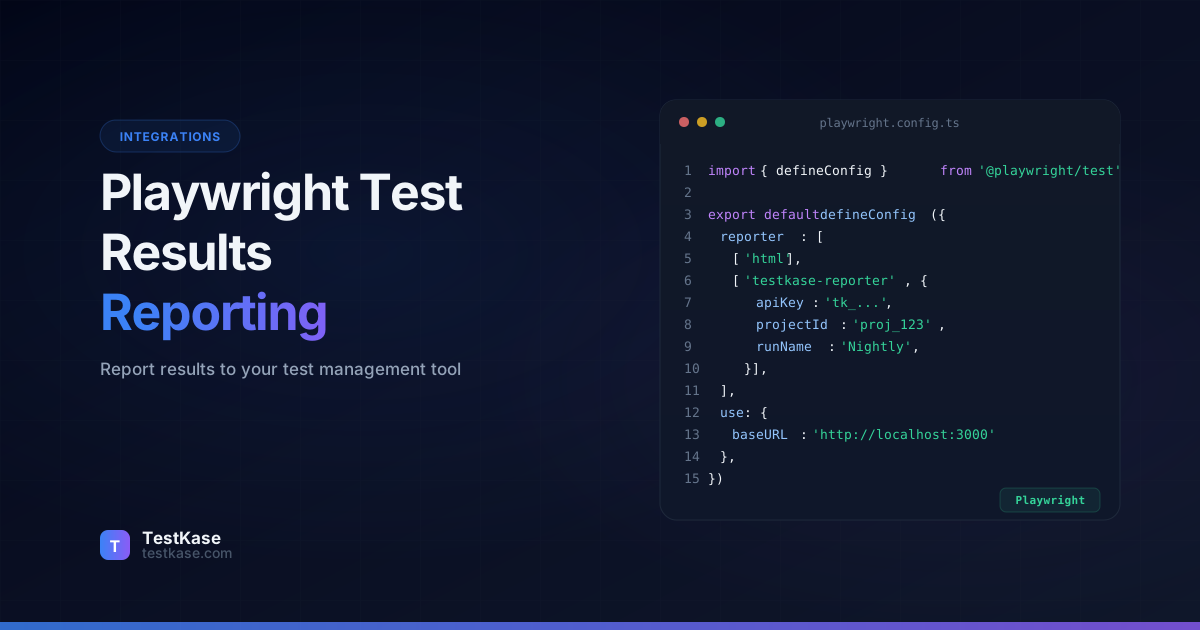
How to Report Playwright Test Results to Your Test Management Tool

How to Report Playwright Test Results to Your Test Management Tool
You've invested weeks building a Playwright test suite — 600 tests covering login flows, checkout, dashboards, and API endpoints. The suite runs nightly in CI, and every morning you check the GitHub Actions summary: "592 passed, 5 failed, 3 flaky." You investigate the failures, file bugs manually, and move on.
But when the VP of Engineering asks how test coverage has changed over the last quarter, you draw a blank. CI logs from two months ago have been garbage-collected. When the compliance team asks for evidence that user authentication was tested before the last release, you can't produce a timestamped execution report. And when a new QA engineer joins, there's no way for them to see which automated tests map to which features.
Playwright generates results. A test management tool preserves them, connects them to requirements, and makes them useful beyond the current sprint. The missing piece is a reporter that bridges the two systems — and Playwright's reporter API makes building one surprisingly straightforward.
Why CI Logs Aren't Enough
Before diving into the implementation, it's worth understanding why "just check the CI output" falls apart as a strategy:
Retention limits. GitHub Actions retains artifacts for 90 days by default. GitLab CI keeps them for 30 days. Jenkins might keep them forever or delete them tomorrow, depending on your admin's disk space anxiety. When an auditor asks for test evidence from six months ago, CI logs won't help.
No traceability. CI output tells you that test-checkout.spec.ts passed. It doesn't tell you that this test covers requirement REQ-4521 ("Users can complete checkout with saved payment methods"), which is linked to user story US-892, which was part of Sprint 47. That traceability chain — test to requirement to story — is what makes test results meaningful for release decisions.
No trend analysis. A test that has been flaky 12% of the time over the last 3 months is a reliability risk. But you can't see that pattern if each CI run's results disappear after 30-90 days. A test management tool accumulates results over time, enabling trend detection that ephemeral CI logs can't provide.
No cross-suite visibility. Your team runs Playwright for E2E tests, Jest for unit tests, and Postman for API tests. The results live in three different CI jobs with three different formats. A test management tool aggregates all three into a single quality dashboard.
Compliance and audit requirements. Regulated industries (fintech, healthcare, automotive) require documented evidence that specific functionality was tested before each release. "Trust me, the CI was green" doesn't satisfy an auditor. A timestamped, traceable test execution report does.
Playwright's Reporter Architecture
Playwright has one of the most well-designed reporter APIs in the test automation ecosystem. Unlike frameworks that dump results to a file and call it done, Playwright emits structured events throughout the test lifecycle.
Built for extensibility
Playwright supports multiple reporters simultaneously. You can run the HTML reporter for local debugging, the JUnit reporter for CI, and a custom test management reporter — all in the same test run. No plugins or workarounds needed.
Built-in Reporters
Playwright ships with several reporters:
- list — Prints one line per test as it runs. Good for local development.
- dot — Minimal output, one character per test. Good for large suites.
- html — Generates an interactive HTML report with traces, screenshots, and video.
- json — Machine-readable JSON output.
- junit — XML format for CI/CD integration.
- blob — Binary format for merging reports from sharded runs.
Each reporter serves a different audience. The HTML reporter helps developers debug failures locally. The JUnit reporter integrates with CI dashboards. The JSON reporter feeds data pipelines. A custom reporter sends results to your test management tool.
Custom Reporter API
To report results to a test management tool, you implement a custom reporter class. Playwright calls lifecycle methods on your reporter at each stage:
// reporters/test-management-reporter.ts
import type {
  FullConfig,
  FullResult,
  Reporter,
  Suite,
  TestCase,
  TestResult,
} from '@playwright/test/reporter';

class TestManagementReporter implements Reporter {
  private results: ResultEntry[] = [];

  onBegin(config: FullConfig, suite: Suite) {
    // Called once before all tests
    // Use this to initialize connections, create test cycles, etc.
    console.log(`Starting test run: ${suite.allTests().length} tests`);
  }

  onTestBegin(test: TestCase) {
    // Called when an individual test starts
    // Useful for real-time progress reporting
  }

  onTestEnd(test: TestCase, result: TestResult) {
    // Called after each test completes
    // This is where you collect results for batch upload
    this.results.push({
      testCaseId: this.extractTestCaseId(test.title),
      title: test.title,
      status: this.mapStatus(result.status),
      duration: result.duration,
      error: result.error?.message,
      retries: result.retry,
      attachments: result.attachments,
      file: test.location.file,
      tags: test.tags,
    });
  }

  async onEnd(result: FullResult) {
    // Called once after all tests — upload results here
    // This method can be async — Playwright waits for it
    await this.uploadResults(this.results);
    console.log(`Reported ${this.results.length} results`);
  }

  onError(error: Error) {
    // Called when a global error occurs (not test-specific)
    console.error('Reporter error:', error.message);
  }

  private extractTestCaseId(title: string): string | null {
    const match = title.match(/\[TC-(\d+)\]/);
    return match ? `TC-${match[1]}` : null;
  }

  private mapStatus(
    status: 'passed' | 'failed' | 'timedOut' | 'skipped' | 'interrupted'
  ): string {
    const statusMap: Record<string, string> = {
      passed: 'passed',
      failed: 'failed',
      timedOut: 'failed',
      skipped: 'skipped',
      interrupted: 'blocked',
    };
    return statusMap[status] || 'unknown';
  }

  private async uploadResults(results: ResultEntry[]) {
    // Implementation shown in next section
  }
}

export default TestManagementReporter;
Understanding the Event Flow
When Playwright runs your tests, it calls reporter methods in this order:
onBegin(config, suite)           ← Once, before any tests
  │
  ├─ onTestBegin(test)           ← Before each test
  │  onTestEnd(test, result)     ← After each test (even if it fails)
  │
  ├─ onTestBegin(test)           ← Retries also trigger begin/end
  │  onTestEnd(test, result)
  │
  ├─ ... (repeat for all tests)
  │
  onEnd(result)                  ← Once, after all tests complete
  onError(error)                 ← If a global error occurs
Key details:
onEndisasync— Playwright waits for your Promise to resolve before exiting. This is where you do the API upload.result.retryononTestEndtells you the retry attempt (0 for first run, 1 for first retry, etc.). A test that failed then passed on retry is "flaky."result.statusis the final status. If a test failed on attempt 0 but passed on attempt 1, the test'soutcomeis "flaky" and the finalresult.statusis "passed."test.annotationsgives you access to custom annotations — the recommended way to store test case IDs.
Building a Test Management Reporter
Let's build a complete Playwright reporter that sends results to a test management API. This example uses TypeScript and targets the TestKase API, but the pattern applies to any REST-based test management tool.
The Full Reporter Implementation
// reporters/testkase-reporter.ts
import type {
  FullConfig,
  FullResult,
  Reporter,
  Suite,
  TestCase,
  TestResult,
} from '@playwright/test/reporter';
import fs from 'fs';
import path from 'path';

interface ReporterOptions {
  apiUrl: string;
  apiKey: string;
  projectId: string;
  testCycleId?: string;
  uploadAttachments?: boolean;
  batchSize?: number;
}

interface ResultEntry {
  testCaseId: string | null;
  title: string;
  status: string;
  duration: number;
  error?: string;
  screenshots: string[];
  tags: string[];
  flaky: boolean;
  retries: number;
  file: string;
}

class TestKaseReporter implements Reporter {
  private results: ResultEntry[] = [];
  private options: ReporterOptions;
  private startTime: number = 0;
  private totalTests: number = 0;

  constructor(options: ReporterOptions) {
    this.options = {
      uploadAttachments: true,
      batchSize: 50,
      ...options,
    };

    // Validate required options at construction time
    if (!this.options.apiKey) {
      console.warn(
        '[TestKase] No API key provided. Results will not be uploaded. ' +
        'Set TESTKASE_API_KEY environment variable.'
      );
    }
  }

  onBegin(config: FullConfig, suite: Suite) {
    this.startTime = Date.now();
    this.totalTests = suite.allTests().length;
    console.log(
      `[TestKase] Starting test run: ${this.totalTests} tests`
    );
  }

  onTestEnd(test: TestCase, result: TestResult) {
    const screenshots = result.attachments
      .filter(a => a.contentType?.startsWith('image/'))
      .map(a => a.path)
      .filter((p): p is string => p !== undefined);

    const isFlaky = result.retry > 0 &&
      result.status === 'passed';

    // Try annotation-based ID first, then title-based
    const annotationId = test.annotations.find(
      a => a.type === 'testCaseId'
    )?.description;

    this.results.push({
      testCaseId: annotationId || this.extractId(test.title),
      title: test.title.replace(/\[TC-\d+\]\s*/, ''),
      status: this.mapStatus(result.status),
      duration: result.duration,
      error: result.error?.message,
      screenshots,
      tags: test.tags,
      flaky: isFlaky,
      retries: result.retry,
      file: test.location.file,
    });
  }

  async onEnd(result: FullResult) {
    if (!this.options.apiKey) {
      console.warn('[TestKase] Skipping upload — no API key');
      return;
    }

    const mapped = this.results.filter(r => r.testCaseId);
    const unmapped = this.results.filter(r => !r.testCaseId);

    console.log(
      `[TestKase] Results: ${mapped.length} mapped, ` +
      `${unmapped.length} unmapped`
    );

    if (unmapped.length > 0) {
      console.warn(
        `[TestKase] ${unmapped.length} tests have no ` +
        `test case ID and will not be reported:`
      );
      // Log first 10 unmapped tests to help with debugging
      unmapped.slice(0, 10).forEach(r => {
        console.warn(`  - ${r.file}: ${r.title}`);
      });
      if (unmapped.length > 10) {
        console.warn(
          `  ... and ${unmapped.length - 10} more`
        );
      }
    }

    if (mapped.length === 0) {
      console.warn('[TestKase] No mapped results to report');
      return;
    }

    try {
      const cycleId = this.options.testCycleId ||
        `pw-${Date.now()}`;

      // Upload results in batches to avoid payload limits
      const batches = this.chunkArray(
        mapped,
        this.options.batchSize!
      );

      for (let i = 0; i < batches.length; i++) {
        const batch = batches[i];
        const payload = {
          testCycleId: cycleId,
          source: 'playwright',
          startedAt: new Date(this.startTime).toISOString(),
          completedAt: new Date().toISOString(),
          overallStatus: result.status,
          batch: {
            index: i + 1,
            total: batches.length,
          },
          results: batch.map(r => ({
            testCaseId: r.testCaseId,
            status: r.status,
            duration: r.duration,
            errorMessage: r.error,
            flaky: r.flaky,
            retries: r.retries,
            tags: r.tags,
          })),
        };

        const response = await this.fetchWithRetry(
          `${this.options.apiUrl}/api/v1/projects/` +
          `${this.options.projectId}/results`,
          {
            method: 'POST',
            headers: {
              'Content-Type': 'application/json',
              'Authorization': `Bearer ${this.options.apiKey}`,
            },
            body: JSON.stringify(payload),
          },
          3 // max retries
        );

        if (!response.ok) {
          throw new Error(
            `API returned ${response.status}: ` +
            `${await response.text()}`
          );
        }
      }

      // Upload screenshots if enabled
      if (this.options.uploadAttachments) {
        await this.uploadScreenshots(mapped, cycleId);
      }

      const flakyCount = mapped.filter(r => r.flaky).length;
      console.log(
        `[TestKase] Reported ${mapped.length} results ` +
        `to cycle ${cycleId}` +
        (flakyCount > 0
          ? ` (${flakyCount} flaky)`
          : '')
      );
    } catch (err) {
      console.error(
        `[TestKase] Failed to report results:`,
        (err as Error).message
      );
      // Never throw — don't break the pipeline
    }
  }

  private async fetchWithRetry(
    url: string,
    options: RequestInit,
    maxRetries: number
  ): Promise<Response> {
    let lastError: Error | null = null;

    for (let attempt = 0; attempt <= maxRetries; attempt++) {
      try {
        const response = await fetch(url, options);
        if (response.status >= 500 && attempt < maxRetries) {
          // Server error — retry
          await this.delay(1000 * Math.pow(2, attempt));
          continue;
        }
        return response;
      } catch (err) {
        lastError = err as Error;
        if (attempt < maxRetries) {
          await this.delay(1000 * Math.pow(2, attempt));
        }
      }
    }

    throw lastError || new Error('Max retries exceeded');
  }

  private delay(ms: number): Promise<void> {
    return new Promise(resolve => setTimeout(resolve, ms));
  }

  private chunkArray<T>(array: T[], size: number): T[][] {
    const chunks: T[][] = [];
    for (let i = 0; i < array.length; i += size) {
      chunks.push(array.slice(i, i + size));
    }
    return chunks;
  }

  private async uploadScreenshots(
    results: ResultEntry[],
    cycleId: string
  ) {
    let uploaded = 0;
    let failed = 0;

    for (const result of results) {
      for (const screenshotPath of result.screenshots) {
        if (!fs.existsSync(screenshotPath)) continue;

        const formData = new FormData();
        const fileBuffer = fs.readFileSync(screenshotPath);
        const blob = new Blob([fileBuffer], {
          type: 'image/png',
        });
        formData.append('file', blob, path.basename(
          screenshotPath
        ));
        formData.append('testCaseId', result.testCaseId!);
        formData.append('cycleId', cycleId);

        try {
          await fetch(
            `${this.options.apiUrl}/api/v1/attachments`,
            {
              method: 'POST',
              headers: {
                'Authorization':
                  `Bearer ${this.options.apiKey}`,
              },
              body: formData,
            }
          );
          uploaded++;
        } catch {
          console.warn(
            `[TestKase] Failed to upload screenshot: ` +
            `${screenshotPath}`
          );
          failed++;
        }
      }
    }

    if (uploaded > 0 || failed > 0) {
      console.log(
        `[TestKase] Screenshots: ${uploaded} uploaded` +
        (failed > 0 ? `, ${failed} failed` : '')
      );
    }
  }

  private extractId(title: string): string | null {
    const match = title.match(/\[TC-(\d+)\]/);
    return match ? `TC-${match[1]}` : null;
  }

  private mapStatus(
    status: string
  ): string {
    const map: Record<string, string> = {
      passed: 'passed',
      failed: 'failed',
      timedOut: 'failed',
      skipped: 'skipped',
      interrupted: 'blocked',
    };
    return map[status] || 'unknown';
  }
}

export default TestKaseReporter;
Registering the Reporter
Add your custom reporter to playwright.config.ts:
import { defineConfig } from '@playwright/test';

export default defineConfig({
  reporter: [
    // Keep the HTML reporter for local debugging
    ['html', { open: 'never' }],
    // Add the test management reporter
    ['./reporters/testkase-reporter.ts', {
      apiUrl: process.env.TESTKASE_API_URL ||
        'https://api.testkase.com',
      apiKey: process.env.TESTKASE_API_KEY,
      projectId: process.env.TESTKASE_PROJECT_ID,
      testCycleId: process.env.TESTKASE_CYCLE_ID,
      uploadAttachments: true,
      batchSize: 50,
    }],
  ],
  // ... other config
});
Conditional Reporter Configuration
You might not want to upload results on every local run. Use environment variables to control reporter behavior:
import { defineConfig } from '@playwright/test';

const reporters: any[] = [
  ['html', { open: 'never' }],
];

// Only add the test management reporter in CI
if (process.env.CI) {
  reporters.push([
    './reporters/testkase-reporter.ts',
    {
      apiUrl: process.env.TESTKASE_API_URL ||
        'https://api.testkase.com',
      apiKey: process.env.TESTKASE_API_KEY,
      projectId: process.env.TESTKASE_PROJECT_ID,
      testCycleId: `ci-${process.env.GITHUB_RUN_NUMBER || Date.now()}`,
      uploadAttachments: true,
    },
  ]);
}

export default defineConfig({
  reporter: reporters,
  // ...
});
This ensures local runs stay fast and don't require API credentials, while CI runs automatically push results to your test management tool.
Mapping Test Results to Test Cases
Mapping is the linchpin of the integration. Without it, results float in your test management tool with no connection to your test plan.
Strategy 1: Inline IDs in Test Titles
The simplest approach — embed the test case ID in the test name:
test('[TC-3001] User can add item to cart', async ({ page }) => {
  await page.goto('/products');
  await page.click('[data-testid="add-to-cart"]');
  await page.click('[data-testid="view-cart"]');
  await expect(page.locator('.cart-count')).toHaveText('1');
});

test('[TC-3002] User can remove item from cart', async ({ page }) => {
  // Test setup: add an item first
  await page.goto('/products');
  await page.click('[data-testid="add-to-cart"]');
  await page.goto('/cart');
  await page.click('[data-testid="remove-item"]');
  await expect(page.locator('.cart-empty-message')).toBeVisible();
});
Pros: Simple, visible, easy to search. Cons: Clutters test names in reports, easy to accidentally duplicate or mis-type IDs.
Strategy 2: Test Annotations
Playwright supports custom annotations, which provide a cleaner approach:
test('User can add item to cart', async ({ page }) => {
  test.info().annotations.push({
    type: 'testCaseId',
    description: 'TC-3001',
  });

  await page.goto('/products');
  await page.click('[data-testid="add-to-cart"]');
  await expect(page.locator('.cart-count')).toHaveText('1');
});
Then read the annotation in the reporter:
onTestEnd(test: TestCase, result: TestResult) {
  const annotation = test.annotations.find(
    a => a.type === 'testCaseId'
  );
  const testCaseId = annotation?.description || null;
  // ... rest of result processing
}
Pros: Clean test names, structured metadata, accessible in reporter API. Cons: Requires modifying test files, slightly more verbose.
Strategy 3: External Mapping File
For teams that don't want to modify test code:
{
  "tests/checkout/cart.spec.ts": {
    "User can add item to cart": "TC-3001",
    "User can remove item from cart": "TC-3002",
    "Cart persists across sessions": "TC-3003"
  },
  "tests/auth/login.spec.ts": {
    "User can login with valid credentials": "TC-1001",
    "Login fails with invalid password": "TC-1002",
    "Account locks after 5 failed attempts": "TC-1003"
  }
}
Load the mapping in the reporter:
class TestKaseReporter implements Reporter {
  private mapping: Record<string, Record<string, string>>;

  constructor(options: ReporterOptions) {
    // Load mapping file
    const mappingPath = options.mappingFile || './test-mapping.json';
    if (fs.existsSync(mappingPath)) {
      this.mapping = JSON.parse(
        fs.readFileSync(mappingPath, 'utf-8')
      );
    } else {
      this.mapping = {};
      console.warn(
        `[TestKase] Mapping file not found: ${mappingPath}`
      );
    }
  }

  onTestEnd(test: TestCase, result: TestResult) {
    const relativePath = path.relative(
      process.cwd(),
      test.location.file
    );
    const fileMapping = this.mapping[relativePath] || {};
    const testCaseId = fileMapping[test.title] || null;
    // ...
  }
}
Pros: No test code changes, centralized mapping, easy to audit. Cons: Mapping file can drift out of sync with tests, requires manual maintenance.
Strategy 4: Tag-Based Mapping
Playwright's tag feature (added in v1.42) provides a native way to annotate tests:
test('User can add item to cart @TC-3001', async ({ page }) => {
  await page.goto('/products');
  await page.click('[data-testid="add-to-cart"]');
  await expect(page.locator('.cart-count')).toHaveText('1');
});
Tags are accessible via test.tags in the reporter:
onTestEnd(test: TestCase, result: TestResult) {
  const tcTag = test.tags.find(t => t.startsWith('@TC-'));
  const testCaseId = tcTag ? tcTag.replace('@', '') : null;
  // ...
}
Pros: Concise, native Playwright feature, supports filtering (npx playwright test --grep @TC-3001). Cons: Mixed with other tags, limited to simple strings.
Annotations are the sweet spot
Annotations keep mapping data close to the test without polluting the test title. They're also accessible in the reporter API, making extraction straightforward. For new projects, start with annotations. For existing suites with hundreds of tests, an external mapping file avoids touching every spec file.
Handling Unmapped Tests
Your reporter should handle unmapped tests gracefully. Common strategies:
- Log and skip: Report only mapped tests, warn about unmapped ones (shown in the implementation above).
- Auto-create: Automatically create new test cases in the management tool for unmapped tests. Useful for early-stage projects but can create clutter.
- Fail loudly: If your policy requires 100% mapping, make the reporter output a warning summary that gets flagged in CI.
async onEnd(result: FullResult) {
  const unmappedCount = this.results.filter(
    r => !r.testCaseId
  ).length;

  if (unmappedCount > 0 && this.options.requireMapping) {
    console.error(
      `[TestKase] ERROR: ${unmappedCount} tests are not ` +
      `mapped to test cases. Set requireMapping: false ` +
      `to suppress this error.`
    );
    // Don't throw — log a clear error for CI visibility
    // The pipeline can check for this in output
  }
}
Handling Attachments and Screenshots
Playwright automatically captures screenshots on failure, traces on first retry, and — if configured — video of every test. These artifacts are invaluable for debugging and should be uploaded to your test management tool.
Configure Playwright to capture what you need:
export default defineConfig({
  use: {
    screenshot: 'only-on-failure',
    trace: 'on-first-retry',
    video: 'retain-on-failure',
  },
});
In the reporter, attachments are available on the TestResult object:
onTestEnd(test: TestCase, result: TestResult) {
  // Categorize attachments by type
  const attachments = {
    screenshots: result.attachments
      .filter(a => a.contentType?.startsWith('image/'))
      .map(a => ({ name: a.name, path: a.path })),
    traces: result.attachments
      .filter(a => a.name === 'trace')
      .map(a => ({ name: a.name, path: a.path })),
    videos: result.attachments
      .filter(a => a.contentType?.startsWith('video/'))
      .map(a => ({ name: a.name, path: a.path })),
  };

  // Upload based on configuration
  // Screenshots: always (small, high-value)
  // Traces: on failure only (medium size, high debug value)
  // Videos: on request only (large files)
}
Attachment size considerations:
| Type | Typical Size | Upload Strategy | |------|-------------|-----------------| | Screenshots | 50-500 KB | Always upload on failure | | Traces | 1-10 MB | Upload on failure and flaky tests | | Videos | 10-100 MB | Upload only when specifically requested |
Upload each attachment to your test management tool's attachment API. Be mindful of file sizes — video recordings can be large, so you may want to upload only screenshots and traces, skipping full video unless specifically needed.
CI/CD Pipeline Setup
GitHub Actions
name: Playwright Tests
on: [push, pull_request]

jobs:
  test:
    runs-on: ubuntu-latest
    steps:
      - uses: actions/checkout@v4

      - uses: actions/setup-node@v4
        with:
          node-version: 20

      - name: Install dependencies
        run: npm ci

      - name: Install Playwright browsers
        run: npx playwright install --with-deps

      - name: Run Playwright tests
        run: npx playwright test
        env:
          CI: true
          TESTKASE_API_KEY: ${{ secrets.TESTKASE_API_KEY }}
          TESTKASE_PROJECT_ID: ${{ vars.TESTKASE_PROJECT_ID }}
          TESTKASE_CYCLE_ID: run-${{ github.run_number }}

      - name: Upload HTML report
        if: always()
        uses: actions/upload-artifact@v4
        with:
          name: playwright-report
          path: playwright-report/
GitLab CI
playwright-tests:
  stage: test
  image: mcr.microsoft.com/playwright:v1.50.0-noble
  script:
    - npm ci
    - npx playwright test
  variables:
    CI: "true"
    TESTKASE_API_KEY: $TESTKASE_API_KEY
    TESTKASE_PROJECT_ID: $TESTKASE_PROJECT_ID
    TESTKASE_CYCLE_ID: "gl-${CI_PIPELINE_IID}"
  artifacts:
    when: always
    paths:
      - playwright-report/
    expire_in: 30 days
Handling Sharded Runs
For large suites, Playwright supports sharding — splitting tests across multiple CI machines. Each shard produces partial results that need merging before upload.
Use Playwright's blob reporter to collect partial results, then merge them in a separate job:
jobs:
  test:
    strategy:
      fail-fast: false
      matrix:
        shard: [1/4, 2/4, 3/4, 4/4]
    steps:
      - uses: actions/checkout@v4

      - uses: actions/setup-node@v4
        with:
          node-version: 20

      - name: Install dependencies
        run: npm ci

      - name: Install Playwright browsers
        run: npx playwright install --with-deps

      - name: Run tests (shard ${{ matrix.shard }})
        run: npx playwright test --shard=${{ matrix.shard }}
        env:
          CI: true
        # Don't add the custom reporter here —
        # each shard only sees partial results

      - name: Upload shard results
        if: always()
        uses: actions/upload-artifact@v4
        with:
          name: blob-report-${{ strategy.job-index }}
          path: blob-report/

  report:
    needs: test
    if: always()
    runs-on: ubuntu-latest
    steps:
      - uses: actions/checkout@v4

      - uses: actions/setup-node@v4
        with:
          node-version: 20

      - name: Install dependencies
        run: npm ci

      - name: Download all shard results
        uses: actions/download-artifact@v4
        with:
          pattern: blob-report-*
          merge-multiple: true
          path: all-blob-reports

      - name: Merge and report
        run: npx playwright merge-reports all-blob-reports --reporter=./reporters/testkase-reporter.ts
        env:
          TESTKASE_API_KEY: ${{ secrets.TESTKASE_API_KEY }}
          TESTKASE_PROJECT_ID: ${{ vars.TESTKASE_PROJECT_ID }}
          TESTKASE_CYCLE_ID: run-${{ github.run_number }}
The key insight: each shard runs with the blob reporter to produce partial results. The merge job combines all shards and then applies your custom reporter to the complete results. This ensures your test management tool receives a single, complete test cycle instead of four fragmented ones.
Testing Your Reporter
Before deploying your custom reporter to CI, test it thoroughly. A broken reporter can silently lose results or, worse, break your pipeline.
Unit Testing the Reporter
// reporters/__tests__/testkase-reporter.test.ts
import TestKaseReporter from '../testkase-reporter';

describe('TestKaseReporter', () => {
  it('extracts test case ID from title', () => {
    const reporter = new TestKaseReporter({
      apiUrl: 'http://localhost',
      apiKey: 'test-key',
      projectId: 'test-project',
    });

    // Access private method for testing
    const extractId = (reporter as any).extractId;
    expect(extractId('[TC-3001] Some test')).toBe('TC-3001');
    expect(extractId('Test without ID')).toBeNull();
    expect(extractId('[TC-99] Edge case')).toBe('TC-99');
  });

  it('maps Playwright statuses correctly', () => {
    const reporter = new TestKaseReporter({
      apiUrl: 'http://localhost',
      apiKey: 'test-key',
      projectId: 'test-project',
    });

    const mapStatus = (reporter as any).mapStatus;
    expect(mapStatus('passed')).toBe('passed');
    expect(mapStatus('failed')).toBe('failed');
    expect(mapStatus('timedOut')).toBe('failed');
    expect(mapStatus('skipped')).toBe('skipped');
    expect(mapStatus('interrupted')).toBe('blocked');
  });

  it('identifies flaky tests correctly', () => {
    const reporter = new TestKaseReporter({
      apiUrl: 'http://localhost',
      apiKey: 'test-key',
      projectId: 'test-project',
    });

    // Simulate a test that failed then passed on retry
    const mockTest = {
      title: '[TC-100] Flaky test',
      annotations: [],
      tags: [],
      location: { file: 'test.spec.ts' },
    } as any;

    const mockResult = {
      status: 'passed',
      retry: 1,  // This is a retry
      duration: 1500,
      error: null,
      attachments: [],
    } as any;

    reporter.onTestEnd(mockTest, mockResult);
    const results = (reporter as any).results;
    expect(results[0].flaky).toBe(true);
  });
});
Local Integration Testing
Run your reporter against a test API endpoint before deploying:
# Run a small subset of tests with your reporter
TESTKASE_API_URL=https://api.staging.testkase.com \
TESTKASE_API_KEY=your-staging-key \
TESTKASE_PROJECT_ID=test-project-id \
npx playwright test tests/smoke/ \
  --reporter=./reporters/testkase-reporter.ts

# Verify results appeared in your test management tool
Common Mistakes
Throwing errors from the reporter. If your reporter throws during onEnd, Playwright treats the entire run as failed — even if all tests passed. Always wrap API calls in try-catch and log errors instead of throwing. Your reporter should be invisible to the pipeline when things go wrong.
Uploading results before all shards complete. In sharded runs, each machine sees only a subset of tests. If each shard uploads independently, your test management tool receives 4 partial test cycles instead of one complete one. Use blob reports and merge before uploading.
Mapping only the happy path. Teams map their critical path tests (login, checkout) but forget utility tests (password reset, account settings). Unmapped tests are invisible to your test management tool, which means coverage reports are misleading. Establish a policy: every new test file gets mapped before the PR is merged.
Ignoring flaky test data. Playwright tracks retries and distinguishes "flaky" (failed then passed on retry) from "failed." If your reporter collapses these into a simple pass/fail, you lose the signal that helps identify unstable tests before they become blockers.
Not testing the reporter locally. Run your reporter against a staging environment before deploying to CI. Use npx playwright test --reporter=./reporters/testkase-reporter.ts locally to verify results upload correctly.
Hardcoding API credentials. Never commit API keys to your repository. Use environment variables in CI and .env files locally (with .env in .gitignore). Your reporter should gracefully handle missing credentials — warn and skip, don't crash.
Not handling rate limits. If your test management tool's API has rate limits, a large test suite can hit them during upload. Implement batching (as shown in the reporter above) and exponential backoff for retries.
How TestKase Works with Playwright
TestKase provides a Playwright reporter package that handles result mapping, attachment uploads, shard merging, and flaky test tracking out of the box. Install it via npm, configure it in your playwright.config.ts with your API key and project ID, and every test run — local or CI — feeds results directly into your TestKase dashboard.
npm install @testkase/playwright-reporter
// playwright.config.ts
import { defineConfig } from '@playwright/test';

export default defineConfig({
  reporter: [
    ['html', { open: 'never' }],
    ['@testkase/playwright-reporter', {
      apiKey: process.env.TESTKASE_API_KEY,
      projectId: process.env.TESTKASE_PROJECT_ID,
    }],
  ],
});
Results appear alongside manual test executions, giving your team a unified view of quality across automated and manual testing. Combined with TestKase's AI-powered test generation, you can generate test cases from requirements, map them to Playwright specs, and track coverage end to end.
Connect Playwright to TestKaseConclusion
Playwright's reporter API is purpose-built for extensibility — use it. A custom reporter that sends results to your test management tool transforms ephemeral CI output into persistent, traceable quality data. Focus on reliable mapping between specs and test cases using annotations or a mapping file, handle sharded runs by merging before uploading, upload screenshots and traces for debugging context, and never let the reporter break your pipeline.
The reporter pattern described here works for any test management tool with a REST API — not just TestKase. The key components are the same: map tests to test case IDs, collect results during execution, batch-upload on completion, handle errors gracefully, and support sharded runs. Build it once, and every test run from that point forward contributes to your team's quality history.
The automation suite you've already built has enormous value locked inside it. A proper reporting pipeline is the key that unlocks it for your entire team — not just the engineers watching CI logs.
Stay up to date with TestKase
Get the latest articles on test management, QA best practices, and product updates delivered to your inbox.
SubscribeShare this article
Related Articles
Accessibility Testing in CI/CD: Catching WCAG Issues Before They Ship
Three integration patterns, GitHub Actions / GitLab / CircleCI templates, and a 3-quarter rollout playbook to take an engineering team from zero accessibility in CI to block-on-fail.
Read more →Auditing Pages Behind a Login: A Practical Guide to Authenticated Accessibility Scanning
Most accessibility scanners stop at your login page. Here's how to audit the 70% of your app that lives behind authentication — cookie, login form, and header methods compared.
Read more →We Gave Our Test Management Tool an AI Brain. Here's What Happened.
How we built an AI agent that manages test cases, cycles, and reports through conversation — and what we learned about what works and what doesn't.
Read more →