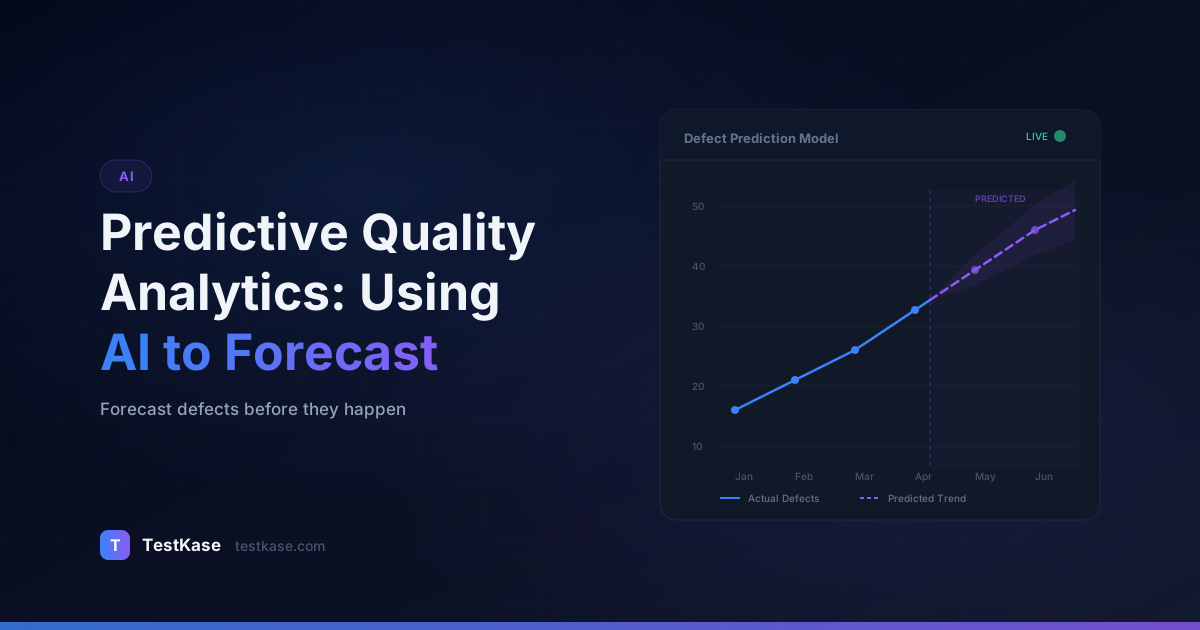
Predictive Quality Analytics: Using AI to Forecast Defects

Predictive Quality Analytics: Using AI to Forecast Defects
Your last release had 14 production bugs. Eight of them came from two modules — the same two modules that had the most bugs in the previous three releases. Your team spent 200+ hours on regression testing across the entire application, but the bugs still clustered in predictable hotspots.
What if you could have known in advance where those bugs would appear?
Predictive quality analytics uses historical data, code metrics, and machine learning to forecast which parts of your codebase are most likely to contain defects. Instead of testing everything equally, you allocate your effort where it matters most. Teams using defect prediction models have reported 30-40% reductions in escaped defects while actually reducing total testing time.
This isn't science fiction or a research-only concept. Companies like Microsoft, Google, and Ericsson have published papers on using defect prediction in production workflows. The techniques are mature enough for any team with decent historical data to start benefiting from them. The question isn't whether predictive analytics works — it's whether your team is ready to adopt it.
What Predictive Quality Analytics Actually Means for QA
Predictive quality analytics applies statistical and machine learning models to your project's data to estimate the probability of defects in specific areas of the codebase. Think of it as a risk heatmap generated by algorithms rather than gut instinct.
Research backing
A systematic literature review published in IEEE Transactions on Software Engineering analyzed 208 defect prediction studies and found that models using code churn, complexity metrics, and historical defect data achieved median accuracy rates between 71-85% in identifying defect-prone modules.
Traditional QA risk assessment relies on tester experience. The senior engineer who's been on the project for three years knows that the payment module is fragile. But that knowledge doesn't scale — it leaves the team when the engineer leaves, it can't quantify relative risk across 400 modules, and it's subject to cognitive biases like recency bias.
Predictive models formalize that intuition with data. They don't replace human judgment; they give human judgment better inputs. A QA lead who sees that Module A has a 78% defect probability and Module B sits at 12% can make informed allocation decisions rather than spreading effort evenly.
The Evolution from Reactive to Predictive QA
Most QA teams operate in one of three maturity levels:
Reactive (Level 1). Test everything equally. When production bugs appear, add more tests for that area. Testing effort is driven by what broke last time, not by what's likely to break next time.
Risk-aware (Level 2). Senior team members use their experience to identify high-risk areas. Prioritization is based on human judgment, documented in spreadsheets or test plans. Better than reactive, but dependent on individual knowledge.
Predictive (Level 3). Machine learning models analyze historical data and produce quantified risk scores. Human judgment refines the model's output with business context. Prioritization is data-driven, scalable, and transferable.
The jump from Level 1 to Level 2 depends on team experience. The jump from Level 2 to Level 3 depends on data infrastructure. This article shows you how to make that second jump.
The Data That Powers Defect Prediction
Machine learning models are only as good as their training data. For defect prediction, several categories of input data have proven most valuable.
Code Churn Metrics
Code churn — the frequency and volume of code changes — is one of the strongest predictors of defects. Files that change frequently are statistically more likely to contain bugs. Specifically, models track:
- Lines added/modified/deleted per file over a given period
- Number of commits touching each file
- Number of distinct authors modifying the file (more authors = higher coordination overhead = more risk)
- Recency of changes — files changed in the last sprint carry more risk than stable files
A study at Microsoft found that code churn predicted defect-prone binaries with 89% recall, meaning the model caught 89 out of every 100 defective components.
Extracting Code Churn Data from Git
You don't need specialized tools to start collecting code churn data. Git provides everything you need:
# Lines changed per file in the last 90 days
git log --since="90 days ago" --numstat --pretty=format:"" | \
  awk '{files[$3]+=$1+$2} END {for(f in files) print files[f], f}' | \
  sort -rn | head -20

# Commit count per file in the last 90 days
git log --since="90 days ago" --name-only --pretty=format:"" | \
  sort | uniq -c | sort -rn | head -20

# Distinct authors per file
git log --since="90 days ago" --pretty=format:"%an" --name-only | \
  awk '/^$/{next} !author{author=$0;next} {files[$0][author]=1; author=""}' | \
  # ... (use a script for multi-author counting)
For a more structured approach, tools like git-of-theseus, gitinspector, or custom Python scripts using gitpython can produce clean CSV outputs ready for model training.
Here is a simplified Python script that extracts key churn metrics:
import subprocess
import csv
from collections import defaultdict
from datetime import datetime, timedelta

def get_churn_metrics(days=90):
    since_date = (datetime.now() - timedelta(days=days)).strftime('%Y-%m-%d')

    # Get commits with file changes
    result = subprocess.run(
        ['git', 'log', f'--since={since_date}', '--numstat',
         '--pretty=format:COMMIT|%an|%H'],
        capture_output=True, text=True
    )

    file_metrics = defaultdict(lambda: {
        'lines_changed': 0, 'commits': 0, 'authors': set()
    })

    current_author = None
    for line in result.stdout.split('\n'):
        if line.startswith('COMMIT|'):
            current_author = line.split('|')[1]
        elif line.strip() and '\t' in line:
            parts = line.split('\t')
            if len(parts) == 3 and parts[2]:
                added = int(parts[0]) if parts[0] != '-' else 0
                deleted = int(parts[1]) if parts[1] != '-' else 0
                filepath = parts[2]
                file_metrics[filepath]['lines_changed'] += added + deleted
                file_metrics[filepath]['commits'] += 1
                if current_author:
                    file_metrics[filepath]['authors'].add(current_author)

    # Write to CSV
    with open('churn_metrics.csv', 'w', newline='') as f:
        writer = csv.writer(f)
        writer.writerow(['file', 'lines_changed', 'commits', 'author_count'])
        for filepath, metrics in sorted(
            file_metrics.items(),
            key=lambda x: x[1]['lines_changed'],
            reverse=True
        ):
            writer.writerow([
                filepath,
                metrics['lines_changed'],
                metrics['commits'],
                len(metrics['authors'])
            ])

get_churn_metrics(days=90)
This gives you a ready-to-use dataset for initial analysis — even before you build a formal ML model.
Code Complexity
Static analysis metrics quantify how structurally complicated your code is:
- Cyclomatic complexity — Number of independent paths through the code. A function with 15 decision points is riskier than one with 3.
- Lines of code — Larger files correlate with more defects, though the relationship isn't linear.
- Coupling and cohesion — Tightly coupled modules that depend on many other modules are more fragile.
- Nesting depth — Deeply nested conditionals are harder to reason about and test exhaustively.
Tools for extracting complexity metrics vary by language:
| Language | Tool | Key Metrics | |----------|------|-------------| | JavaScript/TypeScript | ESLint complexity rule, plato | Cyclomatic complexity, lines of code | | Python | radon, pylint | Cyclomatic complexity, maintainability index | | Java | PMD, SonarQube | Cyclomatic complexity, coupling, cohesion | | C# | NDepend, Visual Studio Code Metrics | Cyclomatic complexity, class coupling | | Go | gocyclo, golangci-lint | Cyclomatic complexity |
Historical Defect Data
Past bugs predict future bugs. Models look at:
- Number of previous defects per module
- Fix complexity — Bugs that required multi-file fixes indicate systemic issues
- Defect recurrence — Modules where bugs keep coming back after fixes
- Time between defect introduction and detection — Long latency suggests inadequate test coverage
Process Metrics
How your team works also predicts quality:
- Code review coverage — Files that skip peer review have higher defect rates
- Test coverage — Modules with low unit test coverage are more vulnerable
- Developer workload — Overloaded developers produce more defects (research from the University of Waterloo supports this)
- Sprint velocity pressure — Rushed sprints correlate with quality drops
ML Models Used in Defect Prediction
You don't need deep learning or cutting-edge architectures for effective defect prediction. The most successful approaches use relatively straightforward models.
Logistic Regression
The workhorse of defect prediction. Binary classification — will this module have a defect (yes/no)? Simple, interpretable, and surprisingly effective. You can explain to stakeholders exactly why the model flagged a module as risky.
Random Forests
An ensemble method that builds multiple decision trees and aggregates their predictions. Handles non-linear relationships between metrics and defect probability. Slightly better accuracy than logistic regression in most benchmarks, but harder to interpret.
Naive Bayes
Fast, simple, and works well with small datasets. Assumes feature independence (which isn't strictly true for code metrics), but performs surprisingly well despite this theoretical limitation. Often used as a baseline.
Gradient Boosting (XGBoost)
Builds trees sequentially, with each tree correcting the errors of the previous one. Tends to achieve the highest raw accuracy on defect prediction benchmarks but requires more tuning and is prone to overfitting on small datasets.
Start simple
If you're building your first defect prediction model, start with logistic regression. It's interpretable, fast to train, and often achieves 80%+ of the accuracy of more complex models. You can always upgrade later once the workflow is established.
Deep Learning Approaches
Some teams experiment with neural networks that process source code directly — analyzing code tokens, abstract syntax trees, or even commit diffs. These approaches show promise in research but require significantly more data and computational resources. For most teams, traditional ML models deliver better ROI.
Model Comparison: What the Benchmarks Show
To ground the model discussion in data, here is how different approaches performed in a 2024 benchmark study across 10 open-source Java projects:
| Model | Precision | Recall | F1 Score | Training Time | |-------|-----------|--------|----------|---------------| | Logistic Regression | 0.68 | 0.72 | 0.70 | < 1 second | | Naive Bayes | 0.61 | 0.78 | 0.69 | < 1 second | | Random Forest | 0.73 | 0.74 | 0.73 | 3-5 seconds | | XGBoost | 0.75 | 0.76 | 0.75 | 5-10 seconds | | Neural Network (LSTM) | 0.72 | 0.79 | 0.75 | 10-30 minutes |
Notice that XGBoost and the neural network achieve similar F1 scores, but the neural network takes orders of magnitude longer to train. For a team running predictions before each sprint, training time matters — logistic regression or random forest are practical choices that sacrifice minimal accuracy.
Building a Practical Defect Prediction Pipeline
Here's a concrete roadmap for implementing predictive quality analytics on your team.
Step 1: Aggregate your data. Pull defect history from your issue tracker (Jira, Linear, GitHub Issues), code metrics from your version control system (Git), and test results from your test management tool. You need at least 6 months of historical data, ideally 12+.
Step 2: Define your prediction target. The simplest approach: for each module (file, class, or package), predict whether it will contain at least one defect in the next release cycle. Binary classification keeps things manageable.
Step 3: Extract features. Calculate code churn, complexity, and historical defect counts for each module. Use your CI/CD pipeline and Git history as primary data sources.
Step 4: Train and validate. Use time-based cross-validation — train on data from releases 1-5, test on release 6, then train on 1-6 and test on 7. Never use random splits with temporal data; that causes data leakage.
Step 5: Generate risk scores. Run the model before each testing cycle to produce a ranked list of modules by defect probability. Share this with the QA team as a testing priority guide.
Step 6: Close the feedback loop. After each release, compare predictions to actual defects. Track precision (how many flagged modules actually had bugs) and recall (how many buggy modules were flagged). Retrain periodically.
A Concrete Implementation Example
Here is a simplified Python implementation that shows the end-to-end pipeline using scikit-learn:
import pandas as pd
from sklearn.linear_model import LogisticRegression
from sklearn.model_selection import TimeSeriesSplit
from sklearn.metrics import classification_report
from sklearn.preprocessing import StandardScaler

# Step 1: Load aggregated data
# Each row = one module in one release cycle
data = pd.read_csv('module_metrics.csv')
# Columns: module, release, lines_changed, commits, author_count,
#           cyclomatic_complexity, past_defects, had_defect (target)

# Step 2: Define features and target
features = ['lines_changed', 'commits', 'author_count',
            'cyclomatic_complexity', 'past_defects']
X = data[features]
y = data['had_defect']

# Step 3: Time-based split (train on older releases, test on newest)
releases = data['release'].unique()
train_mask = data['release'] < releases[-1]
test_mask = data['release'] == releases[-1]

X_train, X_test = X[train_mask], X[test_mask]
y_train, y_test = y[train_mask], y[test_mask]

# Step 4: Scale features and train
scaler = StandardScaler()
X_train_scaled = scaler.fit_transform(X_train)
X_test_scaled = scaler.transform(X_test)

model = LogisticRegression(class_weight='balanced')
model.fit(X_train_scaled, y_train)

# Step 5: Generate predictions and risk scores
predictions = model.predict(X_test_scaled)
probabilities = model.predict_proba(X_test_scaled)[:, 1]

# Step 6: Evaluate
print(classification_report(y_test, predictions))

# Output ranked risk list
test_modules = data[test_mask][['module']].copy()
test_modules['risk_score'] = probabilities
test_modules = test_modules.sort_values('risk_score', ascending=False)
print("\nTop 10 highest-risk modules:")
print(test_modules.head(10).to_string(index=False))
This script runs in seconds and produces an actionable ranked list of modules by defect probability. The QA lead reviews the top 20%, cross-references with upcoming sprint changes, and adjusts the test plan accordingly.
Handling Class Imbalance
A common challenge in defect prediction: most modules don't have defects. If only 15% of modules are defect-prone, a model that predicts "no defect" for everything achieves 85% accuracy while being completely useless.
Solutions:
- Use
class_weight='balanced'in your model to give more weight to the minority class (defective modules) - SMOTE (Synthetic Minority Over-sampling Technique) generates synthetic examples of the minority class to balance the training set
- Adjust the classification threshold — instead of the default 0.5, flag any module with a probability above 0.3 as high-risk. You'll get more false positives but fewer missed defects.
- Use recall as your primary metric rather than accuracy. In QA, missing a defect-prone module (false negative) is worse than investigating a clean module (false positive).
Real-World Impact
The numbers from teams that have adopted predictive quality analytics are compelling:
- Microsoft reported that defect prediction models helped reduce post-release defects by 73% in Windows modules where the model was applied.
- Ericsson used defect prediction on telecom software and found that focusing testing on the top 20% of predicted risky modules caught 70% of all defects.
- A Fortune 500 financial services company (documented in an IEEE case study) reduced their regression testing time by 35% while improving defect detection rates by 22% — simply by prioritizing test execution based on model predictions.
- A mid-size SaaS company (50 engineers, ~200k lines of code) implemented a basic logistic regression model using only code churn and defect history. Within two quarters, their escaped defect rate dropped from 4.2 per release to 1.8 per release — a 57% reduction. The model took one engineer two weeks to build and integrate into their sprint planning workflow.
These aren't marginal improvements. Predictive analytics fundamentally changes how you allocate QA resources.
What a Prediction-Driven Sprint Looks Like
Here is a concrete example of how a team uses predictive analytics in practice:
Monday morning, sprint planning. The model runs overnight on the latest Git data. It produces a ranked list of 180 modules, with risk scores from 0.0 to 1.0. The top 20 modules (risk score > 0.65) are flagged as high-risk.
QA lead review (30 minutes). The QA lead reviews the top 20 list. She notes that 12 of them align with modules being actively changed this sprint — expected. But 3 flagged modules have no planned changes — the model detected rising complexity and author churn that humans missed. She adds targeted regression tests for those 3 modules to the sprint test plan.
Sprint execution. Testers prioritize the high-risk modules first. By Wednesday, they've covered the top 20 modules and found 4 bugs — 3 in actively changed modules and 1 in a module the model flagged but humans would have overlooked.
Sprint retro. The team compares predictions to outcomes. The model correctly flagged 4 of 5 defect-prone modules (80% recall). One false negative — a bug in a low-risk module caused by an edge case in a third-party library update. The QA lead adds "third-party dependency updates" as a manual override signal for future sprints.
Limitations and Honest Caveats
Predictive analytics is powerful, but it's not a silver bullet. You need to understand the limitations.
Cold start problem. New modules have no history, so the model can't assess them. You need fallback heuristics for new code — code review intensity and complexity metrics can partially fill this gap.
Data quality matters enormously. If your team doesn't log bugs consistently, or if defects are tracked in spreadsheets rather than a proper tool, the model's inputs will be noisy. Garbage in, garbage out.
Models can reinforce biases. If a module has high historical defect counts because it was well-tested (more testing finds more bugs), the model might overweight it. You need to distinguish between defect-prone modules and well-scrutinized modules.
Organizational resistance. Developers may feel that flagging their modules as "high-risk" is a judgment on their work. Frame predictions as resource allocation guidance, not performance evaluation.
False sense of security. A module predicted as "low risk" can still harbor critical bugs. Predictive analytics guides prioritization — it doesn't eliminate the need for broad coverage.
Concept drift. Over time, the patterns that predict defects may change. A new team member, a technology migration, or a shift in development practices can invalidate the model's learned patterns. Retrain your model at least quarterly, and monitor prediction accuracy continuously.
Complementing AI Predictions with Human Judgment
The most effective approach combines model outputs with tester expertise. Use AI predictions to set the baseline priority order, then adjust based on factors the model can't capture:
- Upcoming compliance audits that elevate the importance of certain features
- Customer-reported pain points that warrant extra scrutiny
- Architectural changes that introduce systemic risk
- Business criticality of specific user workflows (checkout vs. settings page)
Your senior testers' intuition is valuable — predictive analytics makes that intuition more scalable and less dependent on any single person's memory.
Building a Human-AI Collaboration Workflow
Here is a practical workflow that balances model outputs with human expertise:
-
Model generates the initial ranking. Before each sprint, the model produces a ranked list of modules by defect probability.
-
QA lead applies overrides. The QA lead reviews the top 30 modules and applies manual overrides based on business context. A module that the model ranks #25 might move to #3 because a major client depends on it and renewal negotiations are next month.
-
Team validates during planning. In sprint planning, developers flag any module where they know about unresolved technical debt or risky refactors. These insights feed back into the override list.
-
Post-sprint calibration. After the sprint, the team records which modules actually had defects and whether the model or human overrides were more accurate. This data improves both the model (via retraining) and the team's override instincts (via feedback).
Over time, this workflow builds a team culture where data informs decisions without replacing professional judgment.
Getting Started Without a Data Science Team
You don't need dedicated ML engineers to begin with predictive quality analytics. Here is a phased approach:
Phase 1 (Week 1-2): Manual analysis. Export your defect history and Git churn data into a spreadsheet. Sort modules by defect count and code churn. The top 20% by both metrics are your initial high-risk list. This alone improves prioritization.
Phase 2 (Week 3-4): Simple model. Use the Python script from this article (or a Jupyter notebook) to train a logistic regression model. Share the ranked output with your QA lead before each sprint.
Phase 3 (Month 2-3): Automation. Integrate the model into your CI/CD pipeline. Run it automatically on each sprint start and push the results to your test management tool or team dashboard.
Phase 4 (Month 4+): Refinement. Track prediction accuracy per sprint. Add features (complexity metrics, process metrics). Experiment with random forests or XGBoost if logistic regression plateaus.
Most teams see measurable improvements in Phase 1 — just looking at the data systematically is better than not looking at all.
How TestKase Enables Predictive Quality Analytics
TestKase aggregates the data you need for defect prediction in one place: test execution history, defect reports linked to test cases, and coverage metrics across modules and requirements. Instead of pulling data from five different tools and normalizing it in a spreadsheet, you start with a unified dataset ready for analysis.
The platform's analytics dashboard surfaces trends — which modules have the highest defect density, which test suites catch the most bugs, and where coverage gaps exist. These insights serve as the foundation for predictive modeling, whether you build models internally or use TestKase's built-in risk scoring.
By connecting test cases to requirements and requirements to defects, TestKase gives you the traceability chain that makes predictive analytics actionable — you don't just know where bugs will appear, you know which tests to run first.
Explore TestKase AnalyticsConclusion
Predictive quality analytics turns your historical project data into a strategic advantage. Instead of treating every module with equal testing effort, you focus where the data says bugs are most likely to surface — and the research consistently shows this works.
You don't need a data science team to get started. Begin by tracking code churn and historical defect counts per module. Even a simple spreadsheet ranking modules by these two factors will outperform uniform test allocation.
The teams that adopt predictive analytics aren't just finding more bugs — they're finding the right bugs earlier, reducing production escapes, and making smarter use of limited QA time.
Start with Phase 1 this week: pull your defect data, pull your Git churn data, and rank your modules. The insights from that 2-hour exercise will change how you approach your next sprint.
Stay up to date with TestKase
Get the latest articles on test management, QA best practices, and product updates delivered to your inbox.
SubscribeShare this article
Related Articles
Why Single-Page Accessibility Scans Miss Real Bugs (and What Multi-Page Audits Catch)
Single-URL accessibility scanners miss six entire categories of WCAG violations. Here's what falls through the gap, and how flow-aware audits catch the issues your users actually hit.
Read more →We Gave Our Test Management Tool an AI Brain. Here's What Happened.
How we built an AI agent that manages test cases, cycles, and reports through conversation — and what we learned about what works and what doesn't.
Read more →Why Most Test Management Tools Are Overpriced and Outdated in 2026
Legacy test management tools charge $30-50/user/month for decade-old UIs with no AI. Learn why QA teams are switching to modern, affordable alternatives like TestKase — starting free.
Read more →