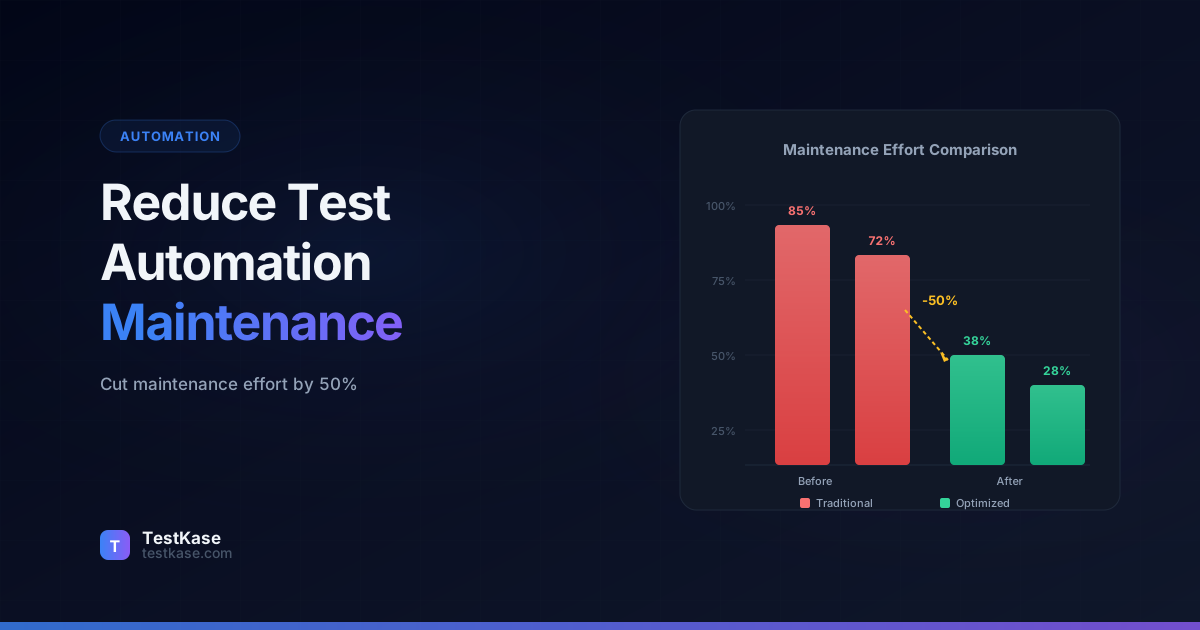
How to Reduce Test Automation Maintenance by 50%

How to Reduce Test Automation Maintenance by 50%
You finally hit 80% automated test coverage. The team celebrated. Then the front-end got redesigned, a few API endpoints changed, and suddenly half your test suite is red. Not because of real bugs — because your tests are brittle. You spend the next two sprints just fixing tests instead of writing new ones.
Sound familiar? You're not alone. Teams across the industry report that 40–60% of their automation effort goes into maintaining existing tests, not creating new ones. That's a staggering amount of engineering time burned on keeping tests alive rather than catching defects.
The good news: most of that maintenance is preventable. The patterns that cause test fragility are well-understood, and the solutions are surprisingly straightforward. This guide walks you through the exact strategies that high-performing QA teams use to cut their maintenance burden in half — without sacrificing coverage or confidence.
Why Test Automation Maintenance Spirals Out of Control
Before you can fix the problem, you need to understand why it happens. Test maintenance doesn't start as a crisis — it creeps up gradually. A few flaky tests here, a broken selector there. Then one day your CI pipeline takes 45 minutes and fails on 30 tests, none of which represent actual product issues.
The maintenance tax
According to a 2024 survey by Sauce Labs, teams spend an average of 3.5 hours per week per engineer on test maintenance. For a team of 8, that's 28 hours weekly — nearly a full-time employee doing nothing but fixing tests.
The root causes fall into a few predictable categories:
- Brittle selectors — Tests that rely on CSS classes, XPath, or DOM position break whenever the UI changes
- Hard-coded test data — Tests that depend on specific database records or environment states
- Poor abstraction — Test logic duplicated across dozens of files, so one change requires dozens of updates
- Tight coupling to implementation — Tests that verify how something works rather than what it does
- Missing wait strategies — Race conditions that produce intermittent failures
Each of these has a clear remedy. Let's work through them.
Quantifying the Damage: A Real Cost Analysis
To understand why maintenance matters financially, consider a team with 500 automated E2E tests. Based on industry averages:
| Metric | Poorly Maintained Suite | Well-Maintained Suite | |---|---|---| | Tests breaking per sprint (non-bug) | 40-60 | 5-10 | | Average time to fix per broken test | 30-45 min | 15-20 min | | Total maintenance time per sprint | 25-40 hours | 2-4 hours | | False failure rate in CI | 15-25% | 2-5% | | Developer trust in test results | Low | High |
The false failure rate is particularly damaging. When 20% of CI failures are false positives, developers learn to ignore red builds. They click "re-run" without investigating. Real bugs slip through because the signal-to-noise ratio is too low. Restoring trust in the test suite is the single most important outcome of reducing maintenance.
Strategy 1: Use Resilient Selectors
The single most common cause of test breakage is selectors. Your CSS class changes from .btn-primary to .button--primary during a design system migration, and 200 tests break overnight.
The fix is simple: use dedicated test attributes.
<!-- Fragile: breaks when styling changes -->
<button class="btn-primary submit-form">Submit</button>

<!-- Resilient: survives any visual redesign -->
<button data-testid="login-submit-btn" class="btn-primary submit-form">Submit</button>
With data-testid attributes, your selectors become immune to CSS refactors, component library swaps, and design overhauls. The test attribute exists solely for testing — no developer will remove it by accident during a styling change.
Selector priority order
When choosing selectors, follow this hierarchy from most to least stable: data-testid attributes, ARIA roles and labels (role="button", aria-label), semantic HTML elements (<nav>, <main>), text content, CSS classes, XPath. Each step down the list increases your maintenance risk.
Some teams worry that data-testid attributes add clutter to production HTML. Most bundlers can strip them in production builds — Babel, Vite, and webpack all have plugins for this. The testing benefit far outweighs the minor build configuration.
Naming Conventions for Test Attributes
Consistency matters. Adopt a convention and enforce it:
data-testid="[page]-[component]-[element]"
Examples:
data-testid="login-form-email-input"data-testid="dashboard-sidebar-projects-link"data-testid="settings-profile-save-btn"
This makes selectors predictable. When a test author needs to interact with an element, they can guess the attribute name without inspecting the DOM.
Enforcing Test Attribute Coverage with Linting
A naming convention is only useful if the team follows it. Enforce it with a custom ESLint rule:
// eslint-plugin-testid/rules/require-testid.js
module.exports = {
  meta: {
    type: 'suggestion',
    docs: { description: 'Require data-testid on interactive elements' },
  },
  create(context) {
    return {
      JSXOpeningElement(node) {
        const tagName = node.name.name;
        const interactiveElements = ['button', 'input', 'select', 'textarea', 'a'];
        if (interactiveElements.includes(tagName)) {
          const hasTestId = node.attributes.some(
            attr => attr.name && attr.name.name === 'data-testid'
          );
          if (!hasTestId) {
            context.report({
              node,
              message: `Interactive element <${tagName}> should have a data-testid attribute`,
            });
          }
        }
      },
    };
  },
};
This rule runs during development and code review, catching missing test attributes before they become maintenance problems. Teams that adopt this approach report that after the initial backfill effort (typically 1-2 sprints), new test attribute coverage stays above 95%.
When to Use ARIA Selectors Instead
data-testid isn't always the best choice. For accessibility-critical elements, ARIA roles and labels are better selectors because they verify that the element is accessible while also being stable:
// Good: tests accessibility AND provides a stable selector
await page.getByRole('button', { name: 'Submit order' });
await page.getByLabel('Email address');
await page.getByRole('navigation');

// Also good: data-testid for elements without clear ARIA semantics
await page.getByTestId('order-summary-total');
Playwright's recommended approach is to use role-based selectors first and fall back to data-testid for elements that don't have meaningful ARIA roles. This gives you the dual benefit of resilient selectors and implicit accessibility testing.
Strategy 2: Implement the Page Object Model (POM)
The Page Object Model is the single most impactful design pattern for test maintainability. It creates an abstraction layer between your tests and the UI, so when the UI changes, you update one file — not fifty.
Here's the problem without POM:
// Test 1: Login test
await page.fill('[data-testid="login-email"]', 'user@example.com');
await page.fill('[data-testid="login-password"]', 'securePass123');
await page.click('[data-testid="login-submit"]');

// Test 2: Password validation test
await page.fill('[data-testid="login-email"]', 'user@example.com');
await page.fill('[data-testid="login-password"]', 'short');
await page.click('[data-testid="login-submit"]');

// Test 3: Remember me test
await page.fill('[data-testid="login-email"]', 'user@example.com');
await page.fill('[data-testid="login-password"]', 'securePass123');
await page.check('[data-testid="login-remember-me"]');
await page.click('[data-testid="login-submit"]');
If the login form adds a "username" field or changes a selector, you're editing three tests — and in a real suite, that number could be thirty or three hundred.
With POM:
// login.page.js
class LoginPage {
  constructor(page) {
    this.page = page;
    this.emailInput = '[data-testid="login-email"]';
    this.passwordInput = '[data-testid="login-password"]';
    this.submitButton = '[data-testid="login-submit"]';
    this.rememberMe = '[data-testid="login-remember-me"]';
  }

  async login(email, password) {
    await this.page.fill(this.emailInput, email);
    await this.page.fill(this.passwordInput, password);
    await this.page.click(this.submitButton);
  }

  async loginWithRememberMe(email, password) {
    await this.page.fill(this.emailInput, email);
    await this.page.fill(this.passwordInput, password);
    await this.page.check(this.rememberMe);
    await this.page.click(this.submitButton);
  }
}
Now every test calls loginPage.login(email, password). One selector change means one file edit. That's the power of abstraction.
Advanced POM: Component Objects for Reusable UI Elements
Traditional POM creates one class per page. But modern applications reuse components across many pages — modals, dropdowns, data tables, navigation bars. A component object pattern handles this:
// components/data-table.component.js
class DataTable {
  constructor(page, containerSelector) {
    this.page = page;
    this.container = containerSelector;
  }

  async getRowCount() {
    return await this.page.locator(`${this.container} tbody tr`).count();
  }

  async clickRow(index) {
    await this.page.locator(`${this.container} tbody tr`).nth(index).click();
  }

  async sortByColumn(columnName) {
    await this.page.click(`${this.container} th:has-text("${columnName}")`);
  }

  async searchFor(query) {
    await this.page.fill(`${this.container} [data-testid="table-search"]`, query);
  }
}

// Usage in page objects
class ProjectsPage {
  constructor(page) {
    this.page = page;
    this.projectTable = new DataTable(page, '[data-testid="projects-table"]');
  }
}

class UsersPage {
  constructor(page) {
    this.page = page;
    this.userTable = new DataTable(page, '[data-testid="users-table"]');
  }
}
The DataTable component object is defined once and reused across every page that has a data table. If the table's HTML structure changes, you update one file — the component object — and every page object that uses it continues to work.
POM Anti-Patterns to Avoid
The Page Object Model helps most teams, but it can hurt if misused:
-
God page objects — A single
DashboardPageclass with 80 methods covering every possible interaction. Break it into focused components:DashboardSidebar,DashboardHeader,DashboardMetrics. -
Assertions in page objects — Page objects should perform actions and return data, not assert. Keep assertions in your test files so the test clearly shows what it's verifying.
-
Exposing raw selectors — Instead of
loginPage.emailSelector, expose methods:loginPage.enterEmail(value). This preserves encapsulation and lets you change the interaction pattern without touching tests. -
Deeply nested page object inheritance —
AdminLoginPage extends LoginPage extends BasePagecreates a fragile inheritance chain. Prefer composition (using component objects) over inheritance.
Strategy 3: Externalize Test Data and Configuration
Hard-coded values are a maintenance trap. When your test reads expect(page.title()).toBe('Dashboard - Acme Corp v2.1'), you're coupling it to a specific brand name and version number. Both will change.
Externalize everything that might change:
// test-data/users.json
{
  "standardUser": {
    "email": "test.user@example.com",
    "password": "TestPass123!",
    "displayName": "Test User"
  },
  "adminUser": {
    "email": "admin@example.com",
    "password": "AdminPass456!",
    "displayName": "Admin User"
  }
}
// config/environments.json
{
  "staging": {
    "baseUrl": "https://staging.myapp.com",
    "apiUrl": "https://api.staging.myapp.com"
  },
  "production": {
    "baseUrl": "https://myapp.com",
    "apiUrl": "https://api.myapp.com"
  }
}
This approach gives you three advantages. First, data changes don't require test code changes. Second, the same tests run against multiple environments without modification. Third, test data is centralized and easy to audit.
Test Data Factories: Dynamic Data for Isolation
Static JSON files work for simple cases, but tests that create data need dynamic generation to avoid conflicts. Test data factories solve this:
// test-data/factories.js
import { faker } from '@faker-js/faker';

export function createUser(overrides = {}) {
  return {
    email: faker.internet.email(),
    password: 'TestPass123!',
    firstName: faker.person.firstName(),
    lastName: faker.person.lastName(),
    ...overrides,
  };
}

export function createProject(overrides = {}) {
  return {
    name: `Test Project ${faker.string.alphanumeric(6)}`,
    description: faker.lorem.sentence(),
    ...overrides,
  };
}

// Usage in tests
const user = createUser({ email: 'specific@example.com' });
const project = createProject();
Factories generate unique data for each test run, eliminating the "test A's data collides with test B's data" class of failures. The overrides parameter lets tests specify values when they matter while using random defaults when they don't.
Strategy 4: Replace Sleep Calls with Explicit Waits
await page.waitForTimeout(3000) is the hallmark of a brittle test suite. Static waits are slow when the app is fast and insufficient when the app is slow. They're the number one cause of flaky tests.
Replace every static wait with an explicit condition:
// Bad: arbitrary delay
await page.waitForTimeout(3000);
await page.click('[data-testid="submit"]');

// Good: wait for the element to be actionable
await page.waitForSelector('[data-testid="submit"]', { state: 'visible' });
await page.click('[data-testid="submit"]');

// Better: wait for a specific application state
await page.waitForResponse(resp =>
  resp.url().includes('/api/data') && resp.status() === 200
);
Modern frameworks like Playwright and Cypress have built-in auto-waiting, but you still need to handle asynchronous state changes — data loading, animations, and background processes. Explicit waits tied to application state are faster and more reliable than any fixed delay.
Common Wait Patterns for Real-World Scenarios
Different situations need different wait strategies. Here's a reference:
// Wait for navigation to complete
await page.waitForURL('**/dashboard');

// Wait for loading spinner to disappear
await page.waitForSelector('[data-testid="loading-spinner"]', { state: 'hidden' });

// Wait for a network request to complete
await page.waitForResponse(resp =>
  resp.url().includes('/api/projects') && resp.status() === 200
);

// Wait for a specific element count (e.g., table rows loaded)
await expect(page.locator('[data-testid="table-row"]')).toHaveCount(10);

// Wait for element text to change
await expect(page.locator('[data-testid="status"]')).toHaveText('Saved');

// Wait for toast notification to appear and dismiss
await page.waitForSelector('[data-testid="toast-success"]');
await page.waitForSelector('[data-testid="toast-success"]', { state: 'hidden' });
Each pattern is tied to an observable application state rather than an arbitrary time delay. They're faster (they resolve as soon as the condition is met) and more reliable (they wait as long as needed, up to a configurable timeout).
Debugging Timing Issues
When you suspect a timing issue, use Playwright's trace viewer to see exactly what happened:
// playwright.config.ts
export default defineConfig({
  use: {
    trace: 'retain-on-failure',  // Only save traces for failing tests
  },
});
The trace viewer shows a timeline of every action, network request, and DOM change during the test. You can see the exact moment where the test tried to click a button that wasn't yet rendered, or where a network response arrived after the assertion timed out. This is far more effective than adding console.log statements or increasing timeout values blindly.
Strategy 5: Set Up State via APIs, Not the UI
If your test for "editing a project" starts by logging in, creating an organization, and then creating a project through the UI — that's three layers of unnecessary fragility. If any of those UI flows change, your "edit project" test breaks even though the edit functionality is fine.
Use API calls or database seeding to set up preconditions:
// Instead of clicking through 5 pages of UI setup:
const project = await api.post('/projects', {
  name: 'Test Project',
  description: 'Created via API for testing'
});

// Jump straight to the behavior you're actually testing
await page.goto(`/projects/${project.id}/edit`);
await page.fill('[data-testid="project-name"]', 'Updated Name');
await page.click('[data-testid="save-project"]');
This isolates your test to the specific behavior under test. It runs faster, fails less often, and when it does fail, you know the problem is in the edit flow — not in login, org creation, or project creation.
Building a Test API Helper
Centralizing API calls into a reusable helper keeps your tests clean:
// helpers/api.js
class TestApi {
  constructor(baseUrl, authToken) {
    this.baseUrl = baseUrl;
    this.authToken = authToken;
  }

  async createUser(data) {
    const response = await fetch(`${this.baseUrl}/api/test/users`, {
      method: 'POST',
      headers: {
        'Authorization': `Bearer ${this.authToken}`,
        'Content-Type': 'application/json',
      },
      body: JSON.stringify(data),
    });
    return response.json();
  }

  async createProject(userId, data) {
    const response = await fetch(`${this.baseUrl}/api/test/projects`, {
      method: 'POST',
      headers: {
        'Authorization': `Bearer ${this.authToken}`,
        'Content-Type': 'application/json',
      },
      body: JSON.stringify({ ...data, ownerId: userId }),
    });
    return response.json();
  }

  async cleanup(entityType, entityId) {
    await fetch(`${this.baseUrl}/api/test/${entityType}/${entityId}`, {
      method: 'DELETE',
      headers: { 'Authorization': `Bearer ${this.authToken}` },
    });
  }
}
Some teams go further and create a /api/test/* namespace on their backend specifically for test data management. These endpoints are only enabled in staging and test environments, and they support bulk creation, cleanup, and state reset operations that make test setup fast and reliable.
The Test Data Lifecycle: Setup, Execute, Teardown
Every well-maintained test follows a three-phase pattern:
- Setup — Create the data and state needed for the test (via API, not UI).
- Execute — Perform the actions under test and make assertions.
- Teardown — Clean up the data created during setup.
test('user can rename a project', async ({ page }) => {
  // Setup: create test data via API
  const user = await api.createUser(createUser());
  const project = await api.createProject(user.id, createProject());

  // Execute: test the actual behavior
  await page.goto(`/projects/${project.id}/settings`);
  await page.fill('[data-testid="project-name"]', 'Renamed Project');
  await page.click('[data-testid="save-settings"]');
  await expect(page.locator('[data-testid="project-name"]')).toHaveValue('Renamed Project');

  // Teardown: clean up
  await api.cleanup('projects', project.id);
  await api.cleanup('users', user.id);
});
Playwright and Cypress both support beforeEach and afterEach hooks for setup and teardown, but explicit per-test cleanup gives you more control and makes each test self-contained.
Strategy 6: Architect Your Test Suite in Layers
Beyond individual patterns, the overall architecture of your test suite determines its long-term maintainability. The most maintainable suites use a layered architecture:
┌─────────────────────────────────────────┐
│          Test Layer (specs)              │  Scenarios, assertions
├─────────────────────────────────────────┤
│        Helper Layer (workflows)         │  Login, navigation, common flows
├─────────────────────────────────────────┤
│      Page/Component Object Layer        │  Selectors, element interactions
├─────────────────────────────────────────┤
│       Test Data Layer (fixtures)        │  Factories, configs, seed data
└─────────────────────────────────────────┘
Each layer has a single responsibility and changes independently:
- Test data layer changes when data models or environments change.
- Page object layer changes when the UI changes.
- Helper layer changes when common workflows change.
- Test layer changes when requirements change.
A UI redesign only touches the page object layer. A new environment only touches the data layer. New test scenarios only touch the test layer. This separation prevents changes from cascading across the entire suite.
Measuring Your Architecture's Health
Track these metrics to assess your test suite's architectural health:
- Change amplification — When one UI element changes, how many test files need updating? If the answer is more than 2-3, your abstraction is insufficient.
- Flaky test rate — Percentage of test runs with at least one intermittent failure. Aim for under 3%.
- Time to add a new test — How long does it take to write a new test for an existing feature? If it takes more than 30 minutes because of complex setup, your helpers need improvement.
- Time to fix a broken test — When a test breaks due to a UI change, how long is the fix? With good POM, it should be under 10 minutes.
Common Mistakes That Inflate Maintenance Costs
Even teams that know the right patterns fall into these traps:
-
Automating everything through the UI — Not every test needs a browser. API tests and unit tests are faster, cheaper, and more stable. Reserve E2E tests for critical user journeys — login, checkout, core workflows — and cover business logic at lower levels.
-
Ignoring flaky tests — Marking a test as "skip" and moving on creates a growing pile of technical debt. Every skipped test is a gap in coverage that erodes confidence in the suite. Fix flaky tests immediately or delete them.
-
No ownership model — When nobody owns the test suite, nobody maintains it. Assign clear ownership — by feature area, by team, or by module. When a test breaks, someone specific is responsible for the fix.
-
Writing tests that mirror implementation — A test that asserts on internal state, private methods, or specific DOM structure is testing how the code works, not what it does. These tests break on every refactor. Test observable behavior — what the user sees, what the API returns, what the database stores.
-
Skipping code reviews for tests — Test code is production code. It deserves the same review rigor: readability, maintainability, naming conventions, and pattern adherence. Poor test code compounds into poor test maintenance.
-
Not tracking maintenance metrics — If you don't measure maintenance burden, you can't improve it. Track the ratio of time spent on new tests vs. maintaining existing ones. Track flaky test rate. Track the average time to fix a broken test. These numbers tell you whether your investment in better patterns is paying off.
-
Retrofitting all at once — Teams sometimes try to rewrite their entire test suite using new patterns. This takes months, delays new test creation, and often stalls before completion. Instead, adopt a "boy scout rule": every time you touch a test, improve it. Migrate incrementally.
The Test Pyramid and Maintenance
The classic test pyramid — many unit tests, fewer integration tests, fewest E2E tests — exists partly because of maintenance. E2E tests have 5-10x the maintenance cost of unit tests because they interact with the full stack, depend on UI stability, and are sensitive to timing.
If your test pyramid is inverted (more E2E than unit tests), maintenance will be high no matter how good your patterns are. Rebalancing toward more unit and integration tests is often the highest-ROI maintenance reduction strategy:
| Test Type | Typical Maintenance Cost | Speed | Confidence | |---|---|---|---| | Unit | Low ($1 per test/month) | 50ms | Logic-level | | Integration | Medium ($3 per test/month) | 500ms | Component-level | | E2E | High ($8 per test/month) | 10-30s | User-level |
These are illustrative figures, but the ratios are consistent across organizations. An E2E test costs roughly 5-8x more to maintain than a unit test. If you can verify a business rule with a unit test, don't verify it with an E2E test.
How TestKase Helps You Manage Automation Maintenance
Reducing maintenance isn't just about writing better tests — it's about having visibility into your test health. TestKase gives you that visibility across your entire test portfolio.
With TestKase, you can track which automated tests are failing most frequently, identify patterns in test breakage across sprints, and measure the ratio of maintenance effort to new test creation. The platform's reporting dashboards surface your flakiest tests and highest-maintenance areas, so you can prioritize refactoring where it matters most.
TestKase also bridges the gap between manual and automated testing. When an automated test is too brittle to maintain, you can flag it for manual execution while you fix the underlying automation — without losing track of coverage.
By linking test cases to test cycles and execution results, TestKase provides the data you need to answer questions like: "Which module has the highest automation failure rate?", "How many tests broke this sprint due to UI changes vs. real bugs?", and "Is our maintenance burden trending up or down?"
See how TestKase improves test suite healthA Practical Migration Plan
If your current test suite suffers from high maintenance, here's a realistic plan to cut the burden in half over 8-12 weeks:
Weeks 1-2: Measure and Prioritize
- Audit your test suite: count flaky tests, broken tests, and tests with hard-coded data or CSS selectors.
- Identify the top 10 highest-maintenance tests (the ones that break most often).
- Set up tracking: start recording maintenance time per sprint.
Weeks 3-4: Fix the Worst Offenders
- Migrate the top 10 tests to use
data-testidselectors and Page Object Model. - Replace all
waitForTimeoutcalls with explicit waits. - Extract hard-coded data into fixtures or factories.
Weeks 5-8: Scale the Patterns
- Create page objects for the 5 most-used pages in your application.
- Build a test API helper for setup and teardown.
- Adopt the "boy scout rule": every test you touch gets migrated to the new patterns.
Weeks 9-12: Measure and Iterate
- Compare maintenance metrics to the baseline from weeks 1-2.
- Identify remaining pain points and address them.
- Document your patterns in a team testing guide so new engineers follow the same approach.
Teams that follow this plan consistently see a 40-60% reduction in maintenance burden within the first quarter. The key is starting with measurement — you can't improve what you don't track.
Conclusion
Test automation maintenance is a solvable problem. The strategies are well-established: resilient selectors, Page Object Model, externalized data, explicit waits, and API-based setup. None of these require exotic tooling or massive refactors — you can adopt them incrementally, starting with your most-broken tests.
The goal isn't zero maintenance — that's unrealistic. The goal is shifting your time ratio from 60% maintenance / 40% new tests to 30% maintenance / 70% new tests. That shift compounds over quarters, giving you better coverage, fewer false failures, and a test suite the team actually trusts.
Start with one strategy this sprint. Measure the impact. Then layer on the next.
Stay up to date with TestKase
Get the latest articles on test management, QA best practices, and product updates delivered to your inbox.
SubscribeShare this article
Related Articles
Critical, Serious, Moderate, Minor: How to Triage Accessibility Issues by Severity
A practical triage policy template — SLAs per severity, ownership across design / engineering / content / QA, and how to share findings cross-team without forwarding PDFs.
Read more →Why Single-Page Accessibility Scans Miss Real Bugs (and What Multi-Page Audits Catch)
Single-URL accessibility scanners miss six entire categories of WCAG violations. Here's what falls through the gap, and how flow-aware audits catch the issues your users actually hit.
Read more →Accessibility Testing in CI/CD: Catching WCAG Issues Before They Ship
Three integration patterns, GitHub Actions / GitLab / CircleCI templates, and a 3-quarter rollout playbook to take an engineering team from zero accessibility in CI to block-on-fail.
Read more →