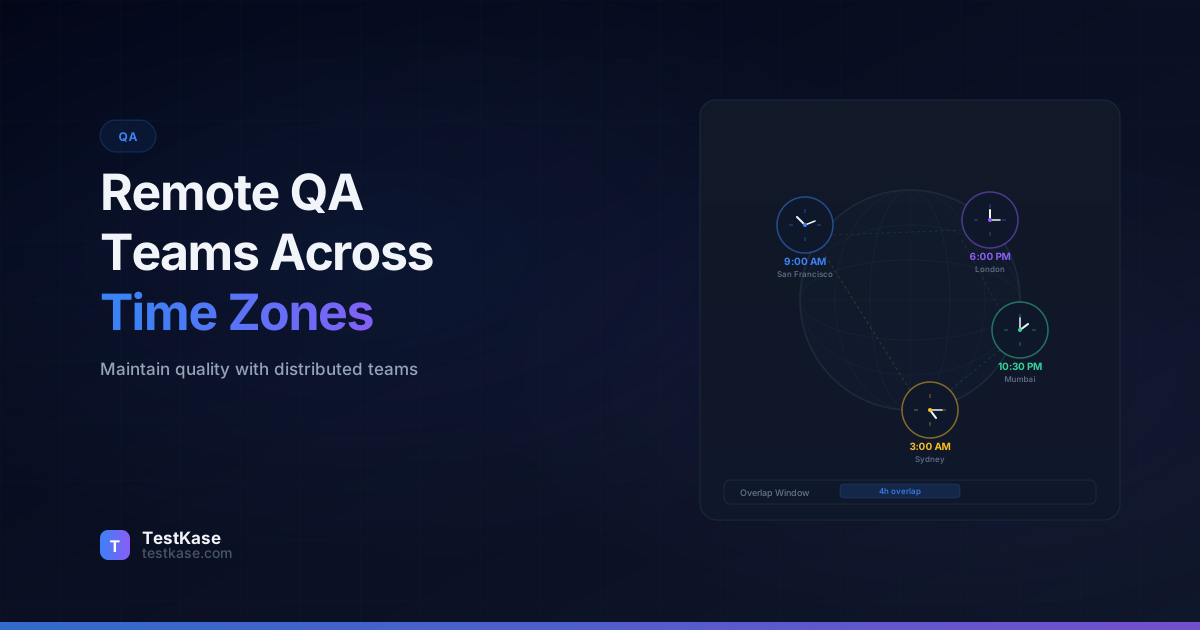
Remote QA Teams: How to Maintain Quality Across Time Zones

Remote QA Teams: How to Maintain Quality Across Time Zones
A QA engineer in Bangalore finishes testing a checkout flow at 6:30 PM IST. She finds a critical bug — the discount code field silently fails for amounts over $999. She logs the bug in Jira, writes a detailed reproduction note, and heads home. Eight hours later, a developer in Denver wakes up, sees the bug, and has three questions: What browser was this on? Does it also fail on the API level? Was the test account using a specific payment method? The Bangalore engineer won't be online for another seven hours. The bug sits in limbo for a full day.
This scenario plays out hundreds of times daily across distributed QA teams. A 2025 GitLab survey found that 72% of engineering teams now include members across three or more time zones, yet only 31% have formal handoff processes for cross-timezone work. The result is a "timezone tax" — an invisible drag on velocity where context gets lost, bugs stall, and testing gaps appear at the seams between shifts.
Running a distributed QA team isn't just about hiring good testers in different locations. It requires rethinking how you communicate, hand off work, share environments, and document decisions. This post covers the concrete strategies that make it work.
The Real Cost of the Timezone Tax
Before diving into solutions, let's quantify the problem. The timezone tax manifests in several measurable ways:
Context-switching delays. When a QA engineer in one time zone needs information from someone in another zone, the average wait time is 8-16 hours. For a typical bug that requires two rounds of clarification, that's 2-3 days of elapsed time for what should be a 30-minute conversation. Multiply this across 20-30 active bugs per sprint, and you're looking at hundreds of hours of wasted wait time per quarter.
Duplicate investigation. Without clear handoff documentation, multiple team members across zones independently investigate the same issue. A 2024 Atlassian study on distributed engineering teams found that 23% of bug investigation time was spent re-discovering information that another team member had already found but not documented.
Environment confusion. When the team in time zone A deploys a new build to the shared staging environment and goes home, the team in time zone B arrives to find their carefully configured test data overwritten. According to the State of DevOps report, environment-related blockers cost distributed teams an average of 3.5 hours per developer per week.
Meeting fatigue for edge-zone participants. When overlap hours are limited, the team in the least convenient time zone bears a disproportionate meeting burden. Over time, this leads to burnout, disengagement, and turnover — the most expensive cost of all.
A distributed QA team of 10 people across three time zones can easily lose 15-25% of their total productivity to the timezone tax. The strategies in this post aim to reclaim that lost time.
Async-First Communication: The Foundation
The biggest mistake distributed QA teams make is trying to replicate co-located communication patterns. Daily standup calls that require everyone to be online simultaneously, real-time Slack conversations that exclude anyone who's asleep, impromptu "quick question" video calls — these practices create first-class and second-class team members based on time zone.
The Async Principle
If a piece of information is important enough to share in a meeting, it's important enough to write down. Every decision, every test result, every discovered bug should be documented in a persistent, searchable location — not trapped in a Slack thread or a Zoom call recording nobody will watch.
Async-first doesn't mean no meetings. It means meetings are the exception, not the default. Here's what async-first looks like in practice for a QA team:
Bug reports are self-contained. Every bug report should include enough context that someone 12 hours away can pick it up without asking a single follow-up question. Steps to reproduce, environment details, screenshots or video, what you expected, what happened, what you already investigated. The extra 5 minutes spent writing a thorough report saves a full day of back-and-forth across time zones.
Here's the difference between a timezone-hostile and timezone-friendly bug report:
## Timezone-hostile bug report
Title: Checkout broken
Description: Getting an error on checkout. Seems like a payment issue.

## Timezone-friendly bug report
Title: [P1] Discount codes over $999 fail with 500 error on /apply-discount
Description:
- **Environment:** Staging (staging-2, build #4521)
- **Browser:** Chrome 122, macOS 14.3
- **Account:** test-user-premium@example.com
- **Steps:**
  1. Add item ($1,200) to cart
  2. Enter discount code "SAVE20" (20% off)
  3. Click "Apply"
- **Expected:** Discount applied, total shows $960
- **Actual:** 500 error, console shows "integer overflow in discount_calc"
- **Impact:** Affects ~3% of transactions (those over $999)
- **Workaround:** Apply discount manually via admin panel > Orders > Apply Discount
- **Already investigated:**
  - Confirmed it works for amounts under $999
  - Confirmed same behavior on Firefox
  - API returns 500 (not a frontend-only issue)
  - Likely related to INT vs BIGINT in discount calculation
The second report lets a developer in any time zone start fixing the bug immediately upon seeing it, without a single question.
Test results are narrated. Don't just mark test cases as passed or failed. Add notes: "Passed, but noticed the response time was 4.2 seconds — not a failure but worth monitoring." "Failed — same issue as TC-421, likely a shared root cause." These narrative notes transform raw results into actionable intelligence for the next person who picks up the work.
Decisions are documented with rationale. "We decided to skip testing the CSV export for this release" is incomplete. "We decided to skip testing the CSV export because the feature is behind a flag, only 12 beta users have access, and we need to prioritize the checkout regression" gives the next-timezone team the full picture.
The Async Bug Triage Workflow
Traditional bug triage meetings require everyone in the same room (or the same call). Async triage works better for distributed teams:
- QA engineers tag new bugs with severity and affected module when filing them
- Product owner reviews new bugs async within 4 hours of their workday start, adding priority labels and sprint assignments
- Developers self-assign from a prioritized, pre-triaged backlog — no meeting required
- Weekly sync meeting (at rotating times) covers only the contentious bugs — those where severity, priority, or assignment is disputed
This workflow reduces triage meetings from daily 30-minute standups to a single weekly 15-minute session, while actually processing bugs faster because the async steps happen continuously throughout the day.
The Overlap Hours Strategy
Even with strong async practices, some communication needs to happen synchronously — sprint planning, complex bug triage, architecture discussions. The key is being strategic about which hours you designate as overlap time.
For a team spanning US Pacific (UTC-8) and India (UTC+5:30), the natural overlap is roughly 7:00-9:30 AM Pacific / 8:30-11:00 PM IST. That's a tight window — and asking your India team to stay online until 11 PM regularly leads to burnout.
The follow-the-sun model — where three QA sub-teams in different time zones create near-24-hour coverage — is the gold standard for critical products. Team A (APAC) tests during their day, hands off to Team B (EMEA), who hands off to Team C (Americas). Each handoff must be razor-sharp, because there's no overlap for "let me just quickly explain this."
Implementing Follow-the-Sun QA
A follow-the-sun model requires more than just hiring in three time zones. Here's how to structure it effectively:
Zone assignments with clear ownership:
- APAC (UTC+5:30 to UTC+9): Owns first-pass testing of overnight deployments, performance testing during low-traffic hours, and test data preparation
- EMEA (UTC+0 to UTC+2): Owns exploratory testing sessions, test case design and review, and cross-browser testing
- Americas (UTC-8 to UTC-5): Owns automation maintenance, CI/CD pipeline testing, and release sign-off
Handoff windows:
- APAC to EMEA: 30-minute overlap at 6:30 PM IST / 2:00 PM CET
- EMEA to Americas: 30-minute overlap at 5:30 PM CET / 8:30 AM PST
- Americas to APAC: Async only (no natural overlap) — requires the most disciplined documentation
Escalation protocol: If a zone discovers a blocking issue that requires input from a sleeping zone, they use a tiered escalation:
- Check the wiki for documented knowledge
- Search Slack history for related discussions
- Post a detailed async message in the team channel
- Only if truly urgent (production is down): page the on-call person in the relevant zone
Rotate Meeting Pain
If your overlap requires one team to join at an inconvenient hour, rotate the meeting time monthly so the same team isn't always bearing the burden. A meeting at 8 PM is tolerable once a month — not every day. Some teams use a "meeting sacrifice calendar" that tracks which zone bears the inconvenience each month, ensuring equitable distribution over time.
Handoff Protocols That Actually Work
The handoff — the moment one team stops working and another starts — is where distributed QA breaks down. Without a clear protocol, the incoming team spends their first hour figuring out what happened, what's blocked, and what needs attention. That's 250+ hours of lost productivity per year for a 5-person distributed team.
A good handoff protocol has three components:
1. The handoff document. At the end of each shift, the outgoing team updates a shared document (or a dedicated Slack channel) with: what was tested today, what bugs were found, what's in progress but not finished, what's blocked and on whom, and what should be prioritized next. This takes 10 minutes to write and saves hours of confusion.
Here's a real handoff template used by a distributed QA team at a fintech company:
## QA Handoff — March 22, 2026 (APAC → EMEA)

### Completed Today
- [x] Regression suite for payments module (all 45 cases passed)
- [x] Exploratory testing on new invoice feature (3 bugs filed)
- [x] Smoke test on staging-2 after build #4523 deployment

### Bugs Filed Today
- JIRA-4521: Invoice PDF missing company logo (P2, assigned to @alex)
- JIRA-4522: Invoice total rounds incorrectly for 3+ decimal currencies (P1, unassigned)
- JIRA-4523: Invoice email sent twice when clicking "Send" quickly (P2, assigned to @maria)

### In Progress (Please Continue)
- Test cycle TC-89: 32/50 cases complete, remaining cases are in the "Notifications" folder
  - Note: Notification tests require test account with Slack integration enabled (use test-org-slack@example.com)
- Performance test for bulk invoice generation is running on staging-3 (started at 5:45 PM IST, should complete by 8 PM IST, results will auto-post to #qa-perf)

### Blocked
- Cannot test SSO integration — staging-1 SSO config is broken since yesterday's deploy
  - DevOps ticket: OPS-891 (assigned to @james, ETR unknown)

### Environment Status
- staging-1: Build #4522, SSO broken, avoid for SSO testing
- staging-2: Build #4523 (latest), stable, use for general testing
- staging-3: Reserved for perf tests until 8 PM IST

### Priority for Next Shift
1. Triage JIRA-4522 (invoice rounding) — potential customer-facing issue
2. Continue TC-89 notification tests
3. Retest JIRA-4510 (fixed in build #4523, needs verification)
2. The handoff test cycle. In your test management tool, maintain a test cycle specifically for cross-shift work. When a tester starts a test case but can't finish it — maybe the build broke, or they ran out of time — they mark it as "in progress" with a note about where they left off. The incoming team picks up exactly where the last person stopped.
3. Environment state documentation. "I deployed branch feature/payments-v2 to staging-3 and it's configured with mock Stripe keys." This one sentence prevents the next-shift tester from spending 30 minutes figuring out why the staging environment is behaving differently than expected.
The best distributed QA teams treat handoffs like shift changes in a hospital. The outgoing nurse doesn't just leave — they brief the incoming nurse on every patient. Apply the same discipline to test handoffs.
Measuring Handoff Effectiveness
How do you know if your handoffs are working? Track these metrics:
- First-hour productivity: How quickly does the incoming shift start productive work? Measure the time between the shift start and the first test execution or bug filed.
- Clarification requests: Count how many "what's the status of X?" questions appear in Slack after a handoff. Fewer questions mean better handoffs.
- Stale bugs: Track how many bugs sit without activity for more than 24 hours. In a well-functioning distributed team, this number should be near zero for P1 and P2 bugs.
- Handoff document completeness: Periodically audit handoff documents against a checklist. Missing sections indicate where the protocol is breaking down.
Shared Test Environments: The Hidden Challenge
Test environment conflicts are painful enough when everyone sits in the same office. Across time zones, they become invisible — because the person who broke your environment is asleep when you discover it.
Dedicated environments per region. If your infrastructure supports it, give each time zone team their own staging environment. This eliminates conflicts entirely but increases infrastructure cost and creates potential for "works in my staging" discrepancies.
The cost trade-off depends on your infrastructure. For a typical microservices application:
| Approach | Monthly Cost (approximate) | Conflict Risk | Data Consistency | |----------|---------------------------|---------------|-----------------| | Single shared environment | $500-2,000 | High | Perfect | | One per region (3 envs) | $1,500-6,000 | Zero | Requires sync | | On-demand containerized | $800-3,000 | Zero | Perfect (fresh each time) | | Hybrid (shared + on-demand) | $1,000-4,000 | Low | Good |
Environment booking system. For teams sharing environments, implement a simple booking system — even a shared spreadsheet works. "staging-2 is booked by APAC team for payments testing, 9 AM - 5 PM IST" prevents one team from deploying over another team's test run.
Environment state alerts. Set up automated alerts when someone deploys to a shared environment. A Slack notification — "staging-1 updated to build #4521 by @alex at 3:42 PM UTC" — gives every team visibility into environment changes, regardless of when they happen.
Here's a simple GitHub Actions workflow that posts deployment notifications:
name: Staging Deployment Notification
on:
  workflow_run:
    workflows: ["Deploy to Staging"]
    types: [completed]

jobs:
  notify:
    runs-on: ubuntu-latest
    steps:
      - name: Notify QA channel
        uses: slackapi/slack-github-action@v1.25.0
        with:
          channel-id: 'C0123456789'  # #qa-environments
          slack-message: |
            :rocket: *Staging Deployment Complete*
            • Environment: staging-${{ github.event.workflow_run.head_branch }}
            • Build: #${{ github.event.workflow_run.run_number }}
            • Branch: `${{ github.event.workflow_run.head_branch }}`
            • Deployed by: ${{ github.event.workflow_run.actor.login }}
            • Time: ${{ github.event.workflow_run.updated_at }}
        env:
          SLACK_BOT_TOKEN: ${{ secrets.SLACK_BOT_TOKEN }}
Reproducible environments. The ultimate solution is containerized test environments that any team member can spin up on demand. Docker Compose files or Kubernetes namespaces that create a full test environment in minutes eliminate sharing conflicts entirely.
The Silent Environment Problem
The most dangerous environment issue isn't a crash — it's a stale database. When the APAC team tests against data that was reset by the Americas team 12 hours ago, they might miss bugs that only appear with realistic data volumes. Automate environment data seeding so every team starts with a consistent, representative dataset.
Documentation as Communication
In a co-located team, tribal knowledge lives in hallway conversations and over-the-shoulder explanations. In a distributed team, undocumented knowledge is lost knowledge.
Every QA process, every test environment setup, every product quirk needs to be written down. Not in a 200-page document nobody reads — in a living, searchable wiki that's part of daily workflow.
Test case documentation should explain "why," not just "what." A test case that says "Verify discount code applies correctly" is usable locally. A test case that says "Verify discount code applies correctly — this was added after the March 2025 incident where codes over $999 silently failed because the API truncates integer overflow" is usable globally. The context makes the test meaningful to someone who wasn't there when the bug happened.
Product behavior quirks get a dedicated page. Every product has behaviors that aren't bugs but aren't obvious. "The dashboard takes 15 seconds to load for accounts with more than 10,000 records — this is a known limitation, not a bug." Document these so testers across time zones don't waste time investigating known issues.
Here's a practical structure for a "product quirks" wiki:
# Product Quirks & Known Behaviors

## Performance
- Dashboard load time >10s for accounts with 10K+ records (PERF-234, backlogged)
- CSV export times out for files >50MB — workaround: use paginated export
- Search indexing lags 30-60 seconds behind write operations

## Business Logic
- Discount codes are case-sensitive (by design, not a bug)
- Invoices use the currency of the customer's billing country, not the product price currency
- Free trial extends by 7 days if the user adds a payment method (intentional growth hack)

## Integration
- Slack notifications are rate-limited to 1 per minute per channel
- Jira sync runs every 5 minutes, not real-time
- SSO sessions expire after 8 hours regardless of activity (IdP limitation)

## Test Environment Specific
- staging-1 uses mock Stripe keys (no real charges)
- staging-2 connects to a sandbox PayPal (use sandbox@example.com credentials)
- Test email domain @mailinator.com is whitelisted for all staging environments
Onboarding guides for new team members. When a new tester joins the Bangalore team, they shouldn't need to wait for a 2 AM call with the Denver lead to understand the product. A comprehensive onboarding document — product architecture, test environment setup, common test scenarios, known issues — lets them become productive independently.
A good QA onboarding guide should enable a new hire to execute their first test case on day one without asking anyone for help. That's the bar. If a new team member needs to interrupt colleagues in another time zone during their first week, your onboarding documentation has gaps.
Tooling for Distributed Teams
Your tools need to support async, distributed work natively. Here's what to prioritize:
Test management with real-time sync. Your test management platform must update in real time. When a tester in London marks a test case as "failed" at 4 PM GMT, the tester in San Francisco needs to see that status immediately when they start their day at 8 AM PST. Any tool that requires manual syncing or exports creates data inconsistency across time zones.
Video recordings over screenshots. A 30-second screen recording of a bug reproduction is worth ten paragraphs of written steps. Tools like Loom or built-in screen recording make it trivial to create visual documentation that transcends language barriers and time zones.
Threaded communication. Slack threads and similar formats keep conversations organized by topic. In a distributed team, a single #qa channel with unthreaded messages becomes an unreadable wall of text spanning 16 hours of activity. Thread every bug discussion, every test result question, every environment issue.
Establish Slack channel conventions:
#qa-general— Announcements and general discussion (threaded)#qa-handoffs— Shift handoff documents only (one message per handoff, no replies)#qa-bugs— Bug discussion (one thread per bug, linked to Jira)#qa-environments— Environment status updates and booking#qa-automation— CI/CD pipeline status, flaky test alerts#qa-social— Non-work conversation, memes, celebrations
Automated status dashboards. A dashboard that shows the current state of all test cycles, environment status, and blocker bugs eliminates the "what's going on?" question that plagues distributed teams. The incoming shift checks the dashboard before anything else.
Tool Integration Architecture for Distributed Teams
The most effective distributed QA teams connect their tools into an integrated workflow:
Developer pushes code
    → CI/CD runs automated tests
        → Results flow to test management dashboard
            → Failures auto-create Jira tickets
                → Slack notification to #qa-bugs with context
                    → Assigned QA engineer picks up in their time zone
Each step happens automatically, removing the human latency that compounds across time zones. When the APAC team's automated tests discover a regression at 3 AM US time, by the time the US team wakes up, there's already a Jira ticket with full reproduction steps, a dashboard showing which test cases failed, and a Slack thread where the APAC team has documented their initial investigation.
Common Mistakes with Remote QA Teams
Micromanaging through activity monitoring. Tracking keystrokes, requiring webcams during work hours, or monitoring "active time" in tools destroys trust and drives away your best people. Measure output — test coverage, bugs found, cycle completion — not hours logged.
A 2025 Gartner study found that organizations using employee monitoring software experienced 28% higher voluntary turnover in technical roles compared to those that focused on outcome-based metrics. The short-term visibility isn't worth the long-term talent cost.
Having one "primary" time zone. When all decisions happen during US business hours and other time zones just execute, you've created a hierarchy that demotivates remote team members and excludes their insights. Rotate decision-making meetings and ensure every time zone has influence over QA strategy.
Signs you have a "primary time zone" problem:
- All sprint planning happens in one time zone's business hours
- Bug priority decisions are made before other zones are online
- Process changes are announced, not discussed
- Team members in "secondary" zones describe themselves as "just executing"
Ignoring cultural differences in communication. Direct feedback that's normal in American culture can feel aggressive in some Asian cultures. Bug reports that say "this is obviously wrong" might discourage reporting in some teams. Establish team norms for communication tone that respect diverse communication styles.
Practical steps:
- Create a team communication charter that defines expectations for tone, response times, and escalation
- Use objective language in bug reports ("The system returns X instead of Y" rather than "This is clearly broken")
- Recognize that silence in async communication doesn't mean agreement — explicitly ask for input from all zones
- Celebrate contributions from all time zones equally in public channels
Under-investing in team bonding. Remote QA teams that never interact informally become transactional. A monthly virtual coffee chat, a shared channel for non-work conversation, or an annual in-person meetup builds the trust that makes async collaboration work.
Not accounting for holidays across regions. India has different national holidays than the US, which has different holidays than Germany. A testing plan that assumes full staffing without checking regional calendars will have unexpected gaps. Maintain a shared team calendar with all regional holidays marked.
Build a "holiday-aware capacity planner" that shows expected team availability for each sprint. This prevents last-minute scrambles when you discover that three of your five testers are on holiday during the same week due to overlapping religious holidays or national celebrations.
Assuming tools alone solve the problem. The most common mistake of all is buying tools and expecting them to fix distributed team challenges. Tools enable good practices — they don't create them. A team with excellent async habits and a spreadsheet will outperform a team with poor communication habits and a $100K tool stack.
How TestKase Supports Distributed QA
TestKase is built for teams that work across time zones. Real-time sync means every test execution, every status change, and every bug link is visible to all team members instantly — no refresh needed, no manual export required. When the Bangalore team finishes a test cycle at 6 PM IST, the Denver team sees complete, up-to-date results when they start at 8 AM MST.
Test cycles in TestKase support partial completion and handoff: one team member can run tests 1-50, leave detailed notes, and another team member in a different time zone can pick up at test 51 with full context. The activity log shows exactly who tested what, when, and what they found — creating the audit trail that distributed teams need for accountability without micromanagement.
With AI-powered test case generation, new team members in any time zone can quickly generate comprehensive test cases without waiting for a walkthrough from a colleague in a different time zone. The folder-based organization lets each region or product area manage their test cases independently while sharing a unified project view.
Try TestKase for Distributed TeamsConclusion
Distributed QA isn't harder than co-located QA — it's different. The teams that succeed invest in async-first communication, razor-sharp handoff protocols, self-service documentation, and tooling that works across time zones. The teams that struggle try to force co-located practices onto a distributed reality.
The data backs this up. Distributed teams with strong async practices and formal handoff protocols report bug resolution times within 15% of co-located teams, while gaining the benefit of near-24-hour coverage and access to global talent pools.
Start with three changes: write self-contained bug reports, implement a daily handoff document, and document every QA process in a searchable wiki. These foundational practices alone will eliminate most of the timezone tax your team is currently paying.
The investment in distributed QA infrastructure pays dividends beyond quality. Teams that master async collaboration, disciplined documentation, and structured handoffs build organizational muscles that improve every aspect of software development — not just testing.
Stay up to date with TestKase
Get the latest articles on test management, QA best practices, and product updates delivered to your inbox.
SubscribeShare this article
Related Articles
Critical, Serious, Moderate, Minor: How to Triage Accessibility Issues by Severity
A practical triage policy template — SLAs per severity, ownership across design / engineering / content / QA, and how to share findings cross-team without forwarding PDFs.
Read more →Why Single-Page Accessibility Scans Miss Real Bugs (and What Multi-Page Audits Catch)
Single-URL accessibility scanners miss six entire categories of WCAG violations. Here's what falls through the gap, and how flow-aware audits catch the issues your users actually hit.
Read more →Accessibility Testing in CI/CD: Catching WCAG Issues Before They Ship
Three integration patterns, GitHub Actions / GitLab / CircleCI templates, and a 3-quarter rollout playbook to take an engineering team from zero accessibility in CI to block-on-fail.
Read more →