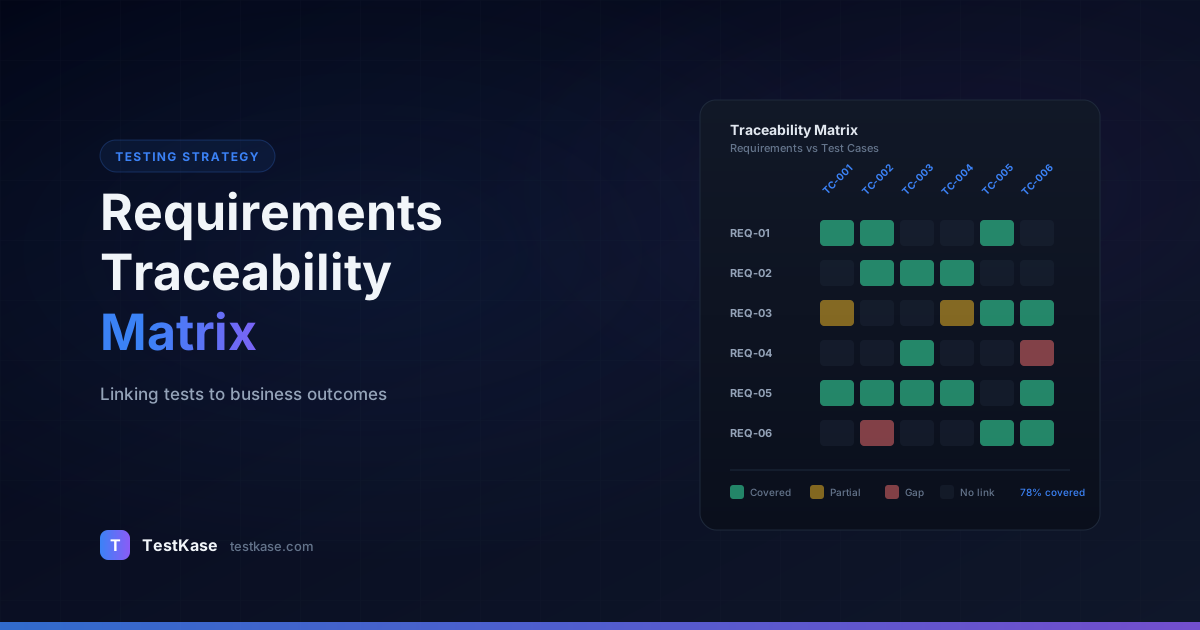
Requirements Traceability Matrix: Linking Tests to Business Outcomes

Requirements Traceability Matrix: Linking Tests to Business Outcomes
Your team ships a release, and three days later a stakeholder asks a question that makes the room go quiet: "How do we know this feature actually works the way the business requested?" You glance at your test suite — 2,400 test cases spread across dozens of modules — and realize you cannot draw a clean line from any single business requirement to the tests that validate it. You tested something, sure. But can you prove you tested the right things?
This is the exact problem a Requirements Traceability Matrix solves. An RTM is the connective tissue between what the business asked for and what QA verified. Without it, you are flying blind — reporting pass rates that sound impressive but do not actually confirm whether critical requirements have been validated. With it, you gain the ability to answer "what did we test and why?" in seconds rather than hours. And in regulated industries like healthcare, fintech, or automotive, that answer is not optional — it is an audit requirement.
A 2025 report by the Consortium for Information and Software Quality (CISQ) estimated that poor software quality cost U.S. organizations $2.41 trillion in 2024, with a significant portion attributed to requirements-related defects — features that were misunderstood, incompletely specified, or inadequately tested. Traceability does not eliminate all those costs, but it systematically closes the gap between "what was requested" and "what was verified."
The impact is measurable. Organizations with mature traceability practices report 35% fewer post-release defects, 50% faster audit preparation, and 25% reduction in redundant testing. These numbers come from a 2024 Capgemini study of 200 enterprise software teams. The upfront investment in traceability — building and maintaining the matrix — pays for itself within two release cycles for most teams.
What Is a Requirements Traceability Matrix?
A Requirements Traceability Matrix is a document — or more practically, a structured dataset — that maps every business requirement to the test cases, test executions, and defects associated with it. Think of it as a lookup table: given any requirement, you can instantly see which tests cover it, whether those tests have been executed, and what the results were.
The matrix typically contains columns for the requirement ID, requirement description, associated test case IDs, execution status, and any linked defects. Some teams extend it with columns for priority, the module or component involved, and the owner responsible for verification.
The cost of missing traceability
A 2024 study by Capgemini found that 42% of production defects in enterprise software could be traced back to requirements that were either untested or inadequately tested. Organizations with mature traceability practices reduced post-release defects by 35% compared to those without.
Why does this matter? Because test suites grow organically. Testers add cases for new features, regression scenarios pile up, and over time the relationship between "what we are supposed to build" and "what we are testing" erodes. An RTM keeps that relationship explicit and auditable.
The Anatomy of an RTM
At its core, an RTM is a table with these essential columns:
| Req ID   | Requirement Description          | Test Case IDs      | Status   | Defects  | Owner  |
|----------|----------------------------------|--------------------|----------|----------|--------|
| REQ-101  | Apply single discount code       | TC-401..TC-405     | 4/5 Pass | BUG-287  | Sarah  |
| REQ-102  | Tax by shipping address          | TC-410..TC-412     | 2/3 Pass | —        | Raj    |
| REQ-103  | Order confirmation within 60s    | (none)             | No cover | —        | —      |
But the real power comes from the metadata you layer on top:
- Coverage depth — How many test cases cover each requirement (positive, negative, boundary, edge cases)
- Execution recency — When were the linked tests last executed? A test that passed 6 months ago may no longer be valid.
- Defect density — How many defects have been found per requirement? High defect density signals unstable implementation.
- Risk classification — Is this requirement critical (payment processing), important (user notifications), or nice-to-have (UI polish)?
A Concrete RTM Example
Here is what a section of a real-world RTM looks like for an e-commerce checkout module:
REQ-101: Users can apply a single discount code at checkout
  ├── TC-401: Apply valid 10% discount code → Passed (Cycle 12)
  ├── TC-402: Apply expired discount code → Passed (Cycle 12)
  ├── TC-403: Apply code with minimum purchase not met → Passed (Cycle 12)
  ├── TC-404: Apply two discount codes simultaneously → Failed (Cycle 12) → BUG-287
  └── TC-405: Apply code to cart with excluded items → Not Executed

REQ-102: Tax calculation adjusts based on shipping address
  ├── TC-410: Verify tax for California address → Passed (Cycle 12)
  ├── TC-411: Verify tax for Oregon (no sales tax) → Passed (Cycle 12)
  ├── TC-412: Verify tax for international address → Not Executed
  └── (Gap: No test case for tax-exempt customers)

REQ-103: Order confirmation email sent within 60 seconds
  └── (Gap: No linked test cases)
This view immediately reveals actionable information: REQ-101 has a linked defect, REQ-102 has a test gap for tax-exempt customers, and REQ-103 has no test coverage at all. Without the matrix, each of these gaps would remain invisible until a customer encounters the problem in production.
RTM vs. Test Coverage Reports
Teams sometimes confuse an RTM with a test coverage report. They serve different purposes:
- Test coverage reports tell you what percentage of your code is exercised by tests. They answer: "Are there untested code paths?"
- An RTM tells you what percentage of your requirements are validated by tests. It answers: "Are there untested business rules?"
You can have 95% code coverage and still have untested requirements — if the code that was tested does not align with what the business actually asked for. Conversely, you can have 100% requirement coverage and still have untested code — if the implementation includes logic that goes beyond the stated requirements.
Both are valuable. But when a stakeholder asks "did we test everything the business needs?" the RTM is what answers that question, not the code coverage report.
Forward vs. Backward Traceability — and Why You Need Both
Traceability works in two directions, and each answers a different question.
Forward traceability starts from a requirement and traces forward to the test cases that validate it. It answers: "Is every requirement covered by at least one test?" This is your coverage question. If requirement REQ-047 has zero linked test cases, you have a gap — and you know exactly where it is.
Backward traceability starts from a test case and traces back to the requirement it validates. It answers: "Does every test case have a reason to exist?" This is your efficiency question. If test case TC-312 does not map to any active requirement, it might be testing a deprecated feature, duplicating another test, or simply orphaned.
Bidirectional traceability — combining both directions — gives you the complete picture. You can spot untested requirements and unjustified tests in a single view. Teams that only implement forward traceability miss the bloat on the testing side. Teams that only do backward traceability miss the gaps on the requirements side.
The Extended Traceability Chain
Mature organizations extend traceability beyond requirements and tests to form a complete chain:
Business Objective
  → Requirement (what the system should do)
    → Design Specification (how the system implements it)
      → Source Code (the implementation)
        → Test Case (the verification)
          → Test Execution (the evidence)
            → Defect (the failures found)
This chain provides end-to-end visibility from business goals to verification evidence. In regulated industries, auditors expect to walk this chain in both directions. In non-regulated environments, even a partial chain (requirements to test cases to executions) provides significant value.
The Four Levels of Traceability Maturity
Not all traceability implementations are equal. Teams typically progress through four levels:
Level 1 — Ad hoc. No formal mapping exists. Testers know which requirements their tests cover based on tribal knowledge. Coverage gaps are discovered in production.
Level 2 — Documented. A spreadsheet or document maps requirements to test cases, but it is maintained manually and reviewed infrequently. Accuracy degrades within weeks of creation.
Level 3 — Integrated. Traceability links are maintained within the test management tool, automatically updated as tests are created and executed. Reports are generated on demand.
Level 4 — Continuous. Traceability is embedded in the development workflow. Links are validated in CI/CD pipelines, coverage gaps trigger alerts, and every release includes a traceability report as a standard artifact.
Most teams are at Level 1 or 2. Getting to Level 3 requires tooling; getting to Level 4 requires both tooling and cultural commitment.
Here is a concrete benchmark from a healthcare SaaS company's maturity journey:
| Metric | Level 1 | Level 2 | Level 3 | Level 4 | |--------|---------|---------|---------|---------| | Post-release defects per release | 23 | 18 | 11 | 7 | | Audit preparation time | 3 weeks | 2 weeks | 2 days | Real-time | | Requirements without test coverage | Unknown | ~30% | 8% | 2% | | Orphaned test cases | Unknown | Unknown | 22% | 5% | | RTM maintenance time per sprint | 0 hrs | 6 hrs | 1 hr | 15 min |
The jump from Level 1 to Level 3 took this team approximately 6 months. The jump from Level 3 to Level 4 took another year, primarily because of the CI/CD integration work and cultural change required.
Building an RTM: A Step-by-Step Approach
Building a traceability matrix does not have to be a multi-month initiative. Here is a practical approach that works whether you have 50 test cases or 5,000.
Step 1: Establish Your Requirements Baseline
Before you can trace anything, you need a stable list of requirements with unique identifiers. If your requirements live in Jira, Confluence, or a dedicated requirements tool, you likely already have IDs. If they live in a Word document or a wiki page, assign IDs now — REQ-001, REQ-002, and so on.
Group requirements by module or feature area. This makes the matrix navigable. A flat list of 400 requirements with no grouping is technically complete but practically useless.
A common pitfall here is inconsistent granularity. If some requirements are high-level epics ("Users can manage their account") while others are atomic acceptance criteria ("Password must be 8-64 characters"), the resulting matrix will be uneven and hard to analyze. Normalize to a consistent level — typically the user story or functional requirement level.
Here is a practical taxonomy for normalizing requirement granularity:
LEVEL 1 — Epic: "User Account Management"
  (Too broad for RTM — does not map cleanly to test cases)

LEVEL 2 — Feature: "User Password Management"
  (Acceptable for high-level RTM — maps to a group of test cases)

LEVEL 3 — User Story: "As a user, I can reset my password via email"
  (Ideal for RTM — maps to 3-8 test cases covering positive, negative, boundary)

LEVEL 4 — Acceptance Criterion: "Password must be 8-64 characters with
  at least one uppercase, one lowercase, and one number"
  (Too granular for most RTMs — maps to 1-2 test cases)
Level 3 (user story) is the sweet spot for most teams. It is specific enough to create meaningful test coverage metrics but not so granular that the matrix becomes unwieldy.
Step 2: Inventory Your Test Cases
Pull a list of every test case in your active suite with its ID, title, and the module it belongs to. Filter out deprecated or disabled tests — they will clutter the matrix without adding value.
This is also a good time to audit your test case naming. If test names are ambiguous ("Test case 47" or "Login test"), rename them to reflect what they actually verify. Clear names make the mapping process faster and reduce errors.
For automated tests, extract test names from your test framework. Here is a script that generates an inventory from a Jest test suite:
// Extract test inventory from Jest suite
const { execSync } = require('child_process');

const output = execSync('npx jest --listTests --json', { encoding: 'utf-8' });
const testFiles = JSON.parse(output);

// For each test file, extract describe/it blocks
for (const file of testFiles) {
  const result = execSync(
    `npx jest "${file}" --verbose --json 2>/dev/null`,
    { encoding: 'utf-8' }
  );
  const parsed = JSON.parse(result);

  for (const suite of parsed.testResults) {
    for (const test of suite.testResults) {
      console.log(`${suite.name}\t${test.fullName}\t${test.status}`);
    }
  }
}
Step 3: Create the Initial Mapping
This is the labor-intensive part. For each requirement, identify which test cases validate it. A single requirement might map to five or ten test cases (positive, negative, boundary, integration). A single test case might map to multiple requirements if it validates shared behavior.
Start with high-priority requirements
You do not have to map everything in one pass. Begin with your highest-priority requirements — the ones tied to core business workflows or regulatory obligations. Map lower-priority requirements in subsequent iterations. An 80% complete RTM delivered this sprint is more valuable than a 100% complete RTM delivered next quarter.
For the initial mapping, use this process:
- Group requirements by module — Work through one module at a time to maintain context.
- For each requirement, search for related test cases — Search by keyword, module, or feature tag.
- Verify the link — Read the test case steps and confirm it actually validates the requirement's acceptance criteria. Do not map based on naming alone.
- Record the coverage depth — Note whether the requirement has positive tests, negative tests, boundary tests, and integration tests. A requirement with only one positive test has shallow coverage.
- Flag gaps immediately — If a requirement has zero matching test cases, flag it and add "needs coverage" to your test planning backlog.
Step 4: Add Execution and Defect Data
Once the mapping exists, enrich it with execution status. For each test case linked to a requirement, record whether it has been executed in the current cycle, its pass/fail status, and any defects found. This transforms the matrix from a static document into a living dashboard.
Link defects bidirectionally: from the defect to the test case that found it, and from the test case to the requirement it validates. This three-way link — requirement to test to defect — is the most powerful traceability chain because it answers: "This requirement has a known defect, found by this test, and here is the current status."
A practical example of the three-way chain:
REQ-201: Payment processing must complete within 5 seconds
  └── TC-601: Measure payment processing time under load
        └── Test Cycle 14: Failed (processing took 8.2 seconds at 500 users)
              └── BUG-342: Payment timeout under load (Priority: Critical)
                    └── Status: In Progress — assigned to Dev Team
                          └── Fix deployed to QA: awaiting re-test
This chain lets anyone — QA, dev, product, management — understand the full context of a quality issue in seconds. The requirement is at risk, there is a specific test that proved it, a defect has been filed, and it is currently being worked on.
Step 5: Perform Gap Analysis
With the matrix populated, run two checks. First, forward: identify requirements with zero linked test cases. These are your coverage gaps. Second, backward: identify test cases with no linked requirement. These are candidates for removal or reclassification.
A well-executed gap analysis typically reveals that 10-20% of requirements lack adequate test coverage, while 15-25% of test cases do not map to any current requirement. Closing both gaps simultaneously improves coverage and reduces suite bloat.
Step 6: Establish Ongoing Maintenance
An RTM that is accurate on day one and stale by week three provides minimal value. Integrate traceability updates into your existing workflow — when a new requirement is added, the RTM gets a new row; when a test case is created, it gets linked to the relevant requirements.
Maintaining the Matrix Without Losing Your Mind
The number-one reason RTMs fail is not that teams do not build them — it is that teams do not maintain them. The matrix becomes a snapshot of a moment in time rather than a living artifact.
Three practices keep an RTM current:
Embed traceability in your definition of done. If a user story is not considered complete until its test cases are linked to the corresponding requirements in the RTM, maintenance happens automatically as part of the development workflow rather than as a separate, forgettable task.
Automate where possible. If your test management tool supports requirement linking — and modern ones do — the matrix generates itself from the links you create during normal test case authoring. You do not maintain a spreadsheet; you maintain links, and the spreadsheet is a report.
Review quarterly. Even with automation, drift happens. Requirements get deprecated, features get reorganized, and test cases get moved between modules. A quarterly review of the matrix catches orphaned links, stale mappings, and structural inconsistencies before they compound.
Practical Maintenance Workflow
Here is a concrete workflow used by a fintech team with 1,800 requirements and 4,200 test cases:
- During sprint planning: When new user stories enter the sprint, the QA lead creates placeholder rows in the RTM with requirement IDs and "No coverage" status.
- During test authoring: As testers write test cases for the sprint's stories, they link each test case to its requirement. The RTM row updates from "No coverage" to "Test cases linked."
- During execution: As tests run and results are recorded, the RTM rows update with pass/fail status and any linked defects.
- At sprint retrospective: The team reviews the RTM for the sprint's requirements. Any gaps are flagged for the next sprint.
- Quarterly: A full sweep identifies orphaned test cases, deprecated requirements still showing as active, and requirements where coverage has degraded over time.
This workflow adds roughly 15 minutes per sprint to the QA lead's responsibilities — a trivial cost for the visibility it provides.
Automating Traceability with Tags and Conventions
For teams using automated test frameworks, traceability can be partially automated through naming conventions and tags:
// Jest — embed requirement IDs in test names
describe('Checkout Flow', () => {
  // @requirement REQ-101
  test('[REQ-101] Apply valid discount code at checkout', () => {
    // ...
  });

  // @requirement REQ-101
  test('[REQ-101] Reject expired discount code', () => {
    // ...
  });

  // @requirement REQ-102
  test('[REQ-102] Calculate California sales tax', () => {
    // ...
  });
});
# Pytest — use markers for requirement IDs
import pytest

@pytest.mark.requirement("REQ-101")
def test_apply_valid_discount_code():
    pass

@pytest.mark.requirement("REQ-101")
def test_reject_expired_discount_code():
    pass

@pytest.mark.requirement("REQ-102")
def test_calculate_california_tax():
    pass
A CI script can then parse these annotations and automatically update your traceability matrix:
# Extract requirement mappings from test suite
grep -r "@requirement\|@pytest.mark.requirement\|\[REQ-" tests/ \
  | sed 's/.*\(REQ-[0-9]*\).*/\1/' \
  | sort | uniq -c | sort -rn
This gives you a quick count of how many tests map to each requirement — a lightweight coverage check that runs in seconds.
Tool-Based vs. Spreadsheet-Based Traceability
Many teams start with a spreadsheet — and for small projects with fewer than 100 requirements, that is fine. But spreadsheets have hard limits that surface quickly as projects scale.
The transition point usually hits around 200 requirements or when more than two people need to update the matrix concurrently. At that point, the spreadsheet becomes a bottleneck — version conflicts, stale data, and formula errors start costing more time than the matrix saves.
A real-world example: a healthcare SaaS team maintained their RTM in Google Sheets for two years. With 320 requirements and three QA engineers editing simultaneously, they experienced weekly formula breakages, lost rows during merge conflicts, and could not track who changed a link or when. After migrating to a dedicated tool, they estimated saving 5 hours per week in maintenance time — over 250 hours per year.
Running a Gap Analysis
A gap analysis is the highest-value activity you can perform with an RTM. It reveals two things: requirements without test coverage and tests without business justification.
For untested requirements, prioritize by risk. A missing test for a payment processing requirement is more urgent than a missing test for a tooltip's copy. Assign owners and deadlines for closing gaps, and track progress in your next sprint planning.
For orphaned tests, investigate before deleting. Some may cover implicit requirements that were never formally documented — integration behaviors, performance thresholds, or security baselines. Document those requirements retroactively or retire the tests.
Gap Analysis Metrics to Track
Beyond simple "covered / not covered" counts, track these metrics to measure your traceability health:
- Requirement coverage ratio: Percentage of requirements with at least one linked, passing test case. Target: above 95% for critical requirements.
- Test case justification ratio: Percentage of active test cases linked to at least one current requirement. Target: above 90%.
- Coverage depth: Average number of test cases per requirement. A requirement with only one test case has shallow coverage; three to five test cases per requirement (positive, negative, boundary) indicates thorough coverage.
- Defect escape rate by coverage: Compare defect rates between well-covered requirements (3+ test cases) and poorly covered ones (0-1 test cases). This data justifies investment in traceability to stakeholders.
- Stale coverage ratio: Percentage of linked tests that have not been executed in the last 30 days. A requirement with 5 linked tests that have not run in 3 months has stale coverage — it may not actually be validated.
Don't treat 100% mapping as 100% quality
An RTM tells you whether requirements are linked to tests — not whether those tests are good. A requirement mapped to five shallow tests is less valuable than one mapped to two thorough tests. Use the matrix as a coverage indicator, not a quality guarantee.
Running a Gap Analysis in Practice
Here is a step-by-step process for running a gap analysis:
- Export the RTM to a format where you can filter and sort (CSV, spreadsheet, or tool-generated report)
- Filter for untested requirements — Rows where the "Test Case IDs" column is empty. Count them and calculate the coverage ratio.
- Filter for orphaned tests — Test cases that appear in your test suite but not in any RTM row. Calculate the justification ratio.
- Classify gaps by risk — For untested requirements, assign risk levels: Critical, High, Medium, Low.
- Create a remediation plan — For each Critical and High gap, assign an owner and a sprint target for creating test cases.
- Present findings to stakeholders — Show the gap distribution by module and risk level. This creates organizational pressure to close gaps.
Traceability in Regulated Industries
For teams in healthcare, fintech, automotive, or aerospace, traceability is not optional — it is a regulatory requirement with legal implications.
Medical devices (FDA 21 CFR Part 820): Requires documented verification and validation of design outputs against design inputs. An RTM that maps design requirements to verification test cases is the standard way to demonstrate compliance during FDA audits. The FDA specifically looks for:
- Complete bidirectional traceability from user needs to design requirements to verification tests
- Evidence that every requirement was verified (test execution records)
- Documentation of any requirements that were not verified, with risk justification
Automotive (ISO 26262): The functional safety standard requires traceability from safety requirements through design, implementation, and testing. Each safety requirement must trace to at least one test case, and the results must be documented. Automotive Safety Integrity Levels (ASIL A through D) determine how rigorous the traceability must be.
Financial services (SOX, PCI-DSS): While not always explicit about traceability, auditors routinely ask for evidence that critical business logic has been tested. An RTM provides that evidence in a format auditors understand. For PCI-DSS specifically, requirement 6.5.x mandates testing for common vulnerabilities — traceability ensures each vulnerability type has corresponding test coverage.
Aerospace (DO-178C): One of the most rigorous standards, requiring bidirectional traceability between requirements, design, code, and tests at every software level. Teams in this space cannot function without automated traceability. DO-178C Level A (catastrophic failure impact) requires that every line of code traces to a requirement and every requirement traces to a test.
For regulated teams, the RTM is not just a QA tool — it is a legal artifact. Every link must be defensible, every change must be auditable, and the matrix must be complete at the time of each regulatory submission.
Preparing for audits
When an audit is approaching, run a gap analysis at least 4 weeks before the audit date. This gives your team time to close critical gaps and document any accepted risks. Generate the traceability report from your tool (not manually) to ensure accuracy. Auditors are more confident in reports generated from live data than manually maintained spreadsheets.
Common Mistakes with Traceability Matrices
Treating the RTM as a one-time deliverable. Teams build the matrix for an audit or a milestone, then let it decay. A stale RTM is worse than no RTM because it creates false confidence. If you build one, commit to maintaining it.
Mapping at the wrong granularity. Mapping high-level epics to individual test cases creates a many-to-many mess that is impossible to interpret. Mapping atomic acceptance criteria to test cases produces a cleaner, more actionable matrix. Find the right level — typically the user story or functional requirement level.
Ignoring non-functional requirements. Performance, security, accessibility, and compliance requirements need traceability too. Teams often build RTMs that only cover functional behavior and then get caught off guard when an auditor asks about security test coverage.
Creating links without verifying them. Some teams map test cases to requirements based on naming conventions or module ownership without confirming that the test actually validates the requirement's acceptance criteria. Superficial mapping produces superficial traceability.
Over-engineering the matrix. Adding columns for every conceivable metadata field — risk level, test type, automation status, environment, tester, reviewer, approval date — makes the matrix comprehensive but unwieldy. Start lean and add columns only when a specific stakeholder need demands them.
Failing to involve developers. Developers understand the code changes that map to requirements better than anyone. When QA builds the RTM in isolation, mappings are often incomplete or inaccurate. Include developers in the initial mapping review and in quarterly audits.
Not tracking coverage trends over time. A single snapshot of coverage is useful but limited. Tracking coverage ratio week over week reveals whether your traceability practice is improving or degrading. Plot the percentage of requirements with passing test coverage over time — this single metric tells the whole story.
How TestKase Supports Traceability
TestKase was designed with traceability as a first-class concept, not an afterthought. Every test case in TestKase can be linked to requirements, and those links flow through to test cycles, execution results, and reporting.
When you create a test case, you can tag it with requirement IDs from Jira or your requirements source. TestKase's reporting engine then generates traceability views automatically — no spreadsheet needed. You see forward coverage (which requirements have linked tests), backward coverage (which tests have linked requirements), and gap analysis in a single dashboard.
For teams in regulated environments, TestKase provides a full audit trail of traceability changes — who linked what, when, and why. This makes compliance reporting straightforward rather than a scramble before audits.
The Jira integration through the TestKase Forge app adds another layer of traceability. When test cases are linked to Jira issues, you can view test coverage directly within Jira stories and epics, making traceability visible to product managers and developers — not just the QA team. This cross-tool visibility is what moves teams from Level 2 to Level 3 on the maturity scale.
The result: you spend your time testing, not maintaining a spreadsheet. And when a stakeholder asks "how do we know this works?" you pull up a real-time traceability report instead of digging through rows in Excel.
Start Free with TestKaseConclusion
A Requirements Traceability Matrix is not bureaucratic overhead — it is the bridge between "we ran a lot of tests" and "we validated every business requirement." Build it incrementally, starting with your highest-risk requirements. Maintain it as part of your workflow, not as a separate task. Use tooling that automates the tedious parts so your team can focus on the analysis that actually drives quality.
The question you should be able to answer after every release: can you trace every shipped requirement to a passing test? If not, an RTM is where you start. Begin with your top 50 requirements, map them to existing tests, run a gap analysis, and close the critical gaps. Within one quarter, you will have a traceability practice that reduces post-release defects, accelerates audit preparation, and gives your stakeholders the confidence that what you tested is what the business actually needed.
Try TestKase FreeStay up to date with TestKase
Get the latest articles on test management, QA best practices, and product updates delivered to your inbox.
SubscribeShare this article
Related Articles
Critical, Serious, Moderate, Minor: How to Triage Accessibility Issues by Severity
A practical triage policy template — SLAs per severity, ownership across design / engineering / content / QA, and how to share findings cross-team without forwarding PDFs.
Read more →Why Single-Page Accessibility Scans Miss Real Bugs (and What Multi-Page Audits Catch)
Single-URL accessibility scanners miss six entire categories of WCAG violations. Here's what falls through the gap, and how flow-aware audits catch the issues your users actually hit.
Read more →Accessibility Testing in CI/CD: Catching WCAG Issues Before They Ship
Three integration patterns, GitHub Actions / GitLab / CircleCI templates, and a 3-quarter rollout playbook to take an engineering team from zero accessibility in CI to block-on-fail.
Read more →