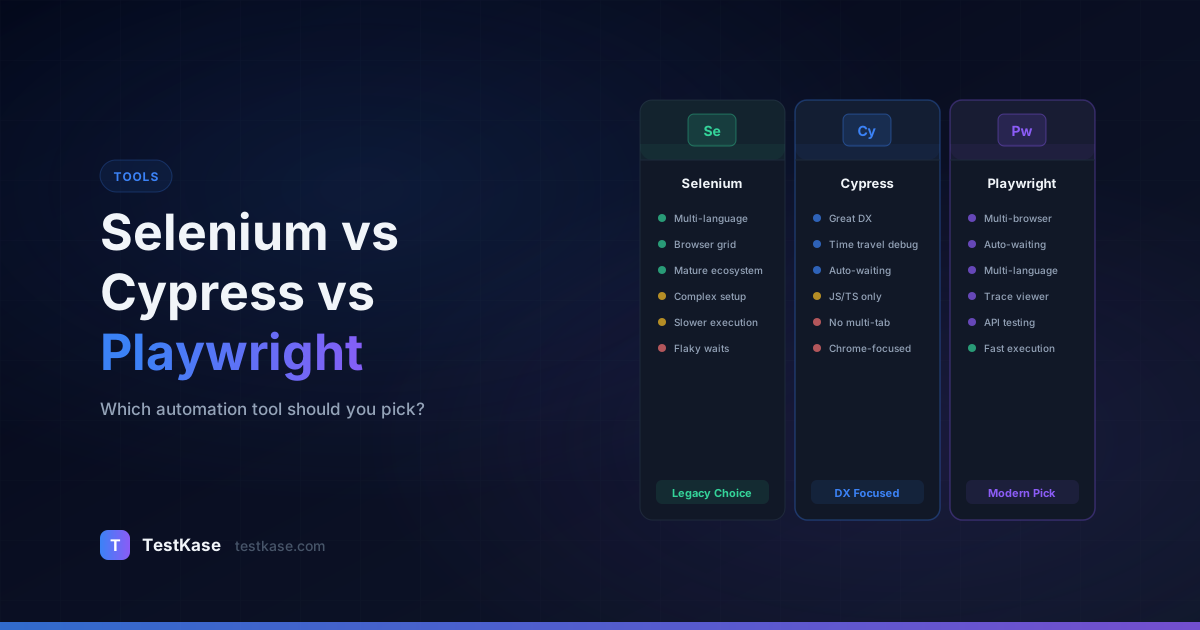
Selenium vs Cypress vs Playwright: Which One Should You Pick?

Selenium vs Cypress vs Playwright: Which One Should You Pick?
You have been tasked with choosing an automation tool for your team. You open a browser tab, search for comparisons, and within ten minutes you are drowning in conflicting opinions. One article swears Selenium is dead. Another says Cypress is the future. A third claims Playwright has already won. Everybody has a favorite, and nobody seems to agree.
Here is the uncomfortable truth: there is no universally "best" tool. Selenium, Cypress, and Playwright each solve the same core problem — automating browser interactions — but they make fundamentally different architectural choices that affect speed, reliability, debugging, and team productivity. The right pick depends on your application, your team's skills, and your specific constraints.
This comparison cuts through the noise. No sponsorship bias, no hype — just an honest breakdown of where each tool shines, where it struggles, and which scenarios favor which choice. We will go deep into architecture, performance benchmarks, real-world migration stories, and the decision framework you need to make a confident choice.
How They Actually Work Under the Hood
The architectural differences between these three tools explain almost every practical tradeoff you will encounter. Understanding these differences is essential before evaluating any feature comparison.
Selenium uses the WebDriver protocol — a W3C standard that communicates with browsers through a separate driver binary (ChromeDriver, GeckoDriver). Your test code sends HTTP commands to the driver, which translates them into browser actions. This extra layer adds latency but enables cross-browser and cross-language support that no other tool matches. The W3C standardization means Selenium works with any browser that implements the WebDriver spec, including mobile browsers through Appium.
Cypress takes a radically different approach. It runs directly inside the browser, executing test code in the same JavaScript runtime as your application. There is no network hop between your test and the DOM — Cypress manipulates the page directly. This architecture makes it blazing fast for single-browser testing but limits it to browsers that use the Chromium or Firefox engine. The in-browser execution also means Cypress can intercept and stub network requests at the JavaScript level, giving tests direct control over the application's behavior.
Playwright sits somewhere in between. It communicates with browsers over the Chrome DevTools Protocol (CDP) for Chromium, and similar internal protocols for Firefox and WebKit. This gives it native-level speed without sacrificing cross-browser support. Playwright also controls the browser at a lower level than Selenium, which enables features like network interception, geolocation mocking, and permission handling out of the box. Microsoft maintains custom patched versions of Firefox and WebKit to ensure consistent Playwright behavior across browsers.
Architecture impact
Selenium's WebDriver protocol adds 10–50ms of overhead per command. Playwright's CDP connection adds roughly 1–5ms. Cypress, running in-process, adds near-zero overhead. Over a suite of 500 tests with 20 commands each, these differences compound into minutes.
What the Architecture Means in Practice
These architectural differences manifest in concrete ways during daily work:
-
Tab and window management: Selenium and Playwright can control multiple tabs and windows. Cypress cannot — its in-browser architecture restricts it to a single tab per test. If your application opens a new tab for payment processing or OAuth, Cypress cannot follow it.
-
Origin restrictions: Cypress runs within the browser's same-origin policy. Visiting a different domain mid-test (like a third-party login page) requires workarounds or the
cy.origin()command added in Cypress 12. Playwright and Selenium have no such restriction. -
Shadow DOM: Playwright pierces shadow DOM boundaries by default with its locators. Selenium requires explicit shadow root traversal. Cypress has evolved its shadow DOM support but still requires the
{ includeShadowDom: true }option. -
File downloads and uploads: Playwright and Selenium handle file downloads natively through browser-level control. Cypress requires plugin-based workarounds for file download verification because it cannot access the file system directly from the browser context.
-
Browser DevTools access: Playwright provides first-class access to the Chrome DevTools Protocol, allowing you to intercept network traffic, manipulate cookies, and control browser-level features programmatically. Selenium 4 added basic CDP support, but it is less mature. Cypress handles network interception differently through its built-in
cy.intercept()command.
The Feature-by-Feature Comparison
Let's break this down across the dimensions that matter most to automation teams.
Speed and Reliability
Speed is not just about raw execution time — it is about how often tests pass when the application is working correctly. Flaky tests waste more time than slow tests.
Selenium requires you to manage waits explicitly. Forget an explicit wait, and your test fails intermittently because the element was not ready. Add too many Thread.sleep() calls, and your suite crawls. Experienced Selenium engineers build robust wait utilities, but this is framework-level work that Cypress and Playwright handle automatically.
// Selenium: manual wait required
WebDriverWait wait = new WebDriverWait(driver, Duration.ofSeconds(10));
WebElement button = wait.until(
    ExpectedConditions.elementToBeClickable(By.id("submit"))
);
button.click();
Cypress retries commands automatically until they succeed or time out. If you write cy.get('.submit-btn').click(), Cypress keeps querying the DOM until it finds the element — no explicit waits needed. This drastically reduces flakiness for straightforward interactions. However, Cypress's retry logic does not extend to assertions on network requests without additional configuration.
// Cypress: automatic retry built in
cy.get('.submit-btn').click(); // retries until found or 4s timeout
cy.get('.success-message').should('be.visible'); // retries assertion
Playwright combines auto-waiting with actionability checks. Before clicking a button, Playwright verifies it is visible, stable (not animating), enabled, and not obscured by another element. This is the most thorough built-in reliability mechanism of the three — and a major reason Playwright suites tend to be less flaky out of the box.
// Playwright: auto-wait + actionability checks
await page.locator('#submit').click();
// Playwright automatically waits for the element to be:
// - Attached to the DOM
// - Visible
// - Stable (not animating)
// - Enabled
// - Not obscured by other elements
Real-world benchmark
Teams migrating from Selenium to Playwright typically report a 30–50% reduction in test execution time and a 60–70% reduction in flaky test failures — not because Selenium is bad, but because Playwright's defaults handle the edge cases that most Selenium frameworks leave to the engineer.
Flakiness: The Hidden Cost
A 2024 survey by Launchable found that the average CI suite has a 15–25% flaky test rate. Each flaky test failure costs an average of 20 minutes of developer investigation time. For a team with 500 tests and a 20% flakiness rate, that is 100 false alarms per run, consuming 33 hours of investigation time per week.
Playwright's actionability checks eliminate the most common categories of flakiness:
- Element not yet visible — Playwright waits until the element is rendered
- Element obscured by overlay — Playwright checks that no other element blocks the click target
- Element still animating — Playwright waits for position stability between two animation frames
- Element disabled — Playwright waits for the enabled state before interacting
These checks happen automatically on every interaction. In Selenium, you would need to build each of these checks manually.
Cypress addresses flakiness differently — through its command queue architecture. Commands are queued and replayed against the DOM until they succeed or timeout. This works well for element interactions but can struggle with asynchronous operations that happen outside the DOM (API calls, timers, web workers).
Measuring Flakiness Across Tools
To quantify the difference, consider how each tool handles a common scenario: clicking a button that appears after an API response:
| Scenario | Selenium (no custom waits) | Selenium (with explicit waits) | Cypress | Playwright | |---|---|---|---|---| | Button appears after 500ms API call | Fails ~40% of the time | Passes consistently | Passes consistently | Passes consistently | | Button appears then gets replaced by React re-render | Fails ~60% of the time | Fails ~15% of the time | Passes consistently | Passes consistently | | Button appears but is behind a loading overlay | Fails ~30% of the time | Passes (if checking clickability) | Fails ~10% of the time | Passes consistently | | Button is animating into position | Fails ~20% of the time | Fails ~10% of the time | Fails ~5% of the time | Passes consistently |
Playwright's comprehensive actionability checks give it the edge in every category. Cypress handles most cases well but does not check for overlay obstruction by default. Selenium without explicit waits is unreliable, but with well-crafted custom utilities, it can match Cypress-level reliability.
Developer Experience and Debugging
This is where the tools diverge sharply.
Cypress has the best debugging experience, period. Its Test Runner shows a visual timeline of every command, with before-and-after DOM snapshots you can hover over. When a test fails, you can step through the command log, inspect the DOM at any point, and see exactly what happened. For JavaScript developers, it feels native and intuitive.
The Cypress Dashboard (now Cypress Cloud) adds test analytics, video recordings, and parallelization insights. The downside is that many of these features require a paid subscription, with free tiers limited to 3 users and 500 test results per month.
// Cypress: real-time command log shows each step
cy.visit('/checkout');
cy.get('[data-testid="cart-item"]').should('have.length', 3);
cy.get('[data-testid="promo-code"]').type('SAVE20');
cy.get('[data-testid="apply-promo"]').click();
cy.get('[data-testid="total-price"]').should('contain', '$80.00');
// Each command appears in the visual log with DOM snapshots
Playwright counters with its Trace Viewer — a post-mortem debugging tool that records every action, network request, console log, and screenshot during a test run. You can replay the entire test visually, step by step. Playwright also has a built-in VS Code extension with live debugging support, which is excellent for development-time workflow.
// Enable tracing in playwright.config.ts
export default defineConfig({
  use: {
    trace: 'on-first-retry', // Capture trace only on failure
    screenshot: 'only-on-failure',
    video: 'retain-on-failure',
  },
});
Playwright's codegen tool is another standout. Run npx playwright codegen https://your-app.com and interact with your application in a real browser — Playwright generates test code in real time. This dramatically speeds up the initial test creation process, especially for teams new to automation.
Selenium relies on traditional debugging: breakpoints, logging, and screenshots on failure. The developer experience has improved with Selenium 4 and the new Selenium Manager (which auto-downloads browser drivers), but it still requires more manual setup compared to Cypress and Playwright.
IDE Support Comparison
IDE integration significantly impacts day-to-day productivity:
- Playwright: First-class VS Code extension with test discovery, inline run/debug, live test generation, and trace viewing. IntelliJ IDEA support through standard test runner plugins.
- Cypress: VS Code extension available but less featured. The Cypress Test Runner application provides the primary development experience.
- Selenium: Relies on standard language IDE support (IntelliJ for Java, VS Code for JavaScript, PyCharm for Python). No specialized test runner UI built in.
Test Generation and AI Integration
As AI-assisted development becomes standard, the tools differ in their AI readiness:
Playwright's codegen generates syntactically correct, runnable tests from browser interactions. The generated code uses Playwright's best-practice locators (role-based and data-testid) and includes proper async/await patterns. Teams report that codegen-generated tests need only minor refinements to become production-ready.
Cypress Studio (experimental) allows you to record interactions within the Cypress Test Runner. The generated commands are added directly to your spec file. However, Studio remains in experimental status and has not seen major updates recently.
Selenium IDE is a browser extension that records interactions and exports them as Selenium code in multiple languages. The exported code tends to use brittle locator strategies (CSS path, XPath) and often needs significant refactoring for production use.
Parallel Execution and Scaling
When your suite grows past a few hundred tests, parallel execution becomes essential.
Playwright handles this natively. You configure the number of workers in playwright.config.ts, and Playwright distributes tests across them with full isolation — each worker gets its own browser context. No shared state, no conflicts, no extra infrastructure.
// playwright.config.ts
export default defineConfig({
  workers: process.env.CI ? 4 : undefined, // 4 parallel workers in CI
  fullyParallel: true,
  retries: process.env.CI ? 2 : 0,
});
Cypress supports parallelization through its Dashboard service (now Cypress Cloud), which distributes spec files across multiple CI machines. The parallelization itself works well, but the recording and analytics features require a paid plan. Free alternatives exist (like sorry-cypress), but they require self-hosting infrastructure.
Selenium Grid enables parallel execution across multiple browsers and machines, but setting it up is an infrastructure project in itself. Third-party services like BrowserStack and Sauce Labs simplify this, but at a cost. A typical BrowserStack plan for parallel testing starts around $199/month.
Scaling Benchmarks
Here is how execution time scales across a hypothetical 500-test E2E suite:
| Configuration | Selenium (Grid) | Cypress (Cloud) | Playwright | |---|---|---|---| | Sequential (1 worker) | ~45 min | ~30 min | ~25 min | | 4 workers | ~12 min | ~8 min | ~7 min | | 8 workers | ~7 min | ~5 min | ~4 min | | Infrastructure cost | Grid setup or $200+/mo cloud | $150+/mo Cloud plan | Free (runs on CI machine) |
Playwright's per-worker isolation model means you can scale to 8 or 16 workers on a single CI machine without conflicts. Each worker gets an independent browser context that shares no state with other workers.
Sharding for Large Suites
For very large suites (1000+ tests), Playwright supports sharding across multiple CI machines:
# GitHub Actions: shard across 4 machines
strategy:
  matrix:
    shard: [1/4, 2/4, 3/4, 4/4]
steps:
  - run: npx playwright test --shard=${{ matrix.shard }}
Each shard runs an equal portion of the test suite, and results merge automatically. This approach, combined with per-machine parallelization, can execute 1000 tests in under 5 minutes.
Cypress achieves similar distribution through its Cloud service, but the free tier limits recording. Selenium requires a custom test orchestration layer — most teams use cloud providers like BrowserStack or Sauce Labs for this.
Network Interception and API Mocking
Modern E2E tests often need to control the network layer — mocking API responses, simulating errors, or throttling connections. The tools differ significantly here.
Playwright provides page.route() for powerful request interception:
// Mock an API response
await page.route('**/api/users', async (route) => {
  await route.fulfill({
    status: 200,
    contentType: 'application/json',
    body: JSON.stringify([{ id: 1, name: 'Mock User' }]),
  });
});

// Simulate a network error
await page.route('**/api/checkout', (route) => route.abort());

// Modify a response without replacing it entirely
await page.route('**/api/config', async (route) => {
  const response = await route.fetch();
  const json = await response.json();
  json.featureFlags.newCheckout = true;
  await route.fulfill({ body: JSON.stringify(json) });
});
Cypress uses cy.intercept() for similar functionality with a slightly different API:
cy.intercept('GET', '/api/users', { fixture: 'users.json' });
cy.intercept('POST', '/api/checkout', { statusCode: 500 });
Selenium has no built-in network interception. Teams typically use a proxy server (BrowserMob Proxy or mitmproxy) or application-level feature flags to control behavior. This adds infrastructure complexity and configuration overhead.
Community, Ecosystem, and Longevity
Selenium has the largest community by far — over 20 years of Stack Overflow answers, tutorials, courses, and third-party integrations. If you hit a problem, someone has solved it before. The ecosystem includes frameworks like TestNG, pytest, NUnit, and hundreds of plugins. According to the 2025 Stack Overflow Developer Survey, Selenium remains the most-used browser automation tool globally.
Cypress built a passionate community in the JavaScript ecosystem. Its plugin system is mature, with community-contributed plugins for visual testing, accessibility, and API testing. However, being JavaScript-only limits its reach in Java- and Python-heavy organizations. The Cypress community has also expressed concerns about the increasing paywall around features that were previously free.
Playwright is the youngest of the three but growing rapidly. Backed by Microsoft, it ships monthly updates with aggressive feature development. Its documentation is consistently praised as some of the best in the testing tool space. GitHub stars and npm download trends show Playwright overtaking Cypress in 2025 for new project adoption. The project's open-source commitment — all features free, no paid cloud required — has earned significant community trust.
npm Download Trends (2024-2026)
The npm download data tells a clear adoption story:
| Period | Selenium WebDriver (weekly) | Cypress (weekly) | Playwright (weekly) | |---|---|---|---| | Jan 2024 | ~2.5M | ~5.2M | ~4.8M | | Jan 2025 | ~2.3M | ~5.0M | ~7.1M | | Jan 2026 | ~2.1M | ~4.7M | ~9.5M |
Playwright's growth has been consistent and accelerating. Selenium's downloads are declining slowly as existing projects modernize. Cypress has plateaued, reflecting its strong JavaScript base but limited growth outside that ecosystem.
Hiring and Team Considerations
When choosing a tool, consider the hiring landscape:
- Selenium engineers are the most widely available. Job postings mentioning Selenium still outnumber Playwright and Cypress combined, though the gap is narrowing.
- Cypress expertise is common among frontend JavaScript developers, but rare among traditional QA engineers who work in Java or Python.
- Playwright expertise is growing rapidly. Engineers with Playwright experience often command a premium in the job market as demand outpaces supply.
If your team is building an automation practice from scratch, training costs matter. Playwright and Cypress have shorter learning curves (days to weeks) compared to Selenium (weeks to months for a full framework setup).
When to Pick Each Tool
There is no single right answer, but there are clear signals.
Pick Selenium when:
- You need to test on browsers that Playwright and Cypress do not support (like older IE or native Safari on real devices)
- Your team works in Java, Python, Ruby, or C# and wants to stay in that ecosystem
- You need to integrate with Appium for mobile testing
- You have existing Selenium infrastructure (Grid, BrowserStack) that would be expensive to replace
- You need to support legacy applications with complex frame structures or ActiveX controls
Pick Cypress when:
- Your team is JavaScript/TypeScript-native and values developer experience above all
- You are testing a single-page application with mostly Chrome users
- You want the fastest possible onboarding for developers new to testing
- Real-time debugging during test development is a top priority
- Component testing (testing UI components in isolation) is an important part of your strategy
Pick Playwright when:
- You need cross-browser coverage (Chromium, Firefox, and WebKit/Safari)
- You want built-in auto-waiting and actionability checks to minimize flakiness
- Parallel execution without paid services matters to you
- You need advanced capabilities like multi-tab testing, network mocking, or API testing in the same framework
- You want a tool with strong momentum and no paid feature wall
The pragmatic choice
If you are starting a new project with no existing automation and your team knows TypeScript, Playwright is the safest bet in 2026. It covers the most ground with the fewest tradeoffs. But if your team already has a mature Selenium or Cypress suite, migrating for marginal gains rarely justifies the cost.
The Decision Matrix
For a more structured approach, score each tool against your specific requirements:
| Requirement | Weight | Selenium | Cypress | Playwright | |---|---|---|---|---| | Cross-browser (including Safari) | High | 9/10 | 5/10 | 9/10 | | JavaScript/TypeScript only team | Medium | 6/10 | 10/10 | 9/10 | | Java/Python team | Medium | 10/10 | 0/10 | 8/10 | | Minimal flakiness out of box | High | 4/10 | 7/10 | 9/10 | | Real-time debugging | Medium | 4/10 | 10/10 | 7/10 | | Free parallel execution | High | 3/10 | 4/10 | 10/10 | | Mobile testing | Medium | 8/10 (Appium) | 0/10 | 4/10 (emulation) | | Community/resources | Low | 10/10 | 8/10 | 7/10 | | Long-term momentum | Medium | 5/10 | 6/10 | 9/10 |
Assign weights that match your priorities, score honestly, and let the numbers guide — but not dictate — your decision.
Migration Stories: Real-World Lessons
From Selenium to Playwright
A 40-person engineering team at a B2B SaaS company migrated 1,200 Selenium (Java) tests to Playwright (TypeScript) over six months. Key outcomes:
- Test execution time dropped from 55 minutes to 18 minutes (67% reduction)
- Flaky test rate dropped from 22% to 4%
- The team eliminated their Selenium Grid infrastructure (saving $300/month)
- Two engineers handled the migration while the rest continued feature work
The biggest challenge was rewriting page objects. The team used Playwright's codegen to accelerate the process but still needed manual adjustments for complex flows. They migrated in phases — critical paths first, then regression tests, then edge case tests — which allowed them to maintain test coverage throughout the transition.
From Cypress to Playwright
A startup with 300 Cypress tests migrated to Playwright when they needed Safari testing and multi-tab support. The migration took three months with one engineer.
- Safari bugs that had been invisible in Cypress were immediately caught
- Cross-browser test runs added confidence for their enterprise clients
- The team eliminated their Cypress Cloud subscription ($150/month)
The biggest surprise: several tests that passed in Cypress failed in Playwright because Playwright's stricter actionability checks exposed genuine race conditions in the application. These were real bugs that Cypress's in-browser execution had been silently papering over.
Staying with Selenium
A 100-person enterprise team evaluated Playwright for six weeks and decided to stay with Selenium. Their reasons:
- 3,000 existing Selenium tests represented two years of investment
- Their framework already had custom wait utilities that mitigated most flakiness
- The team was primarily Java, and Playwright's Java support, while functional, has fewer community resources than Selenium's Java ecosystem
- Appium mobile testing was tightly integrated with their Selenium framework
The lesson: migration is not always the right answer. If your current suite is stable and well-maintained, the cost of migration may exceed the benefits.
Common Mistakes When Choosing a Tool
Choosing based on hype, not context. A tool that works brilliantly for a startup with 20 microservices might be wrong for an enterprise with a monolithic .NET application. Evaluate against your stack, your team, and your constraints.
Ignoring the maintenance cost. The tool you pick today is the tool you maintain for years. Consider long-term factors: how active is development, how stable are major version upgrades, how easy is it to hire engineers who know the tool?
Assuming you can only pick one. Many teams use Playwright for end-to-end browser tests and a lighter tool (like jest or vitest) for component and unit tests. Picking one tool for everything often means compromising in multiple areas.
Not running a pilot first. Before committing, take your hardest-to-automate flow and implement it in two candidate tools. A two-day spike reveals more than any comparison article — including this one.
Ignoring the total cost of ownership. A "free" tool that requires $200/month in cloud infrastructure and 40 hours/month of maintenance is more expensive than a tool with a $100/month subscription that works out of the box. Factor in infrastructure, cloud services, training time, and ongoing maintenance when comparing costs.
Overvaluing community size. Selenium has the most Stack Overflow answers, but many are outdated (referencing Selenium 2 patterns). Playwright's documentation is smaller but consistently current and accurate. Quality of resources matters more than quantity.
Managing Test Cases Across Tools with TestKase
Whichever tool you choose, you still need a system to manage, organize, and report on your test cases. TestKase gives you a centralized repository where both manual and automated test cases live side by side — regardless of whether the automation runs on Selenium, Cypress, or Playwright.
Map automated tests to requirements, track execution history across CI runs, and get a single dashboard view of your overall test coverage. When you adopt a new tool or migrate between frameworks, your test management layer stays stable. Your test case definitions, priorities, and requirement mappings persist regardless of which automation tool executes them.
This decoupling is especially valuable during tool migrations. When you move from Selenium to Playwright, your TestKase test cases remain unchanged — only the automation implementation changes. The traceability between requirements, test cases, and results survives the migration intact.
TestKase's AI-powered features can also generate test scenarios before you write a single line of automation code — giving you a head start on coverage planning. Describe a user flow, and TestKase produces structured test cases with steps, expected results, and edge case coverage that your automation engineers can implement in their chosen framework.
Explore AI-Powered Test ManagementConclusion
Selenium, Cypress, and Playwright are all capable tools — but they are not interchangeable. Selenium offers unmatched language and browser breadth. Cypress delivers the best real-time debugging experience for JavaScript teams. Playwright combines modern architecture, cross-browser support, and built-in reliability features that make it the strongest all-around choice for new projects.
Your decision should be anchored in your team's skills, your application's browser requirements, and the level of infrastructure you are willing to maintain. Run a pilot, involve your engineers, and make the choice that sets your team up for the next two years — not just the next sprint.
The best tool is the one your team will actually use effectively. A perfectly chosen tool with poor adoption delivers less value than a "good enough" tool that the entire team embraces and maintains. Invest time in a proper evaluation, make a deliberate choice, and commit to it — the worst outcome is a half-hearted adoption that leaves your team with two tools and twice the maintenance.
Stay up to date with TestKase
Get the latest articles on test management, QA best practices, and product updates delivered to your inbox.
SubscribeShare this article
Related Articles
Why Single-Page Accessibility Scans Miss Real Bugs (and What Multi-Page Audits Catch)
Single-URL accessibility scanners miss six entire categories of WCAG violations. Here's what falls through the gap, and how flow-aware audits catch the issues your users actually hit.
Read more →Accessibility Testing in CI/CD: Catching WCAG Issues Before They Ship
Three integration patterns, GitHub Actions / GitLab / CircleCI templates, and a 3-quarter rollout playbook to take an engineering team from zero accessibility in CI to block-on-fail.
Read more →Auditing Pages Behind a Login: A Practical Guide to Authenticated Accessibility Scanning
Most accessibility scanners stop at your login page. Here's how to audit the 70% of your app that lives behind authentication — cookie, login form, and header methods compared.
Read more →