Test Case Prioritization: How to Focus on What Matters Most

Test Case Prioritization: How to Focus on What Matters Most
You have 3,000 test cases. Your sprint ends Friday. Your team can realistically execute 800 of them before the release deadline. Which 800 do you pick?
If your answer is "run them in the order they were created" or "start from the top of the spreadsheet," you're gambling with production quality. A 2024 study by Tricentis found that only 20% of test cases in a typical suite catch 80% of the defects — which means the other 80% of your tests are consuming most of your execution time while contributing the least to defect detection.
Test case prioritization isn't a nice-to-have when you have unlimited time. It's the core discipline that separates teams who ship confidently on schedule from those who either delay releases for "more testing" or push out undertested code and cross their fingers. The good news: you don't need complex algorithms or expensive tools to prioritize effectively. You need a framework, consistent application, and the discipline to re-evaluate priorities as your product evolves.
Why Prioritization Matters More Than Coverage
There's a persistent myth in QA that 100% test coverage means 100% quality. It doesn't. Coverage measures whether you have a test for something — not whether that test is effective, up to date, or even relevant anymore.
The real cost of unprioritized testing
Microsoft Research found that prioritized test suites detect defects 30-50% faster than unprioritized ones. For a team running 8 hours of tests daily, that's the equivalent of gaining 2.5-4 hours of testing capacity — without adding a single person.
Prioritization forces you to ask uncomfortable but necessary questions: Is this test case still relevant? Does it cover a scenario that actually breaks in production? Would a failure here cost the business $100 or $100,000?
When you prioritize, you're not abandoning low-priority tests forever. You're sequencing execution so the tests most likely to find critical bugs run first. If time runs out, the tests you skipped were the ones least likely to matter.
Consider the math. A team executing tests in random order has, on average, a 50% chance of running the most critical test in the first half of the cycle. A team with well-prioritized tests runs the most critical cases in the first 10% of the cycle. Over dozens of releases, that difference compounds into hundreds of production bugs caught versus missed.
There's also a psychological benefit. When QA engineers know they're running the most important tests first, they approach each session with sharper focus. The sense that every test matters — because it was deliberately chosen — raises the quality of execution and observation during each run.
The Data Behind Prioritization ROI
The return on prioritization is measurable. A 2023 case study from Infosys analyzed 12 enterprise projects that adopted formal prioritization frameworks. Teams that switched from linear execution to risk-based prioritization saw:
- 34% reduction in average defect escape rate to production
- 28% faster mean time to detect critical regressions
- 19% decrease in total testing effort per release cycle (because low-value tests were deferred, not eliminated)
These gains compound over time. A team releasing biweekly with a 34% reduction in escaped defects avoids roughly 8-12 production incidents per year — each of which would have consumed developer time, customer support bandwidth, and potentially caused revenue loss.
Google's internal testing practices, described in their "Testing on the Toilet" series, emphasize a related principle: not all tests provide equal signal. They recommend classifying tests into "small," "medium," and "large" categories and running faster, higher-signal tests more frequently. This is prioritization by another name.
Risk-Based Prioritization
Risk-based prioritization is the most widely applicable approach. It assigns priority based on two factors: the probability that a feature will have a defect, and the impact of that defect if it occurs.
Probability factors:
- Complexity of the feature (more complex = more likely to break)
- Frequency of code changes (recently modified code has more bugs)
- History of defects (areas with past bugs tend to have future bugs)
- New vs. established functionality (new features are less stable)
- Third-party integrations (external dependencies introduce unpredictability)
- Developer experience level (code written by junior developers or new team members tends to carry higher risk)
- Test coverage gaps (features with low existing coverage are more vulnerable)
Impact factors:
- Number of users affected
- Revenue impact (payment flows > profile page)
- Regulatory or compliance exposure
- Security implications
- Brand reputation risk
- Downstream system dependencies (a failure in the order service might cascade to fulfillment, shipping, and billing)
Multiply probability by impact to get a risk score, then sort your test cases by that score.
This matrix makes priority decisions objective rather than gut-feel. When stakeholders ask "why didn't you test the notification templates?" you have a documented rationale: their risk score was 6 out of 25, and you prioritized the 14 features scoring higher.
Applying Risk Scores in Practice
The risk matrix is only useful if you keep it current. Here's a practical workflow for maintaining it:
- At sprint planning, the QA lead reviews which modules have code changes scheduled. Any module receiving changes gets its probability score reassessed.
- After each release, pull defect data from your issue tracker. Modules that produced production bugs get their probability scores bumped up. Modules that passed clean for three consecutive releases can have scores reduced.
- Quarterly, review impact scores with the product owner. Business priorities shift — a feature that was low-impact six months ago might now be the core of a new revenue stream.
Teams that follow this cadence report spending about 30 minutes per sprint on priority maintenance — a small investment that saves hours of wasted testing.
Weighted Risk Scoring for Complex Products
For products with many feature areas, a simple probability-times-impact formula may not capture enough nuance. Consider a weighted model that incorporates additional dimensions:
Risk Score = (Probability x 0.3) + (Business Impact x 0.3) + (User Reach x 0.2) + (Regulatory Weight x 0.2)
Each factor is scored 1-5 and weighted by its relative importance. For a healthcare SaaS product, regulatory weight might be 0.4, while a consumer social app might weight user reach at 0.35. The key is tailoring the formula to your product's risk profile.
Here is a concrete example for a fintech application:
| Module | Probability | Business Impact | User Reach | Regulatory | Weighted Score | |--------|------------|----------------|------------|-----------|---------------| | Wire transfers | 3 | 5 | 4 | 5 | 4.2 | | Account signup | 2 | 4 | 5 | 3 | 3.4 | | Statement PDF export | 2 | 2 | 3 | 4 | 2.6 | | Theme preferences | 1 | 1 | 5 | 1 | 1.8 |
This approach gives you a more granular ranking when you have dozens of feature areas competing for limited testing cycles.
The MoSCoW Method for Test Cases
MoSCoW — Must test, Should test, Could test, Won't test (this cycle) — provides a simpler framework when you need rapid triage without detailed scoring.
Must test: Anything where a failure means the release cannot ship. Core workflows, payment processing, authentication, data integrity. These run every cycle, no exceptions.
Should test: Important functionality that has workarounds if broken. Search might degrade but users can still browse. Reporting might be slow but data is still accessible. These run if time permits after "Must" tests are complete.
Could test: Nice-to-have coverage. UI polish, edge cases in non-critical features, cosmetic validations. These fill remaining time after "Must" and "Should" tests pass.
Won't test (this cycle): Tests you've explicitly decided to skip for this release. Maybe they cover a feature area with no recent changes, or they're pending a rewrite. The key word is explicitly — document the decision so nobody assumes they were missed accidentally.
Document your 'Won't test' decisions
Whenever you deprioritize a test case, add a note explaining why and when it should be re-evaluated. "Deprioritized for v3.2 — no changes to notification module since v2.8. Revisit when notification refactor ships in v3.4." This protects you from blame if something slips through and shows auditors you made a conscious risk assessment.
When MoSCoW Beats Risk Scoring
MoSCoW is particularly effective in three situations:
Hotfix releases. When you're patching a critical production bug and need to ship in hours, not days, there's no time to recalculate risk matrices. MoSCoW lets you grab your "Must test" pile and go.
New teams. If your team doesn't have the historical defect data that risk-based scoring requires, MoSCoW gives you a workable framework while you build up that data.
Cross-functional triage. When product managers, developers, and QA are in a room deciding what to test for a tight release, MoSCoW's simple categories are easier for non-QA stakeholders to engage with than numerical scores.
MoSCoW in Practice: A Sprint Triage Example
Consider a real scenario. Your team has 160 test cases for a sprint release. QA capacity allows 100 test case executions. Here is how MoSCoW triage plays out:
-
Must test (45 cases): Login/logout flows, payment processing, order creation, data migration scripts, API authentication. These are non-negotiable. If any fail, the release is blocked.
-
Should test (35 cases): Search filters, email notifications, dashboard analytics widgets, user profile updates. These cover important features with known workarounds if broken.
-
Could test (20 cases): Tooltip content accuracy, pagination edge cases, dark mode rendering, export formatting details. These fill remaining capacity.
-
Won't test this cycle (60 cases): Tests for the admin reporting module (no changes since v2.5), legacy API backward compatibility tests (already covered by integration tests in CI), and theme customization flows (deprioritized — revisit in v3.1).
Total execution plan: 100 cases. Every "Won't test" decision is documented with rationale and a revisit date. If the release deadline moves, you pull from "Could test" first.
Frequency-Based Prioritization
Not every test case needs to run every cycle. Frequency-based prioritization assigns execution cadences to match the risk and change rate of each area.
Every build (CI/CD pipeline): Smoke tests covering core workflows. These should be automated and run in under 10 minutes. Think: can a user log in, perform the primary action, and log out?
Every sprint: Regression tests for areas with recent code changes. If the search algorithm was modified this sprint, run the full search test suite. If the search module was untouched, skip it.
Every release: Full regression across all modules. This is your comprehensive pass before code reaches production.
Quarterly: Edge cases, cross-browser compatibility, accessibility audits, performance benchmarks. Important but slow — running them every sprint would consume too much capacity.
Here's how a team might distribute 3,000 test cases across these cadences:
This structure means your team executes about 450 tests per sprint (manageable) while still running comprehensive regression before each release.
Adjusting Cadence Based on Velocity
These cadences aren't static. Teams shipping daily need different frequency distributions than teams on monthly release cycles. A general rule: the faster your release cadence, the more tests should shift toward automated "every build" execution, and fewer should sit in the "every release" bucket (because releases happen too often for multi-day regression passes).
For teams practicing continuous delivery, consider this adjusted distribution:
- Every build: 150 automated tests (5% of suite) — expanded to include not just smoke tests but key regression scenarios for high-risk areas
- Daily: 600 automated tests (20%) — broader regression that runs nightly
- Weekly: 1,500 tests (50%) — combination of automated and manual, covering medium-risk features
- Monthly: 750 tests (25%) — deep exploratory testing, edge cases, and cross-platform validation
Cadence Anti-Patterns to Avoid
Teams often fall into cadence traps that undermine their testing efficiency:
The "run everything every time" trap. A team with 2,000 test cases runs all of them every sprint, consuming 3 full days of QA time. Most of those tests cover unchanged modules and find nothing. Moving 60% of those tests to a release cadence frees up QA capacity for deeper exploratory testing on changed areas.
The "automate and forget" trap. Automated tests in the "every build" cadence gradually become stale. They pass consistently because the feature is stable, but the test assertions haven't been updated to reflect new requirements. Schedule quarterly audits of your automated smoke suite to verify that every test still validates current behavior.
The "quarterly means never" trap. Tests assigned to a quarterly cadence often get deprioritized indefinitely because there's always something more urgent. Assign a specific calendar date for quarterly test execution and treat it as a commitment, not a suggestion.
Business Criticality vs. Technical Complexity
QA teams often prioritize based on technical complexity — the most intricate code gets the most tests. But business criticality and technical complexity don't always align.
Consider a basic "Add to Cart" button. Technically, it's a simple API call. But if it breaks, no one can purchase anything, and the business loses revenue every minute. Compare that to a complex algorithm that generates recommendation widgets — technically sophisticated, but if it shows slightly irrelevant suggestions for an hour, the business impact is minimal.
Map your test cases on a 2x2 matrix:
High business criticality + High technical complexity: Maximum priority. These features are both likely to break and costly when they do. Payment flows with complex tax calculations, authentication with SSO integrations, data migration processes.
High business criticality + Low technical complexity: High priority. Simple but essential — checkout buttons, login forms, core CRUD operations. They rarely break, but you can't afford it when they do.
Low business criticality + High technical complexity: Medium priority. Complex features that won't sink the business if they fail temporarily. Advanced analytics dashboards, recommendation engines, batch processing reports.
Low business criticality + Low technical complexity: Low priority. Simple, non-critical features. Theme toggles, tooltip copy, optional profile fields. Test them, but last.
A Practical Example
Consider an e-commerce platform prioritizing tests for a Black Friday release:
| Feature | Business Criticality | Technical Complexity | Quadrant | Action | |---------|---------------------|---------------------|----------|--------| | Checkout flow | Critical revenue path | Multiple payment gateways, tax calc | High/High | Test exhaustively, every scenario | | Product search | Drives 60% of purchases | Elasticsearch integration | High/High | Full regression including filters, sorting | | Wishlist | Nice-to-have feature | Simple CRUD | Low/Low | Smoke test only | | ML recommendations | Incremental revenue lift | Deep learning pipeline | Low/High | Verify results display; skip algorithm testing | | Cart persistence | Users expect it to work | Local storage + API sync | High/Medium | Test across sessions, devices, edge cases |
This mapping took 15 minutes in a sprint planning meeting and guided an entire release cycle's testing allocation.
Quantifying Business Criticality with Revenue Data
For e-commerce and SaaS products, you can move beyond subjective "high/medium/low" labels by tying business criticality to actual revenue figures. Here is how one B2B SaaS team quantified business criticality for their prioritization matrix:
-
Pull revenue-per-feature data. Using product analytics, they identified that the subscription renewal flow accounted for 72% of monthly recurring revenue, while the custom report builder accounted for 3%.
-
Calculate cost-of-downtime. For each feature, they estimated the per-minute revenue loss if that feature went down. Subscription renewals: $847/minute. Report builder: $12/minute.
-
Assign criticality tiers. Features above $100/minute got "Critical" criticality. $10-100/minute got "High." Below $10/minute got "Medium" or "Low."
This data-driven approach removes debate from prioritization meetings. When someone argues that the report builder needs more testing, you can point to the $12/minute vs. $847/minute comparison and redirect resources accordingly.
Automated vs. Manual: Prioritizing Your Automation Investment
Not all test cases are equal candidates for automation. Prioritize automating tests based on three criteria:
High automation priority:
- Tests that run frequently (every build, every sprint)
- Tests with stable, well-defined steps that rarely change
- Tests that are tedious or error-prone for humans (data validation across 50 fields)
- Tests that require many data combinations (equivalence partitions)
- Tests that run across multiple environments or configurations (browser/OS combos)
Low automation priority:
- Tests that require subjective judgment (UI aesthetics, UX flow evaluation)
- Tests for features undergoing rapid change (the automation will break constantly)
- Tests run infrequently (quarterly edge cases may not justify the automation investment)
- Exploratory scenarios that benefit from human intuition
- Tests involving complex physical interactions (drag-and-drop sequences, multi-touch gestures)
The maintenance cost trap
Every automated test has a maintenance cost. A common mistake is automating 500 tests, then spending more time fixing broken automation than you'd spend running the tests manually. Start by automating your "every build" smoke tests — 50 stable, high-value tests — and expand from there based on ROI, not ambition.
A good rule of thumb: if a test will be executed more than 5 times and takes more than 3 minutes to run manually, it's a candidate for automation. Below those thresholds, manual execution is often cheaper when you factor in automation maintenance.
Calculating Automation ROI
For each test case you're considering automating, estimate:
- Manual execution cost = (time to run manually) x (executions per year) x (hourly tester cost)
- Automation cost = (time to write the test) + (maintenance hours per year) x (hourly engineer cost)
If manual execution cost exceeds automation cost within 6 months, automate it. If payback takes longer than a year, keep it manual unless there's a reliability argument (human testers make mistakes on repetitive data validation that automation doesn't).
Here is a worked example:
| Test Case | Manual Time | Runs/Year | Manual Cost (@$50/hr) | Automation Build Time | Maintenance/Year | Automation Cost (@$75/hr) | Payback | |-----------|------------|----------|----------------------|----------------------|------------------|--------------------------|---------| | Login smoke | 5 min | 250 | $1,042 | 2 hrs | 4 hrs | $450 | 5 months | | Cart with 50 product combos | 45 min | 26 | $975 | 8 hrs | 6 hrs | $1,050 | 13 months | | Accessibility audit | 3 hrs | 4 | $600 | 16 hrs | 12 hrs | $2,100 | Never |
The login smoke test is a clear automation win. The cart combination test is borderline — automate only if you expect the run frequency to increase. The accessibility audit is better kept manual or handled with specialized tooling.
Prioritizing Regression Tests After Code Changes
One of the most impactful prioritization decisions happens during regression testing. When a code change lands, not every test in your suite is equally relevant.
Change-impact analysis identifies which tests are most likely to be affected by a specific code change. At a basic level, this means:
- Identify which files or modules were modified
- Determine which features depend on those modules
- Prioritize tests covering those features and their downstream dependencies
For example, if a developer modifies the discount calculation service, your priority regression set should include:
- All discount-related test cases (direct impact)
- Cart total calculation tests (downstream dependency)
- Checkout flow tests (uses cart totals)
- Order history display tests (shows discount amounts)
- Invoice generation tests (includes discount line items)
This targeted approach can reduce regression scope from 2,000 tests to 200 while maintaining high confidence that the change didn't break anything.
Building a Dependency Map for Smarter Regression
To make change-impact analysis systematic rather than ad hoc, build a lightweight dependency map of your application's modules:
Authentication → Session Management → All Authenticated Features
Product Catalog → Search → Cart → Checkout → Order History
User Profiles → Preferences → Notification Settings
Payment Gateway → Checkout → Refunds → Invoicing
When any module in a chain changes, all downstream modules need regression coverage. Store this map in a shared document or, better yet, codify it in your test management tool's tagging system. Tag each test case with the modules it covers, then query for all tests tagged with the changed module and its dependents.
Teams that maintain a dependency map can identify the right regression scope in under 5 minutes — compared to the 30-60 minutes of manual analysis that most teams spend at the start of each regression cycle.
Common Prioritization Mistakes
1. Treating all test cases as equal priority. When everything is "High," nothing is. If more than 30% of your test cases are marked Critical or High, your priority scale has lost its meaning. Force-rank ruthlessly.
2. Never re-evaluating priorities. A test case that was Critical last quarter might be Low now if the underlying feature has been stable for months. Review priorities at least once per release cycle.
3. Prioritizing based on what's easy to test. Teams gravitate toward testing features they understand well and have good test data for. But the features that are hard to test are often the ones most likely to harbor undiscovered bugs.
4. Ignoring defect history. Your bug tracker is a goldmine for prioritization. If 40% of production bugs come from the reporting module, your reporting test cases should be disproportionately high-priority — regardless of how "simple" reporting seems.
5. Setting priorities once and never updating them. Product changes, team changes, and architectural changes all affect risk profiles. Build a quarterly priority review into your process.
6. Confusing severity with priority. A Critical severity bug in a feature used by 5 internal users might be lower priority than a Medium severity bug affecting every customer's checkout experience. Severity describes the defect's technical impact; priority determines when it should be fixed relative to other work.
7. Ignoring non-functional test cases. Teams often prioritize functional tests and leave performance, security, and accessibility tests unranked. These non-functional tests deserve the same risk-based scoring. A performance regression that doubles page load time can cost more revenue than a functional bug in an edge case.
8. Prioritizing by test case age. Some teams assume older test cases are more important because they've been around longer. In reality, a brand-new test case for a recently shipped critical feature is often more important than a 3-year-old test for a stable, low-impact module. Age is not a proxy for importance.
Building a Prioritization Workflow for Your Team
Here's a step-by-step process to implement test case prioritization from scratch:
Week 1: Audit your suite. Export your test cases and tag each one with its feature area, last execution date, and last time it found a bug. This baseline data drives everything else.
Week 2: Score business criticality. Work with product management to rank feature areas by business importance. Use revenue impact, user count, and compliance requirements as scoring criteria.
Week 3: Score technical risk. Work with engineering to assess code complexity, change frequency, and defect history per module. Git history and your issue tracker provide most of this data.
Week 4: Assign priorities. Combine business criticality and technical risk scores. Assign each test case a priority level and an execution cadence.
Ongoing: Review and adjust. After each release, spend 30 minutes comparing your priority predictions to actual defect data. Promote test cases that missed bugs; consider demoting tests that haven't found a defect in 6+ months.
Measuring Prioritization Effectiveness
You can't improve what you don't measure. Track these metrics to evaluate whether your prioritization is working:
- Defect escape rate by priority tier. If Critical-priority test cases are catching bugs but Medium-priority cases are letting defects through to production, your boundary between tiers may be miscalibrated.
- First-quartile defect detection rate. What percentage of defects are found in the first 25% of tests executed? Higher is better — it means your top-priority tests are correctly ranked.
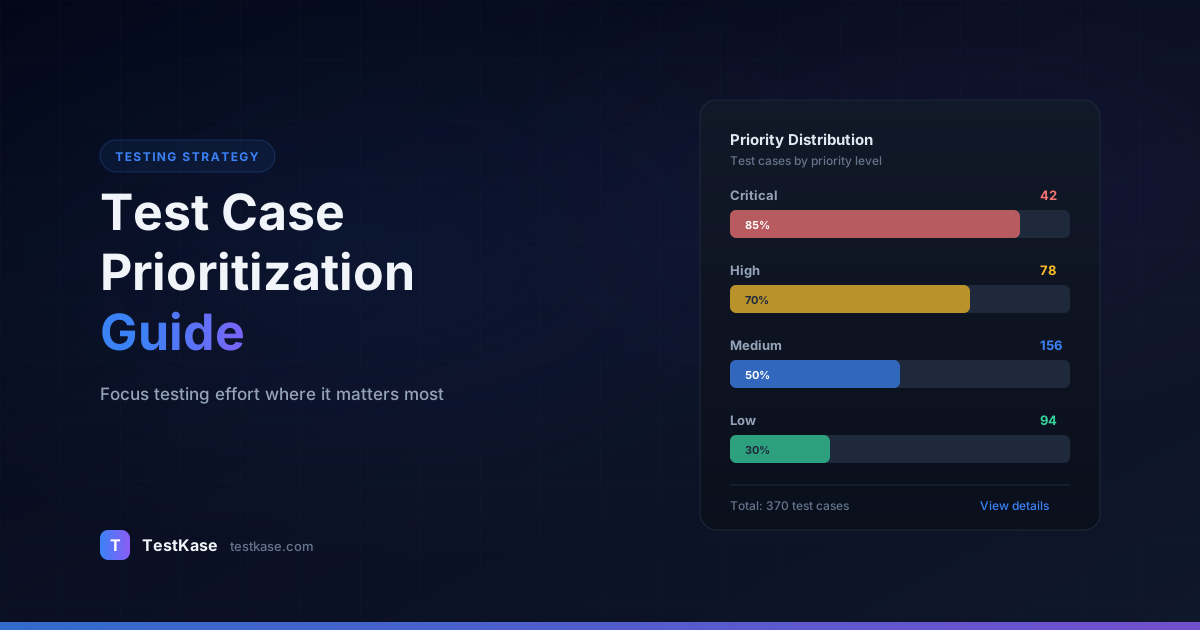
- Priority distribution health. Monitor the percentage of tests in each tier. If Critical creeps above 25%, the label has lost meaning. Aim for roughly 10% Critical, 25% High, 40% Medium, 25% Low.
- Stale priority count. How many test cases haven't had their priority reviewed in 6+ months? This metric surfaces drift before it becomes a problem.
How TestKase Helps You Prioritize Effectively
TestKase gives every test case a priority field — Critical, High, Medium, Low — that integrates directly into test cycle planning. When you create a test cycle, you can filter and include test cases by priority, ensuring your "Must test" cases are always part of every run.
The folder and tagging system lets you organize test cases by feature area, risk level, or execution cadence. Need to pull all Critical payment tests for a hotfix cycle? Filter by tag and priority in seconds.
TestKase's reporting dashboards show you pass rates broken down by priority level. If your Low-priority tests have a 99.8% pass rate while High-priority tests sit at 94%, you can make informed decisions about where to invest more testing effort — and where to reduce it.
With TestKase's test cycle management, you can create cadence-specific cycles — a "Smoke" cycle with your every-build tests, a "Sprint Regression" cycle filtered to changed modules, and a "Full Regression" cycle for releases. Each cycle pulls from the same test case repository with different priority filters applied.
Start prioritizing test cases with TestKaseConclusion
Test case prioritization isn't about cutting corners — it's about investing your limited testing time where it produces the highest return. Use risk-based scoring to make priority decisions objective. Apply MoSCoW for rapid triage when detailed analysis isn't feasible. Set execution cadences that match the change rate and criticality of each feature area. And don't forget to prioritize your regression tests based on actual code changes rather than running everything every time.
The teams that ship reliable software on tight deadlines aren't testing everything every time. They're testing the right things first and making deliberate, documented decisions about what to defer. That discipline — more than any tool or technique — is what separates confident releases from risky ones.
Start this week: take your top 50 test cases, score them on a risk matrix, and compare the ranking to how you've been executing them. The gap between those two lists is the improvement waiting to happen.
Stay up to date with TestKase
Get the latest articles on test management, QA best practices, and product updates delivered to your inbox.
SubscribeShare this article
Related Articles
Critical, Serious, Moderate, Minor: How to Triage Accessibility Issues by Severity
A practical triage policy template — SLAs per severity, ownership across design / engineering / content / QA, and how to share findings cross-team without forwarding PDFs.
Read more →Why Single-Page Accessibility Scans Miss Real Bugs (and What Multi-Page Audits Catch)
Single-URL accessibility scanners miss six entire categories of WCAG violations. Here's what falls through the gap, and how flow-aware audits catch the issues your users actually hit.
Read more →Color Contrast: The #1 Accessibility Violation (and How to Fix It in 30 Minutes)
Color contrast is roughly 38% of every accessibility scan report. Here's the math, the 8 patterns that fail in 90% of apps, and a designer-developer playbook for fixing them without breaking your brand.
Read more →