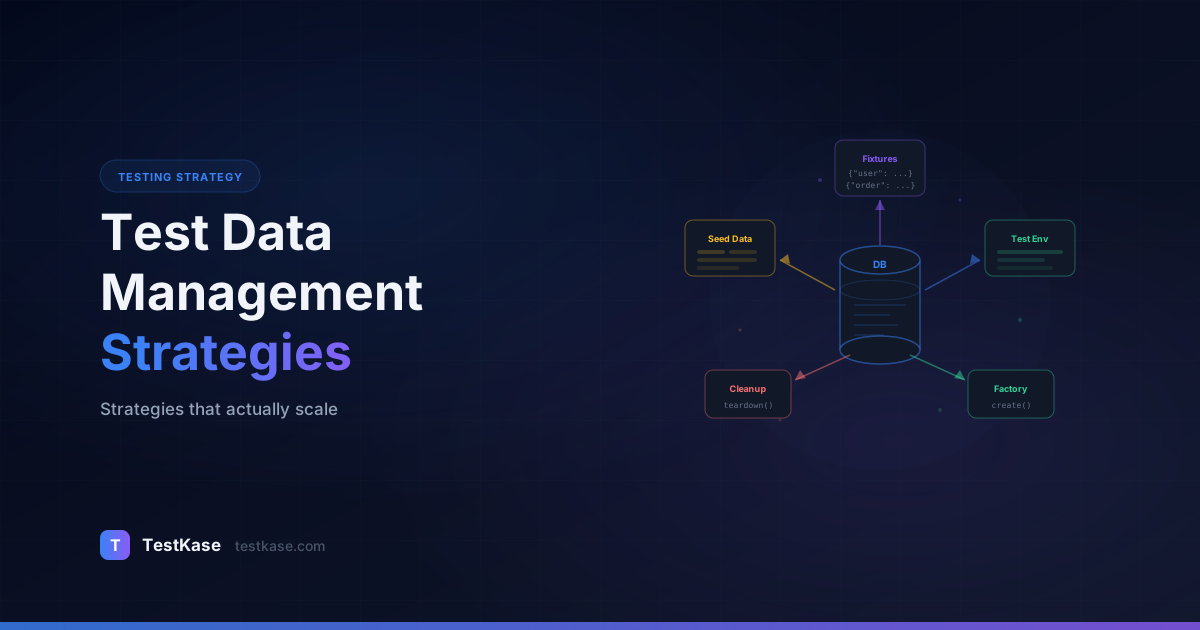
Test Data Management: Strategies That Actually Scale

Test Data Management: Strategies That Actually Scale
You are halfway through a critical regression cycle when your test suite starts failing across the board. The tests are fine — the data is not. Someone ran a cleanup script on the staging database and wiped the accounts your tests depend on. Three QA engineers spend the next four hours manually recreating test users, product catalogs, and order histories. The regression cycle slips by a day.
This story repeats in organizations of every size. Test data is the unglamorous foundation of every test — manual or automated — and yet most teams treat it as an afterthought. They hardcode credentials, share a single staging database across teams, and pray that nobody deletes the wrong records.
Test data management is not a tooling problem. It is a strategy problem. Get the strategy right, and your tests become faster, more reliable, and portable across environments. Get it wrong, and you will spend more time fixing data issues than finding actual bugs.
The hidden cost
A 2024 Capgemini survey found that 60% of test automation failures are caused by test data issues — not bugs in the application or flaws in the test scripts. Test data management is the single most underinvested area in QA infrastructure.
Why Test Data Is Hard
Test data has to satisfy conflicting requirements that make it uniquely challenging:
Realistic enough to catch real bugs. Synthetic data that follows perfectly clean patterns will miss the edge cases that production data surfaces — unicode characters in names, addresses with apartment numbers, email addresses with plus signs.
Isolated enough to prevent collisions. Two tests running in parallel cannot both try to log in as admin@company.com. Two teams sharing a staging environment cannot both modify the same product catalog.
Compliant with regulations. If your application handles personal data, you cannot simply copy production data into test environments. GDPR, HIPAA, CCPA, and PCI-DSS all impose strict rules about where personal data can live and who can access it.
Fast to create and reset. If setting up data for a single test takes 30 seconds of API calls and database inserts, your suite of 500 tests will spend over four hours on data setup alone.
Consistent across environments. A test that passes in staging but fails in QA because the environments have different data is a test you cannot trust.
These constraints push against each other. Realistic data is hard to isolate. Isolated data is slow to create. Fast creation methods produce unrealistic data. There is no single approach that solves everything — you need a combination of strategies, each applied to the right context.
Strategy 1: Fixtures — Static Data Files
Fixtures are predefined data sets stored as JSON, YAML, CSV, or SQL files alongside your test code. They are version-controlled, predictable, and easy to understand.
// fixtures/users.json
{
  "standardUser": {
    "email": "testuser@example.com",
    "password": "TestPass123!",
    "name": "Jane Tester",
    "role": "user"
  },
  "adminUser": {
    "email": "admin@example.com",
    "password": "AdminPass456!",
    "name": "Admin User",
    "role": "admin"
  }
}
When to use fixtures: For reference data that tests need but do not modify — user roles, product categories, configuration settings. Fixtures work well for small, stable datasets.
When to avoid fixtures: For data that tests create, modify, or delete. If test A uses the standardUser fixture and test B deletes that user, you have a shared-state problem that fixtures alone cannot solve.
Fixture Best Practices
Version control your fixtures alongside test code. When a schema change adds a required field, the fixture file update should be in the same pull request. This prevents "fixture drift" where your data files fall out of sync with the application.
Use descriptive names, not generic ones. A fixture called userWithExpiredSubscription is self-documenting. A fixture called user3 tells you nothing. When a test fails, the fixture name should tell you immediately what data state was expected.
Keep fixtures small and focused. A single fixture file with 500 records becomes a maintenance burden. Split fixtures by domain — users.json, products.json, orders.json — and keep each file under 50 records. If you need 500 records, that's a job for a factory or database snapshot, not a fixture.
Validate fixtures on CI. Add a CI step that loads your fixtures and validates them against your current schema. This catches fixture drift before it breaks your test suite:
// validate-fixtures.ts
import Ajv from 'ajv';
import fixtures from './fixtures/users.json';
import { userSchema } from './schemas/user';

const ajv = new Ajv();
const validate = ajv.compile(userSchema);

for (const [name, user] of Object.entries(fixtures)) {
  if (!validate(user)) {
    throw new Error(`Fixture "${name}" failed validation: ${JSON.stringify(validate.errors)}`);
  }
}
console.log('All fixtures valid.');
Strategy 2: Factories — Dynamic Data Generation
Factories generate test data programmatically with randomized values, ensuring each test gets unique data that cannot collide with other tests.
import { faker } from '@faker-js/faker';

export class UserFactory {
  static create(overrides: Partial<User> = {}): User {
    return {
      email: `test_${Date.now()}_${Math.random().toString(36).slice(2)}@example.com`,
      password: 'SecurePass123!',
      firstName: faker.person.firstName(),
      lastName: faker.person.lastName(),
      phone: faker.phone.number(),
      address: {
        street: faker.location.streetAddress(),
        city: faker.location.city(),
        state: faker.location.state(),
        zip: faker.location.zipCode(),
      },
      ...overrides,
    };
  }

  static createAdmin(): User {
    return this.create({ role: 'admin' });
  }

  static createBatch(count: number): User[] {
    return Array.from({ length: count }, () => this.create());
  }
}
The overrides parameter is critical — it lets tests specify only the fields that matter for their scenario while accepting random defaults for everything else. A test verifying email validation can call UserFactory.create({ email: 'invalid-email' }) without caring about the user's name or address.
Timestamps beat UUIDs
Using Date.now() in generated data (emails, usernames) makes debugging easier than UUIDs. When a test fails, you can see when the test data was created and correlate it with logs. A username like test_1706123456789 tells you more than test_a7f3b2c1.
Building a Factory Library
For a real project, a single UserFactory is not enough. You need a factory for every entity your tests interact with — and those factories need to understand relationships between entities.
export class OrderFactory {
  static async create(
    apiClient: APIClient,
    overrides: Partial<OrderInput> = {}
  ): Promise<Order> {
    // Create a user if one isn't provided
    const user = overrides.userId
      ? { id: overrides.userId }
      : await UserFactory.createViaApi(apiClient);

    // Create a product if one isn't provided
    const product = overrides.productId
      ? { id: overrides.productId }
      : await ProductFactory.createViaApi(apiClient);

    return apiClient.post('/api/orders', {
      userId: user.id,
      items: [{ productId: product.id, quantity: overrides.quantity ?? 1 }],
      shippingAddress: overrides.shippingAddress ?? faker.location.streetAddress(),
      ...overrides,
    });
  }
}

// Usage: create a complete order with all dependencies
const order = await OrderFactory.create(apiClient);

// Usage: create an order for a specific user
const order = await OrderFactory.create(apiClient, { userId: existingUser.id });
This pattern — factories that create their own dependencies unless told otherwise — is the key to scalable test data. Each test specifies only what matters for its scenario. Everything else is handled automatically.
Seeded Randomness for Reproducibility
Pure randomness makes test failures hard to reproduce. If a test fails because faker.person.firstName() generated a name with a special character, you need to reproduce that exact name to debug the issue.
Use seeded random number generators:
import { faker } from '@faker-js/faker';

// Set a seed for reproducible data
faker.seed(12345);

// These calls will produce the same values every time
const name = faker.person.firstName();  // Always "Kyla"
const email = faker.internet.email();   // Always "Kyla_Langworth@yahoo.com"
In CI, log the seed value. When a test fails, re-run with the same seed to reproduce the exact data that caused the failure.
Strategy 3: API Seeding — Creating Data Through Your Application
Instead of inserting data directly into the database, create it through your application's API. This ensures the data passes through all validation rules, triggers all necessary side effects (email notifications, audit logs, cache updates), and is in a consistent state.
export class TestDataSeeder {
  constructor(private apiClient: APIClient) {}

  async createUserWithOrder(): Promise<{ user: User; order: Order }> {
    // Create user through registration API
    const user = UserFactory.create();
    await this.apiClient.post('/api/register', user);

    // Authenticate
    const { token } = await this.apiClient.post('/api/login', {
      email: user.email,
      password: user.password,
    });

    // Create an order
    const order = await this.apiClient.post(
      '/api/orders',
      {
        items: [{ productId: 'SKU-001', quantity: 2 }],
        shippingAddress: user.address,
      },
      { headers: { Authorization: `Bearer ${token}` } }
    );

    return { user, order };
  }
}
API seeding is slower than direct database inserts, but it produces data you can trust. If a test creates a user through the API and the user is in a broken state, that is a bug in the API — which is exactly what you want your tests to surface.
When to Use Direct Database Inserts Instead
API seeding has its limits. There are legitimate cases where direct database inserts are the better choice:
- Performance-critical setup. If your test suite needs 10,000 records for a pagination test, creating them one by one through the API would take minutes. A bulk SQL insert takes seconds.
- State that can't be created through the API. Some states — like an account suspended for 90 days, or a record created three months ago — require backdating timestamps that the API doesn't expose.
- Test isolation in integration tests. When testing a specific service in isolation, you might insert data directly into that service's database to avoid depending on other services' APIs.
When using direct inserts, wrap them in a transaction that rolls back after the test completes. This prevents leaked data:
test('user search returns results', async () => {
  await db.transaction(async (trx) => {
    // Insert test data within transaction
    await trx('users').insert([
      { email: 'search-test-1@example.com', name: 'Alice Johnson' },
      { email: 'search-test-2@example.com', name: 'Alice Williams' },
      { email: 'search-test-3@example.com', name: 'Bob Smith' },
    ]);

    // Test search
    const results = await userService.search('Alice', trx);
    expect(results).toHaveLength(2);

    // Transaction rolls back automatically — no cleanup needed
  });
});
Strategy 4: Database Snapshots — Resettable Environments
For integration and end-to-end tests that need a complex, pre-populated environment, database snapshots provide a fast reset mechanism. You create a "golden" snapshot with all the data your suite needs, and before each test run (or test file), you restore the database to that snapshot.
# Create the golden snapshot (run once during setup)
pg_dump --format=custom testdb > golden_snapshot.dump

# Restore before test runs
pg_restore --clean --dbname=testdb golden_snapshot.dump
This approach works well for suites that need hundreds of interconnected records — user accounts with order histories, inventory levels, pricing tiers — where creating everything from scratch for each test run would take too long.
The tradeoff is maintenance. Every time your schema changes, you need to update the snapshot. Automate this: generate the snapshot from a migration script plus a seed script, so it stays in sync with your schema.
#!/bin/bash
# regenerate-snapshot.sh — Run after schema changes
set -e

# Start fresh
dropdb --if-exists testdb_snapshot
createdb testdb_snapshot

# Run all migrations
DATABASE_URL="postgres://localhost/testdb_snapshot" npm run migrate

# Run seed script that creates the golden dataset
DATABASE_URL="postgres://localhost/testdb_snapshot" npm run seed:golden

# Export snapshot
pg_dump --format=custom testdb_snapshot > golden_snapshot.dump

echo "Snapshot regenerated at $(date)"
Add this script to your CI pipeline so the snapshot regenerates whenever migrations change. This eliminates the most common snapshot problem: stale data that doesn't match the current schema.
Strategy 5: Synthetic Data Generation for Complex Domains
For domains with complex data relationships — healthcare, financial services, insurance — standard factories may not produce realistic enough data. Synthetic data generators create entire datasets that mimic production data distributions without containing any real personal information.
Key characteristics of good synthetic data:
- Statistical fidelity. If 15% of your production users are in California, your synthetic dataset should have approximately 15% California users. Distribution matters for testing features like regional pricing or tax calculations.
- Referential integrity. A synthetic order should reference a synthetic customer who exists in the dataset. Orphaned records break tests and don't reflect real usage.
- Temporal patterns. Real data has time-based patterns — more orders on weekends, fewer logins at 3 AM. If your application has time-sensitive logic (batch jobs, SLA calculations), your synthetic data should include realistic timestamps.
- Edge case injection. Deliberately seed your synthetic data with known edge cases: names with apostrophes (O'Brien), addresses with unit numbers (123 Main St, Apt 4B), phone numbers with extensions, email addresses with plus signs (user+tag@example.com).
Tools like Mockaroo, Synthea (for healthcare), and Gretel.ai can generate synthetic datasets at scale. For most teams, though, a well-designed factory library with Faker.js covers 90% of needs.
Data Masking for Compliance
If you need production-like data for performance testing or complex scenario coverage, data masking transforms real data into anonymized versions that preserve statistical properties without exposing personal information.
Effective masking replaces identifiable fields while maintaining referential integrity:
- Names — Replace with random names, preserving character length and encoding
- Emails — Replace the local part, keep the domain structure (
user123@example.com) - Phone numbers — Randomize digits while keeping the format
- Addresses — Replace with synthetic addresses in the same geographic region
- Financial data — Randomize account numbers, preserve format and check digit validity
- Dates of birth — Shift by a random offset (preserving age distribution) rather than replacing entirely
The key rule: masked data should be irreversible. You should never be able to reconstruct the original record from the masked version. Use one-way hashing or random replacement — not simple substitution ciphers.
Implementing a Masking Pipeline
A practical masking pipeline runs as a scheduled job that copies production data to a staging database and masks it in place:
# mask_production_data.py
import hashlib
import random
from faker import Faker

fake = Faker()

MASKING_RULES = {
    'users': {
        'first_name': lambda row: fake.first_name(),
        'last_name': lambda row: fake.last_name(),
        'email': lambda row: f"user_{hashlib.md5(row['email'].encode()).hexdigest()[:8]}@example.com",
        'phone': lambda row: fake.phone_number(),
        'ssn': lambda row: f"XXX-XX-{random.randint(1000, 9999)}",
        'date_of_birth': lambda row: row['date_of_birth'] + timedelta(days=random.randint(-30, 30)),
    },
    'addresses': {
        'street': lambda row: fake.street_address(),
        'city': lambda row: fake.city(),
        # Keep state and zip for geographic distribution
    },
    'payments': {
        'card_number': lambda row: f"XXXX-XXXX-XXXX-{random.randint(1000, 9999)}",
        'card_holder': lambda row: fake.name(),
    }
}

def mask_table(connection, table_name, rules):
    cursor = connection.cursor()
    cursor.execute(f"SELECT * FROM {table_name}")
    for row in cursor.fetchall():
        updates = {col: rule(row) for col, rule in rules.items()}
        set_clause = ", ".join(f"{col} = %s" for col in updates)
        cursor.execute(
            f"UPDATE {table_name} SET {set_clause} WHERE id = %s",
            [*updates.values(), row['id']]
        )
    connection.commit()
Compliance is not optional
Using unmasked production data in test environments violates GDPR, HIPAA, and most other privacy regulations. The fines are real — up to 4% of annual global revenue under GDPR. Invest in masking infrastructure before a regulator forces you to.
Test Data in CI/CD Pipelines
CI environments add constraints that local development does not have: no persistent state between runs, limited database access, and parallel pipelines that can collide.
Ephemeral databases. Spin up a fresh database container for each pipeline run. Docker Compose makes this straightforward:
services:
  test-db:
    image: postgres:16
    environment:
      POSTGRES_DB: testdb
      POSTGRES_PASSWORD: testpass
    ports:
      - "5432:5432"
    tmpfs:
      - /var/lib/postgresql/data  # RAM-backed storage for speed
Each pipeline gets its own database instance, eliminating cross-pipeline data conflicts entirely. The tmpfs mount keeps the database in memory, which dramatically speeds up tests that do heavy I/O.
Seed on startup. Run your migration scripts and seed scripts as part of the pipeline setup. The database should be fully populated before the first test executes.
# GitHub Actions example
jobs:
  test:
    services:
      postgres:
        image: postgres:16
        env:
          POSTGRES_DB: testdb
          POSTGRES_PASSWORD: testpass
        ports:
          - 5432:5432
    steps:
      - uses: actions/checkout@v4
      - run: npm ci
      - run: npm run migrate
      - run: npm run seed:test
      - run: npm test
Clean up is free. Because the database container is destroyed after the pipeline completes, you do not need explicit cleanup logic. This is the single biggest advantage of ephemeral databases — cleanup happens automatically.
Parallel-safe data. When your CI runs tests in parallel (across multiple workers or shards), each worker needs its own data namespace. Use worker-specific prefixes:
const workerId = process.env.TEST_WORKER_ID || '0';

export class UserFactory {
  static create(overrides: Partial<User> = {}): User {
    return {
      email: `test_w${workerId}_${Date.now()}@example.com`,
      // ... rest of fields
      ...overrides,
    };
  }
}
Cleanup Strategies for Shared Environments
When ephemeral databases are not an option — maybe you are testing against a shared staging environment — you need explicit cleanup strategies.
Cleanup after each test. Every test that creates data deletes it in a teardown step. This keeps the environment clean but adds execution time and complexity.
test.afterEach(async () => {
  for (const userId of createdUserIds) {
    await apiClient.delete(`/api/users/${userId}`);
  }
  createdUserIds = [];
});
Cleanup before each test. Instead of cleaning up after yourself, clean up before you start. This is more resilient — if a previous test run crashed and skipped cleanup, the next run handles it.
Scheduled cleanup jobs. Run a nightly script that deletes all test data older than 24 hours. Identify test data by naming convention (emails ending in @test.example.com) or by a dedicated flag in the database.
-- Nightly cleanup job
DELETE FROM orders WHERE user_id IN (
  SELECT id FROM users WHERE email LIKE '%@test.example.com'
  AND created_at < NOW() - INTERVAL '24 hours'
);

DELETE FROM users
WHERE email LIKE '%@test.example.com'
AND created_at < NOW() - INTERVAL '24 hours';
Soft-delete with TTL. If your application supports soft deletion, mark test records as deleted and let a background job purge them. This is less disruptive than hard deletes, which can cause foreign key violations if cleanup order isn't perfect.
Data-Driven Testing and Parameterization
Data-driven testing runs the same test logic against multiple input sets. Instead of writing five tests that each verify a different payment method, you write one test and feed it five data sets.
const paymentMethods = [
  { type: 'credit_card', number: '4111111111111111', expected: 'approved' },
  { type: 'credit_card', number: '4000000000000002', expected: 'declined' },
  { type: 'debit_card', number: '5500000000000004', expected: 'approved' },
  { type: 'paypal', email: 'buyer@test.com', expected: 'approved' },
  { type: 'gift_card', code: 'GIFT-EXPIRED-001', expected: 'expired' },
];

for (const payment of paymentMethods) {
  test(`checkout with ${payment.type} — ${payment.expected}`, async ({ page }) => {
    const checkout = new CheckoutPage(page);
    await checkout.selectPaymentMethod(payment.type);
    await checkout.enterPaymentDetails(payment);
    await checkout.submit();
    expect(await checkout.getResultStatus()).toBe(payment.expected);
  });
}
This pattern dramatically increases coverage with minimal additional test code. The data sets can live in external files — CSV for business-readable data, JSON for structured data — making it easy for non-engineers to contribute test scenarios.
Scaling Data-Driven Tests with External Files
For large parameterized suites, store test data in external files and load them dynamically:
import { parse } from 'csv-parse/sync';
import { readFileSync } from 'fs';

// Load test data from CSV
const csvData = readFileSync('./test-data/login-scenarios.csv', 'utf-8');
const scenarios = parse(csvData, { columns: true });

// scenarios = [
//   { email: 'valid@test.com', password: 'Pass123!', expectedResult: 'success' },
//   { email: 'invalid', password: 'Pass123!', expectedResult: 'invalid_email' },
//   { email: 'valid@test.com', password: '', expectedResult: 'missing_password' },
//   ...
// ]

for (const scenario of scenarios) {
  test(`login: ${scenario.email} → ${scenario.expectedResult}`, async () => {
    const result = await loginPage.attemptLogin(scenario.email, scenario.password);
    expect(result.status).toBe(scenario.expectedResult);
  });
}
This approach has a major advantage: product owners and business analysts can add test scenarios by editing a CSV file — no code changes required. Store the CSV in the same repository as your tests so it's version-controlled and reviewed alongside code.
Common Mistakes
Using production data without masking. Beyond the compliance risk, production data creates unpredictable tests — records get deleted, values change, and your tests break for reasons that have nothing to do with your application.
Sharing test accounts across tests. The user "test@example.com" should not appear in 50 tests. Each test should create its own user. Shared accounts create hidden dependencies that surface as intermittent failures. This is the single most common cause of flaky tests in E2E suites.
Not cleaning up. Every test that creates data and does not clean up contributes to environment degradation. Over weeks, the staging database accumulates thousands of orphaned records that slow queries and confuse manual testers. Set up monitoring on your staging database row counts — if they're growing 10% week over week, your cleanup isn't working.
Over-investing in golden datasets. Building a comprehensive, perfectly curated dataset sounds great in theory. In practice, it becomes stale within weeks as the schema evolves. Prefer generative strategies (factories, API seeding) that stay in sync with your application automatically.
Ignoring data volume. A test that passes with 10 records in the database might fail — or run unacceptably slowly — with 10,000 records. Include volume-based test data scenarios in your strategy, especially for features that involve pagination, search, or reporting. At minimum, run your critical-path tests against a database with production-scale data volumes once per release cycle.
Hardcoding IDs and foreign keys. Tests that reference userId: 42 break when that record doesn't exist or has different properties in a new environment. Always create your own data or look up IDs dynamically.
Not versioning your seed scripts. Seed scripts should be in source control, reviewed like any other code, and tested in CI. A seed script that worked six months ago but breaks on the current schema is useless when you need it most.
How TestKase Supports Your Test Data Strategy
Test data decisions are tightly coupled to test case design. When you define a test case in TestKase, you can specify preconditions — including the exact data state each test requires. This makes your data dependencies explicit and visible to the entire team.
TestKase's structured test case format encourages you to think about data upfront: What user role does this test need? What preconditions must exist? What data does the test create, and does it need cleanup? These questions, answered in your test cases, become the blueprint for your data strategy.
With TestKase's AI-powered test case generation, you get suggested preconditions and data requirements automatically — saving time and surfacing data dependencies you might otherwise overlook.
Plan Your Test Data with AI-Powered Test CasesConclusion
Test data management is not a one-size-fits-all problem. Use fixtures for stable reference data, factories for unique per-test data, API seeding for realistic end-to-end scenarios, and database snapshots for complex pre-populated environments. Mask production data before it touches test environments. Use ephemeral databases in CI to eliminate cleanup entirely.
The teams that rarely fight data issues are not lucky — they invested in a deliberate data strategy early and evolved it alongside their application. Your tests are only as reliable as the data behind them. Treat test data as infrastructure, not an afterthought.
Stay up to date with TestKase
Get the latest articles on test management, QA best practices, and product updates delivered to your inbox.
SubscribeShare this article
Related Articles
Critical, Serious, Moderate, Minor: How to Triage Accessibility Issues by Severity
A practical triage policy template — SLAs per severity, ownership across design / engineering / content / QA, and how to share findings cross-team without forwarding PDFs.
Read more →Why Single-Page Accessibility Scans Miss Real Bugs (and What Multi-Page Audits Catch)
Single-URL accessibility scanners miss six entire categories of WCAG violations. Here's what falls through the gap, and how flow-aware audits catch the issues your users actually hit.
Read more →Accessibility Testing in CI/CD: Catching WCAG Issues Before They Ship
Three integration patterns, GitHub Actions / GitLab / CircleCI templates, and a 3-quarter rollout playbook to take an engineering team from zero accessibility in CI to block-on-fail.
Read more →