Test Execution Reports: What Stakeholders Actually Want to See

Test Execution Reports: What Stakeholders Actually Want to See
You send a detailed test execution report to your VP of Engineering. It has 47 rows of test case results, a breakdown of pass/fail counts by module, and meticulously documented defect IDs cross-referenced with Jira tickets. Two days later, in the release meeting, she asks: "So are we good to ship?"
She didn't read the report. Not because she doesn't care about quality — because the report didn't answer the one question she actually had.
This happens constantly. QA teams produce exhaustive reports full of data that's meaningful to testers and completely opaque to everyone else. Product managers want to know if the feature works. Executives want to know if the release is safe. Engineering leads want to know where the risk hotspots are. None of them want a spreadsheet with 2,000 rows.
The problem isn't that you're reporting too little — it's that you're reporting the wrong things to the wrong people. A great test execution report gives each audience exactly what they need to make a decision, in a format they can parse in under 60 seconds. Tools like TestKase offer real-time reporting dashboards with AI-powered analytics that automatically surface the metrics each stakeholder cares about. Here's how to build effective reports.
Know Your Audience — They're Not All the Same
The cardinal mistake in test reporting is treating all stakeholders as a single audience. A CTO and a QA lead need fundamentally different information from the same test cycle.
The 60-second rule
Research on executive communication shows that senior leaders decide whether to read a document in the first 60 seconds. If your report doesn't answer their primary question in that window, it gets shelved — no matter how thorough the details below.
Executives (VP/CTO/CPO): They want a go/no-go signal. Can we ship? What's the risk if we do? What's the risk if we delay? Their report should be a single dashboard or a half-page summary with red/amber/green status indicators.
Product managers: They want to know if their features work. Did the new checkout flow pass all tests? Are there open defects that affect user experience? Their report should focus on feature-level results and defect severity.
Engineering leads: They want to know where the problems are so they can allocate developer time. Which modules have the most failures? Are failures caused by code defects or environment issues? Their report should include failure analysis and defect clustering.
QA team (internal): They need the full detail — individual test case results, execution times, blocked tests, and re-test queues. This is the detailed report most QA teams already produce.
Compliance and audit teams: In regulated industries, they need evidence that specific requirements were tested, who tested them, when, and what the results were. Their report is a traceability matrix, not a summary.
The solution isn't five separate reports. It's one report with layered depth: a summary that satisfies executives at the top, feature-level breakdowns for product managers in the middle, and detailed results for engineering and QA at the bottom. Each audience reads as deep as they need and stops.
Structuring a Layered Report
Think of your report as having three tiers:
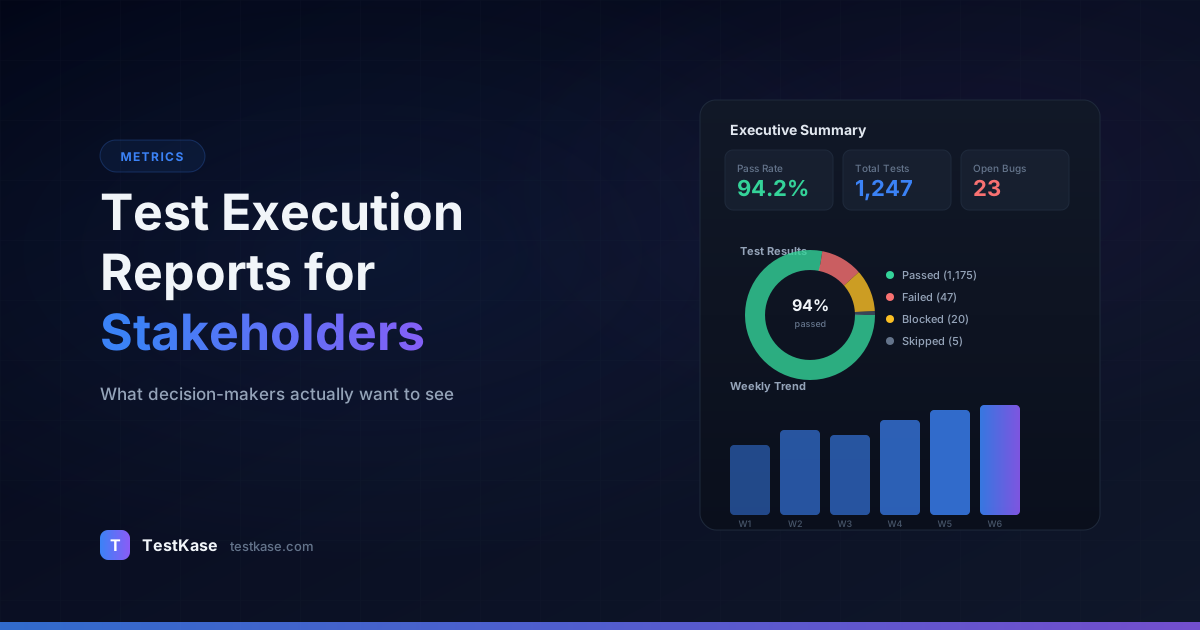
Tier 1 — Executive summary (1 screen). Status, recommendation, key numbers. An executive reads this and nothing else.
Tier 2 — Feature and module breakdown (1-2 pages). Pass/fail by feature area, defect clusters, risk hotspots. Product managers and engineering leads read this.
Tier 3 — Detailed results (appendix). Individual test case results, full defect list, execution logs. QA engineers and auditors reference this.
The physical structure matters. If your tier-1 summary is on page 3 after two pages of methodology notes, executives will never see it. Summary first. Details last. Always.
The Metrics That Actually Matter
Not all test metrics are equally useful. Some provide genuine insight; others create a false sense of security. Here are the metrics worth tracking — and the ones you should treat with skepticism.
Metrics to Feature Prominently
Pass rate (by priority): Overall pass rate is useful, but pass rate segmented by priority is actionable. A 96% overall pass rate sounds fine — until you realize that 4% failure is concentrated entirely in Critical test cases. Report pass rates for Critical, High, Medium, and Low separately.
Here's why segmentation matters. Consider two releases:
- Release A: 98% overall pass rate. 2 Critical test failures, 0 High failures.
- Release B: 93% overall pass rate. 0 Critical failures, 0 High failures. All failures are Low priority.
Release B is safer to ship despite having a lower overall pass rate. Without segmentation, Release A looks better on paper.
Defect density: The number of defects found per module or feature area. If Payments has 12 defects and Dashboard has 2, that tells engineering where to focus. Track this across releases to spot modules with chronic quality issues.
Calculate defect density as defects per thousand lines of code changed, or defects per feature area. The denominator matters — a module with 12 defects from 50,000 lines changed is healthier than a module with 3 defects from 500 lines changed.
Defect escape rate: The percentage of defects found in production versus found during testing. This is the ultimate measure of your testing effectiveness. If your escape rate is 15%, that means 15 out of every 100 defects reach users — and your testing process has a systemic gap.
Defect Escape Rate = (Production Defects) / (Production Defects + Testing Defects) x 100

Example:
  Testing found: 85 defects
  Production found: 15 defects
  Escape rate: 15 / (15 + 85) = 15%
World-class QA teams maintain an escape rate below 5%. If yours is above 10%, it should be the first thing you address — before investing in more test cases or tools.
Test execution progress: What percentage of planned test cases have been executed? This matters mid-cycle for project management, and at cycle-end for completeness validation. A 92% execution rate with 8% blocked tells a different story than 92% executed with 8% not started.
Blocked test rate: How many tests couldn't be executed due to environment issues, dependencies, or missing test data? A high blocked rate indicates process problems, not quality problems — and it's critical that stakeholders understand the difference.
Mean time to detect (MTTD): How quickly do you find defects after they're introduced? If a bug is introduced in Sprint 41 but not found until Sprint 44, your testing process has a detection lag that increases fix costs. Track MTTD by measuring the gap between the commit that introduced the bug and the test run that caught it.
Metrics to Treat Carefully
Test case count: Having 5,000 test cases isn't better than having 500 if the 500 cover the same risk areas. Raw count is a vanity metric — it measures effort, not effectiveness.
Automation percentage: "We have 70% automation coverage" sounds impressive but says nothing about whether those automated tests catch real bugs. A team with 30% automation that covers all critical paths outperforms one with 70% automation concentrated on low-risk areas.
Total defects found: Finding 200 defects sounds productive — but how many were duplicates? How many were cosmetic? Severity-weighted defect counts are far more meaningful than raw totals.
Test execution time: A suite that runs in 20 minutes isn't inherently better than one that runs in 2 hours if the longer suite catches more bugs. Execution time is an efficiency metric, not a quality metric. Report it to your DevOps team, not to stakeholders.
Building the Executive Summary
Your executive summary should fit on a single screen — no scrolling. Here's a template:
RELEASE 4.2 TEST SUMMARY — January 17, 2026
Status: AMBER (conditional go)

Pass rate: 97.3% (1,946 of 2,000 test cases passed)
  Critical: 100% (all 85 Critical tests passed)
  High:     96.2% (12 of 315 High tests failed)
  Medium:   97.8%
  Low:      98.1%

Open defects: 14
  Critical: 0
  High: 3 (all with documented workarounds)
  Medium: 7
  Low: 4

Blocked tests: 42 (2.1%) — caused by staging DB timeout,
  resolved Jan 16. Re-execution in progress.

Recommendation: Release is safe to ship with the 3 High
defects tracked for hotfix within 5 business days. All
customer-facing critical flows pass at 100%.
Always include a recommendation
Don't make stakeholders interpret the data — tell them what it means. "Status: Green, recommended for release" or "Status: Red, release should be delayed until DEF-892 and DEF-901 are resolved." Your expertise in interpreting test results is the most valuable thing you bring to the release meeting.
Notice the structure: status at the top (one word tells you the headline), key numbers in the middle, and a human-readable recommendation at the bottom. An executive can scan this in 15 seconds and know whether to worry.
Adding Risk Context
Raw numbers without context can mislead. Enhance your summary with risk context:
RISK ASSESSMENT:
- Payments module: LOW risk. All 120 payment tests pass.
  No changes this release.
- User registration: MEDIUM risk. 3 High failures in
  email verification flow. Root cause identified (DEF-1042),
  fix deployed to staging, retest pending.
- Reporting dashboard: HIGH risk. New feature with limited
  test coverage (62% of planned tests executed). Remaining
  tests blocked by data pipeline issue. Recommend delaying
  dashboard release by one sprint.
This tells stakeholders not just whether to ship, but what to watch. A VP who reads this can make a granular decision: ship the core product, delay the dashboard feature, and monitor email verification post-release.
Trend Reporting: The Story Behind the Numbers
A single test cycle's results are a snapshot. Trends across cycles tell you whether quality is improving, declining, or holding steady — and that's far more valuable for strategic decisions.
Pass rate trends: Plot pass rate per release over the last 6-12 months. A declining trend — even if each individual release meets the threshold — signals accumulating technical debt or insufficient regression coverage.
Release  Pass Rate  Critical Pass  Defects Found  Escape Rate
4.0      97.8%      100%           42             8%
4.1      96.5%      100%           51             11%  ← spike
4.2      97.3%      100%           47             9%
4.3      95.1%      98%            63             14%  ← warning
A table like this in your release report immediately surfaces the trajectory. Release 4.3's numbers alone look marginal. In context, they reveal a four-release declining trend that demands attention.
Defect density trends by module: If the Payments module's defect density has increased for three consecutive releases, something systemic is wrong. Maybe the codebase needs refactoring, or test coverage has gaps. This trend prompts a conversation that a single cycle's numbers wouldn't.
Defect escape rate trends: This is the metric QA leaders should obsess over. If your escape rate dropped from 18% to 8% over four releases, your testing process is getting more effective. If it's climbing, your tests aren't keeping pace with product complexity.
Cycle time trends: How long does each test cycle take, from start to sign-off? If cycle times are growing release over release, your suite is scaling faster than your capacity. Time to invest in automation or deprioritize low-value tests.
When presenting trends to stakeholders, always include context for anomalies. A spike in defect density for Release 3.8 looks alarming until you note "Release 3.8 included a complete payment system rewrite — elevated defect density was expected and planned for."
Using Trend Data to Justify Investment
Trend data is your most powerful tool for securing QA investment. Abstract arguments like "we need better test automation" are easy to dismiss. Data-driven arguments are not:
"Our defect escape rate has increased from 5% to 14% over the last four releases. Each escaped defect costs an average of $4,200 to fix in production versus $680 during testing. At our current escape rate of 14 defects per release, we're spending $58,800 per release on production fixes that testing should have caught. Investing $40,000 in automation for our top three escape areas would reduce the escape rate to under 7% based on the defect clustering data."
This is the language executives understand: cost, risk, and ROI. Your test reports should build the foundation for these arguments by tracking the right metrics consistently.
Sprint-Level vs. Release-Level Reports
These serve different purposes and should contain different information.
Sprint-level reports focus on what changed. What test cases were executed this sprint? What new defects were found? What's the status of defects from previous sprints? These are operational reports for the development team — they drive daily and weekly decisions.
Sprint 43 Test Summary:
- 142 test cases executed (86 new, 56 regression)
- Pass rate: 93.7%
- New defects found: 8 (1 High, 3 Medium, 4 Low)
- Carried-over defects fixed: 5 of 7
- Remaining carried-over: 2 (both Medium, scheduled for Sprint 44)
- Automation delta: +12 new automated tests, 3 updated, 0 removed
- Blocked tests: 4 (environment issue, resolved day 7)
Release-level reports focus on readiness. They aggregate multiple sprints' worth of testing into a holistic assessment of release quality. These are the reports executives see.
Daily Status Reports for Critical Cycles
During high-stakes test cycles — pre-launch, major release, post-incident — daily status reports keep everyone aligned without requiring meetings. Keep these brief:
DAILY STATUS — March 15, 2026 (Day 3 of 7)
Overall: ON TRACK

Today's progress:
  Executed: 312 of 800 planned (39%)
  Passed: 298 (95.5%)
  Failed: 9
  Blocked: 5

New defects: 3
  DEF-2201 (High) — Cart total calculation off by 1 cent
    for orders with > 10 items. Dev investigating.
  DEF-2202 (Medium) — Sorting by date shows newest last.
  DEF-2203 (Low) — Tooltip text truncated on mobile.

Blockers: Staging payment gateway down since 2pm.
  DevOps ETA for fix: 6pm today.

Tomorrow's plan: Complete payments module testing (if
  gateway restored), begin user management regression.
Send this at the same time every day. Consistency builds trust and reduces "how's testing going?" interruptions.
Red/Amber/Green Status — Use It, But Define It
RAG (Red/Amber/Green) status indicators are universally understood, but their value depends entirely on clear definitions. Without definitions, "Amber" means different things to different people — and that ambiguity undermines the trust your report is supposed to build.
Define your RAG criteria explicitly and include the definitions in every report:
Green: All exit criteria met. All Critical and High test cases pass. Zero Critical defects open. Fewer than 3 High defects open (with workarounds). Recommended for release.
Amber: Most exit criteria met with exceptions. All Critical test cases pass. 1-5 High-priority test failures or defects with documented workarounds. Release is possible with accepted risk.
Red: Exit criteria not met. Critical test failures or Critical defects open. Release should be delayed until issues are resolved.
When you assign Amber or Red, always specify what needs to happen to move to Green. "Status will move to Green when DEF-1042 and DEF-1055 are resolved and retested" gives stakeholders a concrete action plan rather than a vague "we're not ready yet."
Avoiding RAG Gaming
RAG status can be gamed — and when it is, trust erodes. Common gaming patterns:
- Downgrading severity to avoid Red. A Critical bug gets reclassified as High to keep the status Amber. Prevent this by tying severity definitions to objective criteria ("data loss = Critical, always").
- Excluding blocked tests from pass rate. If 200 tests are blocked and excluded from the denominator, the pass rate looks artificially high. Always report pass rate as: passed / (passed + failed + blocked).
- Splitting failures across modules. Each module is Green individually, but the total failure count would make the release Red. Report both module-level and aggregate-level status.
The antidote is transparency. Include raw numbers alongside the RAG status so anyone can verify the assessment.
Automating Report Generation
Manual report generation is tedious, error-prone, and a poor use of QA time. Automate everything you can.
Data Sources
Your test execution reports should pull data from:
- Test management tool — test case results, execution progress, blocked tests
- Bug tracker — defect counts, severity, status, age
- CI/CD pipeline — automated test results, build status, deployment history
- Version control — code churn, files changed, contributing developers
Report Cadence Automation
Set up automated report generation on a schedule:
Daily:   CI test results summary → Slack channel
Weekly:  Sprint progress report → Email to team + PM
Release: Full release report → Email to all stakeholders
Most test management tools support scheduled exports or API-driven report generation. If yours doesn't, a simple script that queries your tool's API and formats the results into a template can save hours per week.
Common Reporting Mistakes
1. Reporting data without interpretation. A pass rate of 94.7% is data. "Pass rate is 94.7%, down from 97.1% last release, driven by 12 failures in the new invoice module. All failures are linked to DEF-1030 which is fixed and awaiting retest" is information. Your stakeholders need information.
2. Burying the lead. Don't put the recommendation on page 3. The most important finding — ship or don't ship, green or red — goes at the very top. Details support the conclusion; they don't precede it.
3. Reporting vanity metrics. "We executed 3,000 test cases this cycle!" isn't impressive if 2,500 of them were Low-priority tests that passed last time too. Focus on metrics that inform decisions, not metrics that showcase effort.
4. Inconsistent formatting across cycles. If every report looks different, stakeholders can't compare across releases. Use a template and stick to it. Consistency builds trust and makes trend analysis possible.
5. Omitting blocked and not-executed tests. A 98% pass rate from 1,000 executed tests sounds great — until you learn that 500 additional tests were blocked by environment issues and never ran. Always report what wasn't tested alongside what was.
6. No comparison to previous cycles. A pass rate of 95% means nothing without context. Is that up or down from last release? What was the team's target? Include at minimum the previous cycle's numbers for comparison.
7. Using screenshots of spreadsheets. Embedding an image of an Excel table in an email is inaccessible, unsearchable, and impossible to drill into. Use a reporting tool that generates live dashboards or at minimum include the data in text format.
How TestKase Powers Stakeholder-Ready Reports
TestKase generates test execution reports automatically from your test cycle data. Pass rates, defect counts, and execution progress are calculated in real time — no manual spreadsheet wrangling required.
Dashboard views let you slice results by priority, module, assignee, and test type. Need a release-level view for the executive meeting? Filter by release. Need a sprint view for the standup? Filter by sprint. The same underlying data serves every audience.
TestKase tracks execution history across cycles, making trend analysis straightforward. Compare pass rates across the last 6 releases in a single view, identify modules with declining quality, and export the results into formats your stakeholders prefer.
Because every test execution in TestKase is timestamped and attributed, you have a complete audit trail for regulated environments — satisfying compliance requirements without any additional documentation effort.
Generate stakeholder reports with TestKaseConclusion
Great test execution reports don't just document results — they drive decisions. Lead with a status indicator and recommendation so executives get their answer in 15 seconds. Segment metrics by priority so the numbers tell an accurate story. Track trends across releases so stakeholders can see the trajectory, not just the snapshot.
Match the report to the audience: a single screen for executives, feature-level detail for product managers, failure analysis for engineering. And always include what wasn't tested — blocked and skipped tests are as important as passed and failed ones. When your report becomes the artifact that stakeholders request before every release meeting, you know you've gotten it right.
Stay up to date with TestKase
Get the latest articles on test management, QA best practices, and product updates delivered to your inbox.
SubscribeShare this article
Related Articles
Critical, Serious, Moderate, Minor: How to Triage Accessibility Issues by Severity
A practical triage policy template — SLAs per severity, ownership across design / engineering / content / QA, and how to share findings cross-team without forwarding PDFs.
Read more →Why Single-Page Accessibility Scans Miss Real Bugs (and What Multi-Page Audits Catch)
Single-URL accessibility scanners miss six entire categories of WCAG violations. Here's what falls through the gap, and how flow-aware audits catch the issues your users actually hit.
Read more →Accessibility Testing in CI/CD: Catching WCAG Issues Before They Ship
Three integration patterns, GitHub Actions / GitLab / CircleCI templates, and a 3-quarter rollout playbook to take an engineering team from zero accessibility in CI to block-on-fail.
Read more →