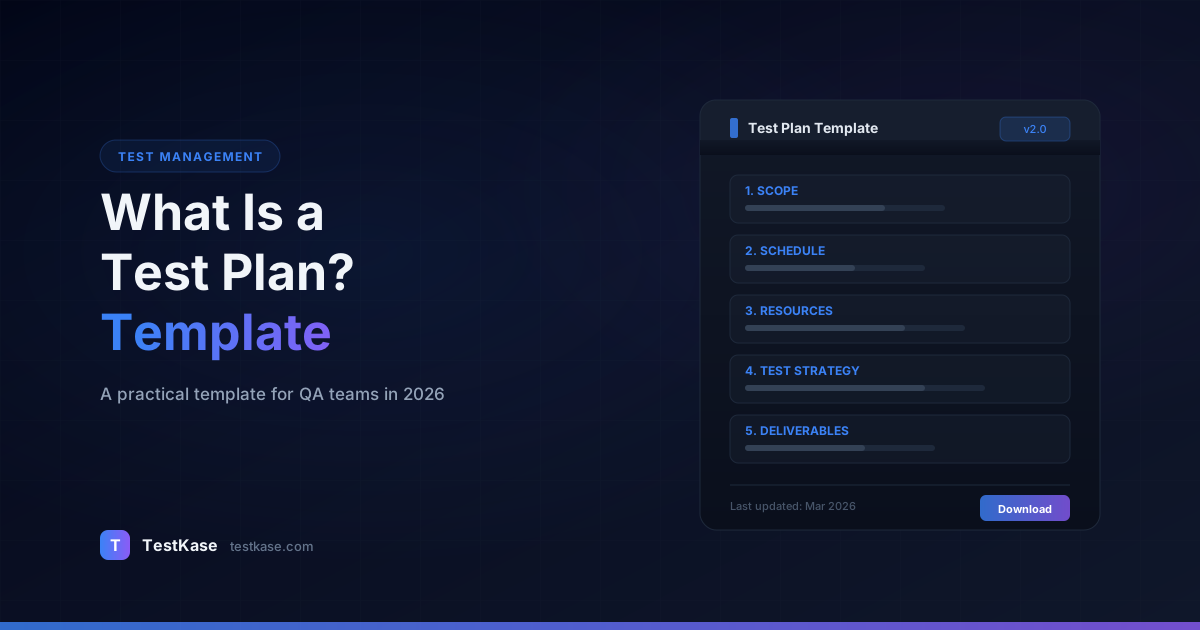
What Is a Test Plan? A Practical Template for 2026

What Is a Test Plan? A Practical Template for 2026
A QA lead at a Series B startup told me something that stuck: "We shipped four major releases without a test plan and things went fine. Then release five hit production, broke payment processing for 12 hours, and cost us $340,000 in lost revenue. The postmortem revealed we'd tested everything except the one integration that changed."
That is the thing about test plans — you do not feel their absence until something goes catastrophically wrong. A test plan is not bureaucracy. It is the document that answers "what are we testing, what are we not testing, and how will we know when we are done?" Without those answers written down, your team is operating on assumptions. And assumptions are where bugs hide.
Yet most test plan templates floating around the internet are either 40-page IEEE 829 monstrosities that nobody reads, or one-page checklists that leave out critical details. What modern QA teams need is something in between — a living document that is comprehensive enough to prevent gaps but lean enough that people actually maintain it.
A 2024 survey by PractiTest found that 67% of QA teams create test plans for major releases, but only 38% keep them updated throughout the testing cycle. That gap — between creation and maintenance — is where most test planning failures originate. The plan exists, but by day three of testing it no longer reflects reality.
What a Test Plan Actually Is
A test plan is a document that defines the scope, approach, resources, and schedule for testing a specific feature, sprint, or release. It answers five fundamental questions:
- What are we testing (and what are we explicitly not testing)?
- How are we going to test it (manual, automated, exploratory)?
- Who is responsible for what?
- When does testing start and end?
- What constitutes "done" — what criteria must be met before we sign off?
How common are test plans?
A 2024 survey by PractiTest found that 67% of QA teams create test plans for major releases, but only 38% keep them updated throughout the testing cycle. The initial creation isn't the hard part — the maintenance is.
A test plan is not a test case. Test cases describe specific steps and expected results for individual scenarios. A test plan sits above them — it is the strategy document that explains why those test cases exist and how they fit together.
Think of it this way: if your test cases are the individual plays in a football game, your test plan is the game plan. Without it, every player might execute their individual assignment perfectly and still lose because nobody coordinated the overall strategy.
Why Test Plans Fail (and How to Prevent It)
Before diving into the template, it is worth understanding why most test plans end up gathering dust. There are three common failure modes:
The shelf document. The plan is written once, reviewed once, approved once, and then never opened again. Testing proceeds based on tribal knowledge while the plan sits in a wiki page with an "approved" badge. Prevention: make the test plan the artifact your team references during daily standups. If nobody opens it during the sprint, it is not serving its purpose.
The copy-paste plan. The team copies last sprint's test plan, changes the dates, and calls it done. The scope section still references features from two months ago. Prevention: start each plan from the template structure but fill in fresh content based on the current sprint's user stories and technical changes.
The over-engineered plan. The plan covers every conceivable detail — environmental dependencies for services nobody uses, risk mitigations for scenarios that will never happen, and a 50-row matrix of test types by feature. It takes a week to write and is obsolete before testing starts. Prevention: timebox plan creation to 2-3 hours. If it takes longer, you are including too much detail.
IEEE 829 vs. Modern Lightweight Plans
The IEEE 829 standard defined the gold standard for test documentation for decades. It specifies a test plan structure with sections for test items, features to be tested, features not to be tested, approach, pass/fail criteria, suspension and resumption criteria, test deliverables, environmental needs, responsibilities, staffing, training needs, schedule, risks, and approvals.
That is thorough — and for regulated industries like medical devices, automotive, or defense, that level of rigor is non-negotiable. If an auditor might review your testing documentation, IEEE 829 compliance protects you.
But for the vast majority of software teams — SaaS products, mobile apps, web applications — the full IEEE 829 template creates more overhead than value. Teams spend hours writing sections that nobody reads, and the plan becomes outdated the moment a sprint scope changes.
The modern approach keeps the essential elements of IEEE 829 — scope, approach, risks, criteria — but drops the ceremonial sections that do not add value in an agile context. The goal is a plan that takes 1-3 hours to create, fits on 2-5 pages, and gets updated whenever the sprint scope changes.
Choosing the Right Format for Your Team
The decision between full IEEE 829 and lightweight is not binary. Many teams adopt a hybrid approach:
- Major releases (quarterly or annual): Full plan with detailed scope, comprehensive risk analysis, and formal exit criteria. Takes 4-8 hours to create. Reviewed and approved by QA lead, dev lead, and product manager.
- Sprint-level testing: Lightweight plan covering this sprint's features, the test approach, and clear exit criteria. Takes 1-2 hours. Reviewed in sprint planning.
- Hotfixes: Minimal plan — a checklist covering the specific fix, its blast radius, and the regression tests to run. Takes 15-30 minutes.
The Practical Test Plan Template
Here is a test plan template that balances thoroughness with practicality. Each section includes what to write and — just as importantly — what to skip.
1. Overview
Two to three sentences: what are you testing, for which release, and why? This is not the place for an essay. Anyone reading the plan should understand the context in 15 seconds.
Overview:
Testing for Release 4.2, covering the new invoice generation module,
updates to the payment retry logic, and the migration from Stripe API
v2023-08 to v2024-12. Testing period: Jan 6-17, 2026.
Include a link to the epic, release ticket, or project board where the full feature requirements live. Do not duplicate requirements in the test plan — reference them.
2. Scope
The most important section. Define what is in scope and — critically — what is out of scope. Ambiguity here is where test gaps originate.
In scope: List specific features, modules, API endpoints, or user flows being tested. Be concrete — "invoice module" is vague; "invoice creation, invoice PDF generation, invoice email delivery, and invoice payment linking" is specific.
Out of scope: List what you are explicitly not testing and why. "User management module — no changes since v4.0, covered by existing regression suite." This protects you when someone asks "did you test user management?" after release.
Here is a detailed scope section from a real team:
IN SCOPE:
- Invoice creation (API + UI) — new feature, 100% manual + automated coverage
- Invoice PDF generation — new feature, manual visual verification across 3 templates
- Invoice email delivery — new feature, testing with Mailtrap for 5 email clients
- Payment retry logic — modified behavior, regression + new scenario testing
- Stripe API migration (v2023-08 → v2024-12) — integration verification
- Webhook handling for Stripe events — modified, targeted testing

OUT OF SCOPE:
- User management module — no changes since v4.0
  Coverage: 142 automated regression tests (100% pass rate in last 5 runs)
- Dashboard analytics — no changes since v4.1
  Coverage: 68 automated tests + manual smoke test in regression cycle
- Mobile app — separate release cycle, tested by mobile QA team
3. Test Approach
How will you test each in-scope area? This is not a list of test cases — it is the strategy.
Approach:
- Invoice creation: Manual functional testing + automated API tests
- PDF generation: Manual visual verification across 3 invoice templates
- Email delivery: Manual testing with Mailtrap for 5 email clients
- Payment linking: Automated integration tests against Stripe sandbox
- Regression: Automated suite (CI) + manual smoke test of checkout flow
- Performance: Load test invoice generation at 500 concurrent users
For each approach, specify the test types you will use. This prevents the common mistake of only doing functional testing and missing performance, security, or accessibility gaps:
Test Types by Feature:
                    Functional  Integration  Performance  Security  Accessibility
Invoice creation      Yes          Yes          Yes         Yes         Yes
PDF generation        Yes          No           No          No          Yes
Email delivery        Yes          Yes          No          No          No
Payment retry         Yes          Yes          Yes         No          No
Stripe migration      No           Yes          Yes         No          No
Include your 'not testing' approach too
For each out-of-scope area, note how it's still covered. "User management is out of scope for manual testing but covered by 142 automated regression tests running in CI." This shows stakeholders you haven't simply ignored those areas.
4. Entry and Exit Criteria
Entry criteria define what must be true before testing starts. Exit criteria define what must be true before you sign off that testing is complete.
Entry criteria examples:
- Code deployed to staging environment
- All unit tests passing (>95% pass rate in CI)
- Test data seeded in staging database
- Test accounts provisioned with appropriate permissions
- API documentation updated for new/changed endpoints
- Feature flags configured for the test environment
Exit criteria examples:
- All Critical and High priority test cases executed
- Zero Critical defects open
- No more than 3 High-severity defects open (with workarounds documented)
- Pass rate above 95% for Critical test cases
- Performance benchmarks met (response time under 2s at P95 for invoice generation)
- All automated regression tests passing
- Security scan completed with no Critical or High findings
Exit criteria are your best defense against "just one more thing" scope creep and premature release pressure. When a PM asks "can we ship today?" you point to the criteria: "We have 2 open Critical defects. Our exit criteria require zero. Here's the list."
What happens when exit criteria are not met? This is a decision your test plan should address explicitly:
Exit Criteria Exceptions:
If exit criteria cannot be met by the scheduled release date, the following
escalation path applies:
1. QA Lead documents the unmet criteria and associated risks
2. QA Lead, Dev Lead, and Product Manager hold a risk review meeting
3. The group decides: delay release, release with known issues (documented
   in release notes), or modify exit criteria with justification
4. Decision is recorded in the release ticket with all three approvals
5. Resources and Responsibilities
Who is doing what? Assign ownership explicitly — shared responsibility means nobody takes responsibility.
Resources:
- Manual testing: Sarah (invoice flows), Raj (payment linking)
- Automation: Miguel (API tests), Lisa (CI pipeline)
- Performance testing: Sarah + DevOps (Amir)
- Test environment: DevOps team (Amir)
- Sign-off: QA Lead (Sarah), Product Manager (Jordan)
Include backup assignments for critical roles. If Sarah is the only person who can test invoice flows and she is out sick, what happens? A good test plan answers this before it becomes a crisis.
Backup Assignments:
- Invoice flows: Raj (cross-trained on Jan 3)
- Payment linking: Sarah (primary domain knowledge)
- API automation: Miguel has no backup — risk documented in Risk section
6. Test Environment
Document where testing happens. This seems obvious until your test fails because someone tested on staging while the feature was only deployed to QA.
Environments:
- QA: qa.example.com (latest build, refreshed nightly)
- Staging: staging.example.com (release candidate, refreshed per deployment)
- Performance: perf.example.com (production-mirror, isolated)

External dependencies:
- Stripe sandbox (API key in team vault)
- Mailtrap (shared account, credentials in 1Password)
- AWS S3 bucket for PDF storage (test bucket: invoice-pdfs-test)

Test Data:
- Seed script: scripts/seed-test-data.sh
- Test accounts: 5 accounts with varying subscription tiers (documented in TestKase)
- Payment cards: Stripe test card numbers (4242... for success, 4000... for decline)
Include instructions for resetting the test environment. When tests corrupt the data or a deployment goes wrong, the team needs a quick recovery path:
Environment Reset:
- QA: Automatic nightly refresh from production snapshot (sanitized)
- Manual reset: Run `make reset-qa` (takes ~15 minutes)
- Staging: Reset requires DevOps ticket — typical turnaround 2 hours
7. Schedule
Map testing activities to dates. Keep it realistic — account for defect re-testing, environment downtime, and the fact that estimates are always optimistic.
Schedule:
- Jan 6-7: Test environment setup, test data preparation
- Jan 8-10: Functional testing (invoice module)
- Jan 13-14: Integration testing (payment linking + Stripe)
- Jan 14: Performance test execution
- Jan 15-16: Defect re-testing, regression
- Jan 17: Final sign-off (exit criteria review)
- Buffer: Jan 20 (if critical defects require re-testing)
A common scheduling mistake is forgetting to account for defect cycles. When testing finds bugs, those bugs need to be fixed, deployed, and re-tested. This cycle typically adds 2-3 days for a major release. Build it into your schedule explicitly rather than hoping everything passes the first time.
8. Risks and Mitigations
Every test plan should identify what could go wrong with testing itself — not the product, but the testing effort.
Risks:
1. Stripe sandbox may be unstable during testing window
   Mitigation: Mock Stripe responses for functional tests; use sandbox
   only for final integration verification
   Impact if realized: 1-day delay in integration testing

2. Performance environment shares resources with staging
   Mitigation: Schedule performance tests for off-hours (after 8 PM)
   Impact if realized: Unreliable performance metrics, need to re-run

3. Sarah has PTO Jan 9-10
   Mitigation: Raj cross-trained on invoice testing; can cover those dates
   Impact if realized: Minimal — backup coverage in place

4. API documentation may be incomplete for new Stripe version
   Mitigation: Developer on-call during integration testing for clarification
   Impact if realized: 2-4 hours of blocked testing while waiting for answers

5. Test data corruption from parallel testing
   Mitigation: Each tester has dedicated test accounts; no shared data
   Impact if realized: Environment reset (15 minutes) + re-execution of affected tests
For each risk, include the impact if the risk materializes and the mitigation plan. This turns vague worries into concrete contingency plans.
9. Test Deliverables (Optional but Recommended)
What artifacts will testing produce? This sets expectations for what stakeholders will receive at the end of the testing cycle.
Deliverables:
- Test execution report (generated from TestKase at exit criteria review)
- Defect summary with severity distribution
- Performance test results (response times, throughput, error rates)
- Sign-off document with exit criteria status
- Known issues list for release notes
When to Update Your Test Plan
A test plan created at the start of a sprint and never touched again is a historical document, not a working one. Update it when:
- Scope changes: Features added or removed mid-sprint
- Schedule shifts: Testing window shortened or extended
- Risks materialize: An environment goes down, a team member is out sick
- New information emerges: A pattern of defects reveals a previously untested area needs coverage
Version your test plans
Always indicate when the plan was last updated and by whom. "Last updated: Jan 13, 2026 by Sarah — added Stripe fallback testing after sandbox outage on Jan 12." Without versioning, nobody knows if they're reading the current plan or an obsolete one.
The best test plans are living documents — brief enough to read in 5 minutes, detailed enough to prevent gaps, and updated frequently enough to reflect reality. Keep a change log at the top of the plan:
Change Log:
- Jan 6, 2026 (Sarah): Initial version
- Jan 8, 2026 (Sarah): Added Stripe sandbox instability to risk section
- Jan 10, 2026 (Raj): Updated schedule — functional testing extended to Jan 13
  due to additional invoice edge cases discovered
- Jan 13, 2026 (Sarah): Added Stripe fallback testing after sandbox outage Jan 12
- Jan 15, 2026 (Sarah): Updated exit criteria — 2 High-severity defects
  accepted with workarounds (PM approved)
Test Plans for Different Contexts
The template above is designed for sprint-level or release-level testing. Here is how to adapt it for different contexts.
API-Only Testing
For backend teams shipping API changes without a frontend:
- Scope: List specific endpoints, HTTP methods, and payload changes
- Approach: Automated API tests (Postman, RestAssured, or Supertest), contract tests, performance tests
- Entry criteria: API deployed to staging, Swagger/OpenAPI spec updated
- Exit criteria: 100% of endpoint contracts validated, performance within SLA, no breaking changes to existing consumers
Mobile App Testing
For mobile releases:
- Scope: Include device matrix (which devices and OS versions to test on)
- Approach: Manual exploratory on physical devices, automated UI tests on emulators, accessibility audit
- Entry criteria: Build available on TestFlight/Firebase App Distribution
- Exit criteria: Tested on minimum device matrix, no crashes in crash reporting tool, app store review guidelines met
Hotfix Testing
For emergency fixes:
Hotfix Test Plan: Fix for payment timeout (BUG-1842)

Scope: Payment processing endpoint timeout handling
Change: Increased timeout from 10s to 30s, added retry logic
Blast radius: Payment flow, webhook processing

Tests to execute:
- [TC-401] Successful payment within 5 seconds
- [TC-402] Payment with 15-second response (was timing out)
- [TC-405] Payment with 35-second response (should fail gracefully)
- Smoke test: Complete checkout flow end-to-end

Exit criteria: All 4 tests pass, no regression in checkout flow
Estimated time: 2 hours
Common Mistakes in Test Planning
1. Writing the plan after testing starts. If your test plan is written retroactively to satisfy a process requirement, it is documentation theater. Write it before testing begins so it actually guides the effort.
2. Omitting out-of-scope items. What you do not test is as important as what you do. Failing to document out-of-scope areas means no one realizes a critical flow was untested until production breaks.
3. Setting unrealistic exit criteria. "100% pass rate with zero defects" sounds rigorous but is rarely achievable. When teams cannot meet unrealistic criteria, they either delay indefinitely or ignore the criteria entirely. Set criteria that are ambitious but achievable.
4. Planning in isolation. A test plan written solely by QA misses developer context about risky code areas and product context about business-critical flows. Involve dev leads and product managers in the review.
5. Not including a schedule buffer. Testing always takes longer than estimated. A plan with zero buffer sets the team up for an impossible deadline and encourages cutting corners. Add 20-30% buffer for a release-level plan.
6. Confusing test plans with test cases. A test plan should not list individual test steps. It defines strategy and scope. Test cases live in your test management tool, linked to the plan but not duplicated within it.
7. Ignoring non-functional requirements. Most test plans focus exclusively on functional testing. Performance, security, accessibility, and compatibility testing are frequently omitted — and frequently the source of production incidents. Include a row for each non-functional testing type, even if the entry is "Not applicable for this release — no changes to performance-critical paths."
How TestKase Supports Test Planning
TestKase's test cycle feature functions as a lightweight, executable test plan. When you create a test cycle, you define the scope (which test cases are included), the assignees (who executes what), and the timeline. As testers execute, the cycle tracks progress in real time — no need to update a separate document to reflect current status.
Folder-based organization mirrors the scope definition in your test plan. Tag test cases by feature area, and pulling together a cycle for "all invoice-related tests" takes seconds rather than hours of manual curation.
TestKase's dashboards give you live exit criteria tracking. You can see your pass rate, open defect count, and execution progress at a glance — making the "can we ship?" conversation data-driven rather than opinion-driven. When exit criteria are met, the data is already there to generate the sign-off report.
For teams that need formal test plans for compliance or auditing, TestKase provides the execution evidence that backs up the plan. Your test plan says "all critical test cases will be executed" — TestKase shows that they were, when, by whom, and with what results.
Build your next test plan in TestKaseConclusion
A test plan does not need to be a 40-page document that nobody reads. It needs to answer five questions clearly: what you are testing, how you are testing it, who is responsible, when it happens, and what "done" looks like. Write it before testing starts, keep it updated as reality shifts, and use exit criteria to make release decisions objective.
The template above works for teams of 3 and teams of 30. Adapt it to your context, skip sections that genuinely do not apply, but never skip scope definition and exit criteria. Those two sections alone prevent the majority of testing gaps that lead to production incidents. A two-page plan that your team actually reads and follows is worth infinitely more than a twenty-page plan that sits unopened in Confluence.
Stay up to date with TestKase
Get the latest articles on test management, QA best practices, and product updates delivered to your inbox.
SubscribeShare this article
Related Articles
Critical, Serious, Moderate, Minor: How to Triage Accessibility Issues by Severity
A practical triage policy template — SLAs per severity, ownership across design / engineering / content / QA, and how to share findings cross-team without forwarding PDFs.
Read more →Why Single-Page Accessibility Scans Miss Real Bugs (and What Multi-Page Audits Catch)
Single-URL accessibility scanners miss six entire categories of WCAG violations. Here's what falls through the gap, and how flow-aware audits catch the issues your users actually hit.
Read more →Accessibility Testing in CI/CD: Catching WCAG Issues Before They Ship
Three integration patterns, GitHub Actions / GitLab / CircleCI templates, and a 3-quarter rollout playbook to take an engineering team from zero accessibility in CI to block-on-fail.
Read more →