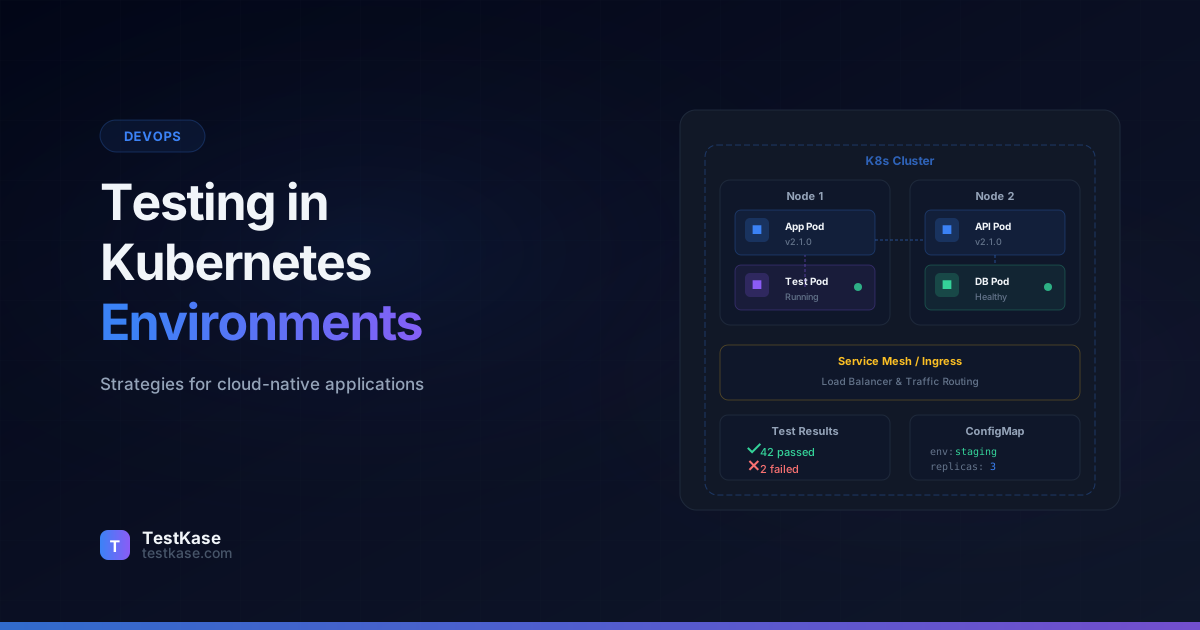
Testing in Kubernetes: Strategies for Cloud-Native Applications

Testing in Kubernetes: Strategies for Cloud-Native Applications
Your monolith had 400 tests and they all ran in 3 minutes. Then you broke it into 12 microservices, each with its own database, message queue, and API contract. Now you have 400 tests that require a Kubernetes cluster, three database instances, RabbitMQ, Redis, and a service mesh to run. Your laptop fan sounds like a jet engine and the tests still fail because the payment service can't reach the order service's ClusterIP.
Testing in Kubernetes is fundamentally different from testing a monolith. The application isn't one process — it's a distributed system where services communicate over the network, scale independently, and fail in ways your unit tests never anticipated. Network partitions, pod restarts, resource limits, DNS resolution delays — these aren't edge cases in Kubernetes. They're Tuesday.
This guide covers practical testing strategies for cloud-native applications: how to structure your test pyramid for microservices, what tools to use for local development, how to run integration tests in real clusters, and how chaos engineering and observability extend testing into production.
The Testing Challenge in Kubernetes
Traditional testing assumes a stable, predictable environment. You start the app, it listens on a port, and your tests hit that port. In Kubernetes, the environment is dynamic by design:
- Pods can be rescheduled to different nodes at any time
- Services discover each other through DNS that takes time to propagate
- Config and secrets are injected at runtime, not compile time
- Horizontal Pod Autoscaler changes the number of replicas under load
- Liveness and readiness probes can restart containers mid-test
- Network policies can silently block traffic between services
- Resource quotas can prevent pods from scheduling
Microservices testing math
A monolith with 5 modules has 10 possible integration paths (5 choose 2). Twelve microservices have 66 possible integration paths. The number of things that can break between services grows exponentially with service count — and each path needs testing.
These characteristics don't invalidate traditional testing — they add new dimensions to it. You still need unit tests and integration tests. But you also need tests that validate service-to-service communication, configuration correctness, resilience to failures, and behavior under resource constraints.
Why Monolith Testing Strategies Fail in Kubernetes
Teams migrating from monoliths to microservices often make the mistake of transplanting their existing test strategy directly. Here's why that fails:
Integration tests become infrastructure-dependent. In a monolith, an integration test might call a service method directly. In Kubernetes, that same interaction requires network connectivity, DNS resolution, service discovery, and potentially a service mesh. The test now has dozens of infrastructure dependencies that can fail independently of the code being tested.
Test data management becomes distributed. A monolith typically has one database. Twelve microservices might have six databases, two caches, and three message queues. Setting up test data requires coordinating across all of these — and cleaning it up afterwards without leaving orphaned records in dependent services.
Environment parity is harder to achieve. Your laptop can run a monolith in development mode. Running 12 microservices with their dependencies requires either significant local resources or a remote cluster, and the configuration differences between environments create testing gaps.
Failure modes multiply. A monolith has a limited set of failure modes — the process crashes, the database connection fails, or an unhandled exception propagates. A microservices system adds network failures, timeout cascades, circuit breaker trips, retry storms, and partial degradation. Each of these needs dedicated testing.
Restructuring the Test Pyramid for Microservices
The classic test pyramid — many unit tests, fewer integration tests, even fewer E2E tests — still holds for microservices, but with important modifications.
Unit Tests: Same as Always
Unit tests for individual services remain fast, isolated, and focused on business logic. Nothing Kubernetes-specific here — mock external dependencies, test your domain logic, and keep them under 50 milliseconds each.
The trap is testing infrastructure code as if it's business logic. Your Kubernetes manifests, Helm charts, and ConfigMaps need validation, but not through unit tests. Use dedicated tools for those (covered below).
One Kubernetes-specific consideration for unit tests: test your service's behavior when dependencies are unavailable. If your order service calls the payment service, your unit tests should cover the case where the payment service returns errors, times out, or is completely unreachable. These tests use mocks, not real services — but they validate the resilience patterns (retry logic, circuit breakers, fallback responses) that become critical in Kubernetes.
// Unit test: order service handles payment timeout
describe('OrderService', () => {
  it('returns a pending status when payment service times out', async () => {
    // Mock the payment client to simulate a timeout
    const paymentClient = {
      processPayment: jest.fn().mockRejectedValue(
        new TimeoutError('Payment service did not respond within 5000ms')
      ),
    };

    const orderService = new OrderService(paymentClient);
    const result = await orderService.createOrder({
      items: [{ sku: 'WIDGET-001', quantity: 2 }],
      customerId: 'cust-123',
    });

    expect(result.status).toBe('payment_pending');
    expect(result.retryScheduled).toBe(true);
    expect(paymentClient.processPayment).toHaveBeenCalledTimes(1);
  });

  it('trips circuit breaker after 3 consecutive payment failures', async () => {
    const paymentClient = {
      processPayment: jest.fn().mockRejectedValue(
        new Error('Connection refused')
      ),
    };

    const orderService = new OrderService(paymentClient);

    // Trigger 3 failures to trip the circuit breaker
    for (let i = 0; i < 3; i++) {
      await orderService.createOrder({
        items: [{ sku: 'WIDGET-001', quantity: 1 }],
        customerId: `cust-${i}`,
      });
    }

    // Fourth call should fail fast without calling payment service
    const result = await orderService.createOrder({
      items: [{ sku: 'WIDGET-001', quantity: 1 }],
      customerId: 'cust-4',
    });

    expect(result.status).toBe('payment_circuit_open');
    expect(paymentClient.processPayment).toHaveBeenCalledTimes(3);
  });
});
Contract Tests: The Missing Middle Layer
In a monolith, integration happens through function calls — the compiler catches type mismatches. In microservices, integration happens through HTTP and gRPC calls — nothing catches mismatches until runtime.
Contract tests fill this gap. They verify that service A's expectations about service B's API match what service B actually provides — without requiring both services to run simultaneously.
// Consumer contract test (order-service)
// "I expect the payment-service to accept this request format
// and return this response format"
describe('Payment Service Contract', () => {
  it('processes a payment', async () => {
    const interaction = {
      request: {
        method: 'POST',
        path: '/api/payments',
        body: { orderId: '123', amount: 99.99, currency: 'USD' },
      },
      response: {
        status: 201,
        body: { paymentId: like('pay_abc123'), status: 'completed' },
      },
    };

    await provider.addInteraction(interaction);
    const result = await paymentClient.processPayment('123', 99.99, 'USD');
    expect(result.status).toBe('completed');
  });

  it('handles insufficient funds', async () => {
    const interaction = {
      request: {
        method: 'POST',
        path: '/api/payments',
        body: { orderId: '456', amount: 99999.99, currency: 'USD' },
      },
      response: {
        status: 402,
        body: {
          error: 'insufficient_funds',
          message: like('Payment declined'),
        },
      },
    };

    await provider.addInteraction(interaction);
    await expect(
      paymentClient.processPayment('456', 99999.99, 'USD')
    ).rejects.toThrow('insufficient_funds');
  });
});
Tools like Pact, Spring Cloud Contract, and Specmatic generate contracts from consumer tests and verify them against the provider. If the payment service changes its response format, the contract test fails before the change reaches a shared environment — no cluster required.
Contract testing workflow in practice:
- Consumer team writes contract tests defining what they expect from the provider API.
- Tests generate a contract file (JSON in Pact, YAML in Specmatic).
- Contract file is published to a broker (Pact Broker or a shared artifact repository).
- Provider's CI pipeline downloads the contract and verifies its implementation satisfies all consumer expectations.
- If verification fails, the provider knows their change will break a consumer — before merging.
This workflow catches breaking API changes at build time, which is orders of magnitude faster and cheaper than discovering them in a shared staging environment.
Integration Tests: Local vs. Cluster
Integration tests need real dependencies — databases, message queues, other services. In Kubernetes, you have two options for running these.
Local Development Testing: kind, minikube, and Docker Compose
You don't need a remote cluster for most integration testing. Local tools simulate a Kubernetes environment on your development machine.
kind (Kubernetes in Docker)
kind runs a Kubernetes cluster inside Docker containers. It's fast to start (under 60 seconds), lightweight, and disposable. Perfect for CI pipelines that need a real cluster but don't need cloud resources.
# Create a local cluster
kind create cluster --name test-cluster

# Load your locally-built images (no registry needed)
kind load docker-image my-service:latest --name test-cluster

# Deploy your application
kubectl apply -f k8s/manifests/ --context kind-test-cluster

# Wait for all pods to be ready
kubectl wait --for=condition=ready pod --all \
  --timeout=120s --context kind-test-cluster

# Run integration tests against the cluster
npm run test:integration -- --base-url http://localhost:30080

# Tear down
kind delete cluster --name test-cluster
kind is ideal for CI: create a cluster at the start of the pipeline, run tests, delete it. Each pipeline run gets an isolated cluster, so tests never interfere with each other.
Advanced kind configuration for realistic testing:
# kind-config.yaml — multi-node cluster for realistic scheduling
kind: Cluster
apiVersion: kind.x-k8s.io/v1alpha4
nodes:
  - role: control-plane
  - role: worker
  - role: worker
  - role: worker
# Three worker nodes simulate scheduling behavior
# Tests can verify pod anti-affinity, node selectors, etc.
networking:
  podSubnet: "10.244.0.0/16"
  serviceSubnet: "10.96.0.0/12"
minikube
minikube provides a fuller Kubernetes experience with add-ons for ingress, metrics server, and dashboard. It's better suited for local development where you want to interact with the cluster manually.
# Start minikube with specific resources
minikube start --cpus=4 --memory=8192 --driver=docker

# Enable commonly needed add-ons
minikube addons enable ingress
minikube addons enable metrics-server

# Build images directly in minikube's Docker daemon
eval $(minikube docker-env)
docker build -t my-service:latest ./my-service

# Deploy and test
kubectl apply -f k8s/manifests/
minikube service my-service --url  # Get accessible URL
Docker Compose as a Lightweight Alternative
For teams early in their Kubernetes journey, Docker Compose provides multi-service orchestration without Kubernetes complexity. Your integration tests run against real services without needing cluster knowledge.
# docker-compose.test.yml
services:
  order-service:
    build: ./order-service
    environment:
      - DB_HOST=postgres
      - PAYMENT_SERVICE_URL=http://payment-service:3000
    depends_on:
      postgres:
        condition: service_healthy
    healthcheck:
      test: ["CMD", "curl", "-f", "http://localhost:3000/health"]
      interval: 10s
      timeout: 5s
      retries: 3

  payment-service:
    build: ./payment-service
    environment:
      - DB_HOST=postgres
      - STRIPE_KEY=sk_test_fake123

  postgres:
    image: postgres:16
    environment:
      POSTGRES_DB: orders_test
    healthcheck:
      test: ["CMD-SHELL", "pg_isready"]
      interval: 5s
      timeout: 3s
      retries: 5

  test-runner:
    build:
      context: ./tests
      dockerfile: Dockerfile.test
    depends_on:
      order-service:
        condition: service_healthy
    environment:
      - ORDER_SERVICE_URL=http://order-service:3000
      - PAYMENT_SERVICE_URL=http://payment-service:3000
    command: npm run test:integration
Test environment parity
The gap between your test environment and production is where bugs hide. If you're testing with Docker Compose but deploying to Kubernetes with a service mesh, network policies, and resource limits, you're missing an entire class of infrastructure-related failures. Aim to test in a real cluster for your critical integration tests, even if local tools handle the bulk.
Validating Kubernetes Manifests
Your YAML manifests are code — and they can have bugs. A typo in a resource limit, a missing label, or an incorrect port number can cause deployment failures that only surface in a real cluster.
Static validation catches these before deployment:
# Basic syntax validation
kubectl apply --dry-run=client -f deployment.yaml

# Schema validation with kubeconform
kubeconform -strict -kubernetes-version 1.29.0 k8s/manifests/

# Policy validation with OPA/Gatekeeper or Kyverno
# "No container may run as root"
# "All deployments must have resource limits"
# "All pods must have readiness probes"
Tools like kubeconform validate your manifests against the Kubernetes API schema. Policy tools like Kyverno and OPA Gatekeeper enforce organizational rules — no containers running as root, all deployments must have memory limits, all services must have a team label.
Kyverno Policy Example
# kyverno-policy.yaml — require resource limits on all containers
apiVersion: kyverno.io/v1
kind: ClusterPolicy
metadata:
  name: require-resource-limits
spec:
  validationFailureAction: enforce
  rules:
    - name: check-resource-limits
      match:
        resources:
          kinds:
            - Deployment
            - StatefulSet
      validate:
        message: "All containers must have CPU and memory limits defined."
        pattern:
          spec:
            template:
              spec:
                containers:
                  - resources:
                      limits:
                        memory: "?*"
                        cpu: "?*"
Helm Chart Testing
If you use Helm, add helm template rendering and validation to your CI pipeline:
# Render templates and validate
helm template my-release ./charts/my-service \
  --values ./charts/my-service/values-test.yaml \
  | kubeconform -strict -kubernetes-version 1.29.0 -

# Test with helm's built-in test framework
helm test my-release --namespace test

# Lint for best practices
helm lint ./charts/my-service --values ./charts/my-service/values-test.yaml
Run these checks in CI alongside your code tests. They take seconds and catch misconfigurations that would otherwise cause a 3 AM page.
Health Checks and Readiness Probes as Tests
Kubernetes health checks aren't just operational tooling — they're a form of continuous testing. A readiness probe verifies that your service can handle traffic. A liveness probe verifies that your service hasn't entered a broken state.
Write meaningful probes, not trivial ones:
# Weak: just checks if the HTTP server is up
readinessProbe:
  httpGet:
    path: /healthz
    port: 8080

# Strong: checks database connectivity and dependency health
readinessProbe:
  httpGet:
    path: /ready
    port: 8080
  # /ready endpoint checks:
  # - Database connection pool has available connections
  # - Cache is reachable
  # - Required config values are present
  # - Downstream service health (with timeout)
  initialDelaySeconds: 5
  periodSeconds: 10
  failureThreshold: 3
A readiness probe that verifies database connectivity catches issues that unit tests can't — connection pool exhaustion, DNS resolution failures, credential rotation problems. These probes run continuously in production, providing ongoing validation that your service is truly ready to serve traffic.
Startup Probes for Slow-Starting Services
For services that need longer initialization (loading ML models, building caches, running migrations), use startup probes separately from liveness probes:
startupProbe:
  httpGet:
    path: /healthz
    port: 8080
  # Allow up to 5 minutes for startup (30 * 10s)
  failureThreshold: 30
  periodSeconds: 10

livenessProbe:
  httpGet:
    path: /healthz
    port: 8080
  # After startup succeeds, check every 15s
  periodSeconds: 15
  failureThreshold: 3

readinessProbe:
  httpGet:
    path: /ready
    port: 8080
  periodSeconds: 10
  failureThreshold: 3
Without a startup probe, a slow-starting service gets killed by the liveness probe before it finishes initializing — leading to crash loops that are notoriously difficult to debug.
Chaos Engineering: Testing Resilience
Chaos engineering answers the question: "What happens when things go wrong?" In Kubernetes, things go wrong regularly — nodes get preempted, pods get OOMKilled, network links degrade. Chaos tests verify that your application handles these failures gracefully.
Getting Started with Chaos Testing
You don't need to start with full Chaos Monkey-style random failures. Begin with targeted experiments:
-
Pod termination — Kill a pod and verify the service recovers automatically. Does the Deployment's replica count restore? Do in-flight requests fail gracefully or hang?
-
Network latency injection — Add 500ms latency to a service-to-service call. Does the caller time out and retry? Does the circuit breaker trip? Or does the entire request chain slow down?
-
Resource pressure — Constrain a pod's CPU or memory and observe behavior. Does it degrade gracefully or crash?
-
DNS failure — Simulate DNS resolution delays or failures. Services that cache DNS responses handle this gracefully; services that resolve on every request will cascade-fail.
-
Disk pressure — Fill the pod's ephemeral storage. Does the application handle write failures, or does it crash with an unhandled exception?
Tools like Chaos Mesh, Litmus, and Gremlin provide Kubernetes-native chaos experiments. They define experiments as custom resources:
# Chaos Mesh: inject 500ms network delay to payment service
apiVersion: chaos-mesh.org/v1alpha1
kind: NetworkChaos
metadata:
  name: payment-delay-test
spec:
  action: delay
  mode: all
  selector:
    labelSelectors:
      app: payment-service
  delay:
    latency: '500ms'
    jitter: '100ms'
  duration: '5m'
Run this in a staging cluster while your integration tests execute. If your tests still pass with 500ms of injected latency, your service handles real-world network conditions. If they fail, you've found a resilience gap before your users did.
Structuring Chaos Experiments
A well-structured chaos experiment follows the scientific method:
1. HYPOTHESIS: "If the payment service loses 20% of outbound packets,
   the order service will retry failed requests and complete orders
   within 10 seconds instead of the normal 2 seconds."

2. STEADY STATE: Define normal behavior metrics
   - Order completion rate: 99.8%
   - P95 order latency: 2.1 seconds
   - Payment error rate: 0.1%

3. EXPERIMENT: Inject 20% packet loss on payment-service pods

4. OBSERVE:
   - Order completion rate: 99.2% (acceptable)
   - P95 order latency: 8.7 seconds (within hypothesis)
   - Payment error rate: 18% before retries, 0.8% after retries

5. LEARN: Retry logic works, but we should add a timeout warning
   to the UI when latency exceeds 5 seconds.
Chaos Testing in CI/CD
For mature teams, chaos experiments can run as part of the CI/CD pipeline — not in production, but in a staging cluster that mirrors production:
# GitHub Actions: chaos test stage
chaos-test:
  runs-on: ubuntu-latest
  needs: [deploy-staging]
  steps:
    - name: Install Chaos Mesh
      run: |
        helm repo add chaos-mesh https://charts.chaos-mesh.org
        helm install chaos-mesh chaos-mesh/chaos-mesh \
          --namespace chaos-testing --create-namespace

    - name: Run pod-kill experiment
      run: kubectl apply -f chaos/pod-kill-experiment.yaml

    - name: Verify service recovery
      run: |
        # Wait for chaos to take effect
        sleep 30
        # Verify the service recovered
        kubectl wait --for=condition=ready pod \
          -l app=order-service --timeout=120s
        # Run smoke tests to verify functionality
        npm run test:smoke -- --base-url $STAGING_URL

    - name: Clean up chaos experiments
      if: always()
      run: kubectl delete -f chaos/ --ignore-not-found
Monitoring as Testing: Observability in Production
Some behaviors can only be tested in production — real traffic patterns, real data volumes, real geographic distribution. Observability doesn't replace pre-production testing, but it extends your testing into the real world.
Key observability signals that function as tests:
- Error rate SLOs — "The 5xx error rate must stay below 0.1%." A breach is a failed test.
- Latency percentiles — "P99 latency must stay below 500ms." Monitor it like a test assertion.
- Resource utilization — "No pod should exceed 80% memory usage." An OOMKill is a failed test.
- Custom business metrics — "Payment success rate must stay above 99.5%."
Define these as Service Level Objectives (SLOs) and alert when they breach. Each SLO is, functionally, a continuously-running test against production.
Canary Deployments as Tests
Canary deployments are another form of production testing. Instead of deploying a new version to all pods simultaneously, you roll it out to a small percentage of traffic and monitor:
# Argo Rollouts canary deployment
apiVersion: argoproj.io/v1alpha1
kind: Rollout
metadata:
  name: order-service
spec:
  replicas: 10
  strategy:
    canary:
      steps:
        - setWeight: 10  # 10% of traffic to new version
        - pause: { duration: 5m }  # Monitor for 5 minutes
        - analysis:
            templates:
              - templateName: error-rate-check
        - setWeight: 50
        - pause: { duration: 10m }
        - analysis:
            templates:
              - templateName: error-rate-check
        - setWeight: 100
---
apiVersion: argoproj.io/v1alpha1
kind: AnalysisTemplate
metadata:
  name: error-rate-check
spec:
  metrics:
    - name: error-rate
      provider:
        prometheus:
          address: http://prometheus:9090
          query: |
            sum(rate(http_requests_total{status=~"5.*",
              app="order-service"}[5m])) /
            sum(rate(http_requests_total{app="order-service"}[5m]))
      successCondition: result[0] < 0.01  # Less than 1% error rate
If the canary analysis detects elevated error rates, it automatically rolls back. This is automated testing in production — using real traffic to validate that your new code works under real conditions.
Testing Service Mesh Configurations
If you're running Istio, Linkerd, or another service mesh, the mesh configuration itself needs testing. A misconfigured VirtualService, DestinationRule, or AuthorizationPolicy can cause traffic routing failures, mTLS errors, or accidental exposure of internal services.
# Validate Istio configuration
istioctl analyze --namespace production

# Common issues caught:
# - VirtualService referencing a non-existent gateway
# - DestinationRule with incorrect subset labels
# - AuthorizationPolicy denying legitimate traffic
# - mTLS mode mismatch between services
Include mesh configuration validation in your CI pipeline alongside manifest validation. A broken Istio VirtualService can silently route traffic to the wrong service version — a failure mode that no amount of unit testing will catch.
Common Mistakes in Kubernetes Testing
-
Skipping contract tests — Without contract tests, you won't know a service broke its API until consumers fail in a shared environment. By then, the breaking change has already been merged and deployed. Contract tests catch this at build time.
-
Testing only the happy path across services — Services fail. Network calls time out. Queues back up. If your integration tests only cover the sunny-day scenario, you're not testing the most likely production failures.
-
Not cleaning up test resources — Tests that create Kubernetes resources (pods, services, configmaps) and don't clean them up leave garbage in your cluster. Use namespaces for test isolation and delete the namespace after the test run.
# Pattern: namespace-per-test-run
NAMESPACE="test-$(date +%s)"
kubectl create namespace $NAMESPACE
kubectl apply -f k8s/manifests/ -n $NAMESPACE

# Run tests
npm run test:integration -- --namespace $NAMESPACE

# Clean up everything — deleting the namespace removes all resources in it
kubectl delete namespace $NAMESPACE
-
Ignoring resource limits in test environments — If your test environment has no CPU or memory limits, you won't catch resource-related failures. Mirror production limits in your test clusters.
-
Running all tests against the cluster — Not every test needs a Kubernetes cluster. Unit tests and contract tests should run without infrastructure. Only integration tests that specifically validate service-to-service behavior or Kubernetes-specific functionality need a cluster. Running unit tests against a cluster wastes time and adds unnecessary infrastructure dependencies to your CI pipeline.
-
Sharing test clusters between teams — When multiple teams share a staging cluster for testing, test results become unreliable. Team A's deployment can break Team B's tests. Use dedicated namespaces or ephemeral clusters per pipeline to isolate test environments.
-
Not testing rollback procedures — If a deployment fails, can you roll back cleanly? Test this explicitly. Deploy a deliberately broken version, verify the rollback mechanism works, and confirm the previous version serves traffic correctly after rollback.
How TestKase Fits into Cloud-Native Testing
Cloud-native applications multiply the number of things you need to test — service interactions, infrastructure configurations, resilience scenarios, deployment strategies. TestKase helps you organize and track this expanded scope.
You can categorize test cases by service, by test type (unit, contract, integration, chaos), and by environment (local, staging, production). TestKase's test cycle feature lets you define a release validation plan that spans all your microservices — ensuring that contract tests, integration tests, and chaos experiments are all executed and tracked before a release proceeds.
When your CI/CD pipeline runs tests across multiple services and environments, TestKase aggregates results into a single dashboard. Instead of checking 12 different pipeline runs to determine release readiness, your team checks one view. The TestKase reporter integrates with your CI pipeline to automatically push results from every service's test run — unit tests, contract tests, integration tests, and chaos experiment outcomes — into a unified release report.
Manage cloud-native testing with TestKaseConclusion
Testing in Kubernetes requires expanding your testing strategy beyond code-level verification. Contract tests validate service compatibility. Infrastructure validation catches manifest errors. Chaos engineering verifies resilience. Observability extends testing into production.
The key insight: don't try to replicate your monolith testing strategy in a microservices world. Adapt the test pyramid — add contract tests as a new layer, use local clusters for integration, validate your manifests as code, and treat SLOs as continuously-running tests. Each layer catches a different category of failure, and together they give you confidence that your distributed system actually works.
Start with the highest-impact additions to your existing strategy. If you have no contract tests, add Pact or Specmatic — that single addition will prevent more integration failures than any other investment. If you have no manifest validation, add kubeconform to your CI pipeline — it takes 10 minutes to set up and catches an entire category of deployment failures. Build from there, adding chaos engineering and observability testing as your Kubernetes maturity grows.
Stay up to date with TestKase
Get the latest articles on test management, QA best practices, and product updates delivered to your inbox.
SubscribeShare this article
Related Articles
Why Single-Page Accessibility Scans Miss Real Bugs (and What Multi-Page Audits Catch)
Single-URL accessibility scanners miss six entire categories of WCAG violations. Here's what falls through the gap, and how flow-aware audits catch the issues your users actually hit.
Read more →Accessibility Testing in CI/CD: Catching WCAG Issues Before They Ship
Three integration patterns, GitHub Actions / GitLab / CircleCI templates, and a 3-quarter rollout playbook to take an engineering team from zero accessibility in CI to block-on-fail.
Read more →How to Run Load Tests in Your CI/CD Pipeline with k6
Step-by-step guide to running k6 load tests in CI/CD pipelines. Covers scripting, thresholds, GitHub Actions setup, result analysis, and scaling strategies.
Read more →