What Is Test Case Management? A Complete Beginner's Guide

What Is Test Case Management? A Complete Beginner's Guide
You just shipped a feature that passed every test your team ran. Two days later, a customer reports that the same feature breaks when they use it on a tablet with a slow internet connection. Nobody tested that scenario — or if someone did, there is no record of it.
This is the problem test case management solves. Not by adding bureaucracy, but by giving your team a system to answer fundamental questions: What are we testing? What have we already tested? What did we miss? And are we ready to ship?
If you are new to QA or transitioning from ad-hoc testing to something more structured, this guide explains what test case management actually involves, why it matters, and when your team is ready for a dedicated tool.
Test Case Management, Defined
Test case management is the practice of creating, organizing, executing, and tracking test cases across the software development lifecycle. A test case is a set of conditions, steps, and expected outcomes designed to verify that a specific feature or function works correctly.
Management is the part that separates professional QA from "I clicked around and it seemed fine." It means:
- Creating test cases with enough detail that any team member can execute them consistently
- Organizing test cases into logical groups so you can find what you need and identify what is missing
- Executing test cases against specific builds and recording results (pass, fail, blocked) with evidence
- Tracking progress across releases, sprints, and test cycles
- Reporting on coverage, trends, and readiness so stakeholders can make informed release decisions
Without management, test cases are just a list. With it, they become a system that scales with your team and your product.
Why Test Case Management Matters
The simplest answer: because your memory is not reliable, and neither is anyone else's. When a team tests software without a management system, several things happen — all of them predictable and all of them costly.
The Spreadsheet Trap
Most teams start with spreadsheets. Google Sheets or Excel, columns for test name, steps, expected results, and a status column someone updates manually. This works when you have one tester and 30 test cases. It stops working faster than anyone expects.
Here is what typically goes wrong:
No execution history. A spreadsheet shows you the current status, but not when each test was last run, by whom, or against which build. When a bug appears in production, you cannot tell whether the relevant test was executed last week or three months ago.
No concurrency. Two testers working in the same spreadsheet step on each other's changes. One marks a test as "Pass" while the other is still executing it. Merge conflicts in a spreadsheet are not fun.
No traceability. When a requirement changes, which test cases need to be updated? In a spreadsheet, the answer is "search and hope." In a managed system, requirements link to test cases, and a change in one flags the other for review.
No meaningful reporting. Extracting metrics from a spreadsheet means manually counting cells, building pivot tables, or writing formulas that break when someone inserts a row. A test case management tool generates these reports automatically.
The hidden cost of spreadsheets
Teams using spreadsheets for test management spend an average of 6.5 hours per week on maintenance — finding tests, deduplicating entries, and manually updating statuses. That is roughly 340 hours per year, or the equivalent of two full months of a tester's time spent on spreadsheet administration instead of finding bugs.
What Changes With Proper Management
When you move from ad-hoc testing to managed test cases, the improvement is immediate and measurable:
Before: "Did anyone test the password reset flow?" — nobody remembers. After: Open the test cycle, filter by module, and see that all five password reset test cases were executed yesterday by Alex. Three passed, one failed (linked to bug JIRA-892), one was blocked by an environment issue.
Before: "Are we ready to release?" — 30 minutes of investigation. After: Dashboard shows 94% of critical test cases passed, 2 high-severity bugs are open, and the checkout module has untested changes.
Before: New tester joins, spends a week learning what to test. After: New tester opens the test suite, sees organized folders by module, picks up assigned test cases, and starts executing on day one.
The Five Core Components
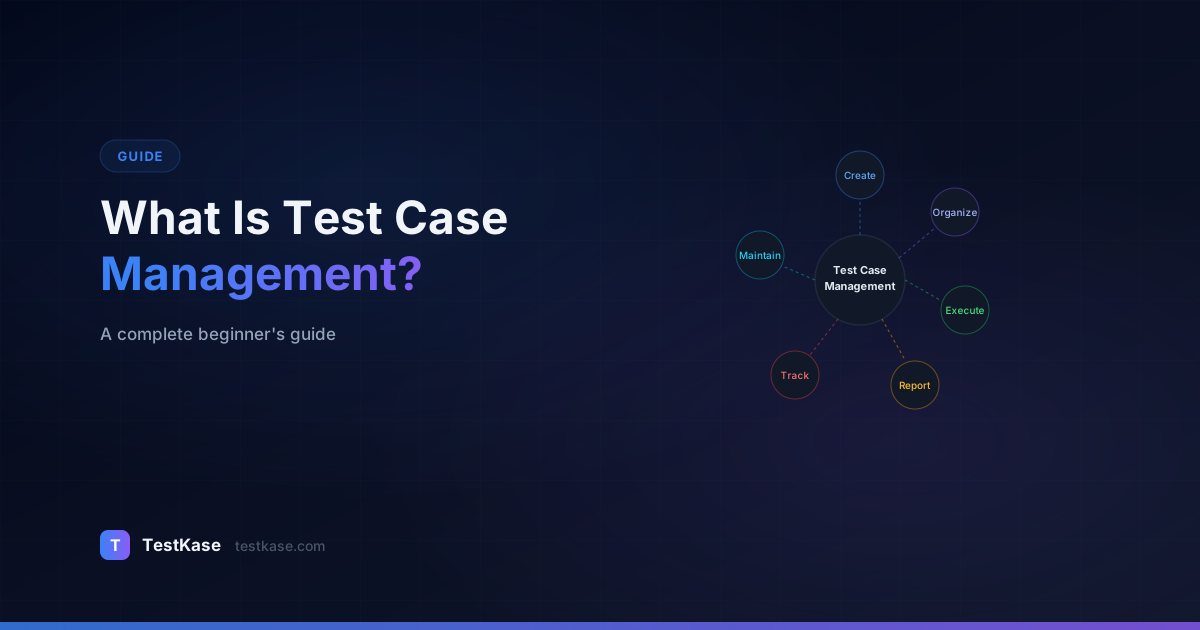
Test case management breaks down into five activities. Understanding each one helps you evaluate whether your current process covers them — and where the gaps are.
1. Test Case Creation
This is where it starts: writing test cases that are specific, repeatable, and traceable. A well-created test case includes:
- A descriptive title that tells you what is being tested and what the expected behavior is
- Preconditions that describe the state the system must be in before the test begins
- Step-by-step instructions with exact actions, inputs, and observations
- Expected results that are verifiable — not "it works" but "the confirmation page displays order number and estimated delivery date"
- Priority level to guide execution order under time pressure
- Links to requirements or user stories for traceability
The quality of your test cases determines the quality of everything downstream. Vague test cases produce inconsistent results, which produce unreliable reports, which produce uninformed release decisions.
2. Organization
As your test suite grows, organization becomes the difference between a useful asset and a cluttered warehouse. The two primary organization methods are:
Folder-based structure — Group test cases by module, feature, or area. For example: Authentication > Login, Authentication > Password Reset, Authentication > Two-Factor. This mirrors how most teams think about their product.
Tag-based classification — Apply labels like "regression," "smoke," "critical," or "API" to test cases. Tags let you create cross-cutting views: show me all critical test cases across all modules, or show me every API test case regardless of feature area.
Most teams use both. Folders for primary organization, tags for secondary classification. A test case lives in the "Checkout" folder and has tags for "regression," "high-priority," and "payment."
3. Test Execution
Execution is where test cases meet reality. A managed execution process means:
- Test cycles — Group test cases into a cycle tied to a specific release, sprint, or build. "Release 2.4 Regression" is a test cycle that contains the 200 test cases you need to run before shipping version 2.4.
- Assignment — Assign test cases to specific testers. This prevents duplication (two people running the same test) and gaps (nobody running a critical test).
- Result recording — Mark each test as Pass, Fail, or Blocked. Attach screenshots, logs, or videos as evidence. Link failed tests to bug tickets.
- Timestamps — Every execution is recorded with who ran it, when, and against which build. This creates an audit trail that spreadsheets cannot replicate.
Test cycle management is often the first capability that convinces teams to adopt a dedicated tool. Running a test cycle in a spreadsheet — assigning tests, tracking progress, identifying blockers, and generating a summary — is an exercise in frustration.
4. Tracking
Tracking answers the question: where are we? At any point during a test cycle, you should be able to see:
- How many test cases have been executed out of the total
- How many passed, failed, and are blocked
- Which modules have been tested and which have not
- Which failures are linked to open bugs and which are unresolved
- Whether you are on pace to finish testing before the release date
This visibility is critical for QA leads, project managers, and anyone making release decisions. Without tracking, the answer to "are we on track?" is always a guess.
5. Reporting
Reporting translates raw test data into decisions. The reports that matter most:
Test execution summary — Pass/fail/blocked counts and percentages for a specific test cycle. This is the "are we ready to ship?" report.
Coverage report — Which requirements or user stories have linked test cases, and which do not? Coverage gaps are features that could ship untested.
Trend reports — How have pass rates, defect counts, and blocked test ratios changed over the last 5 releases? Trends reveal systemic issues that individual test cycles hide.
Defect reports — How many bugs were found during testing, what is their severity distribution, and how long do they take to fix? This measures the effectiveness of your testing process.
Test reporting is often the tipping point that converts skeptics. When a QA lead can show stakeholders a real-time dashboard instead of a manually compiled spreadsheet, the value of managed testing becomes obvious.
When to Adopt a Test Management Tool
Not every team needs a dedicated tool from day one. Here are the triggers that signal it is time to move beyond spreadsheets or documents:
Team Size Triggers
Solo tester (1 person) — You can manage with a spreadsheet or lightweight notes if you have fewer than 50 test cases. Once you exceed that, or once you need to run the same tests across multiple releases, a tool saves time.
Small team (2-5 people) — This is where spreadsheets reliably break down. Two testers need assignment, progress tracking, and the ability to work simultaneously without conflicts. A free test management tool is the right starting point.
Growing team (5-15 people) — At this size, you need role-based access, structured test cycles, and reporting that does not require manual compilation. A dedicated tool is not optional — it is infrastructure.
Large team (15+ people) — Enterprise features become necessary: advanced permissions, API integrations, CI/CD pipeline connections, and cross-project reporting.
Complexity Triggers
Beyond team size, product complexity drives the need for tooling:
- Multiple products or projects — Managing test cases across products in a single spreadsheet is a recipe for chaos
- Regulatory requirements — SOC 2, HIPAA, ISO 27001, and similar frameworks require audit trails that spreadsheets cannot provide
- CI/CD integration — If you want automated test results to flow into your test management system, you need a tool with an API
- Release frequency — Teams shipping weekly or more frequently cannot afford the overhead of manual test tracking
Start free, scale when needed
Most modern test management tools offer free tiers that support small teams with full feature access. Start there, establish your process, and upgrade only when you hit the user or project limits. The process you build on a free tier transfers directly to a paid plan — no migration needed.
Pain Triggers
Sometimes the trigger is not a metric — it is a specific painful event:
- A critical bug reaches production because nobody knew the relevant test case was not executed in the last cycle
- A new team member takes two weeks to become productive because there is no organized test documentation
- A compliance audit fails because you cannot prove which tests were run, when, and by whom
- Two testers independently test the same feature while an entire module goes untested
- A stakeholder asks "are we ready to release?" and the honest answer takes 45 minutes of investigation
If any of these have happened to your team, you have already paid the cost of not having test case management. The tool will pay for itself immediately.
Getting Started: A Practical Path
If you are starting from zero, here is a practical approach that does not require enterprise budgets or months of setup:
Step 1: Audit What You Have
Gather every test case your team has — in spreadsheets, documents, Jira tickets, Slack messages, or people's heads. You will likely find duplicates, outdated cases, and gaps. That is normal.
Step 2: Define Your Structure
Choose a folder structure that mirrors your product. Keep it simple — three levels deep at most:
Project
├── Authentication
│   ├── Login
│   ├── Registration
│   └── Password Reset
├── Dashboard
│   ├── Overview
│   └── Reports
├── API
│   ├── Authentication Endpoints
│   └── Data Endpoints
└── Integrations
    ├── Jira
    └── GitHub
Step 3: Pick a Tool
For teams of 1-3, a free tier from any modern test case management tool will cover your needs. Look for unlimited test cases, folder organization, execution tracking, and basic reporting. Avoid tools that require Jira if you do not use Jira — standalone tools offer more flexibility.
Step 4: Migrate Your Best Test Cases First
Do not try to migrate everything at once. Start with your most critical test cases — the ones you run every release. Get those into the tool, run one test cycle using the tool, and validate that the workflow works for your team. Then migrate the rest in batches.
Step 5: Establish a Review Cadence
Test cases decay. Features change, but test cases do not update themselves. Set a quarterly review where the team scans each module's test cases and marks outdated ones for update or deletion. This keeps your test suite lean and trustworthy.
Common Misconceptions
"Test case management is only for large teams." — False. Even a solo tester benefits from organized, trackable test cases. The difference is scale, not relevance.
"It slows down agile teams." — Poorly implemented test management slows teams down. Well-implemented test management accelerates teams by reducing rework, preventing duplicate testing, and enabling faster release decisions.
"We do automated testing, so we do not need test case management." — Automated tests are a subset of your total test coverage. Manual exploratory testing, usability testing, and edge case testing still need structure. Many teams manage both automated and manual test cases in the same system.
"We are too early-stage to worry about this." — The earlier you start, the less painful it is. Retrofitting test management into a team that has been ad-hoc for two years is significantly harder than starting with basic structure on day one.
What Is Next
Test case management is not a destination — it is a practice that evolves with your team. Start with the basics: structured test cases, logical organization, and tracked execution. As your team and product grow, layer in test cycles, reporting, integrations, and automation.
The investment is not in the tool — it is in the discipline. A team that takes test case management seriously finds more bugs, ships with more confidence, and spends less time fighting fires in production. The tool just makes the discipline sustainable.
Share this article
Related Articles
Critical, Serious, Moderate, Minor: How to Triage Accessibility Issues by Severity
A practical triage policy template — SLAs per severity, ownership across design / engineering / content / QA, and how to share findings cross-team without forwarding PDFs.
Read more →Why Single-Page Accessibility Scans Miss Real Bugs (and What Multi-Page Audits Catch)
Single-URL accessibility scanners miss six entire categories of WCAG violations. Here's what falls through the gap, and how flow-aware audits catch the issues your users actually hit.
Read more →Accessibility Testing in CI/CD: Catching WCAG Issues Before They Ship
Three integration patterns, GitHub Actions / GitLab / CircleCI templates, and a 3-quarter rollout playbook to take an engineering team from zero accessibility in CI to block-on-fail.
Read more →