How to Organize Test Cases at Scale (Without Losing Your Mind)

How to Organize Test Cases at Scale (Without Losing Your Mind)
At 200 test cases, organization is optional. You can scroll through a flat list, remember where things are, and find what you need in a few seconds. At 2,000 test cases, poor organization slows you down. At 20,000, it breaks you.
The pattern is the same every time. A team starts small — a few dozen test cases in a shared spreadsheet, organized loosely by feature. As the product grows, so does the test suite. New team members add test cases in whatever folder seems right. Naming conventions drift. Duplicate tests appear because nobody could find the original. Within 18 months, the test suite has become a swamp: technically comprehensive, practically unusable.
A survey by QA consultancy Abstracta found that QA engineers spend an average of 23% of their time searching for, reviewing, and maintaining existing test cases rather than creating new ones or executing tests. On a five-person QA team, that's the equivalent of one full-time person doing nothing but fighting organizational debt.
The fix isn't heroic — it's structural. The right folder hierarchy, naming conventions, and tagging strategy can keep a 50,000-test-case suite as navigable as a 50-test-case one. A dedicated test case management tool with folder hierarchies, tags, and AI-powered duplicate detection makes this much easier. Here's how.
Choose a Folder Structure That Matches How You Work
Your folder structure is the skeleton of your test suite. Get it right and everything hangs together naturally. Get it wrong and you'll spend more time debating where a test case belongs than writing it.
There are three dominant approaches, and the right one depends on how your team thinks about your product.
The most common organizational regret
Teams that reorganize their test suite cite "wrong folder structure from the start" as the #1 cause. It's worth spending a few hours debating structure upfront — restructuring a live suite with 5,000 test cases takes weeks.
Option 1: Organize by Module
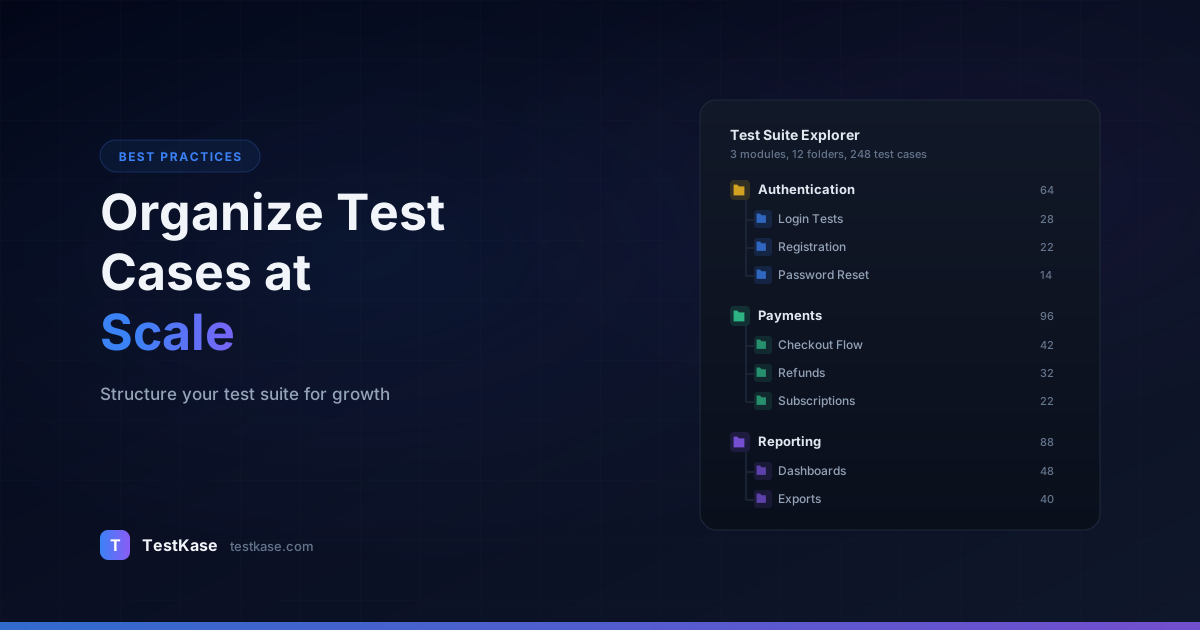
Mirror your product's architecture. Each top-level folder represents a major module or service, with subfolders for sub-features.
Authentication/
  Login/
  Signup/
  Password Reset/
  SSO/
  Two-Factor Authentication/
Payments/
  Checkout/
  Invoicing/
  Refunds/
  Subscription Management/
Dashboard/
  Widgets/
  Filters/
  Export/
API/
  v2/
    Endpoints/
    Rate Limiting/
    Error Handling/
Best for: Teams with stable product architectures where modules have clear boundaries. Backend-heavy products where features map neatly to services.
Watch out for: Cross-cutting test cases that span modules. Where does "user logs in and makes a payment" live — Authentication or Payments? You'll need a convention for end-to-end flows.
Real-world example: A SaaS company with distinct modules (billing, user management, reporting, integrations) adopted module-based organization. Each module had a dedicated QA owner, and test cases mapped 1:1 to the module ownership model. The structure worked well until they added a "workflow automation" feature that touched billing, user management, and integrations simultaneously — forcing them to create a cross-module "End-to-End" folder.
Option 2: Organize by Test Type
Group test cases by the kind of testing they represent rather than what they test.
Functional/
  Authentication/
  Payments/
  Dashboard/
Regression/
  Sprint 42/
  Sprint 43/
  Release 4.0/
Integration/
  Stripe/
  SendGrid/
  Salesforce/
Performance/
  Load Tests/
  Stress Tests/
  Soak Tests/
Accessibility/
  WCAG 2.1 AA/
  Screen Reader/
Best for: Teams where different people own different test types. A performance engineer doesn't care about functional test organization, and vice versa.
Watch out for: A single feature might have functional, regression, integration, and performance tests scattered across four different trees. Finding all tests related to "payments" requires searching across the entire suite.
Option 3: Organize by Feature (Hybrid)
Combine module-based top levels with test-type subfolders. This is the approach most teams end up gravitating toward because it balances both dimensions.
Payments/
  Functional/
    Checkout/
    Invoicing/
    Refunds/
  Integration/
    Stripe/
    PayPal/
  Performance/
    Load Tests/
  Regression/
Authentication/
  Functional/
    Login/
    Signup/
  Integration/
    OAuth/
    SAML/
  Regression/
Best for: Larger teams where you need to find "all payment tests" quickly but also need to distinguish between functional and integration tests within that area.
Whichever structure you choose, commit to it. Document it. And enforce it during test case reviews — every test case added to the wrong folder makes the suite slightly harder for everyone else to navigate.
Documenting Your Structure
Create a brief guide (a wiki page or a pinned document in your test management tool) that answers these questions:
- What are the top-level folders and what does each contain?
- Where do cross-cutting or end-to-end tests go?
- When should a new folder be created vs. adding to an existing one?
- Who approves new folder creation?
This prevents the "everyone invents their own subfolder" pattern that fragments test suites within months. The document doesn't need to be long — a single page with examples is enough. What matters is that it exists and that the team references it during reviews.
Naming Conventions That Actually Scale
Bad names create invisible duplicates. When one tester writes "Verify login works" and another writes "Test successful login flow," both might exist in the suite for months before anyone notices they test the same thing.
A naming convention eliminates ambiguity. Here's a format that works at scale:
[Module] - [Action] - [Condition/Context]
Examples:
Payments - Create invoice - with valid billing addressPayments - Create invoice - with missing ZIP codePayments - Create invoice - with international currency (EUR)Auth - Login - with valid credentialsAuth - Login - with expired passwordAuth - Login - with account locked after 5 failed attempts
This format does three things. First, the module prefix clusters related tests together when sorted alphabetically. Second, the action makes the purpose immediately clear. Third, the condition distinguishes between positive, negative, and edge case variants of the same scenario.
Enforce naming in reviews
Add a naming convention check to your test case review process — just like code review enforces coding standards. It takes 30 seconds to rename a test case during review. It takes 30 minutes to find and rename 50 misnamed test cases six months later.
Avoid these naming anti-patterns:
- Sequential numbering alone: "Test 001", "Test 002" tells you nothing
- Abbreviations without a legend: "Chk pymnt w/ invld cc" saves 20 characters and costs clarity
- Status in the name: "UPDATED - Login test v3" — use version history, not the title
- Platform in the name: "Login test - Chrome" — use tags for platform-specific variants
- Starting with "Verify" or "Test": These words add no information. Every test case verifies something. "Verify login with valid credentials" is better written as "Auth - Login - with valid credentials"
Naming for Edge Cases and Negative Tests
Negative and edge case tests are often the hardest to name clearly. Adopt a consistent pattern:
[Module] - [Action] - [negative/edge indicator] [specific condition]
Examples:
Payments - Process refund - with amount exceeding original chargePayments - Process refund - when order is older than 90 daysAuth - Reset password - with token expired after 24 hoursAPI - Rate limiting - when client exceeds 1000 requests per minuteDashboard - Export report - with dataset containing 1M+ rows
The condition should read like a sentence fragment that completes the thought started by the action. This makes test lists scannable — a reviewer can look at a list of 50 tests under "Payments - Process refund" and immediately see which scenarios are covered.
Tagging Strategies for Multi-Dimensional Organization
Folders give you one organizational dimension. Tags give you unlimited dimensions. A test case can live in one folder but have multiple tags — and that flexibility is what makes large test suites manageable.
Essential tag categories:
Priority: Critical, High, Medium, Low. Required for every test case. Enables priority-based test cycle creation.
Test type: Smoke, Regression, Functional, Integration, E2E. Allows pulling tests by type regardless of folder location.
Feature area: Payments, Auth, Dashboard, API. Redundant with folders but useful for cross-cutting searches.
Automation status: Manual, Automated, Candidate-for-automation. Tracks your automation journey and identifies manual-only coverage gaps.
Sprint/release: v4.0, v4.1, Sprint-42. Tags tests to the release they were written for — useful for identifying stale tests that haven't been updated in many releases.
Platform: Web, iOS, Android, API. Essential for teams testing across platforms.
Here's what a well-tagged test case looks like:
Title: Payments - Submit checkout - with expired credit card
Folder: Payments/Functional/Checkout
Tags: [Priority: High] [Type: Functional] [Type: Regression]
      [Automation: Manual] [Platform: Web] [Release: v4.1]
Now you can answer questions like "show me all High-priority regression tests for the Payments module that are still manual" in a single filter query. Try doing that with folders alone.
Tag Governance
Tags without governance devolve into chaos. Different team members create "High Priority," "high-priority," and "P1" — all meaning the same thing. Prevent this by:
- Defining an official tag taxonomy: List all allowed tag values in each category. Share it with the team.
- Using controlled vocabularies: If your test management tool supports predefined tag lists (dropdowns instead of free-text), use them.
- Auditing tags quarterly: Search for tags that are misspelled, unused, or outside your taxonomy. Clean them up.
- Assigning a tag owner: One person (or a rotating role) is responsible for maintaining the tag taxonomy and handling requests for new tags.
A well-maintained tag system is a force multiplier for test execution. A poorly maintained one is just noise that nobody trusts.
Using Tags for Smart Test Cycle Creation
The real power of tagging shows up when you create test cycles. Instead of manually selecting test cases, you query by tags:
- Smoke test cycle: Priority = Critical AND Type = Smoke
- Sprint regression cycle: Type = Regression AND Release = current sprint
- Platform-specific cycle: Platform = iOS AND Priority in (Critical, High)
- Automation gap audit: Automation = Manual AND Priority = Critical
Each query generates a test cycle in seconds. Without tags, assembling these cycles requires manually browsing hundreds of test cases and adding them one by one.
Avoiding Duplication
Duplicate test cases are the silent tax on every large test suite. They waste execution time, create conflicting results (one copy passes, one fails — which is right?), and make maintenance twice as expensive.
Prevention strategies:
Search before you create: Before writing a new test case, search for existing ones covering the same scenario. A 60-second search prevents a test case that takes 10 minutes to write and 20 minutes to execute — over and over.
Use parameterized test cases: Instead of creating separate test cases for "login with valid email," "login with valid phone number," and "login with valid username," create one parameterized test case with a data table. This collapses three potential duplicates into one.
Title: Auth - Login - with valid credentials
Test Data:
| Credential Type | Value                | Expected Result |
| Email           | user@example.com     | Login success   |
| Phone number    | +1-555-0123         | Login success   |
| Username        | johndoe             | Login success   |
Review new test cases: Just like code review catches duplicate functions, test case review catches duplicate tests. Assign reviews to the team member most familiar with the existing suite for that module.
Run periodic audits: Once a quarter, export your test case titles and scan for near-duplicates. Look for cases with similar names in different folders — they're often the same test added by different people. Some teams use simple similarity algorithms (Levenshtein distance) on exported titles to flag potential duplicates automatically.
Measuring Duplication
How do you know if your suite has a duplication problem? Track these indicators:
- Test case count vs. feature count: If your ratio of test cases per feature is growing faster than feature complexity, you likely have duplicates.
- Execution time trends: If execution time for the same test scope is growing without new features being added, duplicate tests may be the cause.
- Conflicting results: If the same scenario passes in one test and fails in another, you have duplicates with different implementations — one of which is probably wrong.
Archiving Obsolete Test Cases
Deleting test cases feels risky. What if you need them later? So teams keep every test case ever written, and the suite grows monotonically — even when features are deprecated or completely rewritten.
The solution is archiving, not deletion. Move obsolete test cases to an Archive folder (or mark them with an "Archived" tag) so they're out of active workflows but still accessible if needed.
When to archive:
- The feature being tested has been removed from the product
- The test case hasn't been executed in 4+ releases and covers an unchanged feature
- The test case has been superseded by a more comprehensive replacement
- The test case tests functionality that's now covered by automated tests
Archive, don't delete
Never delete test cases outright unless you're certain they have zero historical value. Archived test cases preserve institutional knowledge — they document what was tested, when, and what the expected behavior was. That context is invaluable during incident investigations and audits.
Set a quarterly calendar reminder to review your suite for archiving candidates. A 30-minute quarterly cleanup prevents the multi-week reorganization projects that teams dread.
Building an Archive Strategy
Create a structured archive that mirrors your active folder hierarchy:
Archive/
  2025-Q4/
    Payments/
    Authentication/
  2026-Q1/
    Dashboard/
    API v1/
Dating your archive folders makes it easy to answer "when did we stop testing this?" — a question that comes up during incident reviews and compliance audits. Include a brief note in each archived test case explaining why it was archived (feature removed, superseded by TC-1234, covered by automation).
Search and Filter: The Organization Multiplier
Even the best folder structure breaks down if your tool doesn't support fast search and filtering. When your suite hits thousands of test cases, search becomes the primary navigation method — not browsing.
Effective search requires:
- Full-text search across titles, steps, and expected results
- Tag-based filtering with AND/OR logic ("Priority: High AND Type: Regression AND Module: Payments")
- Folder scoping — search within a specific folder subtree, not the entire suite
- Date-based filtering — find tests created, modified, or last executed within a date range
- Status filtering — show only tests that failed in the last cycle, or only tests that haven't been executed in the current release
If your current tool makes filtering painful, you'll resist using it. And if you resist filtering, you'll stop maintaining tags, which makes filtering even more useless — a vicious cycle that leads to organizational decay.
Advanced Filtering Patterns
Power users combine filters to answer specific questions quickly:
- What's untested this release? — Release = v4.2 AND Last Executed = never
- What regressed recently? — Type = Regression AND Last Result = Failed AND Last Executed = this week
- What should we automate next? — Automation = Manual AND Priority = Critical AND Execution Count > 10
- What's stale? — Last Modified > 12 months ago AND Last Executed > 6 months ago (archiving candidates)
If your test management tool supports saved searches or custom views, create these as reusable queries. They become part of your team's workflow — like bookmarked dashboards that everyone references.
Scaling Organization Across Multiple Teams
When multiple QA teams share a single test repository, organizational challenges multiply. The strategies above still apply, but you need additional coordination.
Ownership Boundaries
Define clear ownership at the folder level. Each top-level folder (or set of folders) should have a designated team owner. That team is responsible for:
- Maintaining naming conventions within their folders
- Reviewing new test cases before they're added
- Archiving obsolete tests quarterly
- Ensuring tags are consistent with the organizational taxonomy
Cross-Team Test Cases
Some test cases span multiple team boundaries — end-to-end flows that touch several services. Establish a convention for these:
- Create a dedicated "Cross-Team" or "E2E" top-level folder
- Require both teams to review cross-team test cases before approval
- Tag cross-team tests with all relevant feature areas so both teams' queries include them
Communication Patterns
When one team changes a test case that another team depends on, conflicts arise. Prevent this by:
- Using test case reviews for any modification to shared tests
- Sending notifications when tests in shared folders are modified
- Running dependency checks before archiving tests that other cycles reference
Measuring Organizational Health
You cannot improve what you do not measure. Track these metrics to understand whether your test suite organization is helping or hindering your team:
Key Metrics to Monitor
Time to find a test case. Ask team members to find specific test cases — "find the test for expired password reset tokens" — and time them. If it takes more than 30 seconds, your organization has gaps. Track this quarterly and watch for degradation.
Duplicate rate. Export all test case titles and run a similarity check. If more than 5% of titles have a Levenshtein distance under 10 from another title, you likely have duplicates. Some test management tools can flag this automatically.
Orphan test rate. What percentage of test cases have not been executed in the last 3 release cycles? These are candidates for archiving. A healthy suite keeps this under 10%.
Tag coverage. What percentage of test cases have all required tags (priority, test type, automation status)? Incomplete tagging undermines the filtering queries that make tags valuable. Target 95%+ tag coverage.
Folder balance. If one folder contains 2,000 test cases and another contains 20, the structure likely needs adjustment. No single folder should contain more than 200-300 test cases — beyond that, it becomes difficult to browse and mentally map the contents.
Running a Quarterly Health Check
Schedule a 1-hour quarterly review with the QA team to assess organizational health:
- Review metrics — Check each metric above against targets
- Identify pain points — Ask "what was hardest to find this quarter?"
- Clean up tags — Remove duplicates, fix misspellings, update taxonomy
- Archive candidates — Flag test cases that haven't been executed in 4+ cycles
- Review naming compliance — Spot-check 20 recent test cases against naming conventions
- Document decisions — Record any structural changes or convention updates
This 4-hour-per-year investment prevents the multi-week reorganization projects that teams dread. Like code refactoring, small consistent maintenance is far cheaper than accumulated debt.
Common Organization Mistakes
1. Reorganizing too often. Changing your folder structure every quarter confuses the team and breaks bookmarks, references, and muscle memory. Pick a structure, commit, and live with its tradeoffs.
2. Over-nesting folders. More than 4 levels of folder depth creates navigation fatigue. If you need 6 levels, your top-level categories are too granular — merge some.
3. Mixing organizational dimensions. Don't mix "by module" and "by test type" at the same level. Having folders for "Payments," "Authentication," "Regression," and "Performance" side by side creates ambiguity about where cross-module regression tests belong.
4. Relying solely on folders. Folders provide one dimension of organization. Tags provide the rest. If you're not using tags, you're forcing a multi-dimensional problem into a one-dimensional structure.
5. Treating organization as a one-time activity. Organization requires ongoing maintenance — enforcing naming conventions, pruning stale tags, archiving obsolete tests. Budget 30 minutes per week for organizational hygiene. It's a small investment that prevents large problems.
6. Not documenting the structure. Undocumented organizational decisions get reinvented differently by every new team member. Write down your folder structure, naming convention, and tag taxonomy. Keep the document short, and reference it during onboarding.
How TestKase Keeps Your Suite Organized
TestKase was built for test suites that grow. Its folder system supports unlimited nesting with drag-and-drop reorganization — so restructuring doesn't require exporting, editing, and re-importing spreadsheets.
Every test case supports custom tags and priority fields, giving you the multi-dimensional filtering described in this guide. Create a test cycle by filtering for "all High-priority regression tests in the Payments folder" and the matching test cases are pulled in automatically.
Full-text search across all test case fields means you can find any test in seconds, regardless of where it sits in the hierarchy. And when you're ready to archive, moving test cases to an archive folder preserves their complete execution history — nothing is lost.
TestKase's AI-powered test generation also helps prevent the duplication problem at its source. Instead of multiple team members writing overlapping tests independently, you can generate a comprehensive set of test cases for a feature and then distribute them — ensuring coverage without redundancy from the start.
Organize your test cases in TestKaseConclusion
Organizing test cases at scale comes down to three decisions made early and enforced consistently: a folder structure that matches how your team thinks about the product, a naming convention that eliminates ambiguity, and a tagging strategy that enables multi-dimensional filtering.
None of these are technically difficult. The hard part is discipline — reviewing every new test case for proper naming and tagging, archiving obsolete tests quarterly, and resisting the urge to reorganize every time someone has a better idea. Get the structure right once, enforce it through reviews, and your suite will stay navigable whether you have 200 test cases or 20,000.
The teams that maintain clean test suites aren't the ones that started with a perfect structure — they're the ones that built good habits around enforcement, review, and periodic maintenance. Start with the practices in this guide, adapt them to your team's workflow, and commit to the discipline of keeping them going. The payoff is a test suite that remains a productive asset rather than becoming a maintenance burden.
Stay up to date with TestKase
Get the latest articles on test management, QA best practices, and product updates delivered to your inbox.
SubscribeShare this article
Related Articles
Critical, Serious, Moderate, Minor: How to Triage Accessibility Issues by Severity
A practical triage policy template — SLAs per severity, ownership across design / engineering / content / QA, and how to share findings cross-team without forwarding PDFs.
Read more →Why Single-Page Accessibility Scans Miss Real Bugs (and What Multi-Page Audits Catch)
Single-URL accessibility scanners miss six entire categories of WCAG violations. Here's what falls through the gap, and how flow-aware audits catch the issues your users actually hit.
Read more →Accessibility Testing in CI/CD: Catching WCAG Issues Before They Ship
Three integration patterns, GitHub Actions / GitLab / CircleCI templates, and a 3-quarter rollout playbook to take an engineering team from zero accessibility in CI to block-on-fail.
Read more →