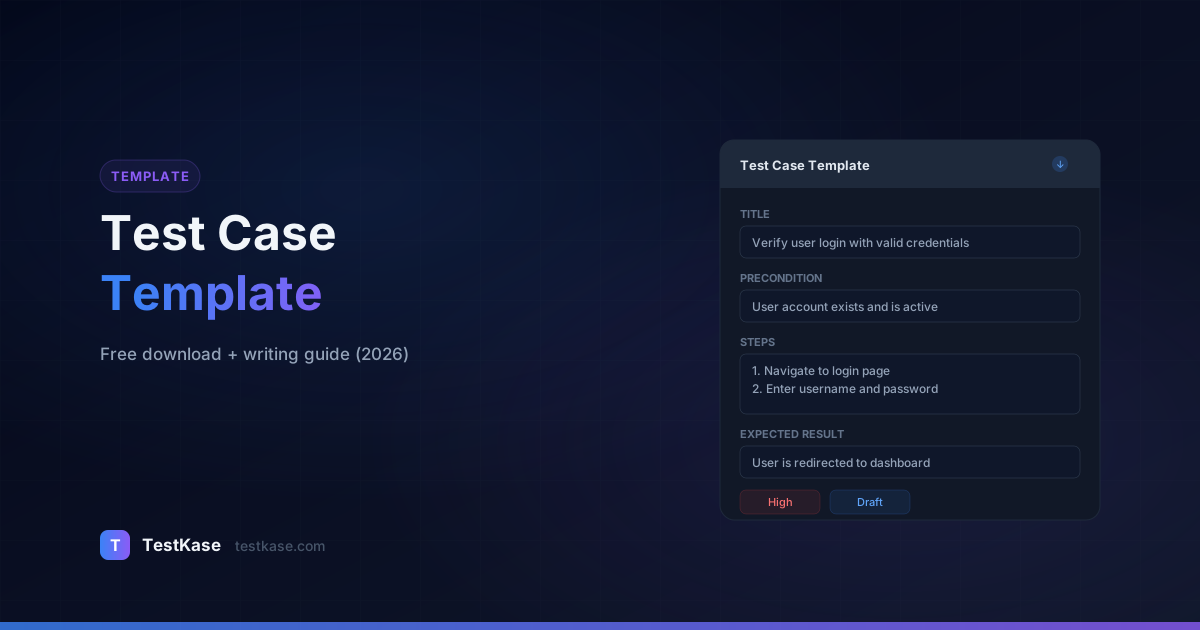
Test Case Template: Free Download + Writing Guide (2026)

Test Case Template: Free Download + Writing Guide (2026)
You know you need test cases. You know they should be "well-written." But every time you sit down to create one, the same questions surface: How much detail is enough? What fields actually matter? Should I use a spreadsheet, a Gherkin file, or something else entirely?
The answer depends on your team, your project, and how much structure you need. A two-person startup testing a landing page does not need the same template as a fintech team shipping payment processing code under SOC 2 compliance. What every team does need is consistency — a repeatable format that any team member can follow without guessing.
This guide provides three test case templates you can use immediately: a simple template for lean teams, a detailed template for teams that need traceability, and a BDD-style template for teams practicing behavior-driven development. Each includes real-world examples so you can see the template in action, not just in theory.
Why Templates Matter More Than You Think
A test case template is not just a formatting preference. It is a contract between the person who writes the test and the person who executes it. Without a consistent structure, you get test cases that range from "test login — should work" to three-paragraph novels that nobody reads.
The consequences show up in predictable ways:
- Inconsistent execution — Two testers run the same test case differently because the steps are vague. One catches the bug, the other does not.
- Wasted onboarding time — New team members spend days deciphering existing test cases instead of executing them.
- Unreliable reporting — When test cases vary in granularity, pass/fail metrics become meaningless. Are you 90% covered, or did you just write shallow tests?
The cost of ambiguity
Research from the National Institute of Standards and Technology found that unclear requirements and test specifications contribute to 50-80% of software defects. A well-structured test case template eliminates ambiguity at the testing layer, catching these issues before they reach production.
A good template solves these problems by enforcing completeness. When every test case has the same fields — preconditions, steps, expected results, test data — there is no room for "I assumed the user was already logged in" or "I did not know which browser to use."
Template 1: Simple Test Case Template
This template works for small teams, early-stage projects, or any situation where speed matters more than ceremony. It captures the essentials without overhead.
| Field | Description | Example | |-------|-------------|---------| | TC ID | Unique identifier with module prefix | TC-LOGIN-001 | | Title | One-line description of what is being tested | Verify successful login with valid credentials | | Priority | High / Medium / Low | High | | Steps | Numbered actions the tester performs | 1. Open login page 2. Enter valid email 3. Enter valid password 4. Click "Sign In" | | Expected Result | What should happen if the test passes | User is redirected to dashboard. Welcome message displays username. | | Status | Pass / Fail / Blocked / Not Run | Not Run |
When to Use the Simple Template
Use this when your team is fewer than five people, your product is in early development and changing rapidly, or you are documenting exploratory testing sessions after the fact. The trade-off is that it lacks preconditions and test data fields, which means testers need to make assumptions. That works when everyone is in the same room and has context. It breaks down when teams grow or when you need someone to execute tests months after they were written.
Simple Template Example: Login
| Field | Value |
|-------|-------|
| TC ID | TC-LOGIN-001 |
| Title | Verify successful login with valid email and password |
| Priority | High |
| Steps | 1. Navigate to /login 2. Enter testuser@example.com in email field 3. Enter SecurePass123! in password field 4. Click "Sign In" button |
| Expected Result | User is redirected to /dashboard. Navigation bar shows "testuser@example.com". Session cookie is created. |
| Status | Not Run |
Template 2: Detailed Test Case Template
This is the template most QA teams should use as their default. It includes every field you need for full traceability, audit trails, and unambiguous execution.
| Field | Description | Example | |-------|-------------|---------| | TC ID | Unique identifier | TC-CART-015 | | Title | Descriptive scenario title | Verify cart total updates when item quantity changes | | Module | Feature area or component | Shopping Cart | | Priority | Critical / High / Medium / Low | High | | Preconditions | System state before test begins | User is logged in. Cart contains 2x "Wireless Mouse" at $29.99 each. | | Test Data | Specific values used during execution | Product: Wireless Mouse, SKU: WM-200, Price: $29.99, New qty: 5 | | Steps | Numbered, specific actions | 1. Navigate to cart page 2. Locate "Wireless Mouse" row 3. Change quantity from 2 to 5 4. Wait for cart to update | | Expected Result | Observable outcomes with specifics | Line item total shows $149.95. Cart subtotal updates. "Cart updated" confirmation appears. | | Postconditions | System state after test completes | Cart contains 5x Wireless Mouse. Database reflects updated quantity. | | Environment | Browser, OS, device, API version | Chrome 120, macOS 14.2 | | Automation Status | Manual / Automated / Candidate | Manual | | Linked Requirement | Traceability to requirement or story | JIRA-1234: Cart quantity editing |
When to Use the Detailed Template
Use this when your team has more than three people, you operate in a regulated industry (healthcare, fintech, government), test cases need to survive team turnover, or stakeholders require evidence of test coverage for compliance. The extra fields add about 2-3 minutes per test case, but they save far more than that in reduced ambiguity, better reporting, and easier maintenance.
Detailed Template Example: E-commerce Checkout
| Field | Value |
|-------|-------|
| TC ID | TC-CHECKOUT-008 |
| Title | Verify order placement with coupon code applied |
| Module | Checkout |
| Priority | High |
| Preconditions | User is logged in with verified email. Cart contains: 1x "Running Shoes" ($89.99), 1x "Sports Socks" ($12.99). Coupon code SAVE20 is active and provides 20% off orders over $50. |
| Test Data | Coupon: SAVE20, Discount: 20%, Shipping: Standard ($5.99), Tax rate: 8.25% |
| Steps | 1. Navigate to /checkout 2. Verify order summary shows subtotal of $102.98 3. Enter SAVE20 in coupon code field 4. Click "Apply" 5. Verify discount line shows -$20.60 (20% of $102.98) 6. Verify new subtotal is $82.38 7. Select "Standard Shipping" ($5.99) 8. Verify tax calculated on discounted total: $6.80 (8.25% of $82.38) 9. Verify order total: $95.17 ($82.38 + $5.99 + $6.80) 10. Enter valid payment details 11. Click "Place Order" |
| Expected Result | Order confirmation page displays. Order number is generated. Email confirmation sent to user within 60 seconds. Order total matches $95.17. Coupon SAVE20 usage count increments by 1. |
| Postconditions | Order exists in database with status "Confirmed". Inventory decremented for both items. Coupon usage recorded. |
| Environment | Chrome 120, Windows 11 |
| Automation Status | Candidate |
| Linked Requirement | STORY-456: Apply discount coupons at checkout |
Template 3: BDD-Style Test Case Template
BDD (Behavior-Driven Development) templates use the Given-When-Then syntax that bridges the gap between business stakeholders and testers. If your team writes user stories and your developers use Cucumber, SpecFlow, or similar frameworks, this format aligns your test cases with your development workflow.
| Field | Description | Example | |-------|-------------|---------| | Scenario ID | Unique identifier | BDD-SEARCH-003 | | Feature | Feature file name or area | Product Search | | Scenario | Descriptive scenario name | User filters search results by price range | | Given | Precondition / initial context | Given the product catalog contains 500 products with prices ranging from $5 to $500 | | When | Action performed | When the user sets the price filter to $20-$50 and clicks "Apply Filters" | | Then | Expected outcome | Then only products priced between $20 and $50 are displayed, and the result count updates to reflect the filtered total | | And/But | Additional conditions | And the active filter chip shows "$20 - $50" with a remove button | | Tags | Classification tags | @search @filters @regression |
When to Use the BDD Template
Use this when your team practices behavior-driven development, developers implement tests using Cucumber or SpecFlow, product managers or business analysts participate in test reviews, or you want test cases that double as living documentation. The Given-When-Then format is more readable for non-technical stakeholders, but it can feel restrictive for complex multi-step scenarios. Some teams use BDD for acceptance criteria and the detailed template for thorough test coverage.
BDD Template Example: API Authentication
| Field | Value |
|-------|-------|
| Scenario ID | BDD-AUTH-007 |
| Feature | API Authentication |
| Scenario | API rejects requests with expired JWT token |
| Given | Given a user has a JWT token that expired 5 minutes ago |
| When | When the user sends a GET request to /api/v1/projects with the expired token in the Authorization header |
| Then | Then the API returns HTTP 401 Unauthorized |
| And | And the response body contains {"error": "token_expired", "message": "Your session has expired. Please log in again."} |
| And | And the WWW-Authenticate header is present in the response |
| Tags | @auth @security @api @regression |
Understanding Each Field in Depth
Whether you choose the simple, detailed, or BDD template, understanding why each field exists helps you fill them in effectively rather than mechanically.
Title
The title is the single most important field. A good title tells you what is being tested and what the expected behavior is — in one line. Compare these:
- Bad: "Login test" — what about login? Happy path? Wrong password? Locked account?
- Good: "Verify login fails with correct email but incorrect password" — instantly clear.
A consistent naming pattern helps when scanning long test lists. A common convention is: Verify [action/behavior] when [condition].
Priority
Priority determines which tests run every cycle and which can be skipped under time pressure. A practical framework:
- Critical — Tests for features where failure means revenue loss, data corruption, or security breach. Always run.
- High — Core user workflows. Run every release.
- Medium — Important but non-blocking features. Run when time permits.
- Low — Edge cases, cosmetic issues, rare scenarios. Run periodically.
Without priority, teams default to running tests in creation order, which almost never aligns with business risk. When a release deadline is tight and you can only run 60% of your test suite, priority tells you which 60%.
Preconditions
Preconditions describe the state the system must be in before the test begins. They are the most commonly skipped field — and the most common source of "it works on my machine" inconsistencies.
Be specific. Instead of "User is logged in," write "User is logged in with role 'Admin' and has at least one project created." Instead of "Database has test data," write "Product catalog contains at least 10 products in the 'Electronics' category with prices ranging from $10 to $500."
Steps and Expected Results
Steps should be executable without interpretation. Every step should answer: what exactly do I click, type, or observe?
The new hire test
After writing a test case, apply the "new hire test": could someone who started on your team yesterday execute this test without asking a single question? If the answer is no, you need more detail in your steps and expected results.
Expected results are where most test cases fall short. "It should work" is not an expected result. Describe what you should see (UI elements, messages), what should change (database state, API responses), and what should not happen (no duplicate records, no error logs).
Test Data
Explicit test data eliminates the most common source of test execution variance. Instead of "enter a valid credit card," specify "enter card number 4242 4242 4242 4242, expiry 12/28, CVV 123." Instead of "search for a product," specify "search for wireless bluetooth headphones."
When test data needs to be generated or is environment-specific, document where to find it: "Use a test account from the staging seed data — see /docs/test-accounts.md for credentials."
Real-World Template Examples
Seeing templates applied to real scenarios is more useful than abstract field descriptions. Here are three common scenarios fully written out.
Example 1: Login Authentication
TC ID: TC-AUTH-003
Title: Verify account lockout after 5 consecutive failed login attempts
Module: Authentication
Priority: Critical
Preconditions:
  - User account testuser@example.com exists and is active
  - Account has 0 failed login attempts
  - Account lockout threshold is configured to 5 attempts
  - Lockout duration is set to 15 minutes
Test Data:
  - Email: testuser@example.com
  - Correct password: SecurePass123!
  - Wrong password: WrongPassword!
Steps:
  1. Navigate to /login
  2. Enter testuser@example.com in the email field
  3. Enter WrongPassword! in the password field
  4. Click "Sign In" — verify "Invalid credentials" error (attempt 1)
  5. Repeat steps 2-4 four more times (attempts 2-5)
  6. On the 5th failed attempt, observe the response
  7. Attempt to login with the CORRECT password (SecurePass123!)
Expected Result:
  - Attempts 1-4: "Invalid email or password" error message shown
  - Attempt 5: "Account locked. Please try again in 15 minutes" message
  - Step 7: Login is rejected even with correct credentials during lockout
  - Lockout event is logged in the security audit log
Example 2: REST API Endpoint
TC ID: TC-API-021
Title: Verify POST /api/v1/test-cases creates a new test case with all required fields
Module: Test Case API
Priority: High
Preconditions:
  - Valid API key with write permissions
  - Project "Demo Project" (ID: proj_abc123) exists
  - Folder "Login Tests" (ID: folder_def456) exists within the project
Test Data:
  - API Key: tk_test_api_key_12345
  - Endpoint: POST /api/v1/test-cases
  - Request body:
    {
      "title": "Verify password reset email is sent",
      "projectId": "proj_abc123",
      "folderId": "folder_def456",
      "priority": "high",
      "preconditions": "User account exists with verified email",
      "steps": [
        {"action": "Click forgot password", "expected": "Reset form appears"},
        {"action": "Enter registered email", "expected": "Success message shown"}
      ]
    }
Steps:
  1. Send POST request to /api/v1/test-cases with the request body above
  2. Include header: Authorization: Bearer tk_test_api_key_12345
  3. Include header: Content-Type: application/json
  4. Record the response status code and body
Expected Result:
  - HTTP 201 Created
  - Response body contains generated test case ID
  - Response body matches all submitted fields
  - Test case appears in the "Login Tests" folder when viewed in the UI
  - Created timestamp is within 5 seconds of request time
Example 3: BDD for Search Functionality
Scenario ID: BDD-SEARCH-009
Feature: Product Search
Scenario: Search returns relevant results with typo tolerance

Given the product catalog contains the following items:
  | Name                  | Category    | Price  |
  | Wireless Mouse        | Accessories | $29.99 |
  | Wireless Keyboard     | Accessories | $49.99 |
  | Wired Mouse           | Accessories | $14.99 |
  | Bluetooth Headphones  | Audio       | $79.99 |

When the user types "wirelss mouse" (misspelled) in the search bar
And the user presses Enter

Then the search results should include "Wireless Mouse"
And the search results should include "Wireless Keyboard"
And the search results should show "Did you mean: wireless mouse?"
And the result count should display "2 results"

Tags: @search @typo-tolerance @regression
Choosing the Right Template for Your Team
There is no single "best" template. The right choice depends on these factors:
Use the Simple Template if you are a solo tester or a team of two, your product is in rapid prototyping phase, or you need to document test ideas quickly without slowing down.
Use the Detailed Template if your team has three or more testers, you need traceability between requirements and tests, your industry requires audit trails, or test cases are maintained for more than one release cycle.
Use the BDD Template if your team practices behavior-driven development, business stakeholders review test scenarios, or your automated tests use Cucumber, SpecFlow, or similar tools.
Many teams use a combination. BDD templates for acceptance criteria at the feature level, and detailed templates for in-depth regression testing. The key is consistency within each category — do not mix formats within the same test suite.
Managing Templates at Scale
Templates get you started. But as your test suite grows past 100 test cases, managing them in documents or spreadsheets becomes a bottleneck. This is where a test case management tool earns its value — not just for organization, but for execution tracking, reporting, and collaboration.
Modern tools also offer AI-powered test case generation. Instead of writing every test case from scratch using a template, you can describe a feature and let an AI test case generator produce structured test cases that follow your template format. You review and refine rather than create from zero.
If you are evaluating tools, look for one that supports custom fields (so your template maps directly to the tool's structure), folder-based organization, bulk import from CSV (so you can migrate existing test cases), and execution tracking with evidence attachment.
A free test management tool is a good starting point if your team is small. As your test suite and team grow, the structure you establish with good templates will make the transition seamless — your naming conventions, priority levels, and field standards carry over directly.
Common Mistakes to Avoid
Even with a good template, these mistakes undermine test case quality:
1. Writing steps that assume context. "Complete the checkout process" is not a step. Break it down: navigate to cart, click checkout, enter shipping address, select payment method, confirm order.
2. Copying test cases without updating them. When you duplicate a test case and modify it for a new scenario, update every field — including preconditions and test data. Leftover data from the original case causes false results.
3. Skipping negative test cases. Templates make it easy to write happy-path tests. But the bugs live in the negative cases: what happens with empty input, maximum-length input, special characters, expired sessions, network timeouts?
4. Writing expected results as "it works." Every expected result should be verifiable. "The system works correctly" is not verifiable. "The order confirmation page displays with order number, estimated delivery date, and a confirmation email is sent within 60 seconds" is.
5. Never updating test cases after the feature changes. A test case written for v1 of a feature that has not been updated for v3 is worse than no test case at all — it gives false confidence.
Wrapping Up
A test case template is not a bureaucratic exercise. It is the difference between a test suite that catches bugs and one that just fills rows in a spreadsheet. Start with the template that matches your team's size and maturity, enforce consistency, and invest the extra two minutes per test case in specific preconditions, real test data, and verifiable expected results.
The investment pays off the first time a clearly written test case catches a critical bug that would have shipped to production — or the first time a new team member executes 50 test cases on their first day without asking a single question about what the steps mean.
Share this article
Related Articles
Critical, Serious, Moderate, Minor: How to Triage Accessibility Issues by Severity
A practical triage policy template — SLAs per severity, ownership across design / engineering / content / QA, and how to share findings cross-team without forwarding PDFs.
Read more →Why Single-Page Accessibility Scans Miss Real Bugs (and What Multi-Page Audits Catch)
Single-URL accessibility scanners miss six entire categories of WCAG violations. Here's what falls through the gap, and how flow-aware audits catch the issues your users actually hit.
Read more →Accessibility Testing in CI/CD: Catching WCAG Issues Before They Ship
Three integration patterns, GitHub Actions / GitLab / CircleCI templates, and a 3-quarter rollout playbook to take an engineering team from zero accessibility in CI to block-on-fail.
Read more →