Hear the session, not just watch it
Media, notification tones and in-app sound streamed live from the real machine or the real handset — so you can check the half of the experience a screen recording never captures.
Free device-minutes to start · no credit card required
Media, tones and app sound — streamed from the real device
A screen recording is silent. Your users are not.
The video plays, the picture looks fine — and you have no idea if a sound came out. Open a real device, tap once, and hear it: the media, the alert tone, the app sound, straight from the machine your customer is holding.
What you can finally hear
Media playback
The video plays — and there is sound behind the picture.
Notification tones
Alerts and in-app sounds firing exactly when they should.
Autoplay policy
Browsers hold sound until a tap. Hear whether yours gets caught.
Mute and volume
Your own player controls doing what the label says.
Silence that should not be
Everything looks right, and nothing comes out.
Muted until you ask for it
Sound rides alongside the video on its own track and starts muted, so opening a session never surprises the room. Unmute sits in the rail next to the other controls — one tap and you are listening.
- One tap to listen. Muted the moment a session opens, never on its own. You choose when sound comes on.
- The device's own output. On a phone it is the app under test, the browser and system sounds — not a browser tab.
- Live, not a file. You hear it as it happens, the same audio your customer would.
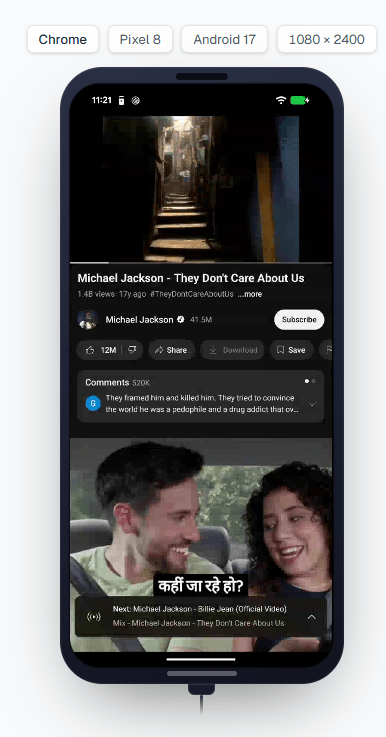
Where you can hear it
Windows — every browser
Sound on Windows 10 and 11, in whichever browser you test.
macOS — Chrome and Edge
Hear the browser on a real Mac, no permission prompts to click through.
Android phones and tablets
The handset's own output — the browser and the apps you install on it.
iPhone and iPad
Real Apple hardware, with sound from the browser and installed apps.
Frequently asked questions
You hear it. Sound arrives as a second live track alongside the video, muted by default. Tap unmute in the session rail and you hear the media, notification tones and app sound coming from the real machine or handset.
No. Audio is one way — output only, on every platform. There is no microphone input into the device, so anything that needs to record from a mic cannot be driven this way.
No — on macOS you get sound in Chrome and Edge only. Firefox and Safari on macOS have no audio capture path, so those two browsers play no sound in the session. Windows, Android and iOS are not affected by this.
On macOS 15 the virtualisation layer returns pure silence to any audio capture, which is an operating-system defect rather than something we can work around. Rather than ship a control that plays nothing, we hide it there. Sound is available on macOS 26 in Chrome and Edge.
Yes. Every browser on Windows 10 and Windows 11 carries device sound, captured inside the session's own machine.
The device's own output — the app under test, the browser and system sounds together, exactly as the handset plays them, not the audio of a single tab.
No. The audio track starts muted so a session never makes noise on its own. You turn it on with one tap when you want to listen.
No. You can hear the device live while you test, but a recorded clip is video only.
Yes. On Android phones and tablets you hear the handset's own output — the browser and the apps you install on it — and on real iPhone and iPad hardware you hear sound from the browser and installed apps. It is the device's own audio, streamed live into the session, not the audio of a single browser tab.
Open a live session, play the media, and tap unmute in the rail to hear it — the media, notification tones and app sound stream live from the real machine or handset, muted until you ask for it. Sound covers every browser on Windows, Chrome and Edge on a Mac, and real Android and iPhone or iPad hardware; Firefox and Safari on macOS have no audio.
Check the half you cannot see
Open a session, unmute, and hear what your users hear.