Put a real file on the device, then test the upload
Drag a document or an image from your own machine into a live session, and the picker on the other end finds it — the plumbing that stops a remote session halfway through half your flows.
Desktop browsers and Android · not available on iOS
IMG_4821.HEIC
ready to upload
You can't test an upload on an empty device
Half your flows stall at a file picker — a document to upload, an avatar to change, a receipt to attach, a CSV to import — and the device you borrowed was wiped clean before you got it.
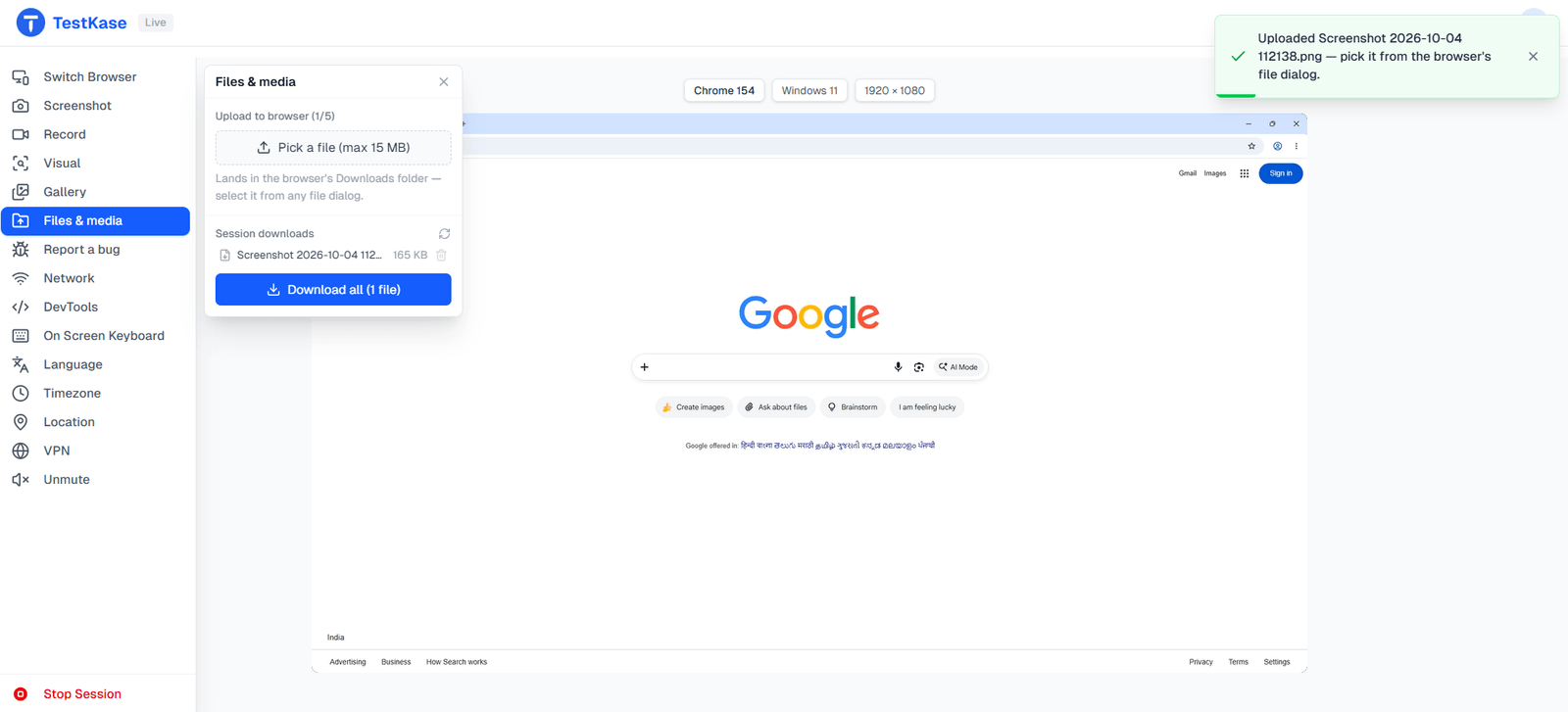
Choose a file on your machine and it lands on the session's device — ready for the app's own picker to find.
What you can do
Get a real file onto the device, no cloud storage and no SDK.
Drag it in from your machine
Pick a file on the computer you are at; it is delivered to the session's device.
The app sees an ordinary file
The device's own picker finds it and the real upload path runs — nothing simulated.
Break it with the awkward files
A huge photo, an odd format, a non-Latin filename — the ones that actually find bugs.
Every desktop browser
Chrome, Edge, Firefox and Safari on macOS and Windows all take a pushed file.
Real Android, phones and tablets
Hardware and emulators, for mobile web and installed apps alike.
Catch the bug in the same session
Push, walk the flow, screenshot or record what breaks, and file it with proof attached.
The files that actually break uploads
Teams test with one small, clean PNG and ship. These are the files that find the bug instead — and you can put every one of them on the device.
A photo straight from a phone
A modern image format
A name that isn't ASCII
Right at the size limit
The wrong type, on purpose
Uploading on a bad connection
Choose a file
shop.app wants to attach a document
IMG_0411.jpg
2.3 MB
receipt-q3.pdf
248 KB
- just pushed
customer-9284.csv
812 KB
IMG_0410.jpg
1.8 MB
Works where you upload most
The file arrives in real device storage, so the upload dialog treats it like anything else already there.
Desktop browsers
Chrome, Edge, Firefox and Safari sessions on macOS and Windows all take a pushed file into an upload dialog.
Android
Real phones and tablets, and emulators — into device storage for both mobile web and installed apps.
Frequently asked questions
Push the file into the session from the rail, then use the application's own file picker as a user would. The device treats it as an ordinary file already in storage, so the upload path behaves normally rather than being simulated.
No. Apple's sandbox does not allow dropping a file into another app's storage from outside it, which applies to every vendor rather than to us specifically. On iOS the practical routes are a file the app fetches from a URL, or a build that can pull its own test fixtures.
Not here. That needs camera image injection — feeding an image to the device as though its camera had captured it — and we do not have it. BrowserStack and LambdaTest both ship it, and if scanning flows are central to your product they are the better choice today.
Not yet. Files are pushed per session, so the same fixtures get uploaded again next time. A persistent per-organisation library is a known gap — LambdaTest ships one — rather than something we have decided against.
No. The transfer is one-way today: you can send a file in, but you cannot retrieve one the app wrote, such as an exported report or a local database. It is on the list of known gaps rather than a deliberate restriction.
Because there isn't one. Devices are cleaned between sessions, so the storage you get is empty by design — that is what stops the previous tester's data reaching you. The trade-off is that anything an upload flow needs has to be put there deliberately, which is what this control is for.
Ordinary documents and images for upload flows — the useful test cases being the awkward ones: an unusually large image, an unexpected format, a filename with non-Latin characters. Very large files are better tested through a URL the app fetches, since the in-browser push path is not built for size.
Desktop browsers and Android. Chrome, Edge, Firefox and Safari sessions on macOS and Windows all take a pushed file into an upload dialog, and Android real phones, tablets and emulators take one into device storage for both mobile web and installed apps. iPhones are the exception, because Apple's sandbox blocks it.
Walk the upload flow end to end
Push a file into the session, use the app's own picker, and capture whatever goes wrong.