One round of testing, planned and tracked
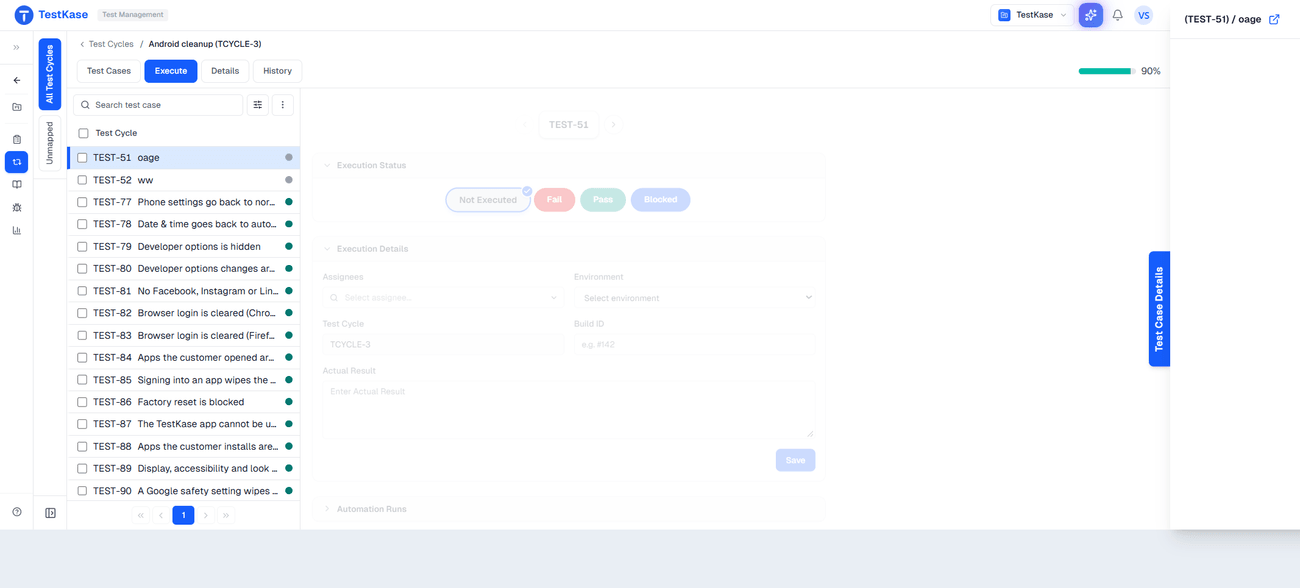
Pick the cases, assign them, set the environment and the dates, and watch the cycle land. Every result records the build, the environment and the version of the case that was actually run.
Cycles, plans above them, and a history for both
- PassedCheckout with a saved cardAR
- PassedApply a discount codeMK
- FailedGuest checkoutMK
- BlockedRefund a paid orderAR
- Not runAddress validationJD
Did this pass in the last release?
In most tools the answer is already gone — every run overwrites the case's one status. Here each execution is its own record, pinned to the build, the environment and the version of the case that actually ran. A case keeps a history, not just the mark the last run left behind.
Every run recorded as evidence
One failed run, kept exactly as it happened — the eight facts every execution records, and why each earns a field of its own.
Status
Passed, failed, blocked or not run — the answer everyone is waiting for.
Assignee and executor
Who it was given to, and who actually ran it. Two separate facts.
Actual result
What happened, against what the case said should happen.
Error message
Kept on its own field, so failures group instead of being read one by one.
GatewayTimeout: no response in 30sEnvironment
A pass on staging and a pass on production are different claims.
Build
Which version of your product this result is actually evidence about.
Duration
Real execution time, so reporting is measured rather than guessed.
Case version
The exact steps that ran — still readable months after the case is edited.
Written when the run is submitted, and never overwritten by the next cycle — which is what makes it evidence rather than a status.
A result remembers the case it ran
Edit a case tomorrow and last quarter's pass still means the exact steps that ran — not whatever the case says now. That is the line between evidence and an assertion, and it settles the usual argument: a test that passed last cycle and fails now is either a regression or a changed case, and you can see which.
Ran in 3 cycles · each result pinned to the case version
- Release 2.4Passedcase v3AlexSep 12
- Release 2.3Failedcase v2PriyaAug 30
- Release 2.2Passedcase v2
Land the cycle, don't let it stall
Assign every case
An unassigned cycle is one where everyone assumes someone else started.
Set the environment once
On the cycle, so two testers are never quietly testing different things.
Watch it on day two
A stall shows early — a blocked cluster, an idle assignee — not at the deadline.
File defects from the failure
The case, build and environment ride into the ticket.
Filing from a failed execution carries its context into the ticket — see defects.
Cycles, and plans above them
One cycle is one round. A plan groups them — regression on three platforms, a smoke cycle per environment, an exploratory sweep — and it is what you report on when someone asks whether the release is tested. Both cycles and plans keep their own history, and both sit in folders you organise by release or cadence.
Frequently asked questions
A case says what should be checked; an execution says what happened when somebody checked it — on which build, in which environment, by whom, with what actual result. They are separate records here, so a case accumulates a history of results across cycles rather than one status that the most recent run overwrote.
Yes, and it matters more than it sounds. Without it, editing a case silently rewrites history: someone updates the expected result to match current behaviour and every past result appears to have verified something it never checked. Recording the version means a pass from three months ago is evidence about a specific set of steps.
A plan groups cycles. You need one as soon as a release stops being a single pass — regression on three platforms, a smoke cycle per environment, an exploratory round. Each is its own cycle with its own owner and dates, and the plan is what you report on when someone asks whether the release is tested.
Read the guide: What a test plan is, with a template →Yes, and the record keeps assignee and executor as separate fields, because who work was given to and who actually ran it differ more often than plans admit. Assignment is also what makes progress meaningful — you can see who is blocked rather than only that the total is short.
Automated results are reported into the product through the CI integrations, the webhook or the automation reporters rather than by a cycle running your pipeline. The point is that manual and automated results end up in the same reporting instead of being two lists nobody reconciles.
No. A cycle exists when someone creates it — there is no recurrence rule that opens one every sprint. Creating from a previous cycle is quick, but the decision to open a round of testing stays a human one.
No. The hierarchy is cases, cycles and plans — there is no milestone layer above plans, and no capacity model that knows who has time before you assign. You assign the work; you judge whether there is room for it.
It stays as it is — part-executed, with the cases nobody reached still marked not run. That is deliberate: silently closing a cycle would turn 'we ran out of time' into 'this was tested', which is the single most expensive lie a test management tool can tell. An unfinished cycle is information about your capacity, and worth reading as such.
In folders, by release or by cadence — sprint, release, hotfix — rather than by team. Teams reorganise more often than release processes do, and a folder tree named after last year's squads is the usual reason nobody can find the cycle they are looking for.
Turn a suite into a round of testing
Select, assign, set the environment, and find out on day two whether it is going to land.