One approved image, per screen and per browser
A baseline is the picture your team agreed is correct. Approve it once, and every later snapshot is measured against the one that matches its project, page, browser, platform and size.
Baselines are kept until you replace them
A screenshot proves what happened, not what should have
No machine knows what your product is meant to look like. Approve one image as correct and every capture after it is measured against that picture, so a visual regression shows up as a difference on your screen — not as a customer complaint a week later.
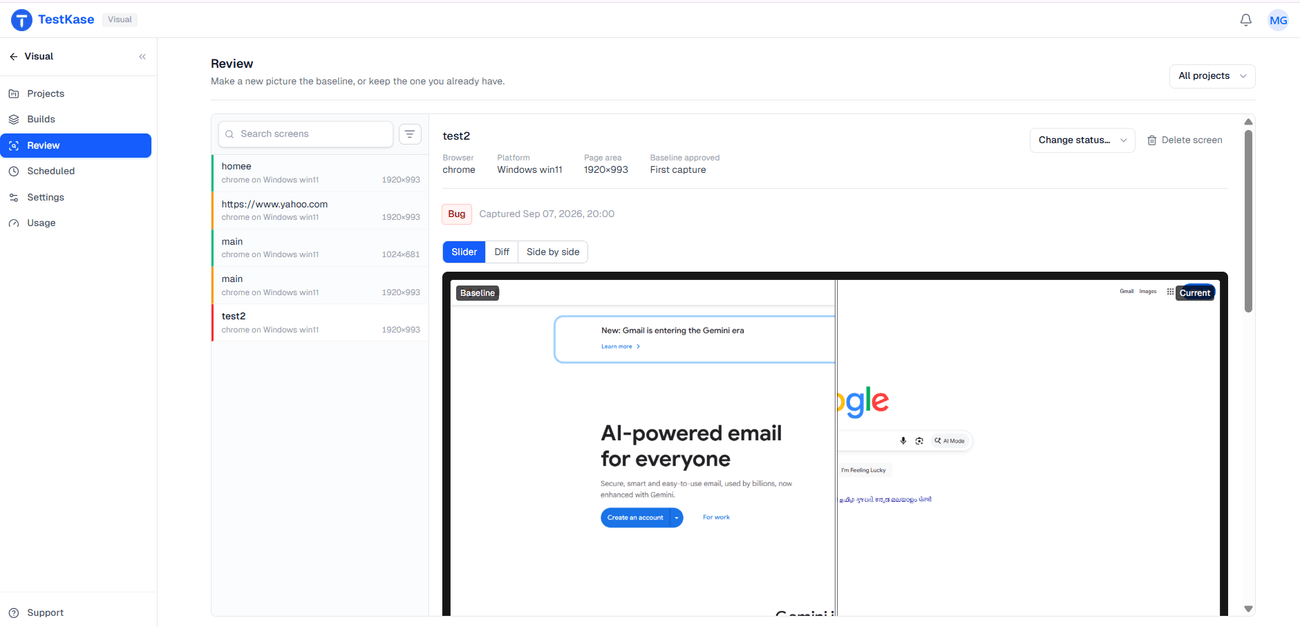
Every screen keeps its own approved image
A baseline belongs to one project, page, browser, platform and size. Chrome and Safari never overwrite each other, and a resize is never read as a regression.
Project
Two teams watch the same URL without touching each other's approved images.
Page URL
The address the session was on when you pressed Visual.
Browser
Chrome, Edge, Firefox and Safari each keep their own approved image.
Platform
The same browser on Windows and macOS renders differently, so each gets its own.
Image size
A capture at another size is its own baseline, not a failure.
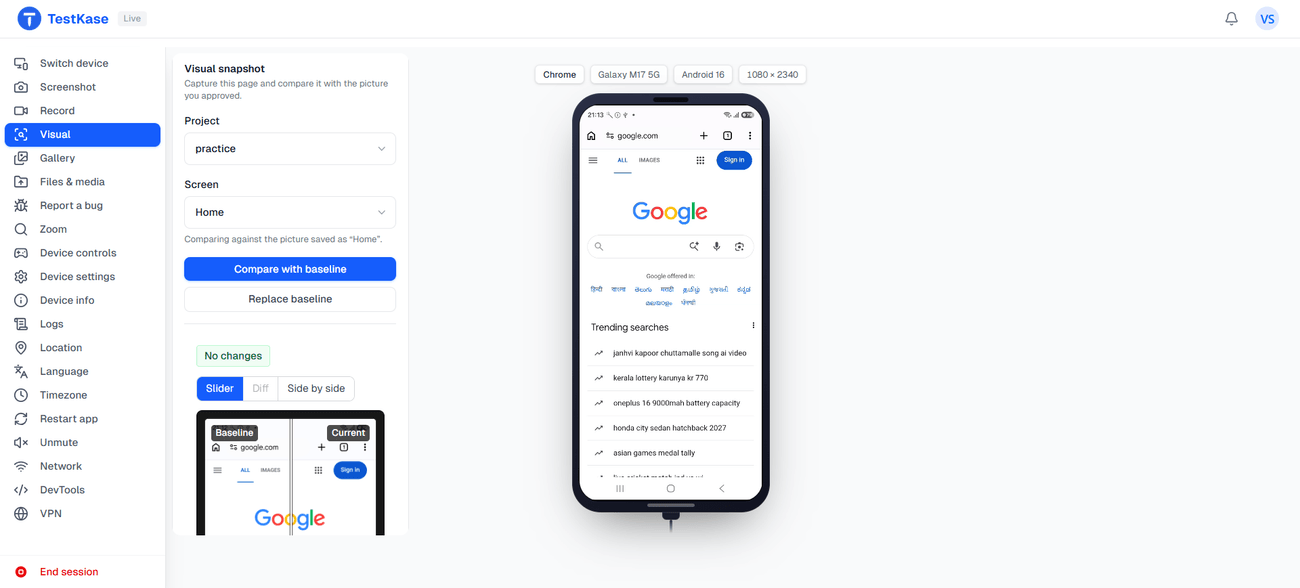
The first capture sets the standard. You decide every one after.
When nothing is approved for a screen yet, the first capture becomes its baseline — no diff, nothing waiting in a queue.
- A person approves each change. A capture never becomes the new standard on its own, so a bug can't quietly teach the system that it is correct.
- Ship a real change, approve once. A redesign or a copy fix becomes the new baseline the moment you approve it, and the next run measures against reality.
- Kept until you replace it. A baseline is the standard, not a session file on a clock, so it stays until you approve something new in its place.
Frequently asked questions
Five things: the project, the page address, the browser, the platform, and the captured image size. All five have to match. That is deliberate — Safari on macOS and Chrome on Windows are different rendering jobs, and comparing them would produce a diff on every pixel rather than a useful signal.
It becomes the baseline. There is no comparison to make and nothing appears in your review queue. From the second capture onwards, that image is the standard — which is why it is worth looking at the first one properly rather than letting a batch of them in unexamined.
Approve the change and make the new picture the baseline. There is a second form of approval that accepts the difference without replacing the baseline, which is the right choice for something temporary like a seasonal banner — the screen stops nagging you and the original standard survives.
Fewer than instinct suggests. Start with the screens where a visual break costs something real — checkout, pricing, sign-up, the dashboard people land on — plus the ones that are hard to catch by eye, like a data table or a dense settings page. Skip anything that changes by design, like a feed or a page of live figures. A set of screens people actually review beats a huge one nobody does.
No. A pixel threshold and ignore regions decide what counts as a difference, rather than a model trained to guess which changes matter. You set the threshold and mark the regions that always move; the result is the same on every run and you can say exactly why a diff was raised.
Almost always the size. The captured image size is part of the key, and it is the page area rather than the window, so a session at a different resolution produces a separate baseline instead of a comparison. Keep the resolution consistent for screens you are tracking.
No. Baselines are keyed by project, page, browser, platform and size, not by git branch. If you run many long-lived branches against a fast-moving main, Percy and Applitools both have branch-aware models that will produce less review noise than we will, and that is a legitimate reason to prefer them. Positioning read on 10 September 2026; check rather than trusting our summary.
Until you replace it. A baseline is not a session artifact on a retention clock — it is the standard the product measures against, so it persists until a person approves something new in its place.
Approve the first one and the rest measure themselves
Take a snapshot in a live browser session and it becomes the image everything after it is checked against.