Cases someone other than the author can run
Steps and expected results as structured fields, not prose. Folders and labels that survive a reorganisation, the custom fields your team actually needs, and a version history for when somebody asks what this case said last week.
Free for up to 3 users · every report included
Suite
Declined card shows the shopper a clear reason
- 1Open the payment page and choose CardCard fields render; Pay stays disabled until valid
- 2Enter the expired test card and tap PayThe charge is declined — no money is taken
- 3Read the message shown to the shopper“Your card has expired” appears inline; the cart is kept
A case only its author can run is just a reminder
Hand it to a new joiner, or to whoever is free during a crunch, and it should get the same answer every time. That is the whole bar. Steps as their own rows, an expected result you can honestly fail, the data spelled out — so the case works without the person who wrote it.
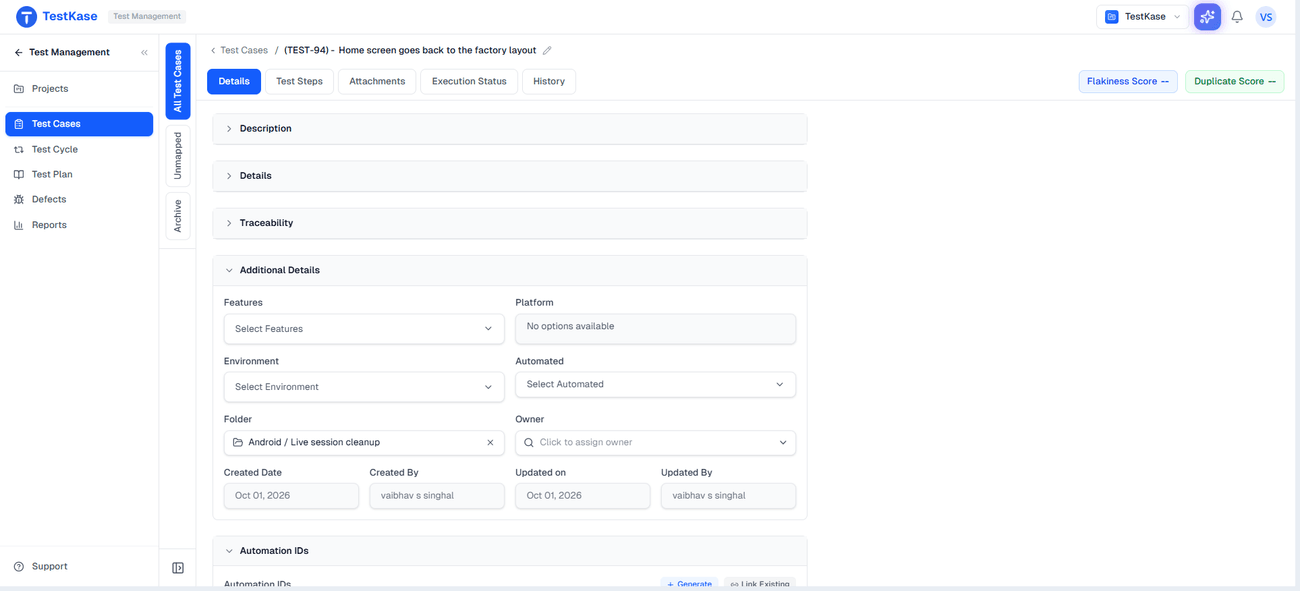
Everything a case can carry
Numbered steps
Each action its own row, so anyone can run it.
Expected result
What should happen, kept separate from the steps.
Preconditions
The state the system must be in before step one.
Test data
Which account and values, changed without touching the steps.
Priority and status
What matters, and where the case is in its lifecycle.
Labels and features
Slice the suite by release, risk or area.
Platform and environment
Where the case is meant to run.
Owner
Who keeps it alive.
Automated
Whether automation already covers this case.
Custom fields
The field your team needs, configured per project, with defaults.
Attachments
The screenshot or spreadsheet the case depends on, up to 50 MB each.
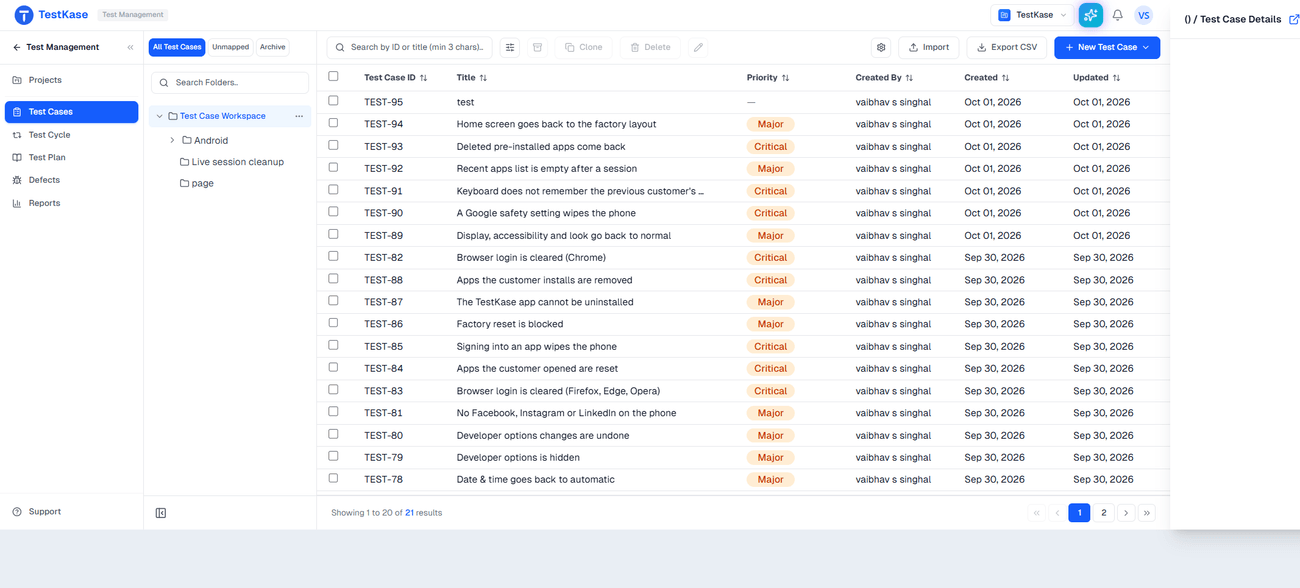
A suite you can still find things in
Folders follow the product's shape; labels carry what changes — release, risk, platform. And when two people write the same test in different words, the Suite Optimization report catches the overlap by comparing what the cases say, not what they are titled.
Every case keeps its history
Edits are versioned, so a case has a past, not just a present. When a passing test starts failing, or an auditor asks what was tested at release, you can see what the case said last week and who changed it.
Frequently asked questions
Title and summary, preconditions, numbered steps, expected result, test data, priority and status, labels and features, platform and environment, an owner, and whether it is covered by automation. Plus any custom fields your project defines, and attachments up to 50 MB each.
Read the guide: How to write test cases that catch bugs →Yes, configured per project, with defaults. That keeps a regulated project carrying the fields an auditor asks for while an internal-tool project stays uncluttered. The discipline worth keeping is to add fields that actually get filtered or reported on — a field nobody reads is a tax on every case anyone writes.
Yes. Edits are recorded with a version, so you can see what a case said before and who changed it. That settles the two arguments that always follow a disputed result: was this the same case yesterday, and did somebody quietly rewrite it to match the behaviour they observed?
Both, for different jobs. A case lives in exactly one folder, so folders should follow something stable like the product's own shape rather than your team structure, which reorganises more often. Labels carry everything that changes: release, risk, suite membership, platform.
Read the guide: Organising test cases at scale →The Suite Optimization report compares cases by content rather than by title, which is the only way to catch two cases that say the same thing in different words. Suites accumulate these constantly — different authors, different sprints — and each one costs execution time without adding coverage.
No, and treating automation as the destination for every case is how teams end up automating things that were never worth running. Automate what is stable, repeated and cheap to assert; keep manual the cases that need judgement — does this look right, does this feel slow, is this wording confusing. The automated flag exists to record which is which, not to shame the ones without it.
Yes. A case carries an automated flag and can be mapped to an automated test, so the manual suite and the automated one stop being two unrelated lists that nobody reconciles. Coverage reporting then reflects both.
No. One case is one case; there is no data table that expands it into many runs from a set of inputs. Zephyr Scale offers this. Here you keep test data as its own field on the case instead.
Not today. Steps belong to their own case rather than to a shared component you update in one place. If a sequence recurs, it is repeated per case.
No. Cases are numbered steps with expected results, not Given/When/Then Gherkin. The format is built for someone to execute, not for a BDD framework to parse.
Write one case properly and the rest follow the shape
Preconditions, steps, expected result, data. The structure is the part that makes a suite survive the person who wrote it.