A folder of screenshots and one command
Your tests already take screenshots that nobody compares. Upload them with @testkase/visual, from any language or CI, and get an exit code your pipeline already knows how to read.
No SDK · no framework plugin · zero runtime dependencies
$ npx @testkase/visual upload ./screenshots --project Marketing
Uploading 48 snapshots, 5 at a time…
✓ home.png ✓ pricing.png ✓ cart.png
± checkout.png changed
Build #2214 finished
48 snapshots · 3 changed · 3 to review
→ testkase.io/visual/builds/2214
$ echo $? 1
Your suite already takes the screenshots. Then it throws them away.
Playwright, Cypress, Selenium, XCUITest, a Python script — somewhere in your pipeline is a folder of PNGs nobody compares to anything. Written on every run, looked at once, deleted by the next build.
Your suite already writes these — then throws them away with no comparison.
What the command gives you
Built to be boring in your pipeline, which is the highest compliment a CI tool can earn.
One command, any language
If your test can write a PNG, it can feed this — Java, Python, C#, Ruby, JavaScript, a shell script.
An exit code your pipeline reads
0 when nothing needs review, 1 when something changed, 2 when the command was wrong. That is the whole integration.
Zero runtime dependencies
It runs inside your CI with nothing of ours that can conflict with anything of yours.
Bytes go straight to storage
Images upload from your machine to object storage, never through our servers.
Builds, not loose images
A run of forty screens is one build with one verdict, not forty notifications.
One shared set of baselines
Uploads share baselines, thresholds and review with Live captures and scheduled runs.
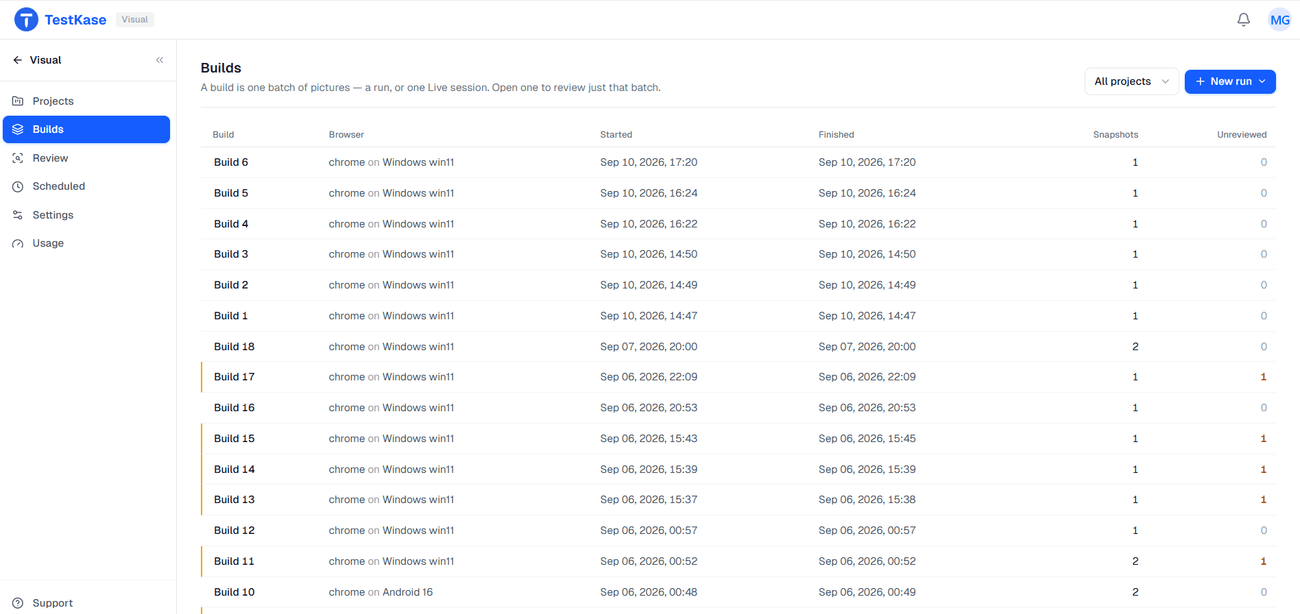
One step after your tests. One verdict your pipeline acts on.
The command uploads the folder and exits. A run of forty screens becomes one build to review, each change opening a before and after, tagged with the branch and commit that made it. Nothing to parse, no webhook, no API to poll.
Frequently asked questions
All of them, because it does not integrate with any. If your tests can write a PNG to a folder — Playwright, Cypress, Selenium, XCUITest, Espresso, a Python script, a shell one-liner — the CLI can upload it. There is no plugin to install and nothing bound to your runner's version.
With an exit code: 0 when nothing needs review, 1 when something changed, 2 when the command itself was wrong. Your CI already knows what to do with a non-zero exit, so there is no webhook to receive and no API to poll.
By filename. shots/home.png is the screen 'home' and is compared against the approved image for that name. That is what makes the CLI framework-agnostic — and it means renaming files creates new screens rather than comparing to the old ones. Run --dry-run to see the names it would use before you upload, and after any change to how your tests name files.
Name the screen, not the test: checkout-payment.png survives a test being renamed or moved, should-render-payment-step.png does not. Keep out anything that changes on its own — timestamps, run ids, build numbers — because a name that differs between runs makes every screen new every time. Put a variant in the name when it is a genuinely different screen, like pricing-mobile.png or pricing-dark.png.
No. The CLI asks for an upload slot and sends the bytes straight to object storage, so images go from your machine to storage without travelling through our application. Comparison then happens on our own machines.
Eventually, yes — but most teams start in report-only mode. A fresh set of baselines produces noise while everyone settles what correct looks like, and a check that cries wolf in week one gets disabled in week two. Once the baselines are trusted, blocking is the point.
Everything becomes a baseline, because there is nothing to compare against yet. The build reports new screens rather than changes, you look through them to confirm they are what you expect, and from the second run onwards they are the reference. It is worth doing that first upload deliberately rather than in a pipeline — a baseline set nobody looked at is a set of approved bugs.
No to both, by design. An uploaded image is one browser at one size — the one your test used — so capturing across browsers means running your suite across them. Comparison is pixels with a threshold and ignore regions: predictable, and less forgiving than a model that guesses at intent. SDK tools like Percy and Applitools do more here because they drive the capture; uploading a folder trades that cleverness for working with any suite you already have.
Yes, and they share everything. Uploaded screens, screens captured by pressing Visual in a Live session and screens from a scheduled run all live in the same projects, against the same baselines, with the same thresholds and ignore regions and the same review workflow.
Point it at the screenshots you already have
One command against a folder your suite is already writing, and you have visual testing.