Test on real Windows browsers, with the sound on
Chrome, Edge and Firefox on real Windows 10 and 11, driven live from whatever machine you own. Audio, network throttling and DevTools in the session — the platform most of your users are on, tested the way they use it.
No VM to maintain · drive it from a Mac or Linux · free device-minutes to try it
Most of the web is read on Windows. Your team tests it least.
The bugs that only show up on Windows are the ones a Mac-based team ships straight past — until a customer finds them first.
 Edge defaultsZoom 125%
What your Windows users actually see.
Scrollbars take real width
Windows reserves a gutter macOS hides, so a layout gains a scrollbar nobody designed.
Fonts render differently
ClearType and a different fallback stack move weight, width and line breaks.
Everyone runs at 125%
Windows laptops ship scaled up, so a layout roomy at 1× is cramped for most users.
Edge is not just Chrome
Tracking prevention, sleeping tabs and download prompts behave on their own defaults.
Real Chrome, Edge and Firefox — on real Windows 10 and 11
Chrome
The baseline your users share — current and older builds.
Edge
The Windows default, with its own tracking, PDF and download behaviour.

Firefox
Gecko, not Chromium — where engine bugs surface on their own.
We run every major Windows browser on real machines. Need Safari? That is a macOS session, one click away in the same tab.
What you can do inside a Windows session
The same control rail as every Live session, plus the two things Windows does that macOS sessions do not: sound, and throttling on every browser.
Hear it
Media, alerts and in-page audio come through to your tab.
Throttle the network
Drop to a slow or offline connection and watch the page cope.
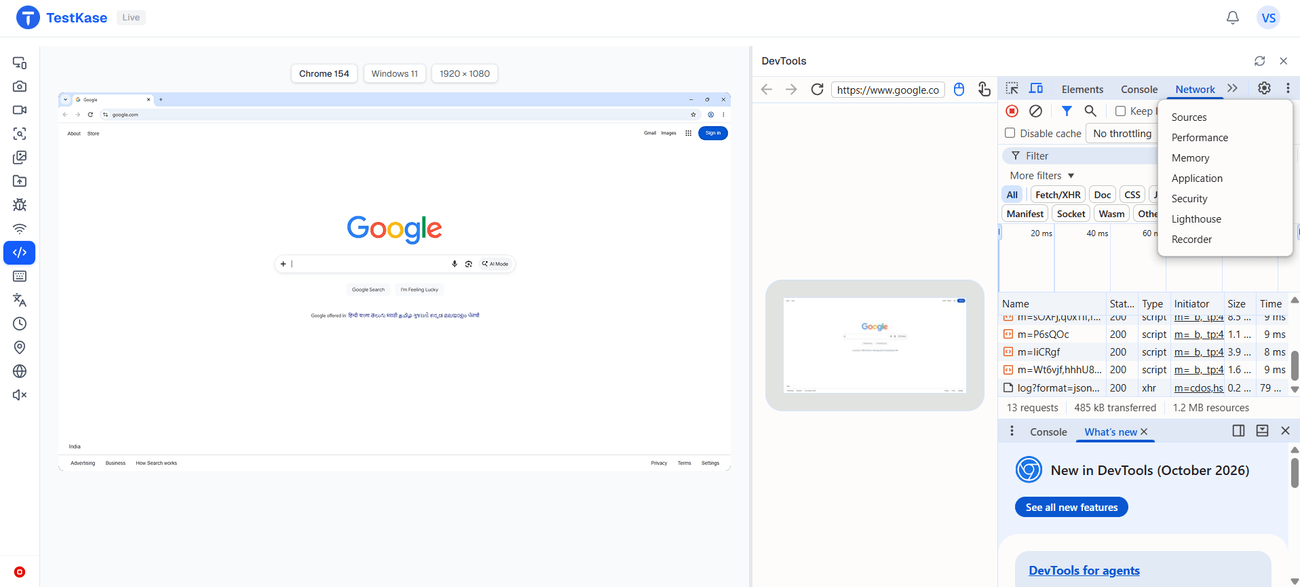
DevTools on Chrome and Edge
An embedded panel — elements, console, network; Firefox opens its own tools in the session.
Set a location
Override GPS coordinates on Chrome, Edge and current Firefox.
Set language and timezone
Loads the page as a user in that locale sees it, on Chrome, Edge and current Firefox.
Route through another country
Exit-IP routing on the host works on any browser.
Reach your own machine
Local Testing opens localhost or a site behind your firewall — no public URL.
Capture and file it
Screenshot, compare against a baseline, grab a HAR, and file a bug with the evidence.
Switch browser mid-session
Relaunch as another browser, version or resolution — or as macOS — same tab.
Frequently asked questions
Yes. The Windows machine is ours; the session streams to your browser, so you drive a real Windows 10 or 11 desktop from a Mac, a Linux box or a Chromebook. Nothing is installed on your side.
A real Windows operating system, running on hardware we operate and maintain, with Chrome, Edge and Firefox installed as genuine builds. The point is that fonts, scrollbars, display scaling and Edge's defaults are the platform's own — not an engine wrapped in something else.
Yes. Windows sessions carry audio through to your tab, which is what makes this the desktop session to choose for media players, notification sounds and anything else with a soundtrack. macOS browser sessions do not carry audio today.
On Chrome and Edge, yes — an embedded panel attached to the remote browser, with elements, console, network and sources. Firefox on Windows exposes no remote-debugging channel, so its DevTools open inside the session instead.
Because there is no Safari on Windows — Apple stopped shipping it in 2012. If you need Safari, open a macOS session for it; you can switch a running session to macOS in the same tab.
On a current Firefox, yes — location, language and timezone all apply on Chrome, Edge and current Firefox. An older Firefox build hides them until you pick a current release.
Windows 10 and Windows 11. We deliberately do not carry Windows 7, 8 or XP; if your support matrix requires them, another vendor is the better fit and we would rather say so than let you find out later.
Yes. Local Testing opens a tunnel from your machine to the session, so localhost or a site behind your firewall loads in the Windows browser with no public URL and nothing deployed.
Yes. Switch browser from the rail lets you relaunch the session as a different browser, version, resolution or platform, in the same tab. Walking a bug across Windows Edge and macOS Safari is two clicks.
Yes. A Windows session can drop the connection to slow or offline and let you watch the page cope, on Chrome, Edge and Firefox alike. Along with sound, throttling on every browser is one of the two things a Windows session does that a macOS one does not.
Open a Windows machine in the next minute
Pick Chrome, Edge or Firefox, pick a version, and see what a Windows user sees — from the tab you are reading this in.