Your Playwright test, on our browsers
Point your existing @playwright/test suite at one WebSocket endpoint and it runs on real Chrome, Edge and Firefox — plus real Safari on macOS — across real macOS and Windows machines. Swap launch() for connect(). Nothing else changes.
Free device-minutes · one connect() · real Safari on macOS
import { test, expect } from '@playwright/test';
test('checkout works', async ({ page }) => {
await page.goto('/checkout');
await expect(page.getByRole('button')).toBeEnabled();
});
// playwright.config.ts
connect: 'wss://hub.testkase.com/playwright'
 Chrome
 Edge
 Firefox
 Safari
“Passes locally” means Chromium, on your laptop
Your users are on Safari, on Windows, on browsers you don't have installed. The bug that only shows up there never runs in your suite — so you find it after the release, not before.
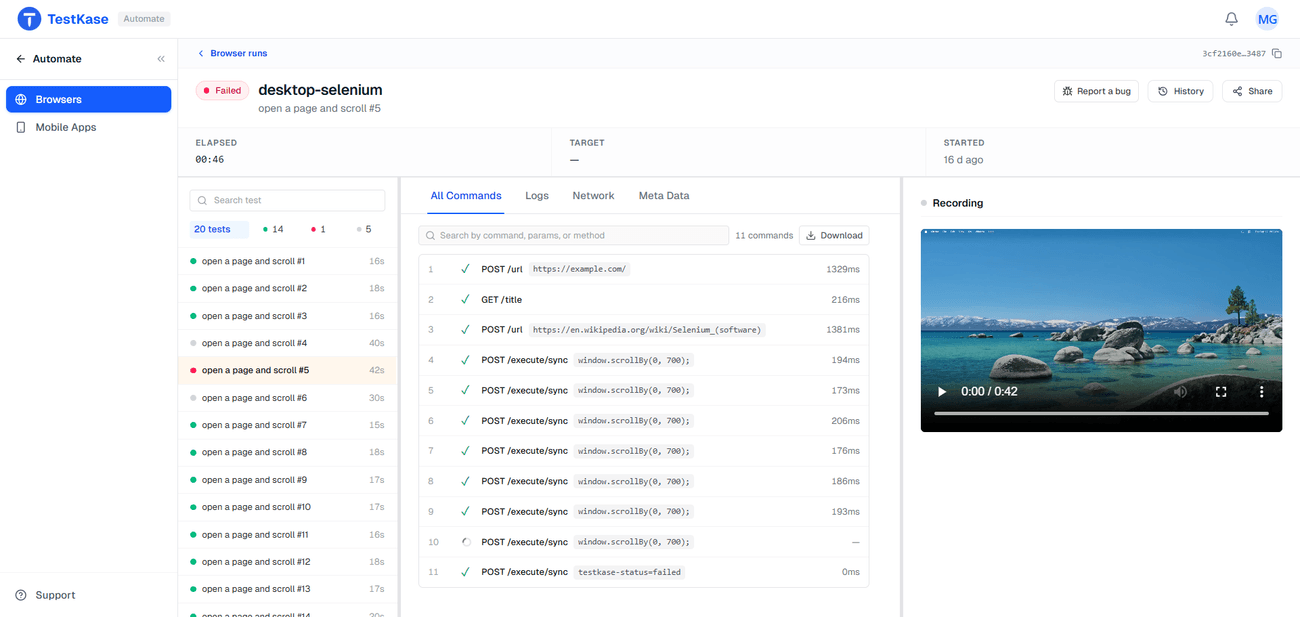
Point your existing Playwright suite here
Change one line
Swap launch() for connect(). Your specs, config, fixtures and assertions stay exactly as they are.
Real browsers, real machines
Chrome, Edge and Firefox on real macOS and Windows, plus real Safari on macOS.
Your trace, kept
trace: "on" still writes the trace.zip and HTML report you open in the Playwright Trace Viewer.
Video and logs on top
Every run is recorded with server-side logs, captured outside your process.
Parallel by your plan
Open a connection per worker and fan out from GitHub Actions, GitLab, Jenkins or anywhere.
No grid to run
No runner VMs, no browser upgrades, no capacity planning to keep alive.
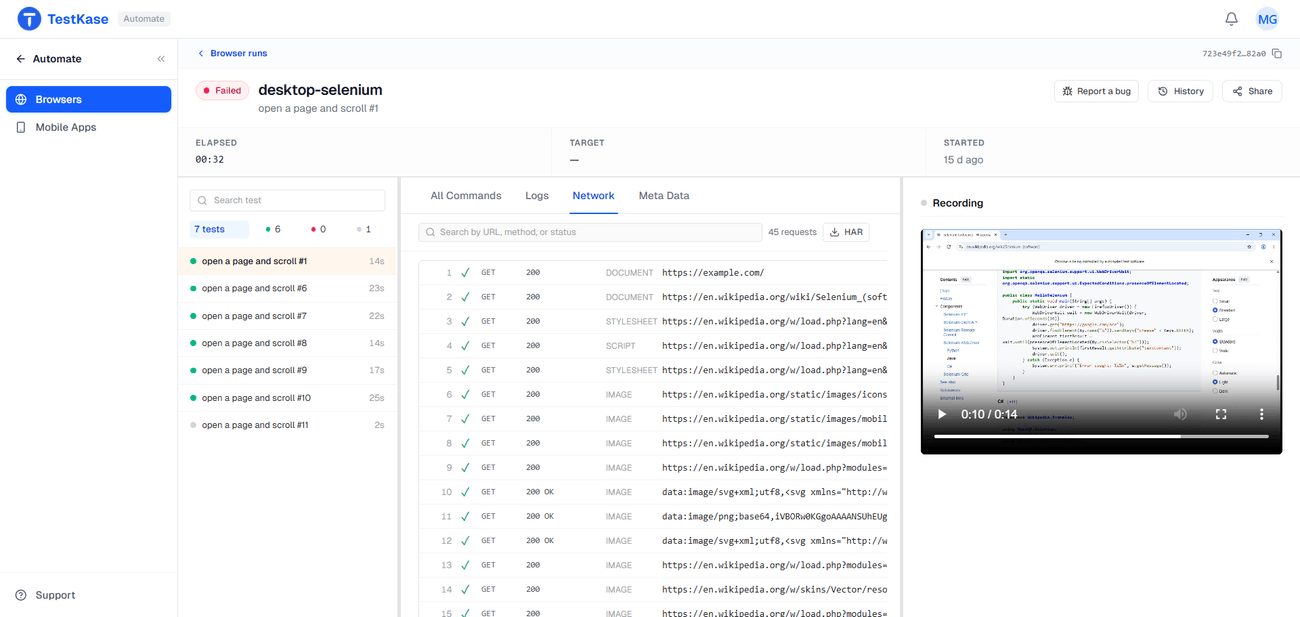
When a remote test fails, you still see why
Your Playwright trace opens in the Trace Viewer exactly as it does locally. On top of it, TestKase records the session and keeps the run logs — captured on our side, so they survive even when a test crashes before it can write anything.
The browsers you cannot run locally
Chrome, Edge and Firefox
On real macOS and Windows machines — the same suite on both is a line in your config, not a second pool.
Real Safari, on macOS
The browser Apple ships, not a bundled WebKit build — so a Safari bug report stops being guesswork.
Frequently asked questions
No. You keep your existing Playwright specs, fixtures, assertions and the @playwright/test runner. The only change is connecting to the TestKase endpoint instead of launching a local browser — swap launch() for connect().
Use Playwright's own connect() against wss://hub.testkase.com/playwright, passing your browser name and a testkase:options block with your access key. There is no SDK to install and no proprietary runner: the migration is a URL, and so is the exit.
Chrome, Edge and Firefox on real macOS and Windows machines, plus real Safari (WebKit) on macOS. You pick the browser with a standard Playwright capability.
Real Safari, on macOS — the browser Apple ships, with its own release schedule and platform integration. Playwright's bundled WebKit is an excellent proxy, but it is not the same thing, which is exactly why a Safari bug report is worth reproducing on the real one.
No. Playwright ships its own Firefox and WebKit builds, and they speak a protocol with no capture hook, so those two do not emit console or network logs. Chrome and Edge do. If you need both a browser's own logs and Firefox, run Firefox through Selenium instead.
Recent versions, with the official @playwright/test runner and no proprietary SDK. Because each Playwright release is glued to one specific Firefox and WebKit build, we keep several releases installed and match your session to the one you connect with. The capability generator (testkase.com/capability-generator) shows the exact versions supported right now. If you connect with one we don't keep, the connection is refused with a message naming the versions to install.
Yes. Your runner records whatever you configure — trace: "on", screenshots and the HTML report — and opens in the Playwright Trace Viewer as usual. TestKase adds a session video and server-side run logs on top; it does not replace the trace.
Parallel threads are bounded by your plan. The free tier has no thread limit — its 15 free device-minutes are the only limit, spent across as many threads as they cover. Paid plans run 1 to 20 threads self-serve, and an enterprise contract can go higher. Open one connection per worker and fan out from any CI.
Yes, over the tunnel. A browser in our fleet cannot reach your localhost directly, so a local site is exposed through the tunnel — the most common first-run surprise if you skip it.
No. This is browser automation only — Playwright on real desktop browsers. It does not cover native mobile app automation.
Run Playwright on real browsers — free
Free device-minutes to start, no credit card. Point your existing suite at one endpoint and go.